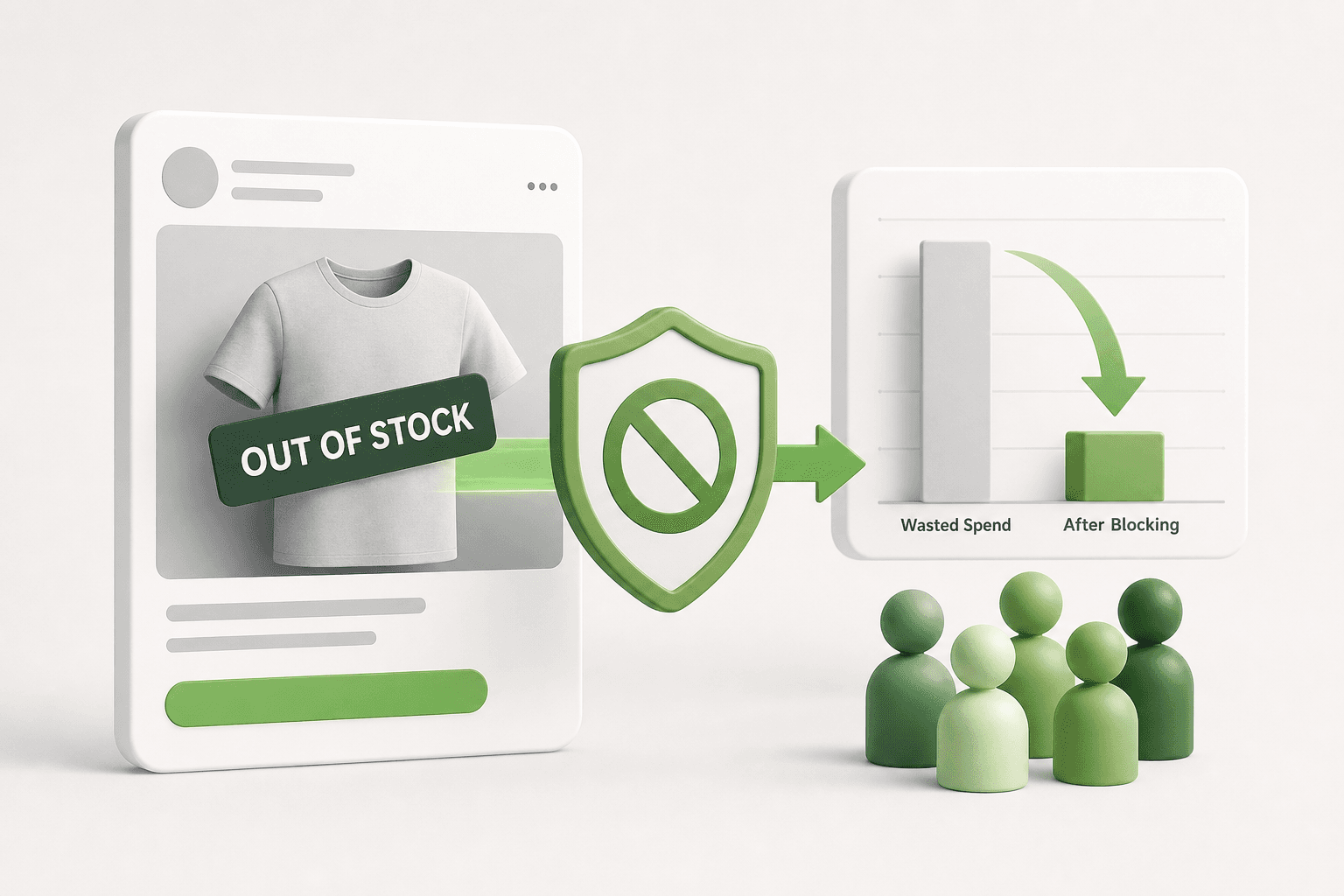
Short answer: To stop Meta Dynamic Product Ads (DPA) from showing already purchased products, configure dynamic audience exclusions at the ad set level and ensure Pixel 'Purchase' event parameters pass exact catalog SKUs in 'content_ids'. Applying a 14-to-30-day buyer exclusion window stops wasted impressions and preserves ad relevance.
You complete an online order, and twenty minutes later, your Instagram feed serves a carousel featuring the exact pair of running shoes or leather wallet you just bought. As a media buyer, opening Meta Ads Manager to see high dynamic retargeting frequency while customer support forwards complaints about ads for delivered orders is a frustratingly familiar scenario. Ad spend intended to recover abandoned carts or find incremental shoppers is instead circulating back to people whose credit cards were already charged.
This tracking breakdown happens when the Meta Pixel fails to communicate transaction data cleanly to your Commerce Manager catalog, or when dynamic audience retention windows are misconfigured at the ad set level. If the content_ids parameter in your Purchase event does not match the product SKU (stock keeping unit) format in your catalog feed, Meta cannot recognize that the conversion took place. Left unresolved, this blind spot burns retargeting spend, artificially inflates frequency, and drives up blended CAC (customer acquisition cost) by bidding on converted users.
This guide provides a direct technical solution to eliminate post-purchase dynamic retargeting waste. You will learn how to audit your pixel payload against your catalog, build airtight audience exclusions inside Meta Ads Manager, structure your catalog campaigns for efficiency, and verify that your event tracking functions properly. Applying these configurations ensures your budget stays focused exclusively on prospective buyers who have yet to complete their checkout.
Key Takeaways
- Retargeting purchased items happens when Pixel 'Purchase' event parameters fail to match catalog product IDs (content_ids).
- Switch from generic retargeting to the explicit ad set rule: 'Viewed or added to cart but did not purchase'.
- Set your purchase exclusion window between 14 and 30 days based on your typical order fulfillment and repeat purchase cycle.
- If running post-purchase upsells, build dedicated product sets featuring complementary items rather than the entire product catalog.
How do you detect if Meta DPA is showing already bought products?
You can detect if Meta Dynamic Product Ads (DPA) show already purchased products by checking post comments for customer complaints, spotting ad set frequency climbing past 4.0 alongside falling conversion rates, and reviewing web analytics for immediate bounces on product pages from existing account holders who completed orders recently.
Monitoring Public Comments on Active Dynamic Ads
DPA (Dynamic Product Ads) are Meta ad formats that automatically pull product images, titles, and prices from a catalog feed to show personalized items to shoppers. The most immediate sign of a broken exclusion setup appears in the ad comments. In Meta Ads Manager, navigate to the ad level, click Preview, select Facebook Post with Comments, and inspect user responses. When shoppers repeatedly post messages such as "I just bought this yesterday, stop showing it to me," your retargeting rules are failing to recognize completed transactions.
Tracking Ad Set Frequency Spikes Against Conversion Rates
Frequency is the average number of times each unique user sees your ad within a selected date range. CVR (conversion rate) is the percentage of ad clicks that result in a completed purchase action. When Meta cannot identify that a shopper purchased an item, the delivery algorithm keeps serving dynamic ads for that same item to exhaust the retargeting window. In Meta Ads Manager, customize your reporting columns to inspect Frequency alongside Purchases and CVR. If frequency climbs above 4.0 over a seven-day window while conversion rate drops sharply, your audience is likely saturated with buyers who have no incentive to purchase the exact same item again.
For example, an online footwear store running a dynamic retargeting campaign with a 500 USD daily budget observed its 7-day frequency rise from 2.2 to 4.8 while its conversion rate plummeted from 3.4% to 0.6%. The advertiser inspected the catalog exclusions, discovered that purchase events were not firing on guest checkouts, and updated the exclusion audience. Afterward, the advertiser monitored the campaign for five days: frequency settled back to 2.1, and CVR rebounded to 3.1% because ad spend ceased targeting shoppers who had already ordered their shoes. Marketers using Adsaify can create automation rules to pause ad sets automatically when frequency crosses these critical thresholds before spend is wasted.
Auditing Session Duration and Bounces in Web Analytics
A sudden inflow of rapid exits from dynamic retargeting clicks points to post-purchase ad leakage. When a customer who placed an order two hours ago clicks an ad out of curiosity or irritation, they land on a product page they already know. In your web analytics platform, filter landing page traffic by UTM campaign tags assigned to your Meta dynamic retargeting ad set. Look at average engagement time and secondary page actions. If dynamic retargeting sessions show average durations below five seconds alongside high login rates on customer account pages, users are clicking only to verify their prior purchase details rather than shopping.
If shoppers do not leave comments, how can I detect this issue directly in performance reports?
In Meta Ads Manager, break down your DPA ad set performance by Impression Device and Time of Day, then compare your Cost per Purchase against your historical baseline. Cross-reference this data with your ecommerce backend order log. If your store logs steady sales while Ads Manager attributes purchases exclusively to new visitors—leaving your retargeting ad set with a rising cost per action and declining click-through rates despite high frequency—Meta is repeatedly serving ads to past buyers who refuse to interact with products they already own.
Why does Meta dynamic retargeting show products users already bought?
Meta dynamic retargeting shows products users already bought because the Meta Pixel fails to match purchased items against catalog IDs, audiences rely on standard templates lacking explicit exclusions, or parent-child variant parameters differ between the tracking payload and the Commerce Manager product feed.
Parameter Mismatches Between Catalog SKUs and the Purchase Event
The Meta Pixel is a snippet of JavaScript code placed on an online store that tracks visitor actions and reports events back to Meta. A SKU (stock keeping unit) is a distinct alphanumeric code used by retailers to identify a specific inventory item. Dynamic retargeting relies on an exact string match between the id parameter in your Commerce Manager catalog and the content_ids array transmitted by the Pixel during a Purchase event. If your catalog lists an item using the internal database ID (such as 98214) while the checkout page passes the product SKU (such as SHOE-BLK-42), Meta treats them as completely separate entities. The algorithm assumes the user looked at product 98214 but never bought it, continuing to retarget them relentlessly.
Selecting Default Retargeting Templates Without Custom Exclusions
Meta Ads Manager offers predefined audience templates inside the dynamic ad set setup under the Audience section. When choosing the default option labeled Viewed or added to cart but not purchased, advertisers assume Meta handles all buyer exclusions automatically. However, this native setting relies strictly on default 14-day or 30-day lookback windows tied to the same specific catalog ID. If your checkout fires purchase tags under a separate pixel, or if offline conversions are uploaded with a delay, Meta does not recognize the checkout completion in real time. Creating a campaign through Adsaify or configuring custom audience rules directly requires manually stacking an exclusion of Purchased in last 30 days to safeguard ad delivery.
Parent-Child Variant Discrepancies in the Catalog Feed
Ecommerce platforms often organize merchandise into parent products with multiple child variants representing sizes or colors. In Commerce Manager, products can be cataloged using a parent item_group_id or individual variant IDs. If the Pixel fires a ViewContent event containing the parent ID, but the checkout confirmation page fires a Purchase event containing only the specific child variant ID (or vice versa), the loop remains open. Meta successfully notes that the shopper bought the child variant, but the dynamic ad engine still sees an unresolved view event for the parent item, triggering repetitive retargeting ads.
| Configuration Issue | Pixel Event Payload | Catalog Identifier | Observed Ad Behavior |
|---|---|---|---|
| SKU vs. Database ID mismatch | content_ids: ['SKU-100-RED'] | id: 'prod_94821' | Ads retarget the exact product despite a successful checkout. |
| Missing variant grouping | content_ids: ['VAR-42'] | item_group_id: 'GRP-99' | Ads continue showing alternative colors or sizes of the purchased item. |
| Default template without exclusion | content_ids: ['PROD-01'] | id: 'PROD-01' | Buyers outside the default 14-day attribution window see old purchases. |
| Unmapped guest checkout pixel | No purchase event sent | id: 'PROD-01' | Guest buyers receive dynamic ads indefinitely until cookie expiration. |
Why doesn't Meta trigger an immediate ad set error when catalog IDs mismatch pixel parameters?
Meta does not throw a blocking ad set error because the platform treats unmatched pixel events as general website activity rather than catalog-specific interactions. Commerce Manager records these events under catalog diagnostics as unassociated traffic rather than hard failures. Because the ad set can still locate users who triggered ViewContent or AddToCart, Meta considers the campaign technically deliverable. The system assumes unmatched purchase events belong to external items outside the active catalog, allowing ad spend to continue uninterrupted despite the broken exclusion logic.

What does retargeting already purchased products cost your business?
Retargeting already purchased products drains ad spend on customers with no immediate intent to repeat purchases, drives down Meta Quality Ranking scores through negative feedback, and increases CPM (cost per mille, the cost per one thousand impressions). This inefficiency erodes ROAS (return on ad spend, the ratio of revenue generated to advertising money spent) while degrading ad account auction competitiveness.
Wasted budget and suppressed return on ad spend
When an ad set running DPA (Dynamic Product Ads, a dynamic format that serves catalog items to users based on browsing behavior) displays recently purchased items, it wastes budget on users who have zero immediate intent to buy that exact item again. In categories with long replenishment cycles, such as consumer electronics, apparel, or furniture, the post-purchase window is a cooling-off period rather than a re-conversion window. Allocating retargeting impressions to converted users prevents those impressions from reaching abandoned cart visitors who still need a final push. As a consequence, retargeting ROAS declines, and your customer acquisition costs increase because high-intent prospects slip out of the conversion window without receiving ad impressions.
Ad Quality Ranking penalties and auction inflation
Meta uses an internal auction formula based on advertiser bid, estimated action rates, and overall ad quality. When customers see ads for products they already bought, their response is frequently negative. Users click "Hide ad", select "Already purchased", or report the ad as repetitive. Meta captures these negative interaction signals and downgrades the Ad Quality Ranking from "Average" to "Below Average (Bottom 20%)" or worse. When Meta's delivery system identifies an ad as low-quality or annoying to users, the auction algorithm imposes a penalty by requiring a significantly higher CPM to enter the same auctions. You end up paying more for every single impression across the entire ad set.
A worked example: consumer home goods retailer scenario
Consider an example of an online home goods store operating with a 1,500 USD monthly dynamic retargeting budget. Because purchase exclusions were omitted at the ad set level, 35% of the total retargeting impressions—representing approximately 525 USD each month—were delivered to customers who had completed a purchase within the prior 14 days. The negative feedback from these buyers dropped the ad set Quality Ranking into the bottom 20%, inflating average CPM from 14.00 USD to 24.50 USD.
To resolve this, the retailer implemented a strict 30-day purchase exclusion rule. After the change, the 525 USD previously lost on converted buyers was automatically redirected to un-converted checkout abandoners. Within three weeks, the retailer monitored Meta Ads Manager and observed that negative feedback subsided, Ad Quality Ranking recovered to "Average", retargeting CPM dropped back to 14.20 USD, and blended retargeting ROAS climbed from 2.1 to 3.8.
Does this issue also increase the CPM costs of other cold-traffic campaigns in the ad account?
Yes, persistent negative feedback and low Quality Rankings on dynamic retargeting ads can harm overall ad account delivery. Meta evaluates advertiser history and domain-level engagement signals across campaigns. When users frequently hide or report retargeting ads as spam, Meta's auction algorithms penalize the account's historical quality score, resulting in higher baseline CPM auction costs and less competitive bidding across prospecting campaigns targeting cold audiences.
How do you set up DPA purchase exclusions step by step?
You set up DPA (Dynamic Product Ads) purchase exclusions in Meta Ads Manager at the ad set level by selecting the built-in audience option "Viewed or added to cart but not purchased" and assigning interaction windows. Pairing this configuration with a manual Custom Audience exclusion for recent purchasers creates a fail-safe barrier against wasted retargeting spend.
Configuring native catalog retargeting windows in Meta Ads Manager
To implement exclusions correctly, navigate to Meta Ads Manager, edit your catalog sales campaign, and open the ad set editing pane. Scroll down to the "Audience" section. Ensure that the option "Retarget ads to people who interacted with your products" is selected instead of the broad prospective setting. Under the dynamic retargeting choices, select the radio button labeled "Viewed or added to cart but not purchased".
This setting contains two separate duration fields. In the first field, set the interaction window to 14 days for viewed or added to cart events. In the second field, configure the purchase exclusion window to a minimum of 30 days, or extend it to 60 or 90 days depending on your typical product repurchase cycle. Setting a short cart window alongside a long purchase suppression window ensures that unconverted shoppers receive ad frequency while confirmed buyers are instantly dropped from the audience pool.
Layering a Custom Audience exclusion as a safety net
Relying solely on Meta's catalog-level logic can occasionally fail if a user buys an item through an external channel, if the Meta Pixel experiences matching delays, or if the content ID sent during the purchase event does not match the catalog SKU. To eliminate this blind spot, build a Custom Audience (a targeting option that lets advertisers find existing audiences among people who are on Meta technologies) based on your website's standard Purchase event with a retention period of 30 to 180 days.
Within your DPA ad set, locate the "Custom Audiences" box directly beneath your catalog settings and add this purchaser audience into the "Exclude" field. This two-tier structure guarantees that even if the catalog matching engine encounters an attribute mismatch, the pixel-level exclusion prevents the ad from serving. For automated performance oversight across scaling campaigns, platforms like Adsaify offer automated rules that monitor and pause fatigue-prone ads, but solid ad set exclusion hygiene remains your primary baseline defense.
- Open ad set audience controls — Navigate to the target dynamic product ad set in Meta Ads Manager and locate the Audience configuration module.
- Select catalog retargeting mode — Click the radio button for "Retarget ads to people who interacted with your products" to access dynamic catalog audience parameters.
- Choose non-purchaser logic — Select "Viewed or added to cart but not purchased" to instruct Meta's algorithm to separate prospects from converted users.
- Assign interaction and exclusion windows — Set the viewed or added to cart window to 14 days and set the non-purchased window to at least 30 days based on your repurchase cycle.
- Add Custom Audience exclusion — Insert a pre-created 30-day website purchaser Custom Audience into the "Exclude" field to prevent delivery during pixel catalog mismatches.
- Publish and verify ad set — Publish the ad set changes and monitor audience frequency in Meta Ads Manager to ensure purchaser impressions drop to zero.
Does using both the built-in DPA exclusion and a manual Custom Audience exclusion cause delivery conflicts?
No, using both built-in DPA exclusions and manual Custom Audience exclusions does not cause delivery conflicts or break the Meta auction. Meta evaluates all exclusion criteria using Boolean OR logic, meaning an individual is excluded if they match either the catalog-level non-purchaser rule or the custom purchaser audience. This dual-layer setup prevents pixel tracking delays or unlinked content IDs from allowing recent buyers into retargeting pools.
If you would rather not set up each of these steps by hand, try it in Adsaify: your first ad is free, so there is nothing to lose. Create a free account.
Which catalog and pixel settings must be checked before setting DPA exclusions?
To configure DPA (dynamic product ads) exclusions accurately, advertisers must verify catalog match rates in Meta Commerce Manager, validate product identifiers on the purchase confirmation page, resolve duplicate stock keeping units in the data feed, and ensure server-side deduplication functions properly. These checks ensure Meta matches purchased items directly to catalog records.
Verifying catalog match rates and feed diagnostics
A DPA (dynamic product ads) campaign automatically generates personalized product advertisements using items from a merchant product feed. To verify data alignment, navigate to Meta Commerce Manager, select your catalog, click Data sources, and open the Events tab. Inspect the Event Match Rate, which calculates the percentage of website events successfully linked to specific products in your catalog. If this rate falls below 90 percent, Meta cannot identify which items a visitor viewed or purchased. Review the Diagnostics tab to locate missing product IDs or catalog synchronization errors that break exclusion rules.
Validating product identifiers with Meta Pixel Helper
A SKU (stock keeping unit) is a unique alphanumeric identifier assigned to an individual product variant for inventory management. Open your store order confirmation page in Google Chrome and inspect the firing scripts using the Meta Pixel Helper extension. Expand the Purchase event to review the content_ids and content_type parameters. If your catalog stores item IDs as variant SKUs, the content_ids parameter in the Purchase event must pass the exact variant SKU rather than the parent product ID. A mismatch prevents Meta from registering that the specific item was bought.
Resolving feed duplicates and variant inheritance
Product feed uploads frequently introduce duplicate SKUs when multi-currency or multi-language feeds are merged without proper grouping attributes. If an item exists twice with conflicting identifiers, Meta may log the purchase against one SKU while serving retargeting ads from the duplicate record. Ensure your catalog feed maps child variants to a consistent item_group_id and that variant-level SKUs remain unique across your entire catalog inventory.
Validating server-side Conversions API deduplication
CAPI (Conversions API) is a server-side data pipeline that transmits customer actions directly from your web server to Meta. When running both the browser pixel and CAPI, Meta requires an identical event_id and event_name on both payloads to deduplicate the event. If deduplication fails, purchase data can misalign, causing delivery algorithms to miss exclusion signals.
Pre-exclusion technical checklist
- Verify that the event match rate in Commerce Manager exceeds 90 percent for the Purchase event.
- Inspect the order confirmation page using Meta Pixel Helper to confirm
content_idsmatch your catalog SKUs. - Confirm that the
content_typeparameter consistently returnsproductorproduct_groupacross all checkout steps. - Audit the catalog data feed to eliminate duplicate item IDs and resolve parent-child variant grouping errors.
- Check that browser and server Purchase events share identical
event_idvalues for proper CAPI deduplication. - Clear all critical warnings under the Commerce Manager Diagnostics tab before publishing retargeting ad sets.
If I use standard integrations like Shopify or WooCommerce, do I need to edit these parameters manually?
Standard integrations generally pass correct content_ids, content_type, and deduplication parameters out of the box without manual code edits. Discrepancies usually occur when third-party upsell plugins, custom checkout scripts, or caching tools modify how order confirmation pages fire. You do not need to rewrite native platform templates, but you must complete a test transaction using Meta Pixel Helper to confirm that external plugins have not corrupted your catalog SKU formatting or disabled server-side event transmission.
How should DPA be structured for an online store with a 500 USD daily budget?
An online store with a 500 USD daily budget should dedicate 350 USD to top-of-funnel prospecting and 150 USD strictly to dynamic catalog retargeting. Structuring retargeting to capture users who added items to cart in the last 7 days while excluding purchasers from the last 30 days prevents ad spend waste.
Budget split and audience rules in Meta Ads Manager
Dividing a 500 USD daily budget requires balancing customer acquisition with catalog retargeting. Allocate 70 percent (350 USD) to cold prospecting using Advantage+ Shopping Campaigns or broad interest ad sets. Direct the remaining 30 percent (150 USD) to a dedicated Catalog Sales campaign. Inside the dynamic retargeting ad set, select Retarget ads to people who interacted with your products. Define the audience window by selecting Added to cart but not purchased, entering 7 days for cart additions and 30 days for purchase exclusions.
Filtering product sets to protect profit margins
AOV (average order value) is the average dollar amount spent by a customer during a single transaction. Retargeting low-cost accessories or impulse goods can yield negative returns once ad delivery costs are factored in. Navigate to Commerce Manager, create a custom product set, and filter items by price or margin. Exclude low-margin items under 20 USD, focusing your 150 USD retargeting budget entirely on high-AOV products where converted carts yield meaningful profit.
Controlling frequency with automation rules
Frequency is the average number of times an individual user sees your advertisement within a specific timeframe. In dynamic retargeting, a frequency above 4.0 within a 7-day window indicates ad fatigue. Marketers can configure automated rules directly within Meta Ads Manager or connect Adsaify to enforce performance guardrails. For example, create an automation rule to pause the retargeting ad set if the 3-day frequency exceeds 3.5 while zero purchases are recorded, preventing the system from burning budget on unconvertible audiences.
Worked example: Footwear retailer with a 500 USD daily budget
For example, an online footwear retailer with a 500 USD daily budget initially ran retargeting across all product page visitors from the past 30 days, resulting in a high frequency of 6.8 and ads showing boots customers had already purchased. The merchant restructured the account by assigning 350 USD daily to cold prospecting and 150 USD to a DPA ad set. The DPA audience was restricted to users who added items to cart in the last 7 days, excluding purchasers from the last 30 days, while filtering out shoe-cleaning accessories priced under 15 USD. Over the subsequent 14 days, the retailer monitored three metrics in Meta Ads Manager: 7-day retargeting frequency (which normalized to 2.4), cost per purchase, and catalog match rate.
On a limited budget, does including product viewers alongside cart abandoners exhaust the ad spend too fast?
Yes, combining product viewers with cart abandoners depletes a limited 150 USD budget rapidly. Product viewer audiences are typically five to ten times larger than cart abandoner audiences. Meta delivery algorithms allocate budget toward the lowest-cost impressions, meaning ads serve primarily to casual browsers rather than qualified prospects. Limiting your dynamic audience strictly to 7-day cart abandoners ensures your finite daily budget prioritizes buyers who have demonstrated genuine purchase intent.

What are the most common catalog retargeting exclusion mistakes?
The most common catalog retargeting exclusion mistakes include configuring short exclusion lookback windows, excluding all buyers unconditionally, relying entirely on browser-based tracking, and applying static overlays to dynamic creatives. These errors cause Meta to deliver duplicate ads to active buyers, miss offline or marketplace transactions, and distort product catalog pricing across active campaigns.
Short Exclusion Windows and Overly Broad Global Exclusions
Setting an exclusion lookback window of only 2 to 3 days is a frequent setup error in dynamic product ads (DPA). When an online store uses a 3-day purchase exclusion, a customer who completes an order on Monday becomes eligible for retargeting again by Thursday. If standard shipping takes 5 business days, Meta dynamic ads begin retargeting that user with the exact item they bought while that shipment is still in transit, causing customer frustration and squandered ad spend. Retargeting sets require an exclusion window of at least 14 to 30 days for considered purchases.
Conversely, configuring a global account-level buyer exclusion creates the opposite problem. When media buyers apply an exclusion for all historical purchasers across every campaign, they prevent recent customers from discovering complementary merchandise. In Meta Ads Manager, catalog retargeting should isolate exclusions to specific product IDs using product sets, rather than cutting off the entire customer base from future cross-sell messaging.
Browser Pixel Gaps and Rigid Creative Overlays
Relying solely on browser pixels leaves significant tracking gaps due to privacy extensions, mobile browser restrictions, and cross-platform purchases. If a customer buys through an external marketplace, over the phone, or via a physical point-of-sale system, a standard browser pixel will never record the purchase event. Performance marketers must supplement Meta Pixel tracking by synchronizing offline CRM (customer relationship management) purchases and marketplace transaction lists via Custom Audiences to maintain clean suppression lists.
Another operational mistake involves hardcoding promotional overlay graphics directly onto dynamic catalog cards. When an ad set applies static text overlays, such as discount banners, those graphics often conflict with dynamic catalog price updates managed in Meta Commerce Manager. Dynamic pricing templates inside Ads Manager should handle promotional tags natively so creative assets update automatically alongside catalog data.
| Exclusion Configuration Error | Operational Symptom | Corrective Setting in Meta |
|---|---|---|
| 2-3 Day Purchase Lookback Window | Customers see ads for purchased items while packages are in transit | Extend custom audience retention to 14-30 days in Meta Events Manager |
| Universal Account-Level Buyer Exclusion | Recent buyers never see complementary product catalogs | Exclude specific content_ids rather than general Purchase events |
| Browser-Only Pixel Reliance | Marketplace and offline customers continue seeing retargeting ads | Upload CRM Customer Lists and implement Conversions API (CAPI) |
| Static Promotional Graphic Overlays | Dynamic prices clash with hardcoded promotional badges on cards | Enable dynamic Commerce Manager catalog pricing templates |
How should I structure the exclusion if I want to cross-sell complementary accessories to recent buyers?
To cross-sell complementary accessories, create a dynamic retargeting ad set that targets a Custom Audience of purchasers from the last 14 to 30 days while applying a specific product set exclusion. Under the Meta Ads Manager audience definition, select your catalog accessories product set as the promoted inventory, and exclude the specific primary product IDs or category codes the customer already purchased. This approach prevents displaying duplicate core items while dynamically serving relevant add-ons, attachments, or care kits.
How do you verify the exclusion works and what optimizations come next?
To verify that catalog exclusions work, advertisers must validate event payloads inside Meta Events Manager, confirm product ID synchronization, and monitor impression delivery metrics. Once exclusions properly filter existing purchasers, advertisers optimize campaigns by reallocating saved media spend toward testing new creative angles and setting automated guardrails that pause fatigued retargeting sets.
Validating Purchase Payloads and Audience Delivery Metrics
Verification begins inside Meta Events Manager under the Test Events tab. Complete a test transaction on your storefront using a live or staging environment. Monitor the real-time event log to verify that the Purchase event fires correctly with matching content_type and content_ids parameters that mirror the item IDs in your Meta Commerce Manager catalog. If the product ID in the Purchase event does not match the catalog feed ID exactly, Meta cannot identify which item to exclude from dynamic delivery.
After technical validation, monitor ROAS (return on ad spend is total revenue divided by advertising cost) and the First-Time Impression Ratio inside Meta Ads Manager reporting columns. First-Time Impression Ratio measures the percentage of daily ad impressions delivered to individuals who have never seen an ad from that campaign before. If this ratio drops under 20% while delivery frequency climbs above 4.0 within a single week, the dynamic retargeting ad set is saturating a stagnant pool rather than engaging fresh prospects.
Reallocating Budget and Establishing Automation Guardrails
Eliminating duplicate impressions on past purchasers frees up marketing capital. Rather than allowing that budget to inflate dynamic retargeting frequency, reallocate the saved funds into top-of-funnel testing. Marketers can use Adsaify to generate ad images and videos with AI, analyse their business from a website URL, and draft new prospecting campaign structures with tailored audience and budget suggestions.
To ensure campaigns do not drift back into inefficient spending habits, apply automation rules to manage performance. Automation rules set clear metric boundaries that act automatically when ad efficiency declines. When frequency climbs rapidly without an increase in purchases, rules prevent budget waste without requiring constant manual account audits.
- Trigger a test checkout in Meta Events Manager under the Test Events tab.
- Confirm that the content_ids in the Purchase event match catalog product IDs.
- Add the First-Time Impression Ratio metric to your Meta Ads Manager reporting table.
- Inspect delivery frequency across 7-day and 14-day attribution windows.
- Reallocate recaptured media spend toward testing fresh top-of-funnel ad variations.
- Establish automated performance rules to pause retargeting sets when ad frequency spikes.
Can Adsaify automatically pause dynamic retargeting ad sets when they begin wasting budget?
Yes, Adsaify offers automation rules that monitor ad account performance and automatically pause underperforming ads or ad sets when designated thresholds are breached. When dynamic retargeting campaigns experience audience saturation, rising ad frequency, or falling conversion efficiency, an Adsaify automation rule can pause the specific ad set to prevent wasted ad spend. This programmatic protection frees media budget for active prospecting campaigns without requiring manual daily account adjustments.
Preserve Retargeting Profitability with Airtight DPA Exclusions
To stop Meta Dynamic Product Ads (DPA) from showing already purchased items, first verify your Meta Pixel and Conversions API (CAPI) send valid Purchase events containing correct content IDs. Next, configure native audience exclusions within Meta Ads Manager by excluding users who triggered a Purchase event within the desired retention window, such as 30 or 180 days. Finally, create dedicated cross-sell product sets inside Commerce Manager to ensure past buyers see complementary items rather than identical products they already bought.
Review your active retargeting ad sets in Meta Ads Manager today to confirm that past 30-day purchasers are explicitly subtracted from your retargeting audiences. If you want an automated setup that builds campaigns and helps pause poor performers based on performance rules, create a campaign on Adsaify to streamline your Meta advertising structure.
Want to see this in your own account? Enter your website address and Adsaify drafts the campaign for you. The first ad is free. Try it now or log in.
Frequently Asked Questions (FAQ)
1. Does modifying DPA exclusion settings reset the ad set learning phase?
Modifying audience exclusion settings on a Meta Dynamic Product Ads (DPA) ad set typically triggers a learning phase reset if the change substantially alters audience size or delivery dynamics. Adding or updating a Purchase custom audience exclusion alters who is eligible to see ads. If delivery volume shifts significantly, Meta Ads Manager marks the ad set as entering the learning phase again.
2. Is Conversions API (CAPI) strictly required for catalog exclusions to function accurately?
Conversions API (CAPI) is a server-side tracking tool that sends web events directly to Meta. While not strictly mandatory, CAPI is practically essential for reliable catalog exclusions. Browser-only Pixel tracking frequently loses Purchase events to ad blockers and browser privacy restrictions. CAPI ensures Meta receives complete transaction data and product IDs, reliably preventing customers from seeing products they already bought.
3. What is the maximum allowed duration for a purchase exclusion window in Meta DPA?
The maximum duration for a standard website custom audience based on the Purchase pixel event in Meta Ads Manager is 180 days. For built-in dynamic catalog retargeting settings, exclusion windows typically cap at 180 days as well. To exclude buyers beyond 180 days, advertisers must upload offline customer lists, which do not expire automatically.
4. How can I advertise matching accessories to recent buyers without repeating their exact purchase?
Select the "Cross-sell products" objective within dynamic catalog ad sets in Meta Ads Manager. Then, define two distinct product sets in Commerce Manager: one representing primary purchases and another containing accessories. Meta automatically serves items from the accessory set to users who purchased from the primary set, while catalog logic suppresses the specific item IDs already bought in that transaction.
5. Will exclusion filters fail if Meta Event Match Quality (EMQ) scores are low?
Event Match Quality (EMQ) measures how effectively Meta pairs server event data with user accounts. If EMQ scores for Purchase events are low, Meta struggles to tie purchases back to specific user profiles. When this matching fails, the user remains eligible for retargeting, causing the dynamic product ad to display items the customer already purchased on your website.
6. How are existing customers excluded from dynamic catalog delivery in Advantage+ Shopping Campaigns?
Advantage+ Shopping Campaigns (ASC) do not allow standard ad-set level audience exclusions. Instead, you define an existing customer audience in Advertising Settings under Account Settings. Once defined, configure an Existing Customer Budget Cap in your ASC campaign settings and set it to 0% to completely prevent dynamic catalog ads from serving to past purchasers.
7. Does hiding a product in the catalog feed immediately halt its retargeting impressions?
Hiding or marking an item out of stock in your product feed stops dynamic impressions only after Meta synchronizes the catalog. Feed updates generally run on scheduled intervals (hourly or daily). Until the sync completes, the item can still appear in dynamic ads. To halt delivery immediately, manually update the item status directly within Meta Commerce Manager.
8. Does excluding purchasers on modest daily budgets (e.g., $10-$20) cause delivery to stall completely?
Excluding purchasers can stall delivery on small budgets (such as $10 to $20 daily) if the remaining audience size becomes too small. Dynamic retargeting requires sufficient eligible impressions for the algorithm to optimize. If the pool of non-purchasing cart abandoners is under a few thousand people, expand your retargeting window from 7 to 30 days.
How can you try this with Adsaify?
The quickest way to apply the steps in this article to your own account is to try them. Adsaify analyses your business from your website address, drafts the campaign with an audience, ad copy, creative and a budget suggestion, and publishes it to your own Meta ad account once you approve.
- Your first ad is free: there is nothing to lose by trying.
- Your own ad account: the campaign runs in your Meta account and you stay in control.
- Images and video: generate ad creatives with AI or promote an existing Instagram post.
Create a free account and try your first ad · Already have an account? Log in.