
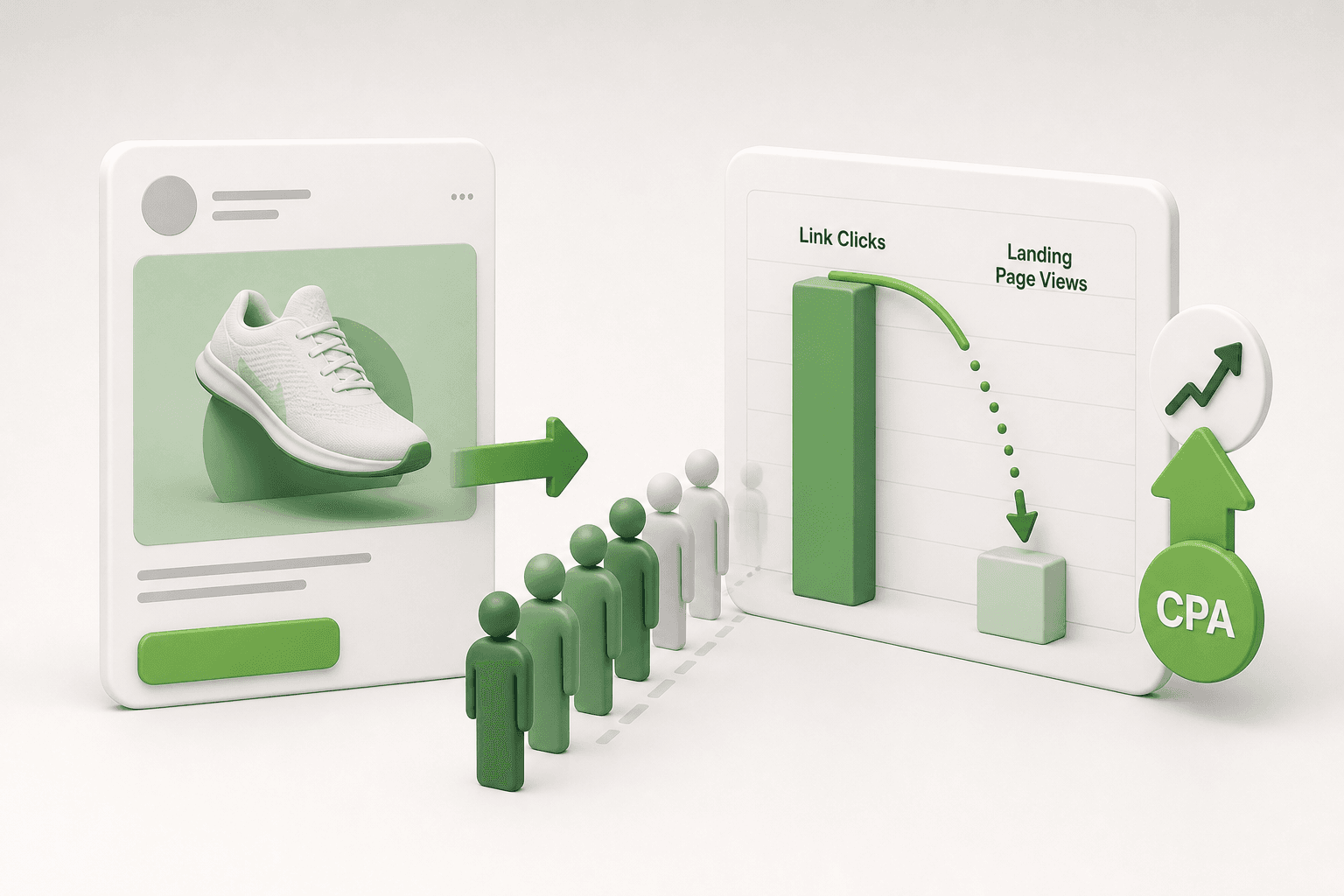
Short answer: A discrepancy between link clicks and landing page views means users bounce before your store loads. When ad spend is consumed by visitors who never reach the site, conversion rates collapse and customer acquisition cost (CPA) spikes. Keeping this drop-off rate below 20 percent stops wasted spend and directly reduces CPA.
Every media buyer knows the sinking feeling of reviewing Meta Ads Manager, seeing one thousand link clicks on an active ad set, and then opening Google Analytics or Shopify to discover only six hundred sessions. You pay Meta for each recorded click on your creative, yet a substantial share of prospective buyers vanishes before your landing page ever renders on their mobile screens.
This drop-off typically happens because bloated page assets, redundant third-party tracking scripts, and slow hosting servers stall loading inside the Meta in-app browser. When mobile users encounter a blank white screen, they abandon the session within seconds. Ignoring this leak bleeds paid spend on ghost traffic, starves your pixel of critical optimization signals, and sharply inflates your CPA (cost per acquisition, which is the total advertising spend divided by total conversions).
This guide shows you how to identify the exact gap between clicks and landing page views, perform mandatory pre-optimization technical checks, and apply concrete speed fixes to your destination pages. You will also review a worked mathematical model showing how closing this drop-off lowers customer acquisition cost, avoid common analytical mistakes, and verify your improvements in Meta Ads Manager.
Key Takeaways
- Track the drop-off ratio between link clicks and landing page views inside Meta Ads Manager weekly.
- A drop-off exceeding 20 percent indicates ad budget is being drained by visitors who bounce before load.
- Optimizing mobile page speed, DNS pre-fetching, and pixel trigger sequences resolves the drop-off.
- Closing the click-to-load gap increases real on-site traffic from existing budgets, directly lowering CPA.
What is the click-to-landing-page drop-off in Meta ads?
The click-to-landing-page drop-off in Meta ads represents the percentage of users who click an ad link but leave before the destination website loads the tracking script. This discrepancy occurs when users experience slow mobile loading speeds, accidental clicks, or browser connection errors before the Meta Pixel records a landing page view.
Understanding Link Clicks versus Landing Page Views
Meta Ads Manager categorizes traffic actions using two distinct metrics that advertisers must analyze side by side:
- Link Clicks: Link Clicks measure the total number of times users click on links within an ad that point to advertiser-selected destinations, whether inside or outside Meta technologies.
- Landing Page Views: Landing Page Views (LPVs) measure the number of times a person clicked an ad link and successfully loaded the destination webpage containing the Meta Pixel code.
The mathematical formula to determine your drop-off percentage is straightforward:
Drop-Off Rate = ((Link Clicks - Landing Page Views) / Link Clicks) * 100
For example, if an ad generates 1,000 Link Clicks but records only 700 Landing Page Views, the drop-off rate is 30%.
Benchmarking Drop-Off Thresholds and Setting Up Reporting
In mobile performance marketing, a drop-off rate between 15% and 20% is considered normal due to fluctuating cellular data connections and incidental taps. However, a drop-off rate exceeding 40% represents severe budget waste, meaning four out of ten paid clicks never reach the intended destination.
To inspect this metric continuously inside Meta Ads Manager, configure a dedicated reporting column set using these steps:
- Navigate to the Meta Ads Manager campaign table and click the Columns: Performance dropdown menu.
- Select Customize Columns from the bottom of the menu.
- Use the search bar to find and check Link clicks.
- Search and check Landing page views.
- Drag both metrics so they sit next to each other in the right-hand column, check Save as preset, name the preset "Drop-Off Audit", and click Apply.
Worked Example: Measuring Click Drop-Off for an E-Commerce Brand
Consider an online footwear boutique allocating a 1,200 USD monthly budget to prospecting ad sets. The ad set logged 2,400 Link Clicks, but Meta recorded only 1,080 Landing Page Views. By applying the formula, the store owner calculated a 55% drop-off rate, meaning 1,320 paid clicks bounced into an empty loading screen before viewing any products. After moving scripts to the head and disabling heavy video backgrounds on the landing page, Landing Page Views rose to 1,920 from the same click volume, recovering substantial traffic without increasing ad spend. When structuring new campaigns, marketers can test ad variations using Adsaify's campaign creation tools to establish clean baseline performance.
How can I verify that users are clicking my ads but bouncing before seeing the web store?
To verify if users are bouncing before seeing your web store, compare Meta Ads Manager metrics against your Google Analytics 4 sessions. Navigate to Ads Manager, configure a side-by-side view of Link Clicks and Landing Page Views, and calculate the gap. Next, cross-reference these counts with GA4 sessions filtered by the UTM campaign parameters. If Link Clicks significantly exceed both Landing Page Views and analytics sessions, users are abandoning your site during the connection handshake before any page code loads.
Why do users bounce after clicking a Meta ad before the site loads?
Users bounce after clicking a Meta ad primarily because destination websites take longer than three seconds to render inside the Instagram and Facebook in-app browsers. Technical latency from uncompressed assets, delayed pixel execution, intrusive email popups, and misclicks from mobile app placements force mobile visitors to exit before the site finishes loading.
Technical Root Causes Behind Pre-Load Abandonment
When an ad click occurs, the user is transitioned into Meta's sandboxed in-app browser environment rather than their native system browser. Several specific obstacles trigger instant abandonment:
- Excessive Mobile Load Times: On mobile devices, page abandonment increases sharply when load time surpasses three seconds. Mobile users on 4G or unstable connections abandon the destination if visual rendering does not occur immediately.
- In-App Browser Bottlenecks: Meta's built-in browser possesses stricter resource constraints than full mobile browsers. Unminified JavaScript bundles, third-party heatmaps, and render-blocking fonts freeze the in-app browser thread.
- Delayed Meta Pixel Execution: The Meta Pixel is a snippet of JavaScript code that tracks visitor activity on a website. Placing the tracking snippet at the bottom of the HTML body or firing it through asynchronous tag containers delays execution, causing bounces to go unrecorded even if the user viewed partial elements.
- Accidental Placement Clicks: Automatic placements that allocate spend toward the Meta Audience Network—specifically mobile gaming reward banners—frequently generate accidental clicks from users attempting to close an ad, leading to immediate back-clicks.
Evaluating Drop-Off Drivers Across Placements and Technical Assets
Diagnosing why visitors abandon your site requires isolating technical friction from targeting choices. The following table contrasts common causes, their primary symptoms, and their direct solutions.
| Root Cause | Diagnostic Symptom | Primary Environment | Correction Method |
|---|---|---|---|
| Render-blocking scripts | White screen lasting over two seconds | Meta in-app browser | Defer non-critical JavaScript and inline core CSS |
| Delayed Meta Pixel execution | Link clicks high, zero landing page views | All mobile traffic | Relocate Meta Pixel base code into document head |
| Audience Network placements | Elevated click-through rate with sub-40% site arrival | Mobile gaming apps | Switch to manual placements and exclude Audience Network |
| Intrusive newsletter modals | Immediate bounce upon asset render | Mobile devices | Delay modal popups by ten seconds or user scroll |
To prevent problematic placements or slow creative variations from wasting budget, performance marketers often rely on external automation rules available in tools like Adsaify to pause underperforming ads when cost thresholds exceed predefined targets.
Why would my page load fast on desktop but cause heavy drop-offs inside Meta's mobile app?
Desktop browsers benefit from high-speed broadband connections, powerful hardware processors, and cached scripts, masking bloated page assets. In contrast, Meta's mobile in-app browser operates within a sandboxed mobile WebView restricted by fluctuating cellular bandwidth and lower device memory. When a mobile user clicks an ad, uncompressed images, multiple third-party analytics tags, and complex JavaScript frameworks throttle the restricted in-app browser, creating blank loading screens that cause immediate abandonment before the tracking script fires.

How does ignoring click drop-off inflate customer acquisition cost?
Ignoring the click-to-landing-page drop-off inflates customer acquisition cost because advertisers pay for outbound clicks that never materialize into tracked sessions. When mobile users abandon slow-loading pages before tracking scripts execute, conversion volume drops, pixel feedback loops fail, and Meta machine learning allocates ad spend toward low-intent clickers rather than paying customers.
Paying for outbound clicks while starving the conversion funnel
CPA (cost per acquisition) is the total ad spend divided by the number of completed purchase or lead actions. When an advertiser tracks performance solely through Link Clicks in Meta Ads Manager, ad spend appears to generate cheap traffic. However, Meta charges for outbound clicks the moment an ad is tapped, regardless of whether the destination website ever loads. If half of those clicking users close the browser window before the page displays, the effective cost per actual visitor doubles instantly. Because on-site conversion rates depend on real visitors entering the checkout funnel, unrecorded bounces starve Add to Cart and Initiate Checkout events, raising the final cost for every acquired customer.
Distorting Meta optimization algorithms and audience pools
Meta uses machine-learning models to serve ads to users most likely to take the action specified in the campaign objective. When an advertiser optimizes for link clicks or ignores high click discrepancy, Meta delivers impressions to habitual link-clickers who often click accidentally on mobile devices and exit immediately. Consequently, the Meta Pixel—a snippet of code placed on a website that tracks visitor actions—never records an event for these users. This lack of conversion signal prevents the delivery system from identifying high-intent buyers. Additionally, top-of-funnel drop-offs starve Website Custom Audiences and Dynamic Product Ad retargeting pools, leaving warm audience segments too small to generate efficient purchases.
Worked example: How drop-off rate directly escalates CPA
Consider, for example, a boutique footwear e-commerce store with an ad budget of 1,000 USD per day and an average order value of 100 USD. The Meta Ads Manager reports 2,000 Link Clicks at a cost per click of 0.50 USD. The on-site purchase conversion rate for completed page views is 2 percent.
- Scenario A (50 percent drop-off): Only 1,000 of the 2,000 link clicks become Landing Page Views. At a 2 percent on-site conversion rate, the store secures 20 purchases. Dividing the 1,000 USD budget by 20 sales results in a CPA of 50 USD, yielding a ROAS (return on ad spend) of 2.0.
- Scenario B (15 percent drop-off): After resolving load delays, 1,700 of the 2,000 link clicks register as Landing Page Views. At the same 2 percent conversion rate, the store secures 34 purchases. Dividing the 1,000 USD budget by 34 sales lowers the CPA to 29.41 USD, lifting the ROAS to 3.4.
By measuring the gap between Link Clicks and Landing Page Views in Meta Ads Manager reporting columns, the advertiser identifies that lost revenue was caused by infrastructure drop-off rather than ad creative fatigue.
Can increasing my Meta daily ad budget compensate for high click-to-page drop-offs?
Increasing the daily ad budget will not compensate for a high click-to-landing-page drop-off because scaling ad spend merely magnifies the volume of wasted traffic. When destination pages load slowly or drop visitors, higher budgets pump more capital into paying for abandoned requests while the on-site conversion rate remains depressed. Advertisers must fix page delivery bottlenecks before scaling budgets, ensuring that increased traffic efficiently reaches the checkout stage.
How do you close the click-to-landing-page gap step by step?
Closing the click-to-landing-page gap requires aligning campaign optimization settings with verified site visits, pruning low-intent ad placements, and removing mobile load bottlenecks. Advertisers resolve discrepancies by optimizing for landing page views instead of link clicks, disabling accidental-click placements like Audience Network, serving modern image formats, and implementing automated rules to pause inefficient ad sets.
Aligning optimization goals and eliminating low-quality placements
In Meta Ads Manager, campaign managers frequently select Link Clicks as the performance goal under the ad set level, which encourages Meta to bid on users who click without waiting for page assets to render. Changing this setting to Landing Page Views forces Meta to deliver ads to users whose browsers successfully load the destination URL and trigger the Meta Pixel script. Furthermore, performance marketers should navigate to Manual Placements and uncheck Audience Network. Audience Network placements—especially rewarded video and interstitial banners in mobile utilities or casual games—suffer from high accidental tap rates where users immediately close the browser window before any landing page content displays.
Resolving technical load obstacles on mobile web assets
Technical site speed directly governs bounce rates when visitors transition from Instagram or Facebook in-app browsers. Destination pages must achieve a mobile render time under 1.5 seconds. Marketing teams should convert all hero graphics and product imagery from legacy PNG or JPEG files into compressed WebP format to reduce total page weight below 2 megabytes. Additionally, developers must defer non-critical third-party JavaScript tags and minify render-blocking CSS stylesheets so the primary above-the-fold content appears immediately when the webview container opens.
- Audit baseline drop-off ratio — Compare Link Clicks against Landing Page Views inside Meta Ads Manager to decide whether technical remediation is necessary.
- Switch ad set optimization — Update the ad set performance goal from Link Clicks to Landing Page Views to instruct delivery models to bid on verified loads.
- Prune Audience Network — Deselect Audience Network within manual placement settings to prevent accidental app taps from depleting daily spend.
- Compress destination assets — Convert all above-the-fold images to WebP and defer render-blocking scripts to ensure page display under 1.5 seconds.
- Deploy automation safeguards — Set up automated rules to pause ad sets when cost per landing page view exceeds acceptable CPA thresholds.
Enforcing budget protection through automated rules
Managing click drop-off across multiple ad sets requires continuous monitoring to prevent budget waste on broken landing pages or sudden server lag. Advertisers can create performance rules to automatically pause underperforming ad sets when cost per landing page view exceeds target thresholds. For teams seeking streamlined campaign deployment, marketers can register for an Adsaify account, where the platform drafts campaigns from a website URL, publishes them directly to the user's Meta ad account, and uses automation rules to pause ads that fail performance metrics.
Will optimizing for landing page views reduce the quality of my purchasing customers?
Optimizing for Landing Page Views will not reduce customer quality compared to optimizing for Link Clicks, as it filters out accidental taps and guarantees real user engagement. However, if your primary goal is transactions, optimizing directly for Purchase conversion events remains superior. Landing Page View optimization guarantees an initial site visit, but conversion optimization instructs Meta to seek users who specifically demonstrate purchasing behaviors on-site.
If you would rather not set up each of these steps by hand, try it in Adsaify: your first ad is free, so there is nothing to lose. Create a free account.
Which technical checks are required before applying the speed fixes?
Before applying speed optimizations, media buyers must audit mobile Largest Contentful Paint scores, verify early Meta Pixel PageView script firing, map destination URL redirect paths, and catalog active third-party tracking tags. These baseline diagnostics identify whether technical code bottlenecks, network redirects, or asset bloat cause mobile visitors to abandon landing pages.
How do media buyers audit Core Web Vitals and pixel execution order?
Auditing begins with Google PageSpeed Insights to inspect mobile performance under throttled 4G connectivity. Largest Contentful Paint (LCP) is a Core Web Vitals metric measuring the time required to render the largest visible content element on a mobile screen. Media buyers should target an LCP under 2.5 seconds on mobile. If the score exceeds this threshold, hero images, banner carousels, or render-blocking stylesheets are delaying viewability.
Next, performance marketers must inspect tag execution order using the Meta Pixel Helper browser extension. A Meta Pixel PageView event is an automated tracking beacon that notifies Meta Ads Manager that an ad click successfully loaded an on-site page. If the PageView snippet resides at the bottom of the page template or waits for tag management containers to execute, users who bounce after two seconds never register in Meta reporting. Moving the base pixel into the document head ensures that Meta logs the Landing Page View metric before secondary scripts finish loading.
Marketers configuring campaign automations on platforms like Adsaify to pause underperforming ads should run these diagnostics first so engineering issues are not mistaken for creative fatigue.
Which theme assets and network paths require pre-optimization audits?
Performance marketers must also audit tracking parameters and redundant scripts. UTM (Urchin Tracking Module) parameters are text snippets added to a destination URL to pass campaign attribution data into analytics platforms. Appending UTM tags to an ad destination can cause silent server redirects if the web server enforces trailing slashes, converts HTTP to HTTPS, or reroutes traffic between root domains and subdomains.
Additionally, e-commerce themes accumulate unused tracking code over time. Third-party review widgets, heatmap loggers, and customer support chat popups inject external JavaScript libraries that block the main browser thread. Auditing the page source allows developers to remove dormant plugins before optimizing primary site code.
- Run Google PageSpeed Insights on the exact ad landing page URL in mobile emulation mode.
- Inspect the Meta Pixel PageView firing sequence using the Meta Pixel Helper extension.
- Trace the destination URL through an HTTP status header tool to reveal multiple 301 or 302 redirects.
- Audit all active JavaScript tags inside Google Tag Manager and the primary site header.
- Disable unoptimized customer service chat popups on mobile ad traffic landing pages.
- Confirm that modern image formats like WebP or AVIF replace oversized legacy PNG or JPEG hero banners.
How do URL redirect chains silently delay landing page rendering for Meta mobile users?
URL redirect chains silently delay page rendering by forcing mobile devices to execute sequential HTTP handshakes before requesting the destination HTML document. When an ad link routes through an unencrypted HTTP link, a missing trailing slash, or an external tracker, mobile browsers on cellular connections incur hundreds of milliseconds of network latency per hop. In Meta's in-app browser, these multiple round-trips freeze the loading screen, causing impatient shoppers to exit before the server even returns the initial layout.
Worked example: How reducing the drop-off rate lowers CPA in practice?
Reducing the click-to-landing-page drop-off rate lowers customer acquisition cost by increasing the volume of qualified visitors who reach the sales funnel without increasing media spend. When more paid clicks become tracked sessions, total on-site purchases rise, directly lowering the cost per acquisition across identical ad sets and conversion rates.
How does funnel efficiency shift when click drop-off decreases?
CPA (cost per acquisition) is the total advertising expenditure divided by the total number of completed purchase conversions. CPC (cost per click) is the average price an advertiser pays each time an audience member taps an ad link.
For example, consider an e-commerce apparel store spending 1,000 TL daily on Meta Ads Manager. The ad campaign generates 1,000 link clicks at a CPC of 1.00 TL. Because the mobile landing page takes 4.2 seconds to load, only 500 of those link clicks turn into recorded landing page views in Meta Ads Manager, resulting in a 50 percent drop-off rate. With a stable on-site conversion rate of 1.0 percent, the store captures 5 purchases daily. The resulting CPA is 200 TL (1,000 TL divided by 5 purchases).
The merchant then optimizes mobile performance. Developers compress hero assets, defer third-party scripts, and eliminate a 301 redirect on the ad URL, reducing mobile load latency to 1.3 seconds. In Meta Ads Manager, the team unchecks low-intent placement inventory on the Meta Audience Network where accidental clicks skew drop-off numbers. Advertisers managing complex ad structures can review campaign metrics inside Adsaify to isolate which specific ad sets show high click loss.
With latency resolved, the exact same 1,000 link clicks yield 850 tracked landing page views, cutting drop-off from 50 percent to 15 percent. At the unchanged 1.0 percent conversion rate, the store secures 8.5 purchases daily from the identical 1,000 TL budget.
| Funnel Metric | Before Speed Optimization | After Speed Optimization | Net Impact |
|---|---|---|---|
| Daily Ad Spend | 1,000 TL | 1,000 TL | 0 TL change |
| Link Clicks | 1,000 | 1,000 | 0% change |
| Landing Page Views | 500 | 850 | +70.0% traffic capture |
| Click-to-Page Drop-Off Rate | 50.0% | 15.0% | -35.0 percentage points |
| On-Site Conversion Rate | 1.0% | 1.0% | Unchanged |
| Completed Purchases | 5.0 | 8.5 | +70.0% orders |
| Cost Per Acquisition (CPA) | 200.00 TL | 117.65 TL | -41.2% CPA reduction |
By fixing page latency and placement leakage, customer acquisition cost falls from 200.00 TL to 117.65 TL. Media buyers achieve lower costs without raising bids, modifying creative copy, or expanding targeting parameters.
Will an immediate 70 percent increase in captured on-site sessions overload standard hosting?
A sudden 70 percent increase in captured on-site sessions will not overload properly configured hosting if assets are cached through a content delivery network. Because optimizing the click drop-off rate reduces payload size and eliminates redundant database queries, the net server load per visitor decreases significantly. Standard cloud hosting and managed e-commerce platforms effortlessly manage high concurrent traffic when static CSS, JavaScript, and image assets are served directly from edge caching servers.

What are the most common mistakes in managing click-to-page drop-offs?
The most common mistakes in managing click-to-page drop-offs include firing tracking scripts only after rigid cookie consents, aggressively degrading visual assets to chase mobile page speeds, failing to align initial hero messaging with ad copy, and optimizing campaigns around raw link clicks instead of verified landing page views.
Consent Misconfigurations and Destructive Visual Compression
Many media buyers observe an artificial drop-off spike because their Consent Management Platform blocks the Meta Pixel entirely until a visitor grants explicit tracking permission. The Meta Pixel is a snippet of JavaScript code installed on a website to measure visitor activity and build custom audiences. When European or regional privacy banners halt script execution until interaction, legitimate mobile visitors browse the site, but Meta Ads Manager registers zero Landing Page Views, producing false drop-off reports.
Conversely, performance engineers often over-correct page load speed by severely compressing product assets. Crushing high-ticket e-commerce imagery down to blurry low-resolution WebP files might satisfy synthetic Core Web Vitals audits, but it destroys conversion intent. Visitors who successfully arrive abandon immediately if product craftsmanship looks degraded, which creates a low Cost per Landing Page View alongside an unsustainably high Cost per Acquisition.
Creative Desynchronization and Misleading Delivery Metrics
A frequent operational mistake occurs when creative hooks fail to carry over to the above-the-fold website viewport. If an ad creative highlights a 30 percent promotional code on leather boots, but the destination URL lands on a generic brand home page featuring sneakers, the visitor bounces manually within two seconds. The tracking script fires correctly, yet commercial intent disappears instantly due to visual and contextual friction.
Equally damaging is relying on Link Clicks or Outbound Clicks as your primary reporting key performance indicator. An Outbound Click is a metric that tracks any click taking a user off Meta technologies toward your destination. While Link Clicks can appear cost-effective at a low Cost per Click, only Cost per Landing Page View reveals the real financial cost of buying genuine, loaded visits. Running campaigns that ignore this metric encourages Meta's auction algorithms to target click-happy users who abandon before loading.
| Operational Mistake | Observed Symptom | Technical Root Cause | Corrective Action |
|---|---|---|---|
| Strict Script Gating | LPVs drop 40% while web traffic remains steady | CMP blocks the Meta Pixel script before consent acceptance | Implement server-side Conversions API alongside consent mode |
| Excessive Image Compression | Zero drop-off reduction, but conversion rates crash | High-ticket catalog imagery appears blurry and unappealing | Serve responsive AVIF images optimized for retina displays |
| Hero Message Desynchronization | High bounce rates within three seconds of loading | Above-the-fold headline ignores the promotional ad hook | Align landing page headers directly with the creative hook |
| Outbound Click Optimization | Low reported CPC alongside inflated customer acquisition cost | Meta optimizes delivery for fast clickers who rarely wait for loads | Switch ad set optimization goals to Landing Page Views or Purchases |
How can I trigger basic page view tracking compliantly without losing attribution data?
To trigger basic page view tracking compliantly under international privacy frameworks, implement the Conversions API alongside browser-based scripts. CAPI (Conversions API) is a direct server-to-server connection that sends customer events directly from a web host to Meta. Configure your server setup to send anonymized, cookieless PageView hits directly from your hosting infrastructure immediately upon request, while reserving personal identifiers and client-side cookie storage until the user provides affirmative consent on your cookie banner.
How do you verify if the fix worked and what should you do next?
You verify that landing page drop-off fixes worked by comparing Outbound Clicks against Landing Page Views inside Meta Ads Manager reports and auditing session starts in Google Analytics 4. Once drop-off rates fall below twenty percent, you can safely scale campaign budgets and enforce strict pre-launch technical destination checks.
Auditing Ads Manager Columns and Cross-Referencing Analytics
To confirm that your infrastructure optimizations resolved drop-off issues, open Meta Ads Manager, select Columns: Customize Columns, and add Outbound Clicks, Landing Page Views, and Cost per Landing Page View to your dashboard. Calculate your drop-off percentage using the formula: 100 - ((Landing Page Views / Outbound Clicks) * 100). In healthy mobile setups, your Landing Page Views should account for at least 80 to 85 percent of your total Outbound Clicks over a rolling seven-day window.
Validate these figures by cross-referencing your Meta data with Google Analytics 4. GA4 (Google Analytics 4) is Google's analytics platform for measuring traffic and user engagement across digital platforms. Navigate to Reports > Acquisition > Traffic acquisition and filter by Session source / medium = facebook / cpc. Compare GA4 session_start numbers against Meta Landing Page Views. If Meta reports 1,000 Landing Page Views, GA4 should record approximately 850 to 950 sessions; a larger disparity points to persistent server latency or tag-firing delays.
Scaling Efficient Spend and Enforcing Launch Protocols
Once your drop-off rate settles comfortably below 20 percent, you eliminate the click leakage that inflates customer acquisition costs. At this stage, you can use Adsaify to draft campaigns and scale daily budgets securely across your best-performing audiences, relying on automated rules to pause ads if performance fluctuates. Every new campaign rollout must adhere to a strict technical deployment protocol before turning on delivery spend.
- Test destination URLs on real 4G and 5G mobile devices instead of desktop network emulators.
- Audit critical asset sizes to ensure the above-the-fold mobile payload stays under 1.5 megabytes.
- Verify that the primary creative headline is mirrored in the destination page hero section.
- Check the Meta Pixel Helper browser extension to confirm that PageView events trigger within one second.
- Inspect UTM tracking parameters to ensure no unexpected server redirects drop query strings.
- Confirm that cookie consent banners do not obstruct critical interactive product callouts on mobile screens.
Once my drop-off rate drops below 15 percent, how aggressively should I scale campaign spend?
When your click-to-landing-page drop-off rate stabilizes below 15 percent, scale your daily ad set budgets by 15 to 20 percent every 48 to 72 hours. Scaling spend faster than this frequency forces the Meta delivery system back into the learning phase, which causes auction instability and temporary cost spikes. Keep a close watch on your Cost per Landing Page View during budget increases; if the metric rises by more than 20 percent, pause budget expansion until auction performance stabilizes.
Eliminate Silent Click Drop-Offs to Permanently Lower Your Meta Ads CPA
To close the gap between link clicks and landing page views, audit your technical foundation first by measuring mobile page load speeds and verifying that the Meta Pixel or Conversions API fires immediately. Next, review your ad placement reports to identify low-intent placements like certain Audience Network slots where accidental taps occur frequently. Finally, align your ad copy and creative directly with the landing page headline so visitors immediately confirm they arrived at the correct destination.
As a concrete step today, open Meta Ads Manager, customize your columns to compare Link Clicks against Landing Page Views over the past fourteen days, and isolate ad sets where the loss exceeds twenty percent. You can then compress heavy assets, defer non-critical scripts, and set up automation rules to pause ad sets that generate high click costs without delivering page views, protecting your budget while you optimize page assets.
Want to see this in your own account? Enter your website address and Adsaify drafts the campaign for you. The first ad is free. Try it now or log in.
Frequently Asked Questions (FAQ)
1. What is the acceptable gap between link clicks and landing page views in Meta ads?
An acceptable gap between Meta ad link clicks and landing page views is generally between ten and twenty percent. A loss within this range accounts for normal browser latency, mobile network shifts, and accidental user taps. If the loss exceeds twenty-five to thirty percent, advertisers should immediately investigate slow mobile server response times, unoptimized scripts, or broken tracking pixels.
2. Why are Meta link clicks almost always higher than landing page views?
Meta records a link click instantly when a user taps an ad link inside Facebook or Instagram. A landing page view requires the external webpage to load completely and trigger the Meta Pixel script. Users who close the browser before the script finishes loading, experience cellular connection timeouts, or tap the ad by accident register a click but never a landing page view.
3. What is the difference between Meta's PageView pixel event and the Landing Page View metric?
The Meta PageView event is a standard pixel or Conversions API tracking tag that fires whenever any visitor views a tracked page on a website. In contrast, the Landing Page View metric in Meta Ads Manager specifically counts only those PageView events triggered by people who clicked directly on an ad after seeing it on Meta platforms.
4. Is disabling the Audience Network placement enough on its own to resolve high drop-offs?
Disabling Audience Network helps reduce accidental clicks in third-party mobile games, but it rarely resolves high drop-off rates on its own. If your destination website has slow server response times, large uncompressed image files, render-blocking JavaScript, or cookie consent banners that delay pixel firing, users will still bounce before the page registers, regardless of placement selection.
5. What is the maximum recommended mobile load time for Meta ad landing destinations?
The maximum recommended mobile load time for Meta ad landing destinations is under three seconds, with optimal performance occurring under two seconds. Mobile users browse on variable cellular connections and expect instant responses. Every additional second of loading latency sharply increases the probability that a user abandons the session before the destination page and Meta tracking scripts fully render.
6. Do e-commerce stores need paid third-party apps to fix the click-to-page-view drop-off?
No, e-commerce stores do not need paid third-party apps to fix click-to-page-view drop-offs. Most latency issues stem from uncompressed hero images, redundant theme apps, or delayed tracking tags. Store owners can improve load speed for free by compressing visual assets, removing unused store plugins, deferring non-essential JavaScript, and utilizing native platform caching or content delivery networks.
7. Does broad targeting exacerbate the click-to-landing-page drop-off rate?
Broad targeting does not inherently cause a high click-to-landing-page drop-off rate. Drop-offs are primarily driven by technical load speeds and device connection quality. However, broad targeting can expose ads to audiences on older mobile devices or slower networks, which magnifies technical latency issues if your landing page is heavy or poorly optimized for lower-bandwidth environments.
8. How quickly does Meta CPA decline after optimizing the click-to-landing-page drop-off?
Meta CPA (cost per acquisition) typically begins to decline within a few days to two weeks after fixing the drop-off gap. Once more clicks successfully convert into landing page views, Meta's delivery algorithm receives a denser stream of conversion signals. This immediate influx of pixel data helps the bidding system locate qualified prospects more efficiently without increasing total spend.
How can you try this with Adsaify?
The quickest way to apply the steps in this article to your own account is to try them. Adsaify analyses your business from your website address, drafts the campaign with an audience, ad copy, creative and a budget suggestion, and publishes it to your own Meta ad account once you approve.
- Your first ad is free: there is nothing to lose by trying.
- Your own ad account: the campaign runs in your Meta account and you stay in control.
- Images and video: generate ad creatives with AI or promote an existing Instagram post.
Create a free account and try your first ad · Already have an account? Log in.