

Short answer: Budget pacing distortion occurs when automated media buying tools sharply increase ad budgets midday, forcing Meta algorithms to bid erratically to exhaust the revised daily budget. The platform buys low-intent impressions, inflating CPM and destroying ROAS. To fix this, restrict automated budget scaling to twenty percent increments, schedule updates near midnight, and implement automated performance safeguards to stabilize hourly spend.
Every media buyer knows the frustration of watching a winning ad set collapse immediately after increasing its daily spend. You find a campaign delivering a strong ROAS—ROAS (return on ad spend) is the revenue earned for every dollar spent on advertising—and raise the budget from $200 to $600 at 2:00 PM. By 5:00 PM, the account has burned through the entire increase without generating a single new order, while customer acquisition costs skyrocket.
This breakdown happens because of delivery pacing distortion inside the Meta auction system. When a daily spend cap jumps sharply mid-flight, the delivery algorithm shifts into an aggressive bidding state to exhaust the higher budget before midnight, buying lower-intent impressions at inflated rates. If you leave this behavior uncorrected, erratic bidding ruins profit margins, wastes working capital, and leads to false conclusions about creative fatigue or audience exhaustion.
This guide provides an operational playbook to scale ad spend without destabilizing delivery. You will discover how to identify the early warning signs of pacing errors, verify foundational campaign settings, implement step-by-step stabilization controls, and establish a weekly monitoring routine that protects account performance as your budgets grow.
Key Takeaways
- Budget pacing distortion happens when sudden spend increases disrupt Meta auction equilibrium.
- Midday large budget hikes force the delivery algorithm into low-intent, expensive auctions.
- Capping automated budget scaling to 20 percent and scheduling changes at midnight restores delivery pace.
- Automated rules safeguard return on ad spend by throttling ad delivery during abnormal CPM spikes.
What is Meta budget pacing distortion and how do you spot it?
Meta budget pacing distortion occurs when Meta Ads Manager accelerates or halts daily budget delivery unevenly across a twenty-four-hour window. Marketers spot this distortion when ad sets exhaust most of their daily spend before midday, cause sudden afternoon delivery freezes, or generate abnormal surges in advertising costs within specific hourly windows.
How Meta distributes spend and where pacing breaks down
Meta uses automated pacing algorithms to distribute an advertiser's daily spend across a twenty-four-hour cycle based on target conversion probabilities. Under normal conditions, the auction delivery system holds back spend during low-activity hours and increases spend when target users are most active. CPM (cost per mille) is the price an advertiser pays for every one thousand impressions delivered by an ad platform. CPC (cost per click) is the amount an advertiser pays each time a user clicks on an advertisement.
Budget pacing distortion occurs when the delivery engine miscalculates auction liquidity, resulting in morning spend dumps where sixty to eighty percent of the budget vanishes before noon. Conversely, pacing distortion can trigger sudden delivery freezes in the late afternoon, leaving ads inactive during prime evening shopping hours.
Diagnosing pacing anomalies using the Breakdown menu
Performance marketers diagnose pacing issues directly within Meta Ads Manager by utilizing reporting segmentations:
- Navigate to the Meta Ads Manager campaigns or ad sets view.
- Click the Breakdown menu located in the top-right toolbar.
- Select By Time and click Time of Day (Viewer's time zone).
- Analyze hourly rows for disproportionate spikes in CPM and CPC alongside rapid spend depletion.
For example, an apparel e-commerce store runs an ad set with a 500 USD daily budget. If the media buyer manually increases that budget to 1,200 USD at 1:00 PM, Meta attempts to spend the additional 700 USD before midnight. By reviewing the Breakdown menu, the advertiser observes that hourly CPM surged from 14 USD to 48 USD between 2:00 PM and 5:00 PM, CPC jumped from 0.70 USD to 2.90 USD, and delivery stopped entirely by 7:30 PM due to rapid budget exhaustion in inefficient auctions.
Does Meta distribute my budget evenly across 24 hours or adjust by conversion probability?
Meta does not distribute ad budgets evenly across twenty-four hours. Instead, the delivery system adjusts spend dynamically based on estimated conversion probability and real-time auction volume throughout the day. When Meta predicts higher conversion rates during evening hours, the algorithm reserves more budget for that window. However, when sudden scaling disrupts this prediction model, the pacing engine misjudges auction efficiency, causing aggressive spend dumps in suboptimal daylight hours.
Why does automated scaling disrupt Meta ad budget pacing?
Automated scaling disrupts Meta ad budget pacing because raising budgets during active hours forces the delivery algorithm to spend an expanded balance before midnight. When automated rules trigger midday budget increases, the auction engine bids aggressively in expensive or low-conversion auctions, resetting calibration and causing severe cost spikes across audiences.
How midday rule triggers accelerate bidding and audience exhaustion
ROAS (return on ad spend) is a metric measuring the gross revenue generated for every dollar spent on advertising. Many performance teams set automated rules to scale budgets when morning ROAS looks strong. Platforms like Adsaify offer automated rules to pause underperforming campaigns, but automated budget increases require caution. When an automated rule raises an ad set budget at 1:00 PM, Meta has only eleven hours to spend the updated total. The delivery engine responds by aggressively raising bid values to capture impressions rapidly, entering marginal ad auctions that drive up acquisition costs.
Audience saturation compounds this problem in narrow audiences. If an audience pool cannot absorb sudden volume, the pacing system forces repeated impressions to the same users within hours, elevating CPMs without generating incremental conversions.
Learning phase resets and pacing instability
The learning phase is the calibration period where Meta tests ad delivery to find the best audiences, typically requiring fifty optimization events per week. Significant budget increases—frequently those exceeding twenty percent—trigger learning phase resets. During recalibration, Meta loses its historical baseline for hourly auction efficiency, resulting in erratic spend pacing across the remainder of the day.
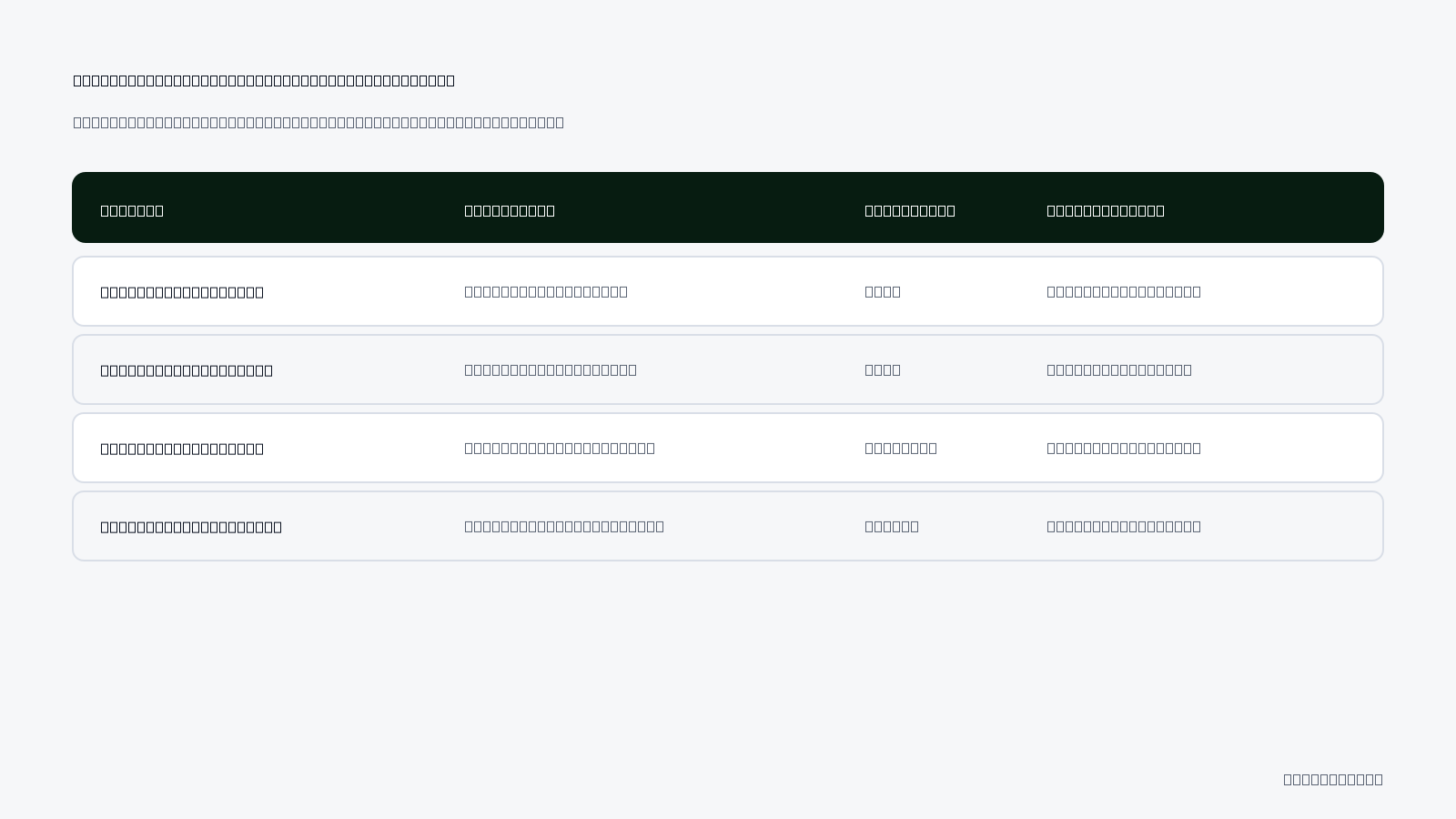
| Scaling Approach | Algorithmic Delivery Reaction | Pacing Risk Level | Impact on Daily ROAS |
|---|---|---|---|
| Automated Midday Increase (+50%) | Compacted spend window triggers aggressive bidding | High | Afternoon margin compression and elevated CPC |
| Scheduled Midnight Increase (+20%) | Full twenty-four-hour window preserves pacing curve | Low | Stable conversion rates and steady auction entry |
| Horizontal Ad Set Duplication | New ad set establishes an independent pacing baseline | Moderate | Potential internal auction overlap if unmanaged |
| Automated Stop-Loss Rule | Pauses underperforming ads when efficiency drops | Controlled | Prevents budget exhaustion during pacing failures |
Why is increasing budgets midday riskier than scheduling changes in the morning?
Increasing budgets midday is riskier because Meta has significantly fewer hours remaining in the daily reporting window to spend the newly allocated funds. When an advertiser adds budget at 2:00 PM, the pacing algorithm compresses twenty-four hours worth of increased spend into ten remaining hours. This compression forces the system into hyper-aggressive bidding within available auctions, unlike midnight or early morning adjustments that give the algorithm a complete day to pace bids smoothly.
How much does budget pacing distortion damage e-commerce ROAS?
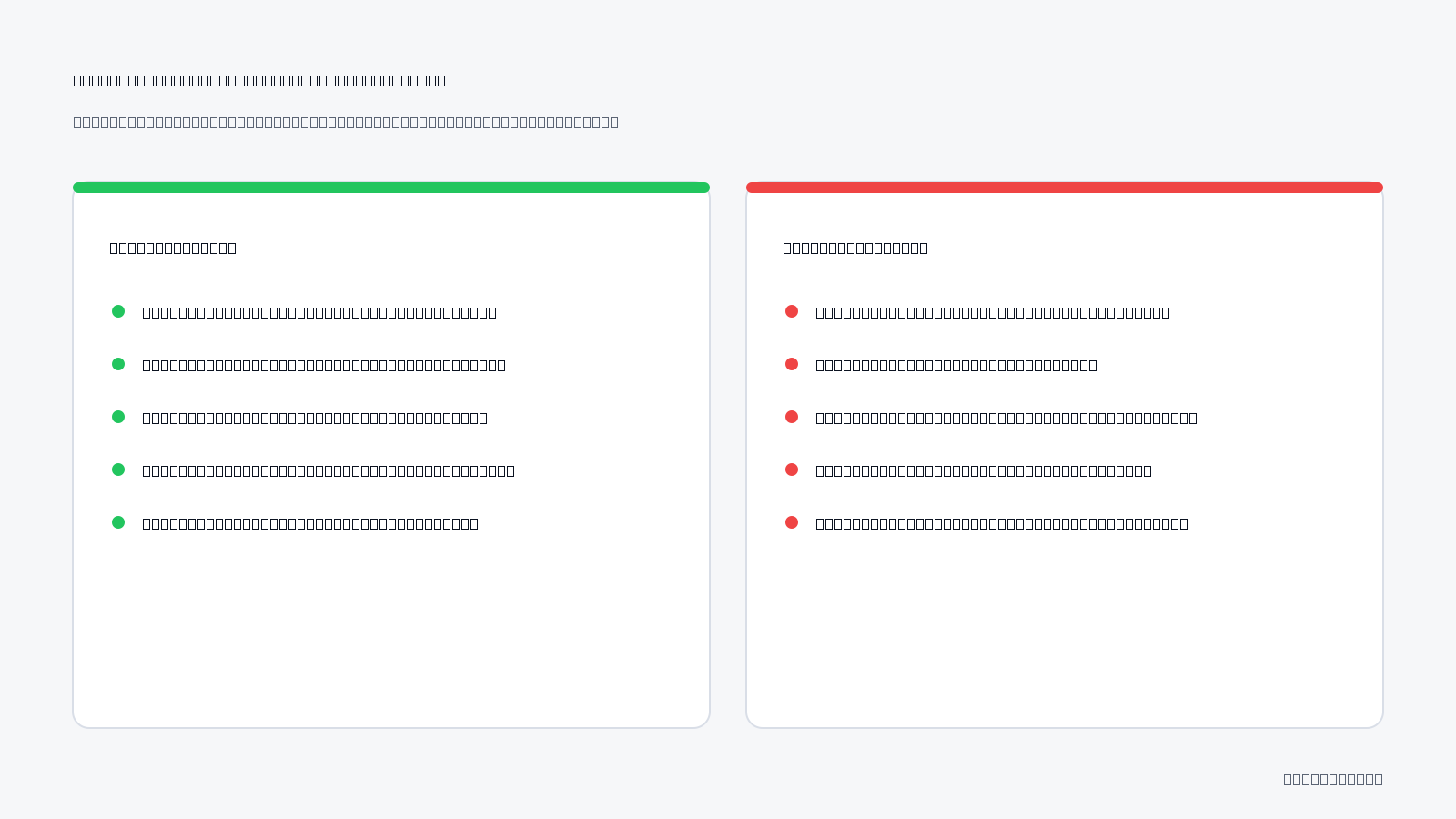
Budget pacing distortion damages e-commerce ROAS (return on ad spend is total revenue divided by ad spend) by exhausting capital during low-converting hours, inflating customer acquisition costs, and starving profitable peak purchasing windows. This dynamic erodes operating profit margins, transforming theoretically scalable campaigns into cash-negative operations before evening demand peaks.
The Financial Mechanism of Off-Peak Capital Drain
When Meta encounters sudden budget increases, its pacing algorithms search for the fastest available ad inventory to fulfill delivery quotas. In practice, this leads to aggressive bidding during early morning hours, typically between 12:00 AM and 5:00 AM, when user intent to purchase is low. For example, in an e-commerce campaign with a 1,000 USD daily budget, spending 400 USD overnight on passive browsers generates high impression volume but minimal checkout completions. Net retail margins cannot absorb the resulting spike in CPA (cost per acquisition is ad spend divided by purchases), especially when product costs, shipping, and payment processing fees remain fixed.
Premature Budget Depletion and Evening Under-Delivery
The secondary consequence of overnight pacing distortion is auction starvation during high-converting evening hours. E-commerce purchase behavior historically concentrates between 6:00 PM and 10:00 PM in the buyer's local time zone. When the daily budget is 90% consumed before 4:00 PM, the ad account loses presence in critical auctions when high-intent buyers are active. Scaling campaigns can appear stable at a high level due to strong overall click volume, yet the aggregate gross margin disappears because high-intent traffic was never entered into the bid stream. Performance marketers using Adsaify often implement automated rules to pause ad sets when early-morning CPA crosses predefined thresholds, mitigating unchecked budget burn.
E-Commerce ROAS Damage Audit Checklist
Review these operational checkpoints in Meta Ads Manager to evaluate whether pacing distortion is actively damaging account profitability:
- Inspect hourly spend distributions to identify disproportionate budget consumption before 8:00 AM.
- Calculate the blended contribution margin for high-spend days rather than relying exclusively on platform ROAS.
- Verify whether daily ad spend reaches exhaustion before the start of prime evening shopping hours.
- Monitor hourly CPA shifts to detect abnormal bid inflation during off-peak windows.
- Cross-reference platform conversion timestamps against backend e-commerce payment receipts.
- Review ad set frequency metrics to ensure off-peak delivery is not oversaturating low-intent users.
How can I tell whether declining ROAS stems from pacing flaws or creative fatigue?
To differentiate pacing distortion from creative fatigue, inspect hourly spend velocity and frequency trends in Meta Ads Manager. Creative fatigue develops gradually over several days, characterized by declining CTR (click-through rate is clicks divided by impressions) and rising ad frequency across all hours. In contrast, pacing distortion manifests abruptly after budget edits, featuring rapid spend exhaustion in early morning hours, severe CPM spikes, and poor conversion rates despite healthy early-stage CTR.
How do you diagnose the root cause of ad budget pacing errors?
To diagnose the root cause of ad budget pacing errors, analyze hourly spend distribution against backend purchase timestamps, inspect the magnitude of recent budget changes, evaluate campaign architectural levels, and audit conversion tracking signal delays. Isolating these factors determines whether the issue stems from auction dynamics, structural over-consolidation, or delayed attribution feedback loops.
Correlating Delivery Velocity with Conversion Data
Begin diagnosis inside Meta Ads Manager by navigating to the Breakdown menu, selecting Time, and choosing Hour. Plot hourly ad spend alongside your e-commerce platform's actual transaction logs. If ad spend spikes during hours where conversion rates are historically zero, pacing algorithms are over-bidding to meet volume quotas. Evaluate recent budget changes in the account history. Increasing budgets by more than 20% at once frequently triggers hyper-aggressive bidding phases, forcing the delivery system into poor-quality auction segments to meet delivery targets.
Evaluating Budget Structure and Signal Latency
Budget architecture plays a direct role in pacing stability. Under CBO (Advantage Campaign Budget, where budget is managed at campaign level), Meta routes money toward the ad set showing early engagement signals, often starving ad sets targeted at different consumer segments. Conversely, ABO (ad set budget optimization) contains spend locally but can cause pacing distortion if individual ad sets lack sufficient conversion density. Furthermore, audit your CAPI (Conversions API is a server-side data pipeline connecting store events to Meta) data health. Latency in CAPI event batching causes Meta to perceive a lack of performance, leading to erratic mid-day budget throttles followed by sudden evening spending surges when batch data finally processes. Marketers can explore setup configurations via Adsaify to maintain consistent delivery criteria across campaign tiers.
Pacing Error Diagnostic Matrix
| Diagnostic Area | Observed Symptom | Primary Root Cause | Corrective Diagnostic Step |
|---|---|---|---|
| Spend Velocity | Over 40% of budget spent before 7:00 AM | Aggressive off-peak auction bidding | Check hourly breakdown for early CPM spikes |
| Scaling Increments | CPA doubles immediately after budget increase | Budget raised beyond the 20% stability threshold | Audit Ads Manager change history log |
| Budget Level | Single ad set takes 85% of CBO budget | Audience liquidity imbalance across ad sets | Evaluate ad set minimum spend limits or test ABO |
| Signal Infrastructure | Algorithm stalls spend, then surges late at night | CAPI data delivery delay exceeding two hours | Audit server event timestamps in Events Manager |
Is a discrepancy between spend hours and purchase hours normal in breakdown reports?
A moderate discrepancy between spend hours and purchase hours is expected in Meta Ads Manager breakdown reports. Meta logs spend and impressions at the exact hour ad inventory is served, whereas purchase conversions are recorded based on either the conversion event timestamp or attribution settings. However, when backend store orders are consistently absent during heavy morning spend windows, the discrepancy indicates genuine pacing misallocation rather than standard reporting latency.
If you would rather not set up each of these steps by hand, try it in Adsaify: your first ad is free, so there is nothing to lose. Create a free account.
Which settings should you verify before correcting budget pacing?
Meta budget pacing can be distorted by several settings in your ad account. Verifying these settings is crucial before implementing any corrections. Key areas to check include the synchronization of your ad account's time zone with your e-commerce store's purchase analytics, the execution frequencies of active automation rules, your campaign bidding strategy, and the execution schedules of automated rules within tools like Adsaify or Meta's native rules.Synchronize ad account time zone with e-commerce store purchase analytics
Ensure that the time zone set in your Meta Ads Manager matches the time zone used by your e-commerce store. Discrepancies can lead to mismatched reporting and pacing issues. Navigate to the "Ad Account Settings" in Meta Ads Manager and confirm the time zone. Adjust if necessary to align with the local time of your business operations, which helps in accurately tracking performance metrics.Review active automation rule execution frequencies and scale trigger conditions
Examine the execution frequencies of any active automation rules. In Meta Ads Manager, go to the "Automated Rules" section. Ensure that the frequency of rule execution is appropriate for your campaign objectives. Additionally, review the scale trigger conditions to ensure that they are not set too aggressively, as this can lead to unexpected budget pacing issues.Verify campaign bidding strategy: Highest Volume versus Cost Cap or Bid Cap
Your bidding strategy plays a significant role in budget pacing. Check if you are using the "Highest Volume" strategy, which can lead to faster spending, versus "Cost Cap" or "Bid Cap," which can control costs. In the campaign settings, review the bidding strategy under "Budget & Schedule." Choose a strategy that aligns with your scaling goals and maintains healthy pacing.Check execution schedules of automated rules inside tools like Adsaify or native rules
If you are using Adsaify or Meta's native automated rules, ensure that the execution schedules are set correctly. For instance, rules should not execute during peak traffic times unless necessary. In Adsaify, navigate to the "Automation Rules" section and verify the timing of each rule. Adjust schedules to prevent conflicts that can distort pacing.- Verify the time zone in Meta Ads Manager settings.
- Check automation rule execution frequencies for appropriateness.
- Review scale trigger conditions for aggressive settings.
- Assess the campaign bidding strategy for alignment with goals.
- Confirm execution schedules of automated rules are optimal.
- Evaluate the performance metrics against budget pacing.
- Ensure that budget scaling increments are within recommended limits.
- Test adjustments in a controlled environment before full implementation.
Will an incorrect account time zone directly corrupt Meta delivery pacing?
Yes, an incorrect account time zone can corrupt Meta delivery pacing. If the time zone in your ad account does not align with your e-commerce store's analytics, it can lead to discrepancies in performance data. This misalignment affects how Meta optimizes ad delivery, potentially causing inefficiencies in budget pacing and adversely impacting overall ad performance.How do you stabilize budget pacing in automated media buying step by step?
Stabilizing budget pacing in automated media buying requires a systematic approach. By implementing specific steps, you can effectively manage your ad spend and ensure that your campaigns run efficiently. Important steps include capping daily budget scaling increments, scheduling adjustments during off-peak hours, deploying pacing guardrails, configuring performance-based pauses, and using horizontal scaling methods.Step 1: Cap daily budget scaling increments to a maximum of 15-20 percent per step
Limit daily budget increases to 15-20 percent to prevent sudden fluctuations in spending. This approach allows Meta to adjust pacing gradually without overwhelming the system. For example, if your daily budget is 1,000 TL, consider increasing it only by 150 to 200 TL at a time.Step 2: Schedule automated budget adjustments strictly between 00:00 and 02:00 local time
Schedule any automated budget adjustments to occur during low-traffic hours, specifically between 00:00 and 02:00 local time. This timing minimizes disruption to ad delivery and allows for smoother adjustments. In Meta Ads Manager, set your automation rules to reflect this schedule.Step 3: Deploy hourly pacing guardrails and automated CPM ceiling defense triggers
Implement hourly pacing guardrails to monitor and control spending throughout the day. Set up automated rules that trigger if your ad spend approaches the daily budget too quickly. This helps maintain consistent pacing and prevents overspending.Step 4: Configure performance-based pause rules via Adsaify to halt runaway inefficient spend
Utilize Adsaify to create performance-based pause rules that automatically halt ads when they exceed certain cost thresholds or underperform. For instance, if an ad's ROAS drops below a predetermined level, the rule will pause the ad, preventing inefficient spending.Step 5: Utilize horizontal scaling with duplicate ad sets instead of midday vertical hikes
Instead of making large vertical budget hikes during the day, use horizontal scaling by duplicating ad sets. This method distributes the budget across multiple ad sets, allowing for a more controlled and gradual increase in overall spend without distorting pacing.- Cap Daily Budget Increments — Limit budget increases to 15-20% to prevent sudden shifts.
- Schedule Adjustments — Set budget changes between 00:00 and 02:00 local time for minimal disruption.
- Deploy Pacing Guardrails — Implement hourly checks to monitor spending against the daily budget.
- Configure Pause Rules — Use Adsaify to pause ads that exceed cost thresholds or underperform.
- Utilize Horizontal Scaling — Duplicate ad sets to control spending instead of increasing budgets vertically.
Does targeting the same audience during horizontal scaling cause pacing conflicts?
Targeting the same audience during horizontal scaling can create pacing conflicts. When multiple ad sets compete for the same audience, it may lead to overlapping impressions and inefficient spend. To mitigate this, ensure that ad sets are differentiated enough or use audience segmentation to reduce competition and maintain stable pacing.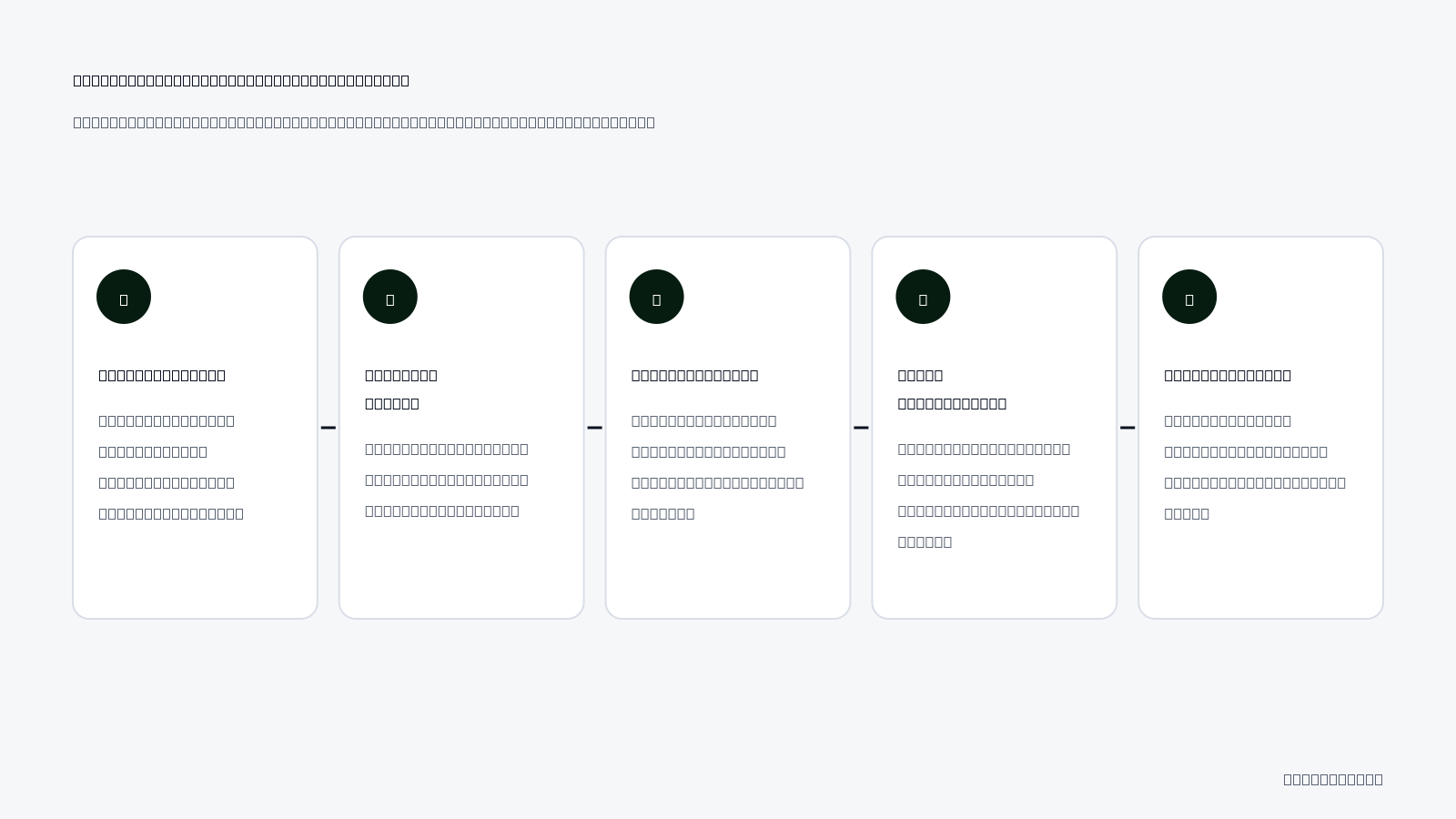
How is budget pacing recovery implemented in a real e-commerce store?
A fashion brand spending 1,500 TL daily can experience budget pacing distortion by exhausting its entire budget by 2 PM. This scenario indicates that the brand's ad spend is not optimized throughout the day, leading to lost opportunities in the evening when consumer engagement may be higher.Auditing reality: Identifying the issues
In this scenario, a thorough audit reveals that 80 percent of the daily budget is depleted by early afternoon, with the cost per thousand impressions (CPM) doubling the baseline. The CPM increase suggests that the ad inventory becomes more competitive as the day progresses, forcing the brand to pay more for visibility. The brand's lack of spend pacing results in missed sales opportunities during peak shopping hours, particularly in the evening.Intervention blueprint: Implementing changes
To address the budget pacing issues, the brand should reset scale increments to midnight and enact spend rate limits. For example, if the brand currently allocates its entire 1,500 TL budget without restrictions, adjusting the budget to spend 600 TL by 12 PM and maintaining a gradual increase throughout the day can stabilize pacing. By setting a spend rate limit of approximately 62.5 TL per hour, the brand can ensure that its budget is evenly distributed across the entire day, preserving ad visibility during peak hours.72-hour recovery results: Measuring success
After implementing these changes, the brand should monitor its results over a 72-hour recovery period. Ideally, the evening buying volume should be preserved, and the return on ad spend (ROAS) should stabilize. For instance, if the brand previously achieved a ROAS of 3.0 before the pacing issues, the goal would be to maintain or exceed this level. By tracking metrics such as daily spend, CPM, and ROAS, the brand can confirm that its budget pacing is functioning effectively.How long does it take for Meta pacing equilibrium to stabilize after applying fixes?
Meta pacing equilibrium typically stabilizes within 48 to 72 hours after implementing budget pacing fixes. This timeframe allows for the adjustments to reflect in the ad delivery system, resulting in improved spend distribution and more effective audience targeting.Which metrics confirm that Meta budget pacing has stabilized?
Stabilization of Meta budget pacing can be confirmed through several key metrics, including a gradual spend distribution curve, reduced hourly CPM volatility, alignment index, and overall marketing efficiency ratio (MER).Spend distribution curve
A balanced expenditure throughout the day is crucial for effective pacing. The spend distribution curve should show a steady increase in spending from early morning to late evening, indicating that the budget is utilized effectively across all hours.Hourly CPM volatility
Stabilized budget pacing results in reduced variance in hourly CPM rates. A consistent CPM indicates that the brand is maintaining its ad placement without sudden spikes due to budget depletion or bidding wars, which can disrupt pacing.Alignment index and MER
The alignment index measures the correlation between peak e-commerce checkout windows and ad spend, ensuring that spending aligns with consumer behavior. Additionally, monitoring the overall MER and gross margin stability under scaled budgets can confirm that the brand maintains profitability while effectively pacing its budget.| Metric | Stabilized Pacing | Unstable Pacing |
|---|---|---|
| Spend Distribution Curve | Balanced across 24 hours | Peaks in early afternoon |
| Hourly CPM Volatility | Low variance | High spikes |
| Alignment Index | High correlation with sales | Low correlation |
| Overall MER | Consistent and stable | Fluctuating and unpredictable |
Does low purchase volume overnight mean early morning ad spend is entirely wasted?
Low purchase volume overnight does not necessarily mean that early morning ad spend is wasted. Early morning ads can help build brand awareness and capture potential customers who may convert later in the day. It's important to analyze overall customer behavior and adjust strategies accordingly rather than dismiss early morning ad spend outright.Want to see this in your own account? Enter your website address and Adsaify drafts the campaign for you. The first ad is free. Try it now or log in.
What weekly routine prevents recurring budget pacing issues?
A consistent weekly routine is essential for preventing recurring budget pacing issues in Meta ad campaigns. Following a structured approach to auditing performance metrics and adjusting budgets ensures that campaigns run smoothly and efficiently. Below is a recommended weekly routine to maintain optimal budget pacing.
- Weekly (Monday): Review hourly spend velocity and CPM breakdowns from the preceding week. Analyze which hours generated the best performance to optimize future budget allocations.
- Weekly (Wednesday): Audit automation logs and trigger frequencies to spot premature actions. Ensure that automation rules are not pausing or adjusting campaigns too frequently, which can disrupt pacing.
- Weekly (Friday): Pre-adjust weekend campaign budgets and lock vertical scaling constraints. Prepare for the weekend by adjusting budgets based on historical performance data to avoid overspending.
- Weekly (Sunday): Review aggregate pacing health and establish safe budget targets for next week. Assess overall performance to set realistic budget goals for the upcoming week.
- Weekly (Monday): Check audience engagement metrics. Understand which demographics are converting best to refine targeting strategies.
- Weekly (Wednesday): Analyze creative performance. Identify which ad creatives are resonating with the audience and consider refreshing underperforming assets.
Does budget pacing behave differently on weekends compared to regular weekdays?
Yes, budget pacing can behave differently on weekends due to variations in user behavior and engagement rates. Many e-commerce businesses experience lower CPMs and different conversion rates on weekends. Therefore, it is crucial to adjust budgets accordingly to maximize performance during these days without overspending.
What are the most common pacing mistakes when scaling ad spend?
Scaling ad spend effectively requires careful consideration of pacing to avoid costly mistakes. Below are some common pacing mistakes that can disrupt budget pacing and recommended fixes for each.
Impulsively doubling or tripling daily budgets
Impulsively increasing daily budgets based on a temporary ROAS (return on ad spend) surge can lead to wasted ad spend and inefficient pacing. Instead, gradually increase budgets by 20-30% to allow the algorithm to adjust without overwhelming the system.
Manually pausing ads overnight
Manually pausing ads overnight to prevent spend burn can disrupt the learning phase and lead to performance drops. Instead, let ads run continuously, using automation rules to manage underperforming ads without intervention.
Making compounding budget edits
Making multiple budget changes to an ad set that is stuck in the learning phase can hinder its ability to optimize effectively. It’s best to wait until the learning phase is completed before making budget adjustments, allowing the algorithm to stabilize.
Slashing budgets reacting to real-time metrics
Reactively slashing budgets based on real-time metrics without considering conversion delays can result in missed opportunities. Instead, analyze performance over a longer period before making budget cuts, allowing time for the data to stabilize.
Overlooking audience fatigue
Failing to refresh creatives or adjust targeting can lead to audience fatigue, negatively impacting ad performance. Regularly rotate ad creatives and refine audience segments to keep engagement high and pacing on track.
Ignoring frequency metrics
Neglecting frequency metrics can lead to oversaturation among your audience, causing diminishing returns. Monitor frequency closely and consider adjusting your audience or creatives if frequency exceeds 3-4 times within a short period.
Failing to utilize A/B testing
Not using A/B testing to identify the best-performing ads can lead to inefficient budget allocation. Implement A/B tests regularly to determine which ads resonate most with your audience, optimizing spend for better results.
Does pausing an ad overnight and restarting it each morning reset the learning phase?
Yes, pausing an ad overnight and restarting it each morning can reset the learning phase. When an ad is paused, it loses the data and optimization benefits accumulated, requiring it to relearn once it is restarted, which can negatively impact performance.
When is pacing stabilization insufficient and what are its limits?
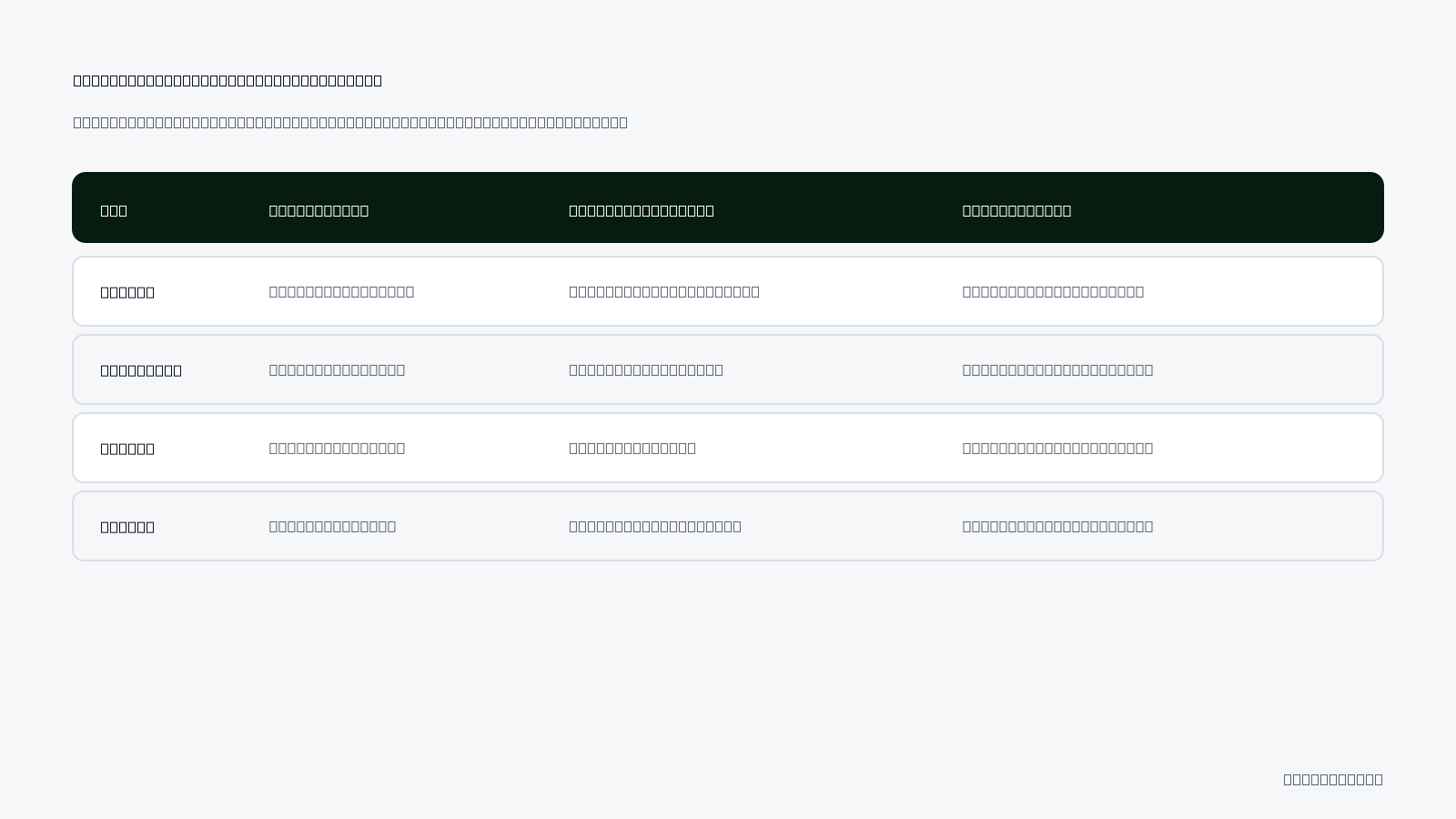
Pacing stabilization may not resolve issues related to flawed landing page conversion rates (CVR), elevated cost-per-thousand impressions (CPM) due to poor ad creative relevance, small target audiences restricting algorithm performance, or external conversion obstacles like inventory issues. Each of these factors can undermine the effectiveness of budget pacing, leading to suboptimal campaign performance.Inability of pacing stabilization to save campaigns when landing page CVR is flawed
If the landing page has a low CVR, no amount of pacing stabilization will salvage the campaign. A flawed landing page may include unclear messaging, slow load times, or a complicated checkout process. These issues result in high bounce rates and low conversions, which directly impact the overall return on ad spend (ROAS). To address this, conduct A/B testing on landing page elements such as headlines, images, and calls-to-action (CTAs) to identify what resonates best with your audience.Meta auction penalty elevating CPM due to poor creative relevance regardless of pacing
When the ad creative is not relevant to the target audience, Meta's auction system imposes penalties that drive up CPM, regardless of how well the budget is paced. This can occur if the ad copy does not align with the audience’s interests or if the visuals are outdated. To improve creative relevance, review performance metrics in Ads Manager, such as engagement rates and ad relevance diagnostics, and refresh creatives based on audience feedback and performance data.Extremely small target audiences that prevent algorithms from deploying scaled funds
Pacing stabilization is also ineffective when targeting extremely small audiences. Meta’s algorithms require a certain level of data to optimize ad delivery effectively. If the audience is too niche, the algorithm may struggle to allocate the budget efficiently, resulting in underperformance. To remedy this, consider expanding your target audience or creating lookalike audiences based on existing customer data to increase the pool of potential conversions.- Evaluate landing page CVR and make necessary improvements.
- Analyze ad creative relevance and refresh outdated elements.
- Broaden target audience parameters to increase reach.
- Conduct A/B tests on different landing page variations.
- Monitor performance metrics regularly for insights.
- Identify and resolve any external conversion obstacles.
What action should be taken if CPM remains stubbornly high despite stable pacing?
If CPM remains high even with stable pacing, reassess your ad creative and targeting strategy. Consider refreshing your ad visuals and copy to improve relevance. Additionally, evaluate the audience segments to ensure they align with your campaign goals. Regularly monitor performance metrics and adjust your bidding strategy if necessary to optimize ad spend.What do core budget pacing and automated media buying terms mean?
Core budget pacing refers to the algorithmic rate at which Meta distributes a daily budget across a 24-hour period to maximize performance. Automated media buying encompasses various bidding strategies that optimize ad delivery based on specific goals and budget constraints, ensuring efficient use of advertising resources.- Budget Pacing: The algorithmic rate at which Meta distributes daily budget across 24 hours.
- Highest Volume: The default bidding model aiming to spend total budget for maximum actions.
- Cost Cap: A bidding constraint instructing Meta to maintain average cost per acquisition (CPA) below a threshold.
- Attribution Lag: The latency period between a user ad click and final transaction completion.
- Return on Ad Spend (ROAS): A metric that measures the revenue generated for every dollar spent on advertising.
- Cost Per Thousand Impressions (CPM): The cost of acquiring 1,000 impressions of an ad.
- Click-Through Rate (CTR): The percentage of users who click on an ad after seeing it.
- Ad Relevance Diagnostics: Metrics that assess how well an ad resonates with its target audience.
- Lookalike Audience: A targeting option that identifies new users similar to an existing customer base.
- A/B Testing: A method of comparing two versions of an ad or landing page to determine which performs better.
- Conversion Rate (CVR): The percentage of users who complete a desired action after clicking on an ad.
- Ad Spend: The total amount of money spent on advertising over a specified period.
Does switching to a Cost Cap bid strategy completely eliminate pacing distortions?
Switching to a Cost Cap bid strategy does not completely eliminate pacing distortions. While it helps maintain CPA below a set threshold, external factors like audience size, creative relevance, and landing page performance can still impact overall pacing and campaign success. Regular monitoring and adjustments are necessary to optimize performance.How to Achieve Sustainable Ad Scaling Through Controlled Budget Pacing
To stop Meta budget pacing distortion, implement hourly ad spend caps, utilize automated scaling rules judiciously, and choose Campaign Budget Optimization (CBO) over Ad Set Budget Optimization (ABO). Additionally, avoid pausing ads overnight and monitor your campaigns for stabilization after budget adjustments. A concrete step to take today is to sign up for Adsaify to help manage your Meta ad campaigns more effectively.
Want to see this in your own account? Enter your website address and Adsaify drafts the campaign for you. The first ad is free. Try it now or log in.
Frequently Asked Questions (FAQ)
1. Do hourly ad spend caps completely solve budget pacing distortion?
Hourly ad spend caps help manage budget pacing distortion but do not completely eliminate it. They create a structured spending pattern that can reduce volatility, allowing for more predictable pacing. However, other factors, such as audience fluctuations and algorithm adjustments, can still lead to pacing issues.
2. How many times per day can automated scaling rules increase budget safely?
Automated scaling rules can safely increase budget up to two times per day, depending on campaign performance. This gradual approach minimizes risk and allows the Meta algorithm to adjust effectively without causing significant pacing distortion.
3. Should you choose ABO or CBO to minimize budget pacing distortion?
Choosing Campaign Budget Optimization (CBO) is generally recommended to minimize budget pacing distortion. CBO allocates the budget at the campaign level, allowing Meta’s algorithm to optimize spending across ad sets based on performance, which leads to more efficient pacing.
4. Is it a good practice to pause ads overnight to prevent pacing burn?
Pausing ads overnight is not recommended as a practice to prevent pacing burn. This can disrupt the learning phase of the algorithm and lead to inconsistent performance. Instead, maintaining a continuous flow of ads allows for smoother pacing adjustments.
5. Can budget pacing be manually controlled inside Meta ASC campaigns?
Budget pacing can be manually controlled in Meta Automated Campaigns (ASC) by adjusting daily budgets or implementing hourly caps. However, the effectiveness of manual controls may vary, as the Meta algorithm still plays a significant role in pacing decisions.
6. How many hours does it take for Meta pacing algorithms to stabilize after a budget increase?
After a budget increase, it typically takes around 24 to 48 hours for Meta's pacing algorithms to stabilize. During this time, the algorithm recalibrates its spending patterns and optimizes ad delivery to align with the new budget.
7. How do Adsaify automation rules help mitigate sudden budget pacing surges?
Adsaify automation rules help mitigate sudden budget pacing surges by allowing users to set conditions that automatically adjust campaign performance. For example, rules can pause underperforming ads, ensuring that budget allocation remains efficient and aligned with overall campaign goals.
8. Does budget pacing distortion pose a threat to low-budget ad campaigns?
Yes, budget pacing distortion can pose a significant threat to low-budget ad campaigns. With limited funds, any distortion can lead to inefficient spending and poor performance, making it crucial to implement effective pacing strategies to maximize budget effectiveness.
How can you try this with Adsaify?
The quickest way to apply the steps in this article to your own account is to try them. Adsaify analyses your business from your website address, drafts the campaign with an audience, ad copy, creative and a budget suggestion, and publishes it to your own Meta ad account once you approve.
- Your first ad is free: there is nothing to lose by trying.
- Your own ad account: the campaign runs in your Meta account and you stay in control.
- Images and video: generate ad creatives with AI or promote an existing Instagram post.
Create a free account and try your first ad · Already have an account? Log in.