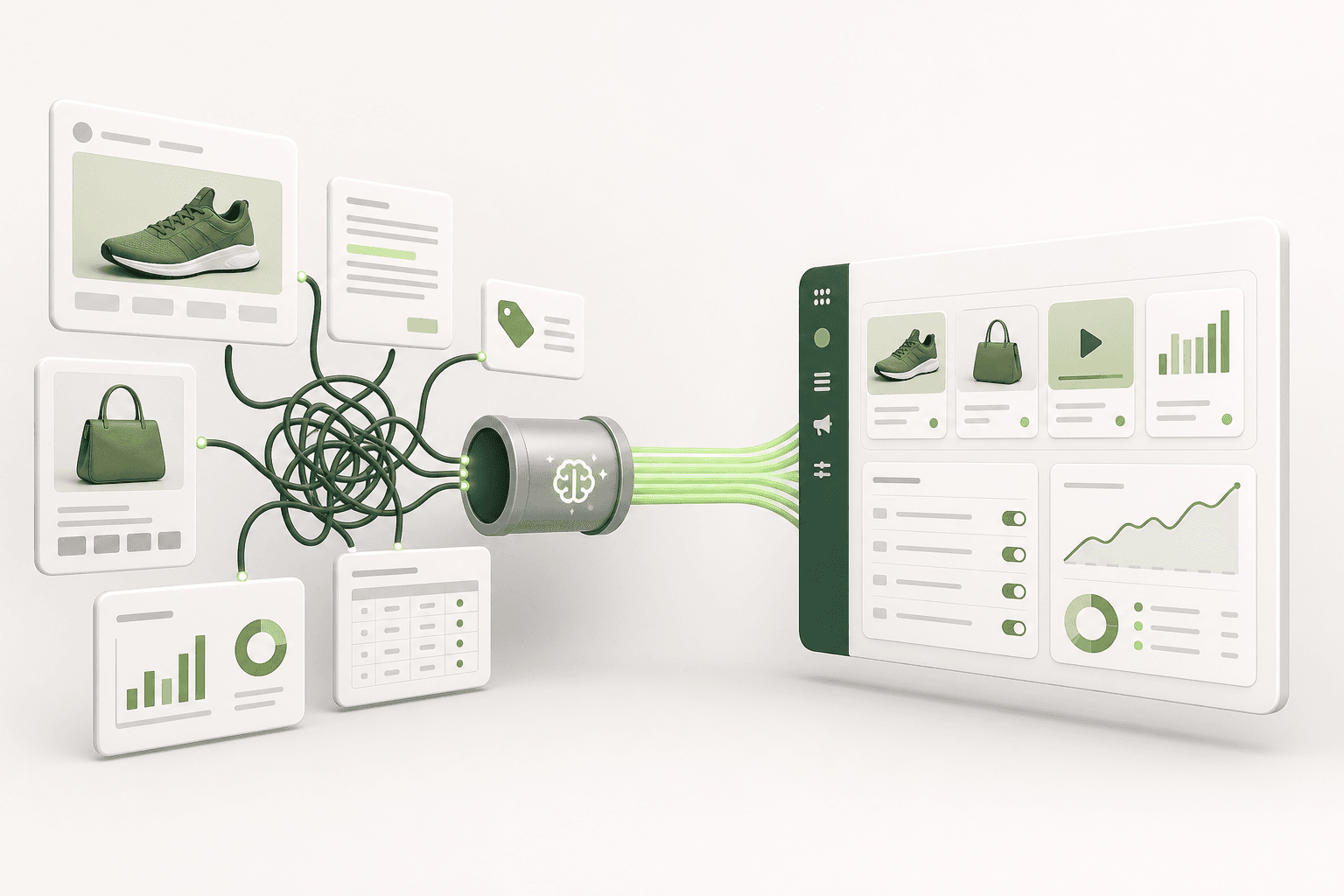
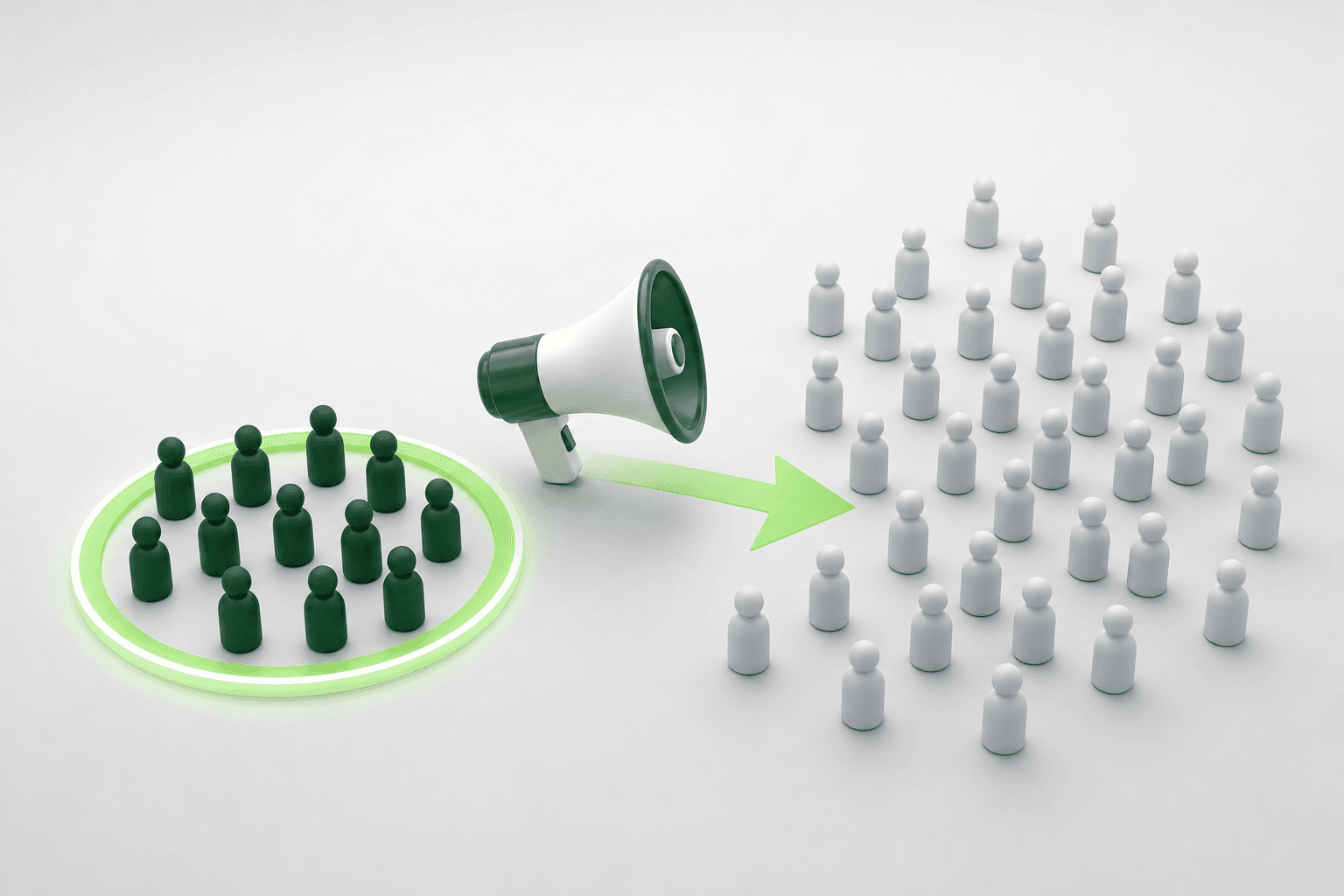
Short answer: E-commerce brands may face target audience issues in Meta ads. Incorrect targeting can lead to low conversion rates and high costs. Adsaify provides an effective solution to address these problems.
Every morning you open Meta Ads Manager, hoping the previous night's checkout volume recovered, only to find CPA (cost per acquisition) climbing higher while purchase conversions dwindle. Your ads generate clicks and store traffic, but visitor intent feels completely detached from your catalog, or worse, your retargeting sets keep serving introductory discounts to customers who bought yesterday. At the same time, winning creatives fatigue within days because your own ad sets enter the ad auction against one another.
These delivery breakdowns occur when Meta's delivery algorithm receives conflicting signals from fragmented audience segments, unexcluded historical purchasers, and overlapping interest clusters. Leaving these structural targeting flaws unaddressed burns working capital on redundant impressions, inflates CPM (cost per thousand impressions), and traps your store in an inefficient cycle where acquiring each customer erodes the gross margin of the order.
After reading this guide, you will be able to audit and restructure your targeting framework to eliminate internal auction competition. We examine the mechanics behind targeting breakdowns, outline pre-launch verification steps, present a direct remediation process with concrete budget configurations, and define the performance metrics needed to confirm that Meta is once again finding high-intent buyers.
Key Takeaways
- Incorrect targeting leads to low conversion rates.
- Target audience issues can increase ad costs.
- Adsaify uses AI to optimize target audiences.
- Identifying the right target audience is critical for successful campaigns.
What Are Target Audience Issues in Meta Ads for E-Commerce Brands?
Target audience issues in Meta ads occur when ad sets deliver impressions to users who have zero intent or capacity to purchase, resulting in suppressed click-through rates, inflated acquisition costs, and wasted budget. These mismatches stem from misconfigured targeting criteria, overlapping audience segments, and intense bidding competition within saturated interest pools.
How Incorrect Targeting Lowers User Engagement
When an e-commerce brand configures ad sets with interests that do not match customer buying motives, ad delivery algorithms show products to uninterested browsers. CTR (click-through rate is the percentage of impressions that result in a click) drops below the standard 1.0% benchmark for retail when the audience does not resonate with the creative. At the same time, CPC (cost per click is the fee charged each time an ad receives a click) rises because the Meta auction penalizes low engagement. If an ad set targets generic broad categories without exclusions, delivery defaults to low-value users who browse without purchasing, depleting the daily budget on passive clicks.
Why Segment Misidentification Hurts E-Commerce Sales
Misidentifying audience segments happens when brands fail to separate prospecting audiences from retention audiences in Meta Ads Manager. A Custom Audience is a targeting group built from proprietary data such as website traffic, customer lists, or catalog interactions. A Lookalike Audience is an algorithmic group generated by Meta to find users whose behavior mirrors an existing Custom Audience. When a brand mixes cold prospects with past buyers inside the same ad set, delivery algorithms cannot optimize properly. Cold prospects receive repeat-purchase offers, while existing buyers receive generic introductory messaging, degrading conversion rates across the store.
What Happens When Competing in Saturated Market Segments
Targeting broad, highly contested categories places an e-commerce brand into direct auction conflict with enterprise retailers. CPM (cost per mille is the cost required to generate one thousand ad impressions) increases dramatically when multiple advertisers bid on the same demographic slice. In these saturated auctions, smaller ad sets fail to exit the learning phase because their bids cannot secure enough daily purchases to reach the required fifty optimization events per week.
Consider an example with a handmade footwear brand spending a 750 TL daily budget. The brand originally targeted a broad interest group of general footwear in a single ad set, generating an unsustainable 190 TL CPM and a 0.55% link CTR with zero sales over five days. The advertiser rebuilt targeting by excluding past 30-day website visitors and narrowing the prospecting group to users interested in leathercraft and sustainable fashion, while creating a separate retention ad set for past cart abandoners. Following this adjustment, the brand tracked Link CTR, CPM, and Purchases in the Ads Manager reporting dashboard; within one week, CPM dropped to 85 TL and the prospecting ad set stabilized at 1.8% CTR with steady purchases. When setting up new campaigns, using Adsaify allows brands to automatically analyze their store URL to draft balanced audience segments directly in their connected Meta account.
How can I identify issues with my target audience?
You can identify target audience issues by opening the Breakdown menu in Meta Ads Manager and reviewing results by age, gender, and placement alongside your campaign metrics. If link CTR falls below 1.0% while CPM increases, or if ad frequency exceeds 3.0 over seven days without driving sales, your audience definition is failing. You should also check the Audience Overlap tool under the Audiences dashboard; an overlap percentage above 20% confirms your ad sets are bidding against each other in the auction.
What Causes These Issues?
Target audience issues are caused by misconfigured targeting parameters, inadequate historical pixel data, and volatile auction dynamics within Meta Ads Manager. When advertisers rely on unsegmented broad settings or misinterpret performance reports, the Meta delivery algorithm allocates impressions to low-converting users, driving up customer acquisition costs across e-commerce campaigns.
How the Complexity of Meta Ads Manager Triggers Targeting Errors
Meta Ads Manager contains dozens of targeting layers that produce unintended results when configured incorrectly. The Advantage+ audience feature allows Meta's system to expand beyond designated targeting constraints unless manual audience controls are explicitly enforced. Furthermore, location settings default to people living in or recently in a selected area; an e-commerce store shipping exclusively domestically may spend budget showing ads to tourists who cannot receive deliveries. Combining multiple interests using the OR condition rather than narrowing them with the AND condition expands the audience pool to millions of unfocused users, preventing the algorithm from finding high-intent buyers.
Why Insufficient Data Analysis Distorts Optimization
Targeting errors persist when campaign operators rely solely on high-level dashboard summaries instead of granular metric breakdowns. ROAS (return on ad spend is the total revenue generated divided by the total advertising spend) can hide severe audience fatigue if one historical segment drives all sales while three other ad sets burn budget. Without checking the Inspect tool in Ads Manager to monitor first-time impression ratio and auction overlap, advertisers cannot see when their targeting pools have become exhausted. Platforms like Adsaify offer automated rules that monitor performance shifts and pause inefficient ads when key efficiency thresholds drop, preventing wasted spend.
How Variable Market Conditions Disrupt Audience Delivery
Audience responsiveness fluctuates based on external auction pressure and seasonal shopping patterns. During peak retail events such as Black Friday or seasonal clearance periods, enterprise advertisers inject massive budgets into broad audiences. This influx increases bid competition across common interest categories, driving CPM higher and pricing out narrower niche targets. Audiences that converted reliably in off-peak periods suddenly stop delivering conversions when market bid levels surge.
| Targeting Setup | Common Symptom | Root Cause | Resolution Setting in Ads Manager |
|---|---|---|---|
| Broad Advantage+ Audience | Low conversion rate, high non-buyer traffic | Algorithm expands targeting beyond purchasing demographics | Switch to manual targeting and define strict demographic floors |
| Stacked Interest Targeting | Rapidly escalating CPM with erratic ROAS | Multiple broad interests dilute the delivery focus | Isolate one primary interest cluster per ad set using Narrow Audience |
| Retargeting Without Exclusions | High frequency, customer complaints | Past purchasers continue seeing introductory acquisition ads | Add Custom Audience exclusion for past 30-day or 60-day purchasers |
| Overlapping Lookalikes | Self-competing ad sets, delivery stall | Multiple percentage tiers (1%, 2%, 5%) bid against each other | Exclude 0-1% Lookalike from the 1-2% Lookalike ad set |
| Unchecked Default Location | Orders placed from non-serviceable territories | Setting includes recent visitors rather than permanent residents | Set location targeting strictly to "People living in this location" |
What mistakes am I making when defining my target audience?
The most frequent mistakes include failing to exclude recent purchasers from top-of-funnel campaigns, combining too many conflicting interests within a single ad set, and restricting audience sizes below the minimum volume required for algorithmic learning. Advertisers also frequently run lookalike audiences without excluding their seed source data, causing cold campaigns to target existing customers. You must enforce clear exclusion boundaries between your prospecting and retargeting campaigns to prevent ad sets from competing in the auction.

What Happens If I Ignore These Issues?
Ignoring target audience issues in Meta ads leads to declining conversion rates, inflated acquisition costs, and ad fatigue. When e-commerce brands deliver irrelevant creatives to mismatched demographic segments, ad delivery algorithms penalize the account with higher CPMs (cost per thousand impressions), which erodes profit margins and damages the brand's standing among potential shoppers.
Low Conversion Rates and Decreased Account Health
CVR (conversion rate) is the percentage of ad clicks that result in a completed transaction on an online store. When an ad set reaches individuals with zero buying intent, link clicks fail to translate into purchases. In Meta Ads Manager, this disconnect causes the delivery algorithm to struggle during the learning phase. If an ad set fails to generate approximately 50 conversion events within a seven-day window, delivery becomes erratic, and the system cannot reliably optimize for high-value shoppers.
Escalating Acquisition Costs in the Ad Auction
CPA (cost per acquisition) is the total advertising expenditure divided by the number of sales generated. Meta determines ad placement through an auction formula based on advertiser bid, estimated action rates, and ad quality. Irrelevant audience targeting produces negative user signals, such as users hiding ads or scrolling past without engaging. Frequency (frequency is the average number of times each unique user sees an ad) then climbs rapidly while CTR (click-through rate is the percentage of impressions that result in a click) drops. Consequently, Meta increases the account's CPM to compensate for low user engagement, causing CPA to surge and reducing ROAS (return on ad spend is total revenue divided by advertising cost).
Brand Reputation Loss and a Concrete Performance Example
Repeatedly serving mismatched offers creates audience resentment and banner blindness. For example, consider an e-commerce brand selling premium leather footwear with an allocated budget of 500 USD per day. If the campaign targets a broad, unsegmented demographic without excluding past 30-day purchasers, existing customers receive introductory discount ads while non-qualified audiences receive irrelevant messaging. In this scenario, the brand might observe a CPA of 85 USD against an acceptable target of 40 USD, alongside a frequency exceeding 6.0 within two weeks. By restructuring the ad set to exclude past purchasers and refining interests toward luxury accessories, the brand can monitor the Breakdown menu in Meta Ads Manager to verify that frequency stabilizes between 1.8 and 2.4 while CPA declines toward the desired benchmark.
How can I avoid falling behind the competition?
To avoid falling behind competitors, audit audience performance weekly within Meta Ads Manager using the Breakdown menu by age, gender, and placement. Rotate messaging to counter ad fatigue, establish exclusion lists for recent purchasers, and deploy automation rules to halt underperforming ad sets before budgets drain. Implementing automated testing tools like Adsaify helps e-commerce stores discover validated audience segments and adjust delivery parameters swiftly, maintaining competitive efficiency in volatile auctions.
How Can I Solve Target Audience Issues?
Target audience issues in Meta ads are resolved by aligning campaign objectives with buyer intent, conducting structured audience testing, and applying automated data-driven guardrails. E-commerce merchants must clean their custom audiences, refine exclusions, analyze website performance data, and structure Meta Ads Manager campaigns so algorithmic delivery identifies and prioritizes users most likely to complete a purchase.
Conduct Audience Analysis with Adsaify
Audience misconfiguration often stems from guesswork during campaign creation. Adsaify analyzes an e-commerce business directly from its website URL or a concise store description to generate structured campaign drafts. The platform suggests demographic parameters, ad copy, creative concepts, and budget recommendations tailored to the merchant's catalog. Users can produce AI-assisted images or promote existing Instagram posts, and then publish the finished structure directly to their personal Meta ad account. While Adsaify does not automatically swap creative files inside an active campaign, it provides automation rules that pause underperforming ad sets based on real-time metrics.
Develop Data-Driven Optimization Strategies
Custom Audiences (Custom Audiences are targeted user groups created from proprietary store data like customer lists, web traffic, or catalog engagements) require continuous hygiene. To resolve audience overlap, assign strict exclusions inside Meta Ads Manager: exclude purchasers of the last 30 to 180 days from cold acquisition sets. Pair these with Lookalike Audiences (Lookalike Audiences are algorithmically created groups of users who share characteristics with an existing customer source list) built from high-value purchasers rather than general site visitors.
- Analyze website performance data — Review historical conversion sources to determine whether audience size or creative resonance is the core bottleneck.
- Define campaign objectives — Select the Sales objective in Meta Ads Manager to ensure the algorithm optimizes delivery for completed checkouts instead of passive clicks.
- Isolate prospecting and retargeting segments — Add exclusions for past 30-day buyers to prevent self-competing ad sets and wasted impressions.
- Implement automated guardrails — Set performance rules to pause any ad set where CPA exceeds 1.5 times the target threshold after reaching significant impressions.
- Monitor attribution reports — Inspect Ads Manager attribution windows to decide whether underperforming ad sets require fresh creative assets or audience adjustments.
- Manually insert refreshed creatives — Upload newly generated ad visuals into verified audience sets to reset ad fatigue without disrupting overall account architecture.
Clarify Campaign Objectives in Meta Ads Manager
Selecting an upper-funnel objective such as Traffic or Engagement when the true goal is revenue causes Meta to deliver impressions to chronic clickers who rarely buy. Always choose the Sales objective with the conversion event set explicitly to Purchase. Merchants can test this workflow with their first ad for free via the Adsaify login interface, validating audience alignment before committing larger ad budgets.
How can I effectively use Adsaify?
To use Adsaify effectively, connect your Meta ad account and submit your e-commerce store URL so the platform can evaluate your product catalog and draft targeted campaign structures. Review the generated audience concepts, copy, and suggested budget before publishing them directly to Ads Manager. Then, configure automation rules within the dashboard to monitor key metrics and pause non-performing ads, while manually generating and adding fresh creatives whenever existing variations reach audience saturation.
If you would rather not set up each of these steps by hand, try it in Adsaify: your first ad is free, so there is nothing to lose. Create a free account.
What Should I Prepare and Check Before Applying?
Before applying target audience changes in Meta Ads Manager, advertisers must verify tracking infrastructure, refresh customer lists, and audit market competitors. Ensuring accurate Meta Pixel events, building updated Custom Audiences from recent purchase records, and evaluating competitor positioning prevents wasted ad spend and guarantees that campaign algorithms optimize toward verified buyers.
How should you prepare your website for analysis?
Meta Pixel is a snippet of code placed on a website that tracks visitor actions. Conversions API is a server-side tool that shares web events directly from an e-commerce server to Meta. Open Meta Events Manager and inspect the Test Events tab to confirm that the ViewContent, AddToCart, InitiateCheckout, and Purchase events fire without duplicate triggers or parameter errors. Check that product catalog IDs on your website match the catalog IDs uploaded to Commerce Manager. If you plan to use AI tools, clean data is equally critical. For instance, Adsaify analyses an e-commerce business directly from its website URL to generate campaign audiences, ad copy, and creative concepts. You can test how your store content translates into campaign drafts by using the Adsaify demo start interface. Finally, ensure that your mobile landing pages load in under three seconds, because slow load speeds cause users to bounce before the pixel records their arrival.
How do you update your target audience data?
A Custom Audience is a targeting group built from an advertiser's first-party data, such as website visitors or customer lists. In Meta Ads Manager, navigate to the Audiences dashboard and review your existing customer lists. Export an updated list of buyers from your e-commerce store covering the past 90 to 180 days, including email addresses, phone numbers, cities, and lifetime spend values. Upload this file as a new Customer List Custom Audience with customer value included, which allows Meta to map higher-value segments accurately. Simultaneously, refresh your website engagement segments by creating audiences for past 30-day website visitors and past 14-day cart abandoners. Keeping these segments current ensures that you can exclude recent buyers from acquisition ad sets and retarget uncompleted checkouts cleanly.
Why is competitor analysis necessary before adjusting audience settings?
CPM (cost per mille) is the cost an advertiser pays for one thousand ad impressions. When multiple advertisers target identical audience interests simultaneously, auction competition drives CPM rates higher. Open the Meta Ad Library and search for your direct competitors to inspect their active formats, offers, and creative angles. If competitors heavily promote identical single-interest angles, such as specific brand names or narrow product categories, targeting those exact interests directly will elevate your acquisition costs. Identifying adjacent lifestyle interests, complementary products, or broader demographic settings allows you to position your ad sets in less saturated sub-auctions.
Which checklist should you complete before making changes?
- Verify that Meta Pixel and Conversions API events fire accurately inside Meta Events Manager.
- Export recent customer transaction data from your e-commerce platform and upload an updated customer list.
- Create dedicated exclusion audiences for customers who completed a purchase in the past 30 days.
- Audit competitor creative messaging and promotional offers using the public Meta Ad Library.
- Confirm that product catalog data in Commerce Manager syncs with active store inventory.
- Check mobile page speed and checkout navigation to prevent traffic loss after ad clicks.
Are my preparations sufficient?
Your preparations are sufficient when your Meta Events Manager confirms deduplicated Purchase events with an Event Quality Match score above six, your customer lists reflect transactions from the past ninety days, and your prospecting ad sets explicitly exclude previous thirty-day purchasers. If these technical checkpoints and first-party audience segments are active, your ad account possesses the baseline tracking integrity and clean structural boundaries required to launch audience adjustments without muddying delivery signals.
Can You Explain with a Detailed Example?
A practical target audience restructuring example involves separating broad acquisition from focused retargeting, allocating explicit budgets, and analyzing conversion metrics across distinct ad sets. By defining cold demographic pools, lookalike segments, and past store visitors into isolated groups, an e-commerce brand eliminates audience overlap, stabilizes acquisition costs, and accurately evaluates ad performance.
How do you structure the sample campaign?
ABO (Ad Set Budget Optimization) is a budget setting where daily or lifetime spend is allocated manually at the individual ad set level. Consider an example involving a direct-to-consumer ceramic cookware brand spending a daily budget of 300 USD in Meta Ads Manager. Previously, this brand ran all creatives inside a single ad set targeting general kitchenware interests without exclusions, resulting in rising costs and ad fatigue. To resolve the issue, the brand builds a new Sales campaign using ABO, splitting the 300 USD daily budget into three dedicated ad sets designed to handle specific stages of the purchasing journey without internal auction overlap.
How do you define the target audience segments?
A Lookalike Audience is a targeting segment created by Meta that reaches new people who share demographic and behavioral traits with existing customers. For this cookware brand, the 300 USD daily budget is divided across three isolated ad sets:
- Ad Set 1 (Broad Prospecting, 160 USD daily): Open demographic targeting for men and women aged 25 to 60 within the target country, with no detailed interest parameters selected. Past 180-day purchasers and past 30-day website visitors are excluded.
- Ad Set 2 (High-Value Lookalike, 90 USD daily): A 1% Lookalike Audience built from a seed list of the top 20% highest-spending past customers. Past 30-day purchasers are excluded to prevent wasting impressions on existing clients.
- Ad Set 3 (Warm Retargeting, 50 USD daily): A Custom Audience targeting users who viewed product pages or added items to the cart in the last 14 days, with 30-day purchasers excluded.
Advertisers building such campaigns from scratch can register at Adsaify to draft campaigns, which analyses store URLs to configure initial audience structures, generate ad copy, and prepare creatives for publishing to Meta Ads Manager.
How should you analyze the results after the test?
The learning phase is the period after launching an ad set during which Meta's delivery system explores the best users to deliver impressions to, typically requiring about fifty optimization events. CPA (cost per acquisition) is the total ad spend divided by the number of attributed purchase conversions. Frequency is the average number of times an individual user sees an ad within a specified time frame. ROAS (return on ad spend) is the gross revenue generated divided by the total advertising spend.
After running this structure for seven days, the cookware brand examines the breakdown metrics in Ads Manager:
- Ad Set 1 (Broad): Generates a CPA of 42 USD and a Frequency of 1.15, confirming that the ad reaches new prospective buyers steadily without saturation.
- Ad Set 2 (Lookalike): Delivers a CPA of 36 USD and a ROAS of 3.4x, proving that high-value purchaser lookalikes bring qualified cold traffic.
- Ad Set 3 (Retargeting): Delivers a CPA of 16 USD with a Frequency of 2.60, capturing high-intent cart abandoners efficiently.
If an ad creative inside Ad Set 1 drops below target efficiency thresholds, automation rules—such as those available in Adsaify—can pause the lagging ad automatically to protect the remaining daily budget.
How can I benefit from examples?
You can benefit from practical examples by treating them as structural blueprints rather than identical templates. Analyzing concrete segment splits, specific budget distributions, and real performance metrics teaches you how to diagnose audience overlap, set up negative exclusions, and assign proportional budgets in Meta Ads Manager. By adapting these demonstrated mechanics to your own catalog pricing and conversion volume, you systematically eliminate guesswork and accelerate campaign stabilization.
What Are the Most Common Mistakes and How Can I Avoid Them?
The most common target audience mistakes in Meta ads are using broad targeting without exclusion parameters, failing to analyze audience breakdowns, and selecting soft campaign objectives. Advertisers can avoid these issues by defining distinct buyer personas, auditing demographic breakdowns regularly inside Meta Ads Manager, and aligning campaign objectives directly with bottom-funnel purchase conversions.
Why is broad targeting without exclusions problematic?
Running broad campaigns without exclusions frequently forces ad spend toward existing customers who would purchase organically, rather than generating incremental revenue. A Custom Audience is a targeting option that lets advertisers reach people who have already interacted with a business. Inside Meta Ads Manager at the Ad Set level, navigate to the Audience controls and apply an exclusion rule. For instance, advertisers should exclude a Custom Audience of website purchasers from the past 30 to 180 days from prospecting ad sets. Failing to exclude past purchasers inflates apparent performance while masking a failure to acquire net-new shoppers.
How does neglecting breakdown data hurt campaign efficiency?
Advertisers often look exclusively at blended account metrics, ignoring how specific segments perform under the surface. In Meta Ads Manager, clicking the Breakdown button allows marketers to inspect delivery by Demographics (Age and Gender), Placement, and Region. For example, an ad set with a 500 TL daily budget might spend 350 TL on the 65+ age demographic while generating zero transactions, despite having a lower average cost per click. Regularly inspecting these breakdown dimensions reveals low-converting segments that drain budgets without driving store sales.
Why do vague campaign objectives waste advertising spend?
Selecting top-funnel objectives such as Traffic, Engagement, or Brand Awareness causes Meta to optimize delivery for users who click links or like posts rather than users with purchase intent. Meta delivers ads to users most likely to take the specific action chosen in the Campaign Objective setting. If an e-commerce brand selects Traffic, Meta locates habitual clickers who rarely buy, resulting in high bounce rates and low return on investment. E-commerce brands should select the Sales objective and set the performance goal to "Maximize number of conversions" with the Purchase event selected.
| Targeting Mistake | Observed Symptom | Correct Ads Manager Setting |
|---|---|---|
| No customer exclusions | High repeat purchases, low new user growth | Exclude 180-day purchase Custom Audience at Ad Set level |
| Using the Traffic objective | High link clicks, zero add-to-cart actions | Select Sales objective with Purchase conversion event |
| Ignoring demographic waste | Unbalanced budget allocation to non-converting ages | Set explicit age thresholds under Audience Controls |
| Audience overlap in ad sets | Ad sets competing against each other in the auction | Consolidate similar interest groups into a single ad set |
How can I correct my mistakes?
Advertisers can correct targeting mistakes by auditing active campaigns inside Meta Ads Manager and switching optimization goals directly to purchases. Next, apply strict exclusion lists to separate past buyers from net-new prospects within the Ad Set menu. If configuring audience segments manually proves complex, brands can register on Adsaify to analyze their store URL and draft structured campaigns with ready-made audience suggestions and built-in budget allocations automatically.
How Can I Measure If the Issue Is Fixed?
Advertisers can measure if Meta target audience issues are fixed by monitoring conversion rates, tracking cost efficiency metrics, and reviewing segmented performance reports over time. When targeting improves, e-commerce stores observe higher purchase rates, stabilizing acquisition costs, reduced audience fatigue, and consistent delivery across demographic segments without volatile cost spikes.
How do you track conversion rates effectively?
Measuring the impact of audience fixes requires tracking the purchase conversion rate from paid traffic. CVR (conversion rate) is the percentage of ad clicks that result in an attributed purchase on an e-commerce website. Inside Meta Ads Manager, customize the reporting columns to display Purchases, Unique Outbound Clicks, and Conversion Rate. When target audience alignment is corrected, the ratio of purchases to link clicks rises, indicating that incoming traffic possesses genuine buying intent rather than casual browsing behavior.
How should you analyze advertising costs?
Targeting corrections directly influence acquisition expenses and delivery efficiency. CPA (cost per acquisition) is the total advertising cost spent divided by the number of purchases generated. CPM (cost per mille) is the cost an advertiser pays for every one thousand ad impressions delivered. While refined targeting may slightly increase CPM due to competing for higher-value shoppers, CPA should trend downward as conversion efficiency improves. For example, if an ad set with a 500 TL daily budget formerly produced purchases at a 150 TL CPA, a resolved audience issue should reduce that figure closer to target profit margins.
What reports reveal true campaign performance?
Marketers should build customized reports to verify consistent delivery across time and placements. Use the Ads Manager Reports feature to create a saved template tracking CPA, ROAS, and ad frequency. ROAS (return on ad spend) is the revenue generated for every monetary unit spent on advertising. Frequency is the average number of times each unique person sees a specific ad within a chosen timeframe. Tracking frequency helps identify whether an audience is too narrow; if frequency exceeds 3.0 within a seven-day window on prospecting sets, the audience size requires expansion.
- Verify that the purchase conversion rate increases relative to unique clicks over a seven-day window.
- Confirm that cost per acquisition stabilizes below the maximum acceptable target for the product category.
- Check the frequency metric across prospecting ad sets to prevent early audience saturation.
- Review demographic breakdowns to confirm ad spend aligns with segments that generate transactions.
- Inspect audience overlap percentages inside the Audiences menu to verify ad sets do not compete against each other.
- Monitor return on ad spend to ensure consistent profitability across varying daily budget levels.
How can I evaluate success?
To evaluate success, compare performance metrics against the seven-day period before the targeting adjustments were implemented. A successful resolution reflects a sustained drop in cost per acquisition, an improved purchase conversion rate, and an increased return on ad spend across primary ad sets. When key performance indicators remain steady while scaling the daily budget, the targeting structure has successfully reached qualified e-commerce buyers. Advertisers can then log in to Adsaify to set automation rules that monitor performance and pause ads if costs rise.
Conclusion: The Path to Overcoming Target Audience Issues
Resolving target audience issues in Meta ads requires a structured approach. First, audit your existing campaigns in Meta Ads Manager for audience overlap and rising frequency to detect saturation early. Next, consolidate fragmented ad sets into clearly defined segments or broader interest groups. Then, align your ad copy and creatives with each specific segment's intent. Finally, establish performance benchmarks to monitor cost per acquisition, and apply automated rules to pause underperforming ads.
For your immediate next step today, review the delivery breakdown of your highest-spending ad set over the last two weeks to confirm whether frequency has exceeded your target threshold. If your performance is declining due to audience fatigue, you can register for Adsaify to analyze your website, generate optimized audience drafts, and launch your first campaign for free.
Want to see this in your own account? Enter your website address and Adsaify drafts the campaign for you. The first ad is free. Try it now or log in.
Frequently Asked Questions (FAQ)
1. How long does audience analysis take?
Audience analysis duration depends on whether you conduct it manually or use automated tools. Manual audience analysis involves reviewing customer purchase history, Google Analytics data, and Meta Ads Manager demographic reports, which typically requires several hours across multiple days. Using an automated AI tool like Adsaify simplifies this process by evaluating your website content and product catalog to draft recommended audience segments ready for review.
2. How can I start using Adsaify?
You can start using Adsaify by creating an account on the registration page at /register. Once logged in, enter your store website URL or provide a brief business description. Adsaify then analyzes your business to draft your campaign audience, ad copy, creatives, and budget recommendations, allowing you to publish the finalized campaign directly to your connected Meta ad account.
3. How can I identify problems with my target audience?
You can identify target audience problems by monitoring key delivery metrics inside Meta Ads Manager. Look for frequency—the average number of times each person sees your ad—rising above normal levels alongside declining click-through rates, which indicates ad fatigue. High cost per acquisition combined with significant audience overlap across ad sets also signals that your audiences compete against each other or lack purchase intent.
4. What is the cost of Adsaify?
The first ad campaign on Adsaify is free to try for new users upon registration. Adsaify connects directly to your own Meta ad account, meaning you still control and pay your ad spend directly to Meta. Specific subscription tiers and plan details can be viewed within your user account dashboard after logging in at /login.
5. Should I update my target audience?
You should update your target audience whenever performance metrics show signs of saturation or seasonal shifts. If frequency increases while return on ad spend drops, your audience has likely seen your ads too often. Updating interest targeting, expanding broad audience parameters, or creating fresh lookalike lists from recent customer data helps restore delivery efficiency and prevents wasted ad spend.
6. What should I do for a successful campaign?
For a successful campaign, define a distinct target audience without overlapping segments, set clear budget parameters, and test multiple creative formats such as static images and video. Ensure your product landing page loads quickly and matches the ad offer. Finally, use automated rules to pause underperforming ads and protect your budget, while scaling the variations that generate positive returns.
7. Why are target audience issues so important?
Target audience issues are critical because reaching the wrong users drains your advertising budget without producing sales. Meta charges for ad impressions regardless of customer quality. If your audience targeting is too narrow, fragmented, or saturated, ad delivery costs rise and conversion rates drop, making it difficult for an e-commerce store to maintain profitable customer acquisition.
8. How can I analyze my campaign results?
You can analyze campaign results by reviewing core performance metrics within Meta Ads Manager. Track return on ad spend—the revenue generated divided by ad spend—alongside cost per acquisition, click-through rate, and ad frequency. Compare these metrics against your profit margins to determine which audience segments deliver profitable conversions, and pause ad sets that fail to meet performance thresholds.
How can you try this with Adsaify?
The quickest way to apply the steps in this article to your own account is to try them. Adsaify analyses your business from your website address, drafts the campaign with an audience, ad copy, creative and a budget suggestion, and publishes it to your own Meta ad account once you approve.
- Your first ad is free: there is nothing to lose by trying.
- Your own ad account: the campaign runs in your Meta account and you stay in control.
- Images and video: generate ad creatives with AI or promote an existing Instagram post.
Create a free account and try your first ad · Already have an account? Log in.