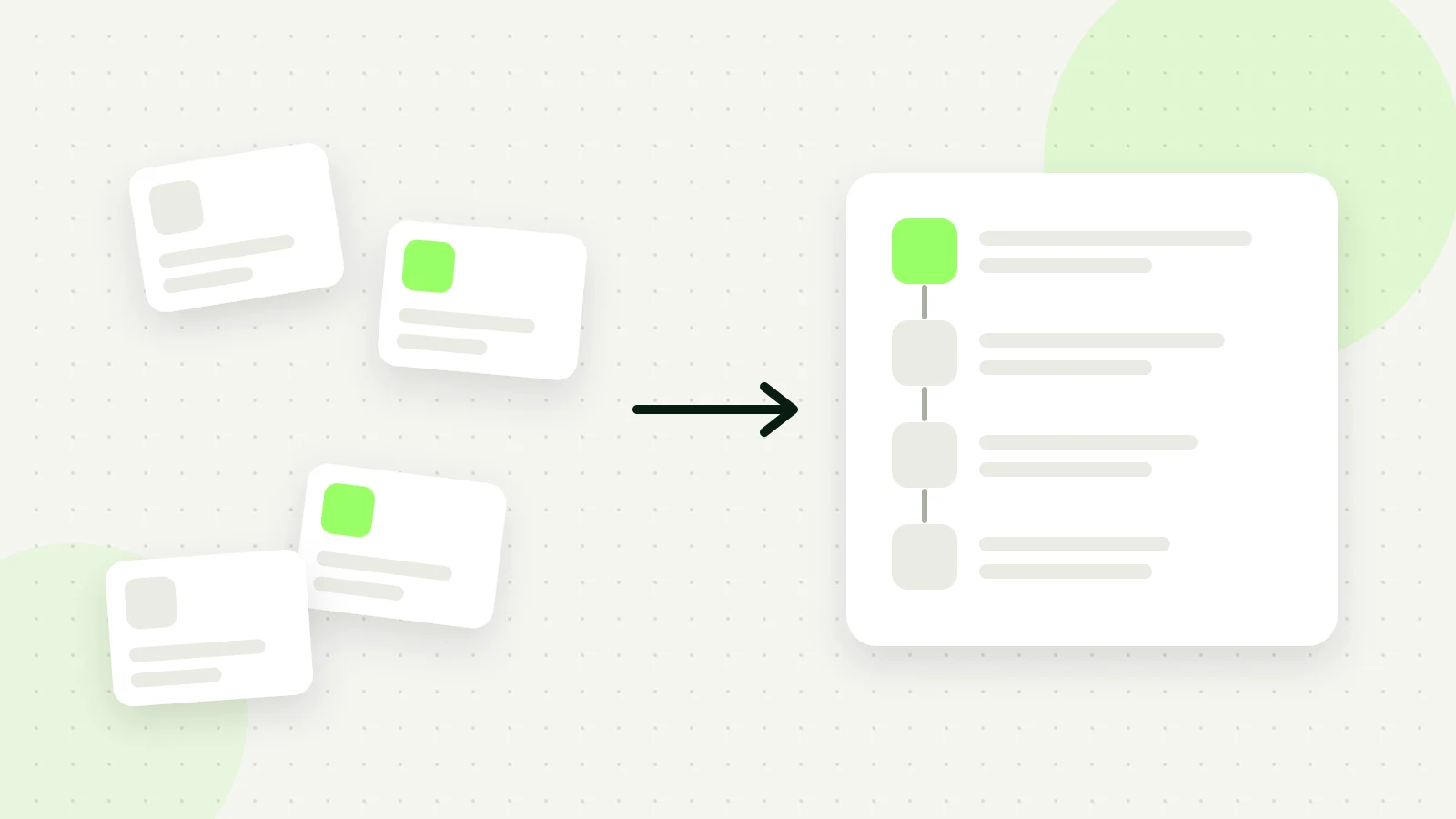
Short answer: E-commerce brands fix the manual ad setup bottleneck by adopting AI tools that scan store URLs to draft copy, creatives, and audiences automatically. The AI tool maps product features directly into campaign drafts within the user's Meta ad account, reducing hours of technical configuration to a streamlined review workflow.
Every performance marketer knows the grind of Meta Ads Manager late on a launch day. You have multiple product variations, several visual angles, and dozens of headline iterations scattered across spreadsheets. Instead of analyzing high-level strategy, you spend hours manually uploading individual image files, copy-pasting primary text fields, setting custom targeting, and double-checking URL parameters. A single misconfigured link or incorrect ad set toggle can derail an entire product launch before the campaign even delivers its first impression.
This administrative friction occurs because modern Meta advertising demands relentless creative volume to combat ad fatigue, which is the decline in campaign performance that happens when target audiences see the same ad creative too many times. When an e-commerce team spends the majority of its weekly bandwidth assembling campaigns inside Ads Manager, testing velocity slows to a crawl. Delayed iterations cause winning ads to decay faster than teams can replace them, inflating acquisition costs and leaving profitable inventory undiscovered.
This guide explains how e-commerce brands resolve this operational bottleneck by shifting from manual campaign assembly to automated AI drafting. You will learn how to identify the true cost of operational friction, prepare your product catalog data, and use AI tools to generate campaign drafts—including copy, audience suggestions, and creatives—directly inside your Meta ad account. We also outline common workflow mistakes so you can maintain strict quality control while accelerating your creative output.
Key Takeaways
- Manual campaign configuration delays product launches and restricts essential creative testing speed.
- AI tools utilizing URL analysis generate targeted audiences and ad copy directly from store catalog pages.
- Publishing campaigns directly into your own Meta ad account ensures full data ownership and account history.
- Automated performance rules safeguard daily budgets by pausing low-performing ads without manual oversight.
What is the manual Meta ad setup bottleneck and how do you spot it?
The manual Meta ad setup bottleneck is an operational delay where the repetitive labor of assembling campaigns inside Meta Ads Manager slows down commercial execution. E-commerce teams spot this bottleneck when new inventory sits without ad support, weekly creative testing drops to single digits, and marketers spend working hours on mechanical data entry.
Operational delays and data entry fatigue across campaign tiers
Meta Ads Manager is the native advertising management tool used to build, adjust, and evaluate ad campaigns across Facebook and Instagram. In a standard workflow, launching a single collection requires setting parameters across three distinct structural tiers: the campaign level, the ad set level, and the ad level.
When an online retail store publishes ten new products to its storefront, marketing personnel often need two to three full business days just to assemble corresponding ads. Marketers must repeatedly toggle campaign objectives, configure conversion events, select attribution windows, define geographic boundaries, and link pixel tracking parameters. This repetitive manual input leads directly to data entry fatigue. When human operators duplicate ad sets across dozens of items, they frequently make small configuration errors, such as misallocating attribution windows or targeting duplicate audiences, which disrupts budget distribution.
Decision paralysis in creative production and audience assembly
Beyond technical toggles, assembling an ad requires writing compelling text and styling media. Decision paralysis emerges when marketers must write distinct primary text hooks, headlines, and descriptions for every stock-keeping unit. Choosing whether to highlight product features, customer reviews, or promotional discounts stalls launches.
Simultaneously, marketing staff must resize product photography into multiple aspect ratios—namely 1:1 square formats for feeds and 9:16 vertical ratios for Instagram Stories and Reels—while adjusting text overlays so key details remain inside placement safe zones. Testing audiences presents another hurdle: managers debate whether to rely on broad demographic targeting or construct complex interest clusters, consuming hours on subjective setup choices rather than commercial strategy.
The cost of stagnant creative testing: A worked example
A clear symptom of this operational logjam is stagnant creative volume. While competitive Meta algorithms reward accounts that introduce diverse hooks every week, bottlenecked teams remain restricted to testing only two or three creatives weekly.
Consider, for example, a boutique athletic apparel brand running a $150 daily budget across Meta platforms. Over four weeks, the team relies on two static image ads because assembling new variations takes four hours per session. During this period, the frequency metric rises above 3.8, creative fatigue sets in, and CPA (cost per acquisition, which is the total advertising spend divided by the number of completed purchases) climbs from $22 to $39. To break this logjam, the brand tests a streamlined deployment protocol: the marketer uploads four video variations and four primary text hooks in one batch using Adsaify to draft campaign audiences and ad structures directly to Meta Ads Manager. Over the following fourteen days, evaluating performance metrics in Meta Ads Manager reveals that distributing spend across fresh angles restores the CPA to $24 while holding the frequency at 2.1.
Does this operational bottleneck affect only solo e-commerce founders?
No, the manual setup bottleneck impacts both solo founders and multi-person performance marketing departments. Solo operators experience the bottleneck as total project stoppage because campaign creation directly consumes hours needed for inventory sourcing, customer support, and fulfillment. In larger brand teams and agencies, the friction appears as billable hour bloat, where skilled strategists spend their time copying and pasting tracking tags, formatting imagery, and duplicating ad sets instead of analyzing customer conversion metrics.
Why do e-commerce teams encounter this ad creation bottleneck?
E-commerce teams encounter the Meta ad creation bottleneck because native campaign execution demands heavy technical and creative coordination across disconnected operational steps. Advertisers must configure dozens of mechanical switches inside Meta Ads Manager, write multiple tailored copy variations, research detailed demographic interests, and manually edit visual assets to satisfy disparate placement specifications.
Navigating interface complexity and copywriting demands
Meta Ads Manager features dozens of interdependent settings that require manual verification during every setup session. Marketers must select campaign bid strategies, determine whether to activate Advantage Campaign Budget (an automated tool that distributes ad spend across ad sets within a campaign in real time), verify conversion locations, and set performance goals.
At the ad level, writing unique content for extensive product lines creates immediate friction. A standard catalog launch requires opening hooks to capture scrolling users, body copy explaining distinct value propositions, and calls to action aligned with inventory availability. Developing three distinct angles for five new catalog items forces a marketer to draft fifteen headline-and-body combinations from scratch, slowing down launches when copywriters are unavailable.
Audience guesswork and manual creative formatting
E-commerce marketers also lose considerable time researching and guessing relevant detailed targeting parameters. Teams search through hundreds of interest categories, evaluating whether to layer shopping interests with niche affinity categories or rely strictly on demographic filters. This trial-and-error approach delays execution and introduces inconsistent targeting across related product lines.
Furthermore, technical asset requirements create technical friction. Meta distributes impressions across placements that demand distinct visual framing. An unedited 1:1 image displayed in Instagram Stories appears with unformatted colored margins and truncated primary text, diminishing conversion appeal. Adjusting raw product photography to satisfy both 1:1 feed displays and 9:16 vertical video placements requires manual cropping, repositioning, and testing against interface safe zones before a campaign can go live.
| Campaign Element | Manual Configuration Requirement | Operational Friction Point | Direct Impact on Marketing |
|---|---|---|---|
| Placement Formatting | Resizing assets to 1:1, 4:5, and 9:16 canvas sizes | Repetitive image cropping and video safe-zone checks | Slows launch times and produces awkward cropping |
| Ad Copy Production | Drafting unique hooks, body copy, and headlines per SKU | Creative fatigue and repetitive messaging angles | Delays product launches when writing stalls |
| Audience Selection | Manual searching through demographic and interest categories | Guesswork and arbitrary audience layering choices | Inconsistent targeting logic across catalog items |
| Technical Settings | Setting attribution windows, pixels, and budget toggles | Multi-screen navigation across three structural tiers | Human configuration errors that disrupt reporting data |
Are static copywriting templates not enough to solve this setup lag?
Static copywriting templates fail to eliminate the setup bottleneck because they address only text drafting while leaving technical execution unassisted. Even when a marketer uses pre-written copy formulas, the team must still adapt those templates to specific product benefits, paste them manually into Meta Ads Manager, format visual assets for multiple placements, and select audience targeting parameters. Templates organize ideas, but they do not remove the repetitive manual steps required to launch live campaigns.

What does failing to automate the ad setup process cost a brand?
Failing to automate the Meta ad setup process costs brands substantial revenue through slow campaign deployment, rapid creative fatigue, higher acquisition costs, and misallocated staff labor. Without automation, marketing teams cannot test enough creative angles to sustain the Meta delivery algorithm, driving up purchase costs while wasting hours on repetitive administrative entry.
The operational penalty: missed demand and manual labor drain
When an e-commerce brand relies entirely on manual campaign creation, the delay between identifying a consumer trend and publishing an ad can stretch into days. Seasonal events, sudden product restocks, and fleeting social trends demand rapid execution. While media buyers manually configure ad sets, define age brackets, paste headlines, and configure UTM parameters (parameters appended to URLs that allow analytics platforms to track traffic sources), competitors capture peak buyer intent. Skilled performance marketers end up spending hours copying text fields and adjusting manual placements in Meta Ads Manager rather than conducting customer research, optimizing conversion rates, or negotiating better inventory pricing.
The algorithmic penalty: creative fatigue and rising CPA
Ad fatigue is a performance drop that occurs when an audience sees the same creative too many times, leading to lower engagement and higher ad delivery costs. The Meta auction engine requires a continuous stream of distinct creative assets to identify receptive audience pockets. When setup workflows are manual, brands upload too few variations. As frequency rises, CTR (click-through rate, which is the percentage of ad impressions that generate a click) drops, and CPM (cost per mille, which is the cost an advertiser pays for 1,000 ad impressions) climbs. Consequently, CPA (cost per acquisition, which is the total advertising spend divided by total attributed conversions) increases because the algorithm has no alternate creatives to rotate to exhausted users.
For example, consider an online specialty coffee roaster running a 1,000 USD daily budget across Meta Ads Manager. If the media buyer uploads only two ad creatives for the month, audience frequency across their broad targeting pool might exceed 3.5 within two weeks. In this scenario, the coffee brand's CPA could rise from 25 USD to 42 USD as engagement drops. If the team instead deploys ten diverse creative hooks—spanning brew guides, unboxing clips, and roast profiles—the auction algorithm distributes spend to the lowest-cost conversion opportunities. Marketers can monitor Cost per Unique Link Click, CPM, and First-Time Impression Ratio in Meta Ads Manager to verify that creative variety keeps acquisition costs stable.
Doesn't concentrating ad spend into fewer ads lower financial risk?
Concentrating ad spend into fewer ads actually increases financial risk on Meta because it exposes campaigns to sudden performance volatility. When an ad account relies on two or three active ads, audience fatigue causes costs to spike abruptly once those assets exhaust their initial audience pocket. Distributing tests across diverse creative concepts allows the Meta delivery algorithm to allocate spend dynamically to the most cost-effective variant, protecting blended returns and stabilizing overall account performance.
How do you execute end-to-end ad setups using AI tools?
You execute end-to-end ad setups with AI tools by submitting a store URL or business description, letting the AI generate structured campaign assets, and publishing the draft to Meta Ads Manager. The tool drafts targeting, budgets, ad copy, and visuals, enabling advertisers to review, validate, and launch campaigns without manual data entry.
From URL analysis to campaign structure
Modern campaign creation platforms remove manual data entry by extracting business context directly from landing pages. When an advertiser provides a product link, the tool crawls headings, product descriptions, pricing, and customer reviews. The AI engine uses this context to infer target customer pain points, select appropriate conversion objectives, draft persuasive primary text variations, and recommend starting daily budgets. By automating the foundational setup, performance teams avoid setting up campaign structures from blank forms inside Meta Ads Manager. For instance, registering for Adsaify allows users to test their first ad setup workflow using this automated landing page analysis at no initial cost.
- Source input — The advertiser inputs the product landing page URL or a concise store summary to initiate data extraction.
- Catalog analysis — The AI engine scans the web page to determine the product value proposition, target demographics, and key selling arguments.
- Campaign generation — The platform drafts primary ad text, headlines, audience interest suggestions, and an initial budget recommendation.
- Creative assembly — The user generates new AI images or video assets, or selects an existing Instagram post to promote as an ad creative.
- Campaign review — The media buyer inspects the generated ad copy, targeting selections, and pixel tracking settings in the interface.
- Direct deployment — The platform syncs the completed campaign directly into the user's connected Meta ad account for delivery.
Creative generation and Meta ad account deployment
Once the campaign parameters and copy angles are generated, the advertiser selects the creative format. AI ad tools can produce synthetic product images and video variations suited for Instagram Reels and Facebook Feed placements. Alternatively, advertisers can select an existing high-performing organic Instagram post to convert into a paid ad unit, preserving social proof like likes and comments. After reviewing the creative and text pairings, the platform connects to the user's Meta ad account via the Meta Marketing API to publish the campaign. The newly drafted campaign appears directly in Meta Ads Manager, fully structured with proper ad sets, placements, and pixel tracking.
Does the AI tool require linking my existing Meta ad account?
Yes, AI campaign tools require secure API access to your existing Meta ad account to publish ads directly into your campaigns. Connecting your Meta account ensures that all campaigns, conversion tracking, custom audiences, and historical pixel data remain entirely under your business ownership. The AI platform drafts and pushes campaign structures to your Meta Ads Manager, allowing you to monitor spend, track attribution, and view reporting within your native Meta Business Suite dashboard.
If you would rather not set up each of these steps by hand, try it in Adsaify: your first ad is free, so there is nothing to lose. Create a free account.
What preparations are required before launching ads with AI?
Launching Meta ads with artificial intelligence requires technical tracking verification, asset connection, landing page readiness, and predefined financial thresholds. Advertisers must confirm operational tracking tags, link social media assets within Meta Business Manager, review stock levels and site speed, and define testing budgets alongside minimum return expectations before generating automated campaigns.
Verifying technical tracking and Meta Business Manager assets
The Meta Pixel is a snippet of JavaScript code placed on an e-commerce website that tracks visitor actions and attributes conversions to specific campaigns. The Conversions API (CAPI) is a server-side tracking tool that transmits conversion events directly from a web server to Meta to preserve data accuracy against browser-level script blockers. Before connecting an automated tool, open Meta Events Manager to confirm that standard e-commerce events—specifically ViewContent, AddToCart, InitiateCheckout, and Purchase—fire reliably across every store page with active deduplication parameters.
Next, access Meta Business Manager and navigate to Business Settings. Ensure that your brand's Facebook Page and Instagram Professional Account are properly claimed under Accounts and linked together. The personal profile or system user connecting to your advertising tools must possess administrative management permissions across both social channels, the Meta Pixel data source, and the target ad account to prevent permission errors during automated publishing.
Audit store readiness and establish testing budgets
An advertising campaign cannot convert visitors efficiently if the destination website creates friction. Test the product landing page on mobile devices to ensure complete loading takes less than three seconds, and verify that the payment gateway operates smoothly without checkout glitches. ROAS (return on ad spend) is a marketing metric measuring gross revenue generated for every unit of currency spent on advertising. Calculate your breakeven target ROAS beforehand by factoring in product margins, shipping expenses, and processing fees so your automation rules have concrete performance targets.
Complete this preparation checklist prior to automated campaign generation:
- Verify active Meta Pixel and Conversions API tracking using Meta Events Manager.
- Assign full control permissions for Pages, ad accounts, and data sets inside Meta Business Manager.
- Audit mobile landing page speed to confirm pages load in under three seconds.
- Check warehouse stock levels to ensure at least fifty units are available for the featured item.
- Remove unnecessary input fields from the checkout flow to reduce mobile drop-off rates.
- Calculate your minimum acceptable ROAS threshold to guide campaign evaluation.
Can I still run campaigns through an AI tool if Pixel is not active?
Yes, an advertiser can run campaigns through an AI tool without an active Meta Pixel by selecting upper-funnel objectives such as Link Clicks, Landing Page Views, or Instagram Post Engagement. However, launching sales conversion campaigns without an active Pixel or Conversions API prevents Meta from optimizing delivery toward high-intent buyers. Performance tracking will lack purchase data, rendering automated return-on-ad-spend rules ineffective. Teams should always activate tracking before deploying automated performance budgets.
How does an AI ad setup workflow function for an example product?
An AI ad setup workflow functions by ingesting a specific product landing page URL, extracting key product details, generating targeted audience concepts, drafting multi-angle copy, creating visual assets, and publishing the final structure to Meta Ads Manager alongside predefined performance automation rules to safeguard ad spend.
Ingesting product data and generating campaign targeting
Consider an example e-commerce brand selling leather goods. The merchant wants to launch ads for a handcrafted leather bifold wallet priced at 750 TL. To begin the automated workflow, the advertiser pastes the product page URL into Adsaify (new users can register on Adsaify to initiate setup). The artificial intelligence engine crawls the product description, specifications, and imagery to understand product benefits, materials, and retail pricing.
From this crawl, the system drafts audience structures tailored to the product catalog. For this wallet, it drafts two distinct Meta audience segments: a gift-seeking segment targeting users interested in anniversaries and gift-giving, and an accessories segment targeting users interested in handmade goods and men's fashion. Simultaneously, the platform generates three unique ad copy angles: a durability-focused angle highlighting full-grain leather, a gift-focused angle detailing luxury gift packaging, and an everyday-carry angle focusing on pocket-friendly dimensions.
Selecting creatives and configuring automated launch parameters
For creative assets, the advertiser can generate new product background visuals directly through the AI tool and select an existing, high-performing organic Instagram Reel showing wallet pocket stitching to promote as an ad creative. Combining an organic post with AI-generated still images gives Meta's delivery system distinct formats to test across Feeds and Stories.
The campaign is then published directly to the connected Meta ad account with an initial testing budget. For example, with a 400 TL daily budget split across the two ad sets at 200 TL each, the advertiser applies automated pause rules. One rule instructs Meta to pause any individual ad creative that spends 100 TL without recording an InitiateCheckout event. A second rule pauses an ad set if its ROAS falls below 1.5x after accumulating 300 TL in spend. CTR (click-through rate is the percentage of ad impressions that result in a click) and CPC (cost per click is the monetary amount charged for each ad click) serve as early diagnostic metrics. Because Adsaify does not swap running creatives on its own, the marketer reviews these metrics weekly and manually generates new creative iterations when ads show performance fatigue.
Can I manually edit AI-generated copy drafts before publishing to Meta?
Yes, advertisers can review, edit, and rewrite all AI-generated ad copy drafts before publishing campaigns to Meta Ads Manager. The AI system provides proposed primary text, headlines, and descriptions as working drafts within the campaign builder interface. Performance marketers can adjust brand voice, correct specific product terminology, insert customized promotion codes, or restructure call-to-action phrasing. Edits take effect immediately, ensuring only brand-approved messaging goes live to your target audiences.
What are the most common mistakes made when creating ads with AI?
The most common mistakes made when creating ads with AI stem from poor input data, false assumptions about creative automation, premature automated budget cuts, and locking into long-term tools without testing. Teams often supply incomplete product pages, neglect creative fatigue, cut off the Meta learning phase, and skip initial software evaluations.
Input data quality and misconceptions about autonomous asset rotation
Artificial intelligence models produce campaign recommendations based strictly on the source information provided to them. When marketers point a system like Adsaify at an e-commerce product URL that lacks detailed product descriptions, shipping specifications, or customer reviews, the drafted ad copy becomes generic and struggles to convert. If an e-commerce store advertises a product that is out of stock or displays broken variant selectors on the product detail page, traffic acquisition spend is wasted regardless of how well the ad was assembled.
A second major error is assuming that generative software manages running campaigns completely hands-off. Creative fatigue is a performance decline that occurs when target audiences see the same advertisement multiple times, leading to rising frequency and declining conversion rates. While Adsaify drafts complete campaigns—including audiences, ad copy, creative images, and videos—it does not swap or refresh creatives in a running campaign on its own. Performance marketers must deliberately generate fresh creative assets, evaluate them, and upload them to maintain steady conversion momentum.
Overly aggressive rule configurations and vendor selection missteps
Automation rules protect capital by pausing unprofitable ads, but setting restrictive conditions creates artificial delivery bottlenecks. The learning phase is the period after publishing an ad set when Meta's delivery system explores the optimal audience delivery, generally requiring roughly 50 conversion events to stabilize. For example, if an automated rule is configured to pause an ad set after spending 200 TL without a sale, the rule may shut down delivery before Meta Ads Manager can find qualified buyers. Automation rules act on performance metrics, such as pausing underperforming ads, but they do not create ads or allow the algorithm to learn if thresholds are unrealistically narrow.
Finally, media buyers frequently commit to rigid, enterprise-tier ad generation contracts before validating whether the software fits their day-to-day workflow. Modern ad platforms permit low-risk trials so teams can test interface capabilities and campaign output quality. For instance, performance marketers can test campaign drafting capabilities without upfront costs by using the first-ad-free option on the Adsaify registration page.
| Mistake Type | Operational Symptom in Meta Ads Manager | Underlying Root Cause | Corrective Workflow Action |
|---|---|---|---|
| Thin URL Scraping | Vague ad copy with low click-through rates | Landing page lacks descriptive copy and feature details | Update product descriptions before submitting the landing page URL |
| Unattended Creative Fatigue | Ad frequency climbs above 3.5 while purchases drop | Expecting the software to swap live ad creatives autonomously | Generate new AI image or video variations and add them manually |
| Premature Rule Pausing | Ad sets stuck perpetually in "Learning Limited" status | Spend limits set far below average product acquisition costs | Set automated pause rules at two to three times the target acquisition cost |
| Unvalidated Software Lock-in | High overhead costs with underutilized feature sets | Purchasing rigid subscriptions before operational testing | Validate workflow output on free-trial tiers before commercial rollout |
Is it advisable to re-enable ad sets that were automatically paused by rules?
Re-enabling an ad set that was automatically paused by performance rules is generally not advisable without making substantial modifications. Turning a paused ad set back on resets its delivery dynamics without resolving underlying issues such as uncompetitive ad copy, poor creative relevance, or an inefficient landing page. Instead of simply toggling the status back to active in Meta Ads Manager, advertisers should generate fresh creative variations, refine targeting parameters, or improve offer terms before launching a brand-new ad set.
How do you evaluate ad creation efficiency and what is the next step?
Evaluating ad creation efficiency requires measuring operational time savings, monitoring creative testing velocity against acquisition costs, verifying automated rule execution, and embedding continuous scanning workflows. Performance marketers assess efficiency when weekly production hours decline, cost per acquisition stabilizes across larger creative volumes, and automated rules protect media spend without manual monitoring.
Operational time reduction and creative testing velocity
The primary baseline for measuring efficiency is tracking how many hours an ad operations team spends inside Meta Ads Manager each week. Building a manual campaign—writing multiple body variations, formatting primary text fields, uploading image ratios, configuring UTM parameters, and assigning budget schedules—routinely consumes hours per launch. By shifting campaign generation to an AI workflow that drafts target audiences, ad copy, and creatives from a business URL, the manual setup phase compresses into a brief operational review.
CPA (cost per acquisition) is the total advertising spend divided by the number of completed purchase conversions. As production friction drops, the team can test substantially more creative concepts each week. For example, rather than launching two static image ads every Monday, an e-commerce merchant can launch ten AI-generated variations encompassing lifestyle visuals, direct-response copy, and user-benefit angles. Maintaining a high testing volume prevents creative fatigue across audiences and directly insulates the account against CPA spikes.
Budget reallocation through automated rules and catalog expansion routines
A mature ad creation framework pairs rapid asset generation with disciplined capital protection. Performance marketers should audit whether their active automation rules successfully terminate unprofitable ads—frequently termed bleeders—before those ads consume meaningful daily spend. When rules automatically halt poor performers, Meta naturally redirects remaining campaign budget toward high-performing ad sets without requiring manual intervention from media buyers.
Once this baseline operates reliably, the next step is establishing a standardized catalog launch routine. Whenever new stock keeping units arrive on an e-commerce website, the performance marketing team inputs the new product URL into Adsaify to generate tailored audiences, creative visuals, and strategic budget suggestions. Teams can begin testing this structured launch routine directly on the demo start page.
- Audit current weekly hours spent manually building campaigns inside Meta Ads Manager.
- Ensure target landing pages contain detailed feature lists, stock availability, and conversion tracking pixels.
- Generate at least five distinct creative variations per product to maintain continuous creative testing velocity.
- Configure automation rules with thresholds set at twice the target CPA to avoid choking the learning phase.
- Review drafted headlines, primary text, and target audiences for brand alignment prior to campaign publishing.
- Publish campaigns directly to your connected Meta ad account with centralized automated monitoring enabled.
- Reallocate budget freed by paused underperformers into validated creative winners on a bi-weekly cadence.
How frequently should daily budget be scaled once a winning ad is found?
Daily ad set budgets should be scaled every 48 to 72 hours by increments of 15% to 20%. Increasing daily budgets too aggressively, such as doubling spend overnight, frequently shocks Meta's optimization algorithm and drops the ad set back into the learning phase. Allowing two to three full conversion cycles between budget increases gives Meta Ads Manager sufficient time to re-stabilize delivery, gather conversion data, and maintain a consistent cost per acquisition as spend expands.
Automate your e-commerce ad creation workflow with purpose-built AI
To eliminate the manual setup bottleneck in Meta advertising, start by auditing your current workflow to identify where time is lost between copywriting, creative selection, and audience targeting. Next, connect your store URL to an automated platform to draft your campaign structure, review the suggested audiences, and establish clear performance thresholds. Finally, implement automated safety rules that pause underperforming ads based on concrete cost-per-acquisition or click-through metrics.
Take action today by mapping out your top-selling product catalog and testing your first automated campaign draft. Create a structured setup using Adsaify without upfront costs, verify that your campaign parameters align with your margins, and deploy baseline budget protection rules before publishing directly to your Meta ad account.
Want to see this in your own account? Enter your website address and Adsaify drafts the campaign for you. The first ad is free. Try it now or log in.
Frequently Asked Questions (FAQ)
1. Do I need prior Meta advertising experience to launch campaigns with an AI tool?
You do not need prior Meta advertising experience to launch campaigns using an AI tool. Tools like Adsaify analyze your store URL to draft target audiences, ad copy, creative suggestions, and budgets. However, basic knowledge of your target customer margins helps you review and refine campaign parameters before publishing them to your account.
2. Can AI tools automatically swap visual creatives inside an active ad campaign on their own?
AI tools do not automatically swap or refresh visual creatives inside an active Meta campaign on their own. While Adsaify can generate new ad images or videos, users must manually review and add those fresh assets to their running campaigns. Automated rules can pause fatigue-stricken ads, but creative replacement remains user-directed.
3. Can I convert existing organic Instagram posts into paid ads using these tools?
Yes, you can convert existing organic Instagram posts into paid ads using AI setup platforms. Tools like Adsaify allow you to select high-performing organic media from your feed, attach campaign objectives, configure targeting parameters, and publish the post directly to your Meta ad account as a structured sponsored placement.
4. What automated rules should be configured to protect ad spend when launching with AI?
You should configure automated rules that monitor clear performance thresholds, such as pausing an ad if cost per acquisition exceeds your target break-even margin after reaching minimum spend. For example, set a rule to pause any ad set where spend surpasses 500 TL without recording a conversion event.
5. Does connecting an AI tool to my personal Meta ad account pose security risks?
Connecting an AI tool uses official Meta APIs, which grant tokenized permissions rather than sharing your personal password. These permissions allow the tool to draft, publish, and monitor campaigns directly within your own ad account. You can audit permissions and revoke API access at any time through your Meta Business settings.
6. Can I customize the audience parameters suggested by the AI before publishing the campaign?
Yes, you can customize all audience parameters suggested by the AI prior to publishing your campaign. While Adsaify extracts product positioning from your website to propose interest groups and demographic bounds, you retain full manual control to modify geographic locations, age brackets, exclusions, and language settings within the campaign draft.
7. Does the system automatically update ad copy when landing page prices or inventory change?
The system does not automatically update published ad copy when landing page prices or inventory levels change. Campaign drafts are generated based on site content at the moment of scanning. If product details or prices change later, you must manually generate revised ad variations or update text directly inside your account.
8. Do I need to submit credit card details to test my initial ad creation workflow?
You do not need to submit credit card details to test your initial ad creation workflow. Adsaify lets you test campaign drafting, creative generation, and audience targeting for your first ad for free. You only connect your standard Meta billing credentials within your ad account when publishing live spend.
How can you try this with Adsaify?
The quickest way to apply the steps in this article to your own account is to try them. Adsaify analyses your business from your website address, drafts the campaign with an audience, ad copy, creative and a budget suggestion, and publishes it to your own Meta ad account once you approve.
- Your first ad is free: there is nothing to lose by trying.
- Your own ad account: the campaign runs in your Meta account and you stay in control.
- Images and video: generate ad creatives with AI or promote an existing Instagram post.
Create a free account and try your first ad · Already have an account? Log in.