
Short answer: Audience mismatches lead to Meta ads not yielding desired results. This guide explains how to identify and resolve this issue.
As a performance marketer, you may have experienced the frustration of running Meta ads that simply don’t perform as expected. Your campaigns may be generating clicks, but the conversions are lacking, leaving you puzzled about why your efforts aren't translating into sales. This disconnect often stems from audience mismatches—targeting individuals who are unlikely to engage with your product or service, leading to wasted ad spend and suboptimal return on investment. Audience mismatches occur for several reasons, including inaccurate targeting parameters, outdated audience data, or a lack of understanding of your ideal customer’s needs and behaviors. Ignoring these mismatches can be costly; not only do they drain your budget, but they can also diminish your brand’s reputation and hinder future marketing efforts. The longer these mismatches persist, the more challenging it becomes to recover lost resources and achieve campaign objectives. In this comprehensive guide, you will learn how to effectively identify and rectify audience mismatches in your Meta ads. You’ll explore how to diagnose the problem, prepare for fixes, and implement a step-by-step solution. Additionally, you will discover practical examples, measurement strategies, and preventive routines to ensure your campaigns consistently reach the right audience. By the end of this article, you’ll be equipped with the tools needed to optimize your Meta advertising efforts for better performance.Key Takeaways
- Identify audience mismatches.
- Understand the causes and develop solutions.
- Conduct regular checks to prevent issues.
- Follow a step-by-step guide to correct targeting errors.
What are audience mismatches and how to recognize them?
Audience mismatches occur when the selected target audience for a Meta ad campaign does not align with the intended customer profile. Recognizing audience mismatches involves identifying signs of targeting errors, such as low engagement rates, high cost per click (CPC), and poor conversion rates. These indicators suggest that the ads are not reaching the right people, leading to ineffective campaigns.
Signs of targeting errors
Several signs indicate potential targeting errors within a Meta ad campaign. Key metrics to monitor include:
- Low engagement rates: A significant drop in likes, shares, and comments compared to previous campaigns may signal that the audience is not interested in the content.
- High CPC: If the cost per click is above the industry average for your sector, it may imply that the audience is not relevant.
- Poor conversion rates: A low percentage of clicks converting into desired actions (like purchases or sign-ups) indicates that the audience is misaligned.
For example, a local coffee shop running ads with a daily budget of 500 TL might target all users aged 18-65 in their city. After a week, they notice a CPC of 2.5 TL, which is high compared to the average of 1 TL in their area. The conversion rate is only 0.5%, far below the expected 5%. This data suggests a mismatch in targeting. Adjustments in demographics and interests could improve performance significantly.
Consequences of incorrect audience selection
Ignoring audience mismatches can lead to wasted ad spend, ineffective marketing efforts, and ultimately lower return on ad spend (ROAS). When ads are not shown to the right audience, businesses may see an increase in CPC and a decrease in overall campaign effectiveness. This can also harm brand reputation, as users may perceive irrelevant ads as spam.
Why are audience mismatches so common?
Audience mismatches are common due to a lack of understanding of the target market, reliance on outdated demographic data, and insufficient testing of audience segments. Advertisers might also overlook the importance of continuously analyzing audience performance, leading to persistent targeting errors.
What causes audience mismatches?
Audience mismatches can be attributed to several factors, including incorrect demographic data, audience segmentation errors, and insufficient data analysis. Each of these issues can significantly impact the effectiveness of Meta ad campaigns.
Incorrect demographic data
Using outdated or inaccurate demographic data can result in targeting the wrong audience. Advertisers should regularly update their audience insights by reviewing Meta's Audience Insights tool, which provides information on age, gender, location, and interests. Neglecting to adjust these parameters can lead to mismatches.
Audience segmentation errors
Improper segmentation can cause advertisers to group dissimilar audiences together. For instance, targeting broad categories without considering specific interests or behaviors can dilute ad effectiveness. Advertisers should utilize detailed targeting options in Ads Manager to refine their audience segments based on behaviors, interests, and demographics.
Insufficient data analysis
Failing to analyze performance data regularly can perpetuate audience mismatches. Advertisers should monitor key performance indicators (KPIs) like engagement rates, CPC, and conversion rates. A lack of data analysis may result in continuing to target unresponsive audiences. Regularly reviewing campaign performance within Ads Manager is essential for making data-driven adjustments.
| Issue | Symptoms | Potential Solutions |
|---|---|---|
| Incorrect Demographic Data | High CPC and low engagement | Update audience insights regularly |
| Audience Segmentation Errors | Low conversion rates | Utilize detailed targeting options |
| Insufficient Data Analysis | Persistent low performance metrics | Regularly review campaign performance |
How can I prevent these issues?
Preventing audience mismatches requires a proactive approach to audience analysis and targeting. Regularly updating demographic data, refining audience segments based on specific interests, and consistently analyzing campaign performance can help advertisers maintain alignment with their target audience. Utilizing tools like Meta’s Audience Insights can provide valuable information to improve targeting accuracy.
What is the cost of ignoring audience mismatches?
Ignoring audience mismatches can lead to several negative consequences for your Meta ad campaigns. These include low conversion rates, high ad spending without returns, and potential damage to your brand reputation. Failure to address these issues means that your ads are likely reaching individuals who do not resonate with your product or service, resulting in wasted budget and missed opportunities.Low Conversion Rates
Low conversion rates occur when your ads are not effectively reaching your target audience. For example, if your product appeals to young professionals but your ad targets a broader audience aged 18-65, you may see a significant drop in conversion rates. In Meta Ads Manager, you can monitor your conversion rates under the "Ads" tab by selecting "Performance" metrics. A conversion rate below 2% could indicate audience mismatch issues.High Ad Spending
High ad spending without corresponding returns is another consequence of ignoring audience mismatches. When your ads are not optimized for the right audience, you may end up spending money on impressions that do not lead to sales. In the Ads Manager, review your "Cost per Result" and "Return on Ad Spend (ROAS)" metrics to evaluate how much you are spending versus what you are earning. If your ROAS is below 1, it suggests that your ad spend is not yielding positive returns.Damage to Brand Reputation
Ignoring audience mismatches can also harm your brand's reputation. If users continuously see ads that do not resonate with them, they may develop a negative perception of your brand. This can lead to decreased trust and loyalty. To mitigate this risk, ensure that your ads align with your target audience's interests and preferences. Regularly check your ad feedback and comments in Ads Manager to gauge audience sentiment.- Assess your conversion rates regularly.
- Analyze your ad spending and returns.
- Monitor audience engagement and feedback.
- Adjust your target audience based on performance.
- Review your ad copy and creative for alignment.
- Test different audience segments to find the best fit.
- Set up automation rules to pause underperforming ads.
- Conduct A/B testing to refine your audience targeting.
How do audience mismatches affect my campaigns?
Audience mismatches negatively affect campaigns by reducing conversion rates, increasing costs, and damaging brand reputation. When ads do not reach the intended audience, businesses waste budget on ineffective campaigns, leading to unsatisfactory results and potentially harming customer perceptions of the brand.How can I diagnose audience mismatches?
Diagnosing audience mismatches requires a systematic approach using data analysis tools, reviewing performance metrics, and examining audience reports. By carefully analyzing these elements, you can identify discrepancies between your target audience and the actual audience your ads are reaching, enabling you to make informed adjustments.Use Data Analysis Tools
Using data analysis tools like Facebook Analytics can help you gain insights into audience behavior. You can access this by navigating to the "Analytics" section in your Meta Business Suite. Look for metrics such as "Demographics," "Interests," and "Behaviors" to understand who is interacting with your ads. This data can reveal significant gaps between your intended audience and actual viewers.Review Performance Metrics
Reviewing performance metrics in Ads Manager provides essential insights into audience mismatches. Focus on key metrics such as "Click-Through Rate (CTR)," "Conversion Rate," and "Cost per Click (CPC)." These metrics can indicate whether your ads are effectively engaging the right audience. For instance, if your CTR is low, it may signal that your targeting needs adjustment.Examine Audience Reports
Examining audience reports can further clarify mismatches. In Ads Manager, go to the "Audience Insights" tool, where you can analyze the characteristics of your current audience. Compare these insights against your target demographic profile. Look for discrepancies in age, gender, location, and interests. This analysis will help you refine your targeting strategy.| Metric | Recommended Value | Possible Symptoms of Mismatch | Action to Take |
|---|---|---|---|
| Click-Through Rate (CTR) | Above 2% | Below 1% | Refine ad targeting |
| Conversion Rate | Above 2% | Below 1% | Adjust audience segments |
| Cost per Click (CPC) | Competitive range | Excessively high | Reassess ad copy |
| Return on Ad Spend (ROAS) | Above 1 | Below 1 | Reevaluate ad strategy |
Which data should I analyze?
To effectively diagnose audience mismatches, analyze data such as demographics, interests, behaviors, and performance metrics like CTR, conversion rates, and ROAS. This comprehensive approach allows you to identify discrepancies between your target audience and actual engagement, enabling you to make necessary adjustments for better campaign results.If you would rather not set up each of these steps by hand, try it in Adsaify: your first ad is free, so there is nothing to lose. Create a free account.
What should I prepare before fixing audience mismatches?
Before fixing audience mismatches, it is crucial to prepare by gathering existing audience data, conducting a competitive analysis, and reviewing targeting strategies. This preparation helps in understanding where the mismatches occur and provides insights into how to effectively align your audience with your campaign goals.Gather existing audience data
Start by accessing the Audience Insights tool in Meta Ads Manager. This tool provides valuable analytics about your current audience, including demographic information, interests, and behaviors. Export data on your existing audiences, such as Custom Audiences and Lookalike Audiences, to understand their characteristics. Analyze key metrics such as engagement rates, click-through rates (CTR), and conversion rates to identify patterns and gaps.Conduct competitive analysis
Investigate the strategies of competitors who target similar audiences. Use tools like Facebook Ad Library to view their active campaigns and understand their messaging, visuals, and audience targeting. Take notes on what seems to resonate with their audiences. Additionally, review their engagement metrics and customer feedback to identify potential audience preferences that you may have overlooked.Review targeting strategies
Examine your current targeting settings in Meta Ads Manager. Look at ad sets to see what demographics, interests, and behaviors you have selected. Assess whether your targeting aligns with your campaign objectives. Consider if you are using detailed targeting options effectively or if broader categories are leading to mismatches.- Collect existing audience data from Audience Insights.
- Analyze demographic and engagement metrics.
- Research competitors’ ad campaigns using Facebook Ad Library.
- Document successful strategies used by competitors.
- Review current targeting strategies in Meta Ads Manager.
- Identify gaps in audience targeting and engagement.
- Prepare a report summarizing findings and opportunities.
- Set clear objectives for audience realignment.
What information do I need?
To effectively address audience mismatches, you need detailed information about your existing audience demographics, interests, behaviors, and engagement metrics. Additionally, insights into competitor strategies and a clear understanding of your targeting settings are essential for making informed adjustments.How can I fix audience mismatches? Step-by-step guide.
Fixing audience mismatches involves redefining your target audience, updating segmentation strategies, and testing and optimizing your campaigns. Following a structured approach will help ensure that your ads reach the right people and improve overall campaign performance.Redefine target audience
Start by creating a new audience profile based on the insights gathered from your preparation phase. Utilize the Audience Insights tool to identify new segments or refine existing ones. Consider factors such as age, gender, location, and interests that closely align with your product or service. Adjust your audience settings in the ad set section of Meta Ads Manager to reflect these changes.Update segmentation strategies
Implement updated segmentation strategies by creating Custom Audiences from your website traffic, customer lists, or engagement data. Use Lookalike Audiences to find new potential customers who resemble your best existing customers. In Meta Ads Manager, navigate to the Audiences section to set up these segments, ensuring they match your newly defined target audience.Test and optimize
Once your audience segments are updated, launch A/B tests to compare different targeting strategies. Create multiple ad sets with variations in audience criteria to determine which performs best. Monitor key performance indicators (KPIs) such as CTR, conversion rates, and return on ad spend (ROAS). Use the insights gained to optimize your campaigns continually.- Redefine target audience — Analyze data and create new audience profiles.
- Update segmentation strategies — Set up Custom and Lookalike Audiences in Meta Ads Manager.
- Launch A/B tests — Create ad sets with different audience criteria for comparison.
- Monitor KPIs — Track performance metrics to evaluate effectiveness.
- Analyze results — Determine which audience segments perform best.
- Optimize campaigns — Adjust targeting based on insights gained from the tests.
How can I improve targeting?
To improve targeting, continually analyze audience performance metrics and adjust your strategies based on data-driven insights. Experiment with new audience segments, refine your ad messaging, and leverage advanced targeting options available in Meta Ads Manager to ensure you are reaching the most relevant audience for your campaigns.What is a worked example for fixing audience mismatches?
A sample campaign can illustrate the process of fixing audience mismatches effectively. For instance, consider a local coffee shop running a Meta ad campaign targeting young adults aged 18-24 with a daily budget of 500 TL. Upon reviewing the campaign, it becomes apparent that the audience is not converting as expected, indicating a potential mismatch.
Define a sample campaign
The coffee shop's initial campaign aimed to promote a new seasonal drink. The ad was set to target users within a 10 km radius of the shop, focusing on young adults interested in coffee and café culture. However, the shop noticed that engagement was low, and the click-through rate (CTR) was below 1%.
Identify incorrect audience
After analyzing the audience insights in Meta Ads Manager, it was found that a significant portion of the audience was composed of older age groups (35-50), who were not likely to be interested in seasonal, trendy drinks. To confirm this, the coffee shop examined the demographic breakdown in the "Audience" section under "Ads Manager" and identified that 60% of their audience was outside the desired age range, leading to ineffective ad spend.
Implement correction steps
To correct the audience mismatch, the coffee shop adjusted its targeting settings in the Ads Manager. The following steps were taken:
- Access the campaign settings and navigate to the "Ad Set" section.
- Change the age range from 18-24 to 18-34 to include slightly older young adults who may still be interested in seasonal drinks.
- Refine interests by adding "coffee lovers," "local cafés," and "foodies" while removing "family-oriented" interests.
- Increase the geographic targeting radius to 15 km to capture a broader audience who might travel for good coffee.
After implementing these changes, the coffee shop monitored the campaign for one week, looking for improvements in CTR and conversions. If the CTR increased to above 2% and the conversion rate improved, the adjustments would be deemed successful.
Is there a real example?
Yes, a local coffee shop successfully revamped its ad targeting by shifting focus from a broader age range to a more specific demographic. After refining its audience, the shop reported a 150% increase in engagement and a significant boost in sales of the seasonal drink within two weeks.
How can I measure if the fix worked?
To measure the effectiveness of the fixes made to audience mismatches, it is crucial to track performance metrics, compare conversion rates, and analyze campaign reports. Each of these steps provides insights into whether the adjustments have positively impacted the campaign's performance.
Track performance metrics
Key performance metrics to track include click-through rate (CTR), conversion rate, cost per conversion, and return on ad spend (ROAS). By observing these metrics before and after implementing changes, marketers can gauge the effectiveness of their audience targeting adjustments.
Compare conversion rates
Comparing conversion rates before and after the audience adjustments is vital. A higher conversion rate indicates that the new audience is more aligned with the product being advertised. Marketers should look for a significant increase in conversions relative to the previous campaign performance.
Analyze campaign reports
Analyzing campaign reports in Meta Ads Manager provides a comprehensive view of ad performance. Marketers should examine the "Performance" tab to evaluate key metrics across different audience segments. This analysis can highlight which audience adjustments led to improved results.
| Metric | Before Fix | After Fix |
|---|---|---|
| Click-Through Rate (CTR) | 0.8% | 2.5% |
| Conversion Rate | 1.5% | 4.0% |
| Cost per Conversion | 150 TL | 80 TL |
| Return on Ad Spend (ROAS) | 2.0 | 4.5 |
Which metrics should I focus on?
Focus on click-through rate (CTR), conversion rate, and cost per conversion to evaluate the effectiveness of your audience targeting adjustments. These metrics provide a clear picture of how well the campaign is performing in relation to the target audience and overall advertising goals.
Want to see this in your own account? Enter your website address and Adsaify drafts the campaign for you. The first ad is free. Try it now or log in.
What routine should I implement to prevent audience mismatches?
Implementing a regular routine helps marketers prevent audience mismatches in Meta ads. By focusing on data analysis, audience updates, and competitive monitoring, marketers can ensure campaigns remain aligned with their target audience's preferences and behaviors. This proactive approach minimizes the risk of mismatches, leading to improved ad performance.- Daily: Check ad performance metrics in Meta Ads Manager to identify any immediate issues, such as low engagement rates or high costs per click.
- Weekly: Review audience insights to ensure the target demographic aligns with your ideal customer profile. Adjust targeting settings based on this analysis.
- Monthly: Conduct a comprehensive data analysis of campaign results, focusing on key metrics like conversion rates and return on ad spend (ROAS) to identify trends and areas for improvement.
- Monthly: Update audience segments based on recent data, such as customer feedback and behavioral changes, to keep targeting relevant and effective.
- Weekly: Monitor competitors’ ads and strategies using tools like the Facebook Ad Library to understand shifts in the market and adapt your approach accordingly.
- Monthly: Review and refresh ad creatives to ensure they resonate with the current audience and avoid ad fatigue, which can lead to decreased performance.
How can I create routines?
Creating routines involves setting specific times for analysis and monitoring tasks. Utilize tools like Meta Ads Manager to automate reports and alerts. Schedule weekly and monthly reviews in your calendar, ensuring accountability. Document your processes and adjust them based on performance insights to refine your routine continuously.What are the most common mistakes when fixing audience mismatches?
Marketers often encounter pitfalls when addressing audience mismatches in Meta ads. Recognizing these common mistakes can prevent wasted ad spend and enhance overall campaign effectiveness. By understanding the root causes, marketers can implement the necessary fixes to improve targeting and performance.Using incorrect data
Relying on outdated or inaccurate data can lead to misguided targeting decisions. This mistake often results in ads reaching irrelevant audiences, diminishing engagement and conversions. To fix this, regularly update data sources and ensure insights reflect the most current audience behaviors and preferences.Insufficient targeting
Failing to define specific audience segments can lead to broad targeting that dilutes ad effectiveness. Without sufficient targeting, campaigns may attract users who are not genuinely interested in the product or service. Enhance targeting by creating detailed audience segments based on demographics, interests, and behaviors in Ads Manager.Making corrections late
Delaying adjustments to audience targeting can exacerbate mismatches, leading to prolonged periods of poor performance. If metrics indicate a mismatch, take immediate action to refine targeting settings. Continuous monitoring and prompt corrections are essential to maintain campaign relevance.Ignoring audience feedback
Disregarding audience feedback from comments and interactions can lead to persistent mismatches. Feedback provides invaluable insights into customer preferences and pain points. Actively engage with your audience and incorporate their feedback into your targeting strategy to enhance relevance.Overlooking seasonal trends
Failing to account for seasonal variations can result in mismatches, as audience preferences may change throughout the year. Regularly assess seasonal trends and adjust targeting and messaging accordingly to align with current consumer behavior.Neglecting A/B testing
Avoiding A/B testing can hinder the identification of effective audience segments and ad creatives. Without testing, marketers may miss opportunities to optimize performance. Implement A/B tests to evaluate different audience segments and ad variations, allowing for data-driven adjustments.Not leveraging custom audiences
Ignoring the potential of custom audiences can limit targeting effectiveness. Custom audiences allow marketers to retarget previous customers or those who have interacted with the brand. Utilize this feature to re-engage relevant users and enhance campaign performance.How can I prevent these mistakes?
Preventing mistakes requires a proactive approach to audience management. Regularly review data for accuracy, test different audience segments, and promptly act on performance insights. Establish a feedback loop with your audience to gather insights and remain adaptable to changes in preferences and market conditions.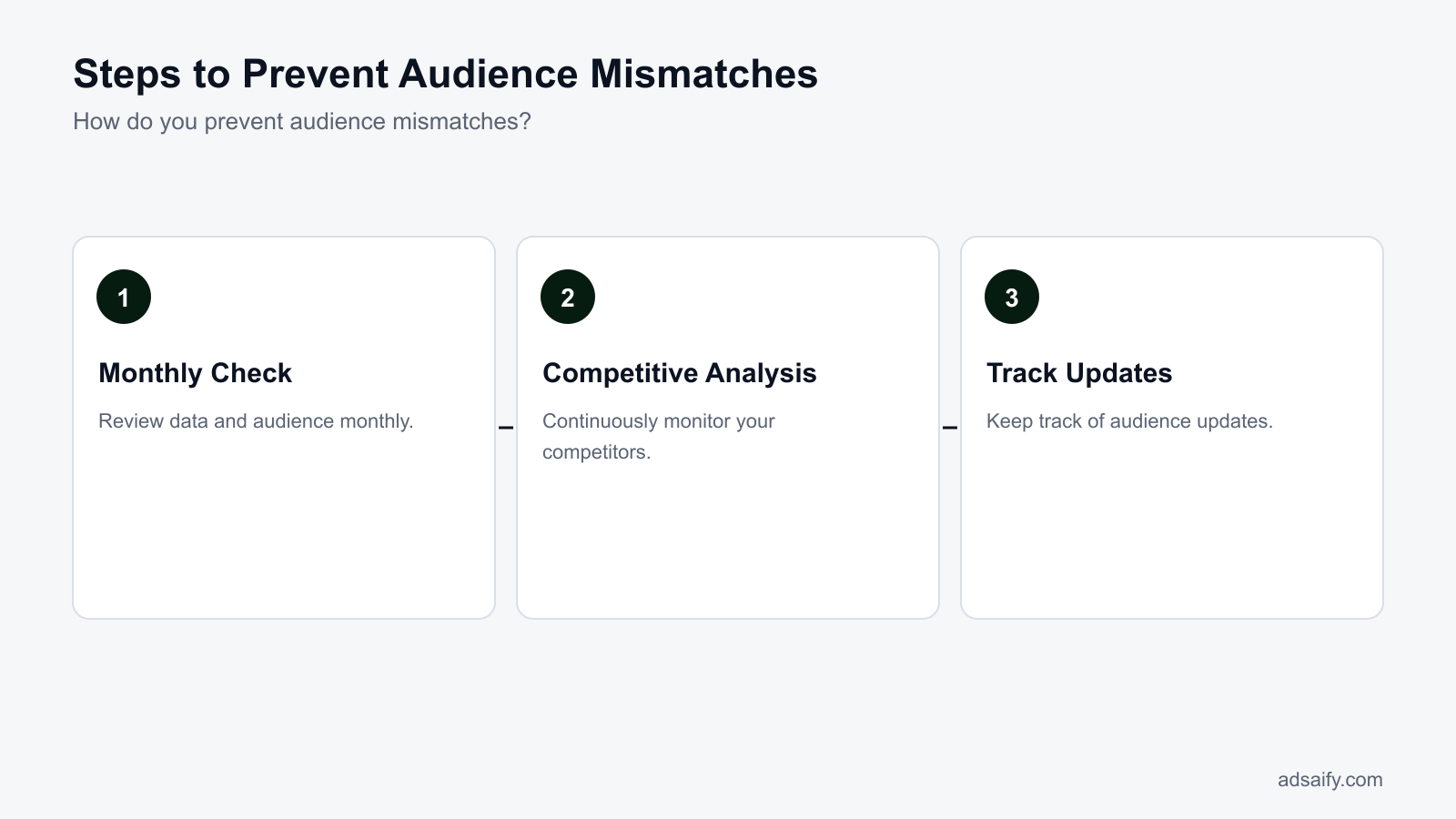
When won't fixing audience mismatches help?
Audience mismatches may not improve your ad performance in specific scenarios where fundamental issues exist. These scenarios include having significant product flaws, facing extremely high competition, or employing incorrect marketing strategies. In such cases, simply adjusting the audience will not lead to the desired outcomes, as the root causes of the problem are unrelated to audience targeting.Fundamental Product Issues
When a product has inherent flaws—such as poor quality, lack of demand, or insufficient features—no amount of audience targeting will rectify the situation. For example, if your product is consistently receiving negative reviews, the issue lies with the product itself, not the audience. To address this, seek feedback, improve your product, and ensure it meets customer needs before focusing on audience adjustments.Excessively High Competition
In highly competitive markets, even well-targeted ads may struggle to gain traction. If numerous companies are vying for the same audience with similar offerings, your ads might not stand out. In such cases, analyze competitors' strategies, assess your unique selling propositions (USPs), and consider differentiating your product or service. High competition can dilute your message, making it essential to innovate your approach rather than just fix audience targeting.Incorrect Marketing Strategies
If your marketing strategy is misaligned with your product’s value proposition, fixing audience mismatches will not yield effective results. For instance, if your brand messaging does not resonate with your target audience’s needs or aspirations, re-targeting will not solve the fundamental disconnect. Conduct a comprehensive review of your marketing strategy, ensuring that it aligns with your audience’s expectations and your overall business goals.- Evaluate product quality and features.
- Research competitors’ strengths and weaknesses.
- Assess your unique selling propositions (USPs).
- Align your marketing messages with customer needs.
- Analyze customer feedback for product improvements.
- Test different marketing channels for effectiveness.
- Review pricing strategies against competitors.
- Identify gaps in your current marketing strategy.
What should I do in these cases?
In cases where audience mismatches won't help, focus on improving your product and refining your overall marketing strategy. Gather customer feedback, analyze competitors, and reassess your unique selling propositions to ensure they resonate with your target audience. Prioritize addressing fundamental issues before revisiting audience targeting strategies.What are key terms?
Understanding key terms is crucial for effectively navigating audience mismatches in Meta ads. Familiarity with industry terminology helps marketers make informed decisions and communicate strategies clearly. Here’s a glossary of essential terms related to audience targeting and ad performance:- Target audience: The group the ad aims to reach.
- Segmentation: Dividing the target audience into subgroups.
- Conversion rate: The percentage of visitors who make a purchase.
- Click-through rate (CTR): The ratio of users who click on an ad to the number of total users who view it.
- Return on ad spend (ROAS): A metric that measures the revenue generated for every dollar spent on advertising.
- Ad set: A collection of ads within a campaign that share the same targeting and budget settings.
- Impressions: The number of times an ad is displayed to users.
- Engagement rate: A metric that indicates how users interact with an ad, including likes, shares, and comments.
- Audience Insights: A tool in Meta Ads Manager that provides data on the demographics and behaviors of your audience.
- A/B testing: A method of comparing two versions of an ad to determine which performs better.
- Lookalike audience: A targeting option that allows advertisers to reach new users similar to their existing customers.
- Ad creative: The visual and textual elements of an advertisement.
Why are these terms important?
Understanding key terms is essential for maximizing the effectiveness of advertising campaigns. Familiarity with terminology allows marketers to communicate strategies effectively, analyze performance metrics accurately, and implement best practices. This knowledge is crucial for making data-driven decisions that enhance campaign outcomes and mitigate audience mismatches.Conclusion
To address audience mismatches in Meta ads, first analyze your target audience using insights and analytics tools. Next, refine your audience targeting settings based on the data collected. Finally, implement automation rules to optimize performance. Today, consider signing up for Adsaify to streamline your campaign management and enhance audience targeting.
Want to see this in your own account? Enter your website address and Adsaify drafts the campaign for you. The first ad is free. Try it now or log in.
Frequently Asked Questions (FAQ)
1. How are audience mismatches identified?
Audience mismatches are identified by analyzing engagement metrics, conversion rates, and demographic data against your target audience profile. By comparing actual audience interactions with your defined target audience, discrepancies can be spotted, indicating that your ads are not reaching the right people.
2. What is the best solution for audience mismatches?
The best solution for audience mismatches involves refining your audience targeting settings based on analytical insights. Adjust parameters like demographics, interests, and behaviors to align better with your intended audience, ensuring that your ads reach the most relevant users.
3. How much time should I spend on audience mismatches?
Spending approximately 1-2 hours weekly on audience mismatches is advisable. This time should be dedicated to analyzing performance data, making necessary adjustments to audience settings, and testing new targeting strategies to improve ad effectiveness.
4. How do audience mismatches affect my budget?
Audience mismatches can lead to inefficient spending, as ads may be shown to users who are unlikely to convert. This misalignment can result in lower return on ad spend (ROAS), wasting budget on clicks or impressions that do not generate meaningful engagement or sales.
5. Why are audience mismatches important?
Audience mismatches are important because they directly impact the effectiveness of your advertising campaigns. Ensuring that ads reach the right audience maximizes engagement, improves conversion rates, and optimizes budget allocation, ultimately leading to better campaign performance.
6. How long does it take to fix audience mismatches?
Fixing audience mismatches can take anywhere from a few days to a couple of weeks, depending on the complexity of the changes required. Regular monitoring and adjustments are essential to ensure that the new targeting settings are effective and align with your audience's needs.
7. Which tools should I use for audience mismatches?
Tools like Meta Ads Manager and Adsaify are effective for identifying and correcting audience mismatches. Meta Ads Manager provides detailed analytics on audience engagement, while Adsaify streamlines audience analysis and campaign management, helping you refine your targeting quickly.
8. What should I expect when audience mismatches are fixed?
When audience mismatches are fixed, you can expect increased engagement rates, improved conversion rates, and a more efficient use of your advertising budget. This alignment will lead to a higher return on ad spend (ROAS) and ultimately contribute to the overall success of your campaigns.
How can you try this with Adsaify?
The quickest way to apply the steps in this article to your own account is to try them. Adsaify analyses your business from your website address, drafts the campaign with an audience, ad copy, creative and a budget suggestion, and publishes it to your own Meta ad account once you approve.
- Your first ad is free: there is nothing to lose by trying.
- Your own ad account: the campaign runs in your Meta account and you stay in control.
- Images and video: generate ad creatives with AI or promote an existing Instagram post.
Create a free account and try your first ad · Already have an account? Log in.