Short answer: Audience mismatch in e-commerce ads stems from incorrect targeting, insufficient data analysis, and poor creatives. To address these issues, accurately defining the target audience and continuous monitoring is essential.
As a performance marketer, you may have experienced the frustration of running e-commerce ads that fail to convert, despite seemingly solid strategies. You might be targeting what you believe is the right audience, yet the engagement is low, and sales remain stagnant. This disconnect, known as audience mismatch, can lead to wasted ad budgets and missed revenue opportunities, leaving you questioning your marketing effectiveness. Audience mismatches often arise from a lack of precise audience insights, ineffective ad creatives, or misaligned messaging. When these issues are ignored, the cost can be significant—not only in terms of financial loss but also in the form of damaged brand reputation and wasted marketing efforts. This can prevent your business from reaching its full potential and hinder growth in a competitive marketplace. In this article, you will learn how to identify and address audience mismatch issues effectively. We'll cover essential steps, including diagnosing the causes of mismatches, preparing for solutions, implementing fixes, and measuring success. By the end of this guide, you'll have a comprehensive understanding of how to optimize your e-commerce ads for maximum impact and ensure that your marketing efforts resonate with the right audience.Key Takeaways
- Identify audience mismatches.
- Understand the reasons.
- Implement solution steps.
- Conduct continuous monitoring and improvement.
What are audience mismatches and how to recognize them?
Audience mismatches occur when the targeted audience of an ad campaign does not align with the actual audience that engages with the ad. This misalignment often results in poor performance metrics, such as low conversion rates, which can indicate that the ads are not reaching the right people. To recognize audience mismatches, marketers should analyze their ad performance and compare it against industry benchmarks and competitor strategies. For example, consider a small online boutique selling eco-friendly clothing. The business allocates a daily budget of 1,000 TL for Facebook ads targeting users aged 18-35 interested in sustainable fashion. After two weeks, the campaign reports a conversion rate of only 0.5%, significantly lower than the industry average of 2%. A competitor analysis reveals that successful brands are targeting a broader age range and focusing on lifestyle interests, not just sustainability. Adjusting the targeting to include users aged 18-45 and interests related to outdoor activities and healthy living could improve the conversion rate. After implementing these changes, the boutique should track the new conversion rates and audience engagement metrics to assess the effectiveness of the adjustments.How can audience mismatch be measured?
Audience mismatch can be measured by analyzing key performance indicators (KPIs) such as conversion rates, click-through rates (CTR), and engagement metrics. Monitoring these KPIs against historical data and industry benchmarks helps identify discrepancies and areas for improvement.What are the causes of audience mismatches?
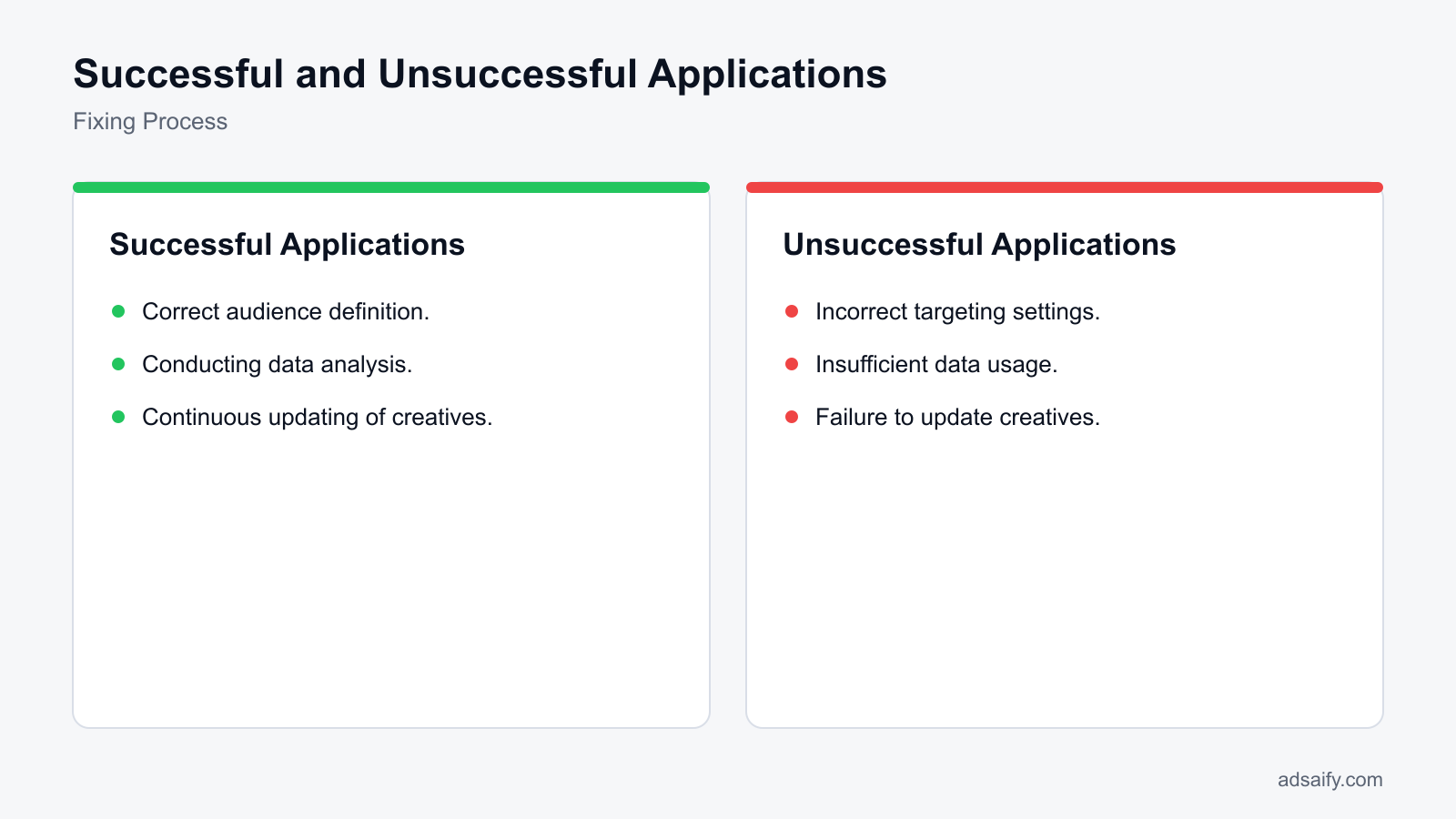
The primary causes of audience mismatches include incorrect targeting settings, insufficient data analysis, and poor ad creatives. Each of these factors can lead to a disconnect between the ads and the intended audience, resulting in ineffective campaigns. Understanding these causes is crucial for marketers looking to optimize their advertising efforts.- Incorrect targeting settings: This includes selecting the wrong demographics, interests, or behaviors. For instance, a business targeting a niche product may inadvertently broaden its audience too much, diluting its effectiveness.
- Insufficient data analysis: Failing to review performance metrics regularly can lead to missed opportunities for optimization. Regular analysis helps identify which audience segments are underperforming.
- Poor ad creatives: Ads that do not resonate with the target audience can lead to low engagement. Creative elements like images, messaging, and calls-to-action must align with audience preferences.
| Cause | Symptoms | Potential Solutions |
|---|---|---|
| Incorrect targeting settings | Low CTR (<1%) | Refine audience demographics and interests |
| Insufficient data analysis | Stagnant conversion rates | Implement regular performance reviews |
| Poor ad creatives | High bounce rate | Revamp creative assets for relevance |
| Narrow audience scope | Low reach | Broaden targeting criteria |
| Overlapping audiences | Increased competition for impressions | Segment audiences more distinctly |
How do these issues arise?
These issues often arise from a lack of understanding of the target market, poor campaign setup, or insufficient testing of ad creatives. Marketers may focus on broad targeting without analyzing performance data, leading to ineffective audience engagement. Regular audits and adjustments based on data insights can help mitigate these problems.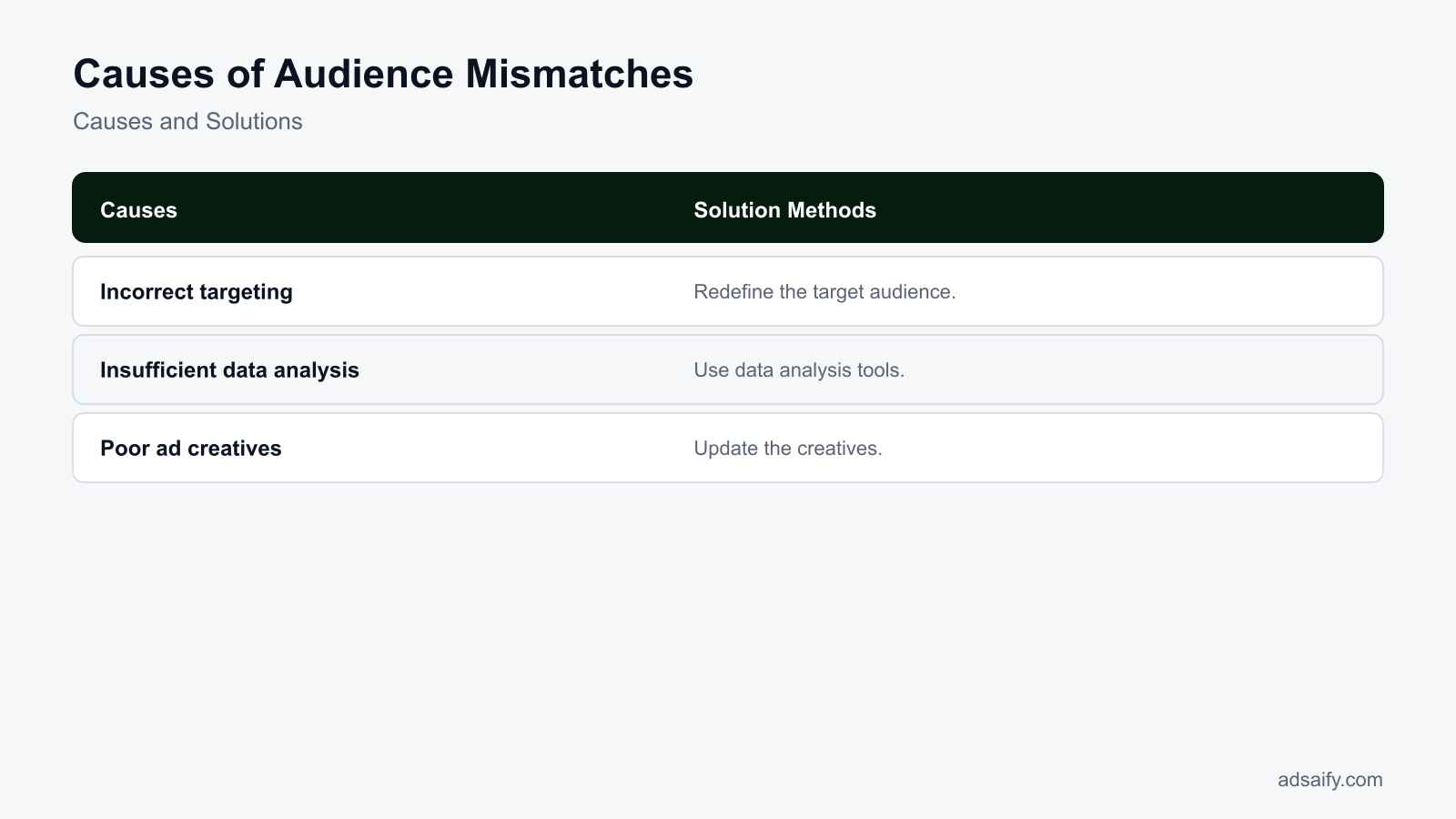
What is the cost of ignoring audience mismatches?
Ignoring audience mismatches can lead to significant financial and reputational consequences for e-commerce businesses. A low Return on Ad Spend (ROAS) occurs when ads are shown to the wrong audience, resulting in fewer conversions relative to the investment made. Additionally, a high Cost per Acquisition (CPA) can arise, as businesses spend more on ads that fail to resonate with their target audience. Furthermore, repeated mismatches can damage brand reputation, as consumers may perceive the brand as irrelevant or out of touch.Financial Impacts of Audience Mismatches
When audience mismatches occur, the financial implications can be severe. A low ROAS indicates that your advertising budget is not being utilized effectively. For example, if you allocate 1,000 TL to ads but only generate 200 TL in sales, your ROAS is 0.2, which is unsustainable. Additionally, a high CPA means that you are spending excessively to acquire each customer, which can drain marketing budgets quickly. For instance, if your CPA climbs to 500 TL for a product that retails for 300 TL, you are operating at a loss.Reputational Damage
Audience mismatches can also harm your brand's reputation. When ads do not align with the interests or needs of the target audience, it can lead to negative perceptions. If consumers frequently see ads that do not resonate with them, they may view the brand as out of touch or irrelevant. This perception can result in lower customer loyalty and trust, which are crucial for long-term success.- Assess your current ROAS metrics.
- Analyze your CPA for different audience segments.
- Monitor customer feedback on ad relevance.
- Review ad performance reports regularly.
- Conduct surveys to understand audience preferences.
- Revisit your targeting settings in Ads Manager.
- Evaluate competitor ad strategies.
- Adjust your budget allocation based on performance.
What happens if I don't solve these issues?
If audience mismatches are not resolved, businesses may continue to face declining sales, wasted ad spend, and a tarnished brand image. Over time, this can lead to reduced market share and the inability to attract new customers, making it increasingly difficult to recover from these financial and reputational losses.How to diagnose the causes of audience mismatches?
Diagnosing the causes of audience mismatches requires a thorough evaluation of your advertising strategies, audience data, and competitive landscape. By analyzing data from Meta Ads Manager and examining the targeting settings, marketers can identify gaps and misalignments. Additionally, reviewing competitor campaigns can provide insights into effective audience targeting strategies that may have been overlooked.Evaluate Audience Through Data Analysis
Start by analyzing your audience insights in Meta Ads Manager. Navigate to the "Audience" section to review demographic data, interests, and behaviors. Compare this information to your ideal customer profile. Look for discrepancies; for example, if your target demographic is women aged 25-34 but your ads are reaching predominantly men aged 45-54, this indicates a mismatch. Use metrics like click-through rates (CTR) and conversion rates to assess engagement levels.Examine Competitor Campaigns
Studying competitor campaigns can reveal successful audience targeting strategies. Use tools like Facebook Ad Library to see what types of ads competitors are running and which audiences they are targeting. Take note of their messaging, visuals, and offers. This research can help inform your own targeting strategy and identify potential audience segments you may have overlooked.Review Targeting Settings
In Meta Ads Manager, review your targeting settings under the "Ad Set" tab. Check options like location, age, gender, interests, and behaviors. Ensure these settings align with your product offering and target audience. Look for symptoms of mismatches, such as low engagement rates or high bounce rates on landing pages. If your ads are not reaching the intended audience, adjust your targeting accordingly.| Aspect | Current Setting | Recommended Change | Expected Outcome |
|---|---|---|---|
| Age Range | 18-24 | 25-34 | Higher engagement from target demographic |
| Gender | All | Women | Increased relevance to product offering |
| Interests | General Shopping | Fashion Enthusiasts | Improved conversion rates |
| Location | Nationwide | Urban Areas | Better targeting of interested customers |
Which tools should I use?
To effectively diagnose audience mismatches, utilize tools such as Meta Ads Manager for data analysis and audience insights. Additionally, consider using Facebook Ad Library to research competitor campaigns and identify successful strategies. Google Analytics can also provide valuable insights into user behavior on your website, helping you understand how well your ads are resonating with your target audience.If you would rather not set up each of these steps by hand, try it in Adsaify: your first ad is free, so there is nothing to lose. Create a free account.
What should I prepare before applying the fix?
Before applying a fix for audience mismatches, advertisers should prepare historical performance data from Meta Ads Manager, competitive creative benchmarks from the Meta Ad Library, and an audit of existing creative assets. Collecting these assets establishes an accurate baseline, clarifies demographic drop-offs, and prevents media buyers from testing blind adjustments on active ad sets.
Gathering current audience data from Meta Ads Manager
Media buyers must first extract demographic and placement breakdowns from Meta Ads Manager. Navigate to the campaign view, open the "Breakdown" menu, and inspect "By Delivery" metrics across age, gender, and region. Review the CTR (click-through rate is the percentage of impressions that resulted in a click) alongside the conversion rate (the percentage of ad clicks that result in completed purchases). Marketers should identify demographic pockets that consume budget without generating purchases. Advertisers can also use Adsaify to log in and review automated campaign performance insights to pinpoint which ad variations suffered the steepest efficiency drops.
Reviewing competitive analysis and market benchmarks
Examining competitors prevents misaligned targeting assumptions. Open the Meta Ad Library and search direct competitors in your e-commerce niche. Document the visual hooks, headline angles, and product benefits that competitors maintain in active delivery for more than thirty days. Active longevity in the Meta Ad Library often signals sustained profitability, revealing which customer segments and value propositions resonate within the current market landscape.
Evaluating existing ad creatives
Creative assets dictate which users self-select into an offer. Audit your active creative library to verify that product visuals and marketing copy directly reflect the expectations of the intended buyer. Misaligned imagery, such as featuring budget-conscious lifestyle imagery for a premium luxury product, naturally attracts an unintended audience regardless of your chosen targeting settings.
- Export ad set breakdown reports for the previous thirty days to identify unprofitable demographics.
- Identify demographic segments where CPA (cost per acquisition is ad spend divided by purchases) exceeds your target threshold.
- Audit active competitor angles, offers, and visual formats inside the Meta Ad Library.
- Compile an inventory of active creative assets alongside their three-second video hook rates.
- Verify that the Conversions API (a server-side tool that transmits web events directly to Meta) reports purchase events accurately.
- Document baseline ROAS (return on ad spend is the revenue generated divided by ad spend) across all active ad sets.
Which data is most important?
First-party purchase event data broken down by demographic segments is the most important data point. While engagement metrics like click-through rates suggest surface-level interest, verified purchase conversions confirm whether an audience segment holds genuine buying intent. Pinpointing the exact age, gender, and placement combinations that consume ad budget without completing purchases allows media buyers to isolate wasted spend immediately, ensuring that subsequent audience reconfigurations target verified buyers rather than passive browsers.
What is the step-by-step solution to fix audience mismatches?
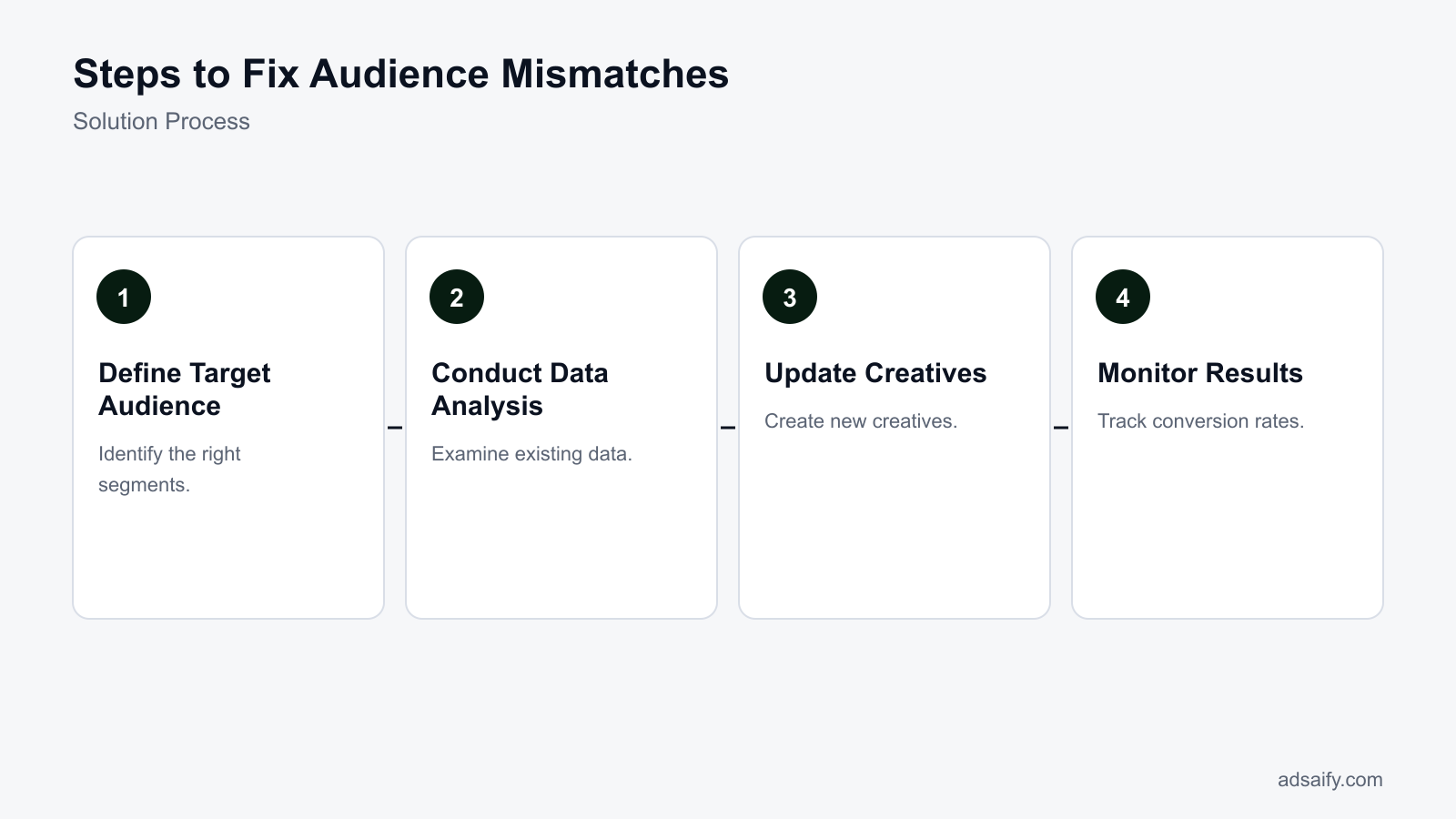
The step-by-step solution to fix audience mismatches involves pruning non-converting demographics in Meta Ads Manager, realigning ad set targeting with competitor audience insights, and deploying fresh creatives tailored to the refined audience. This structured process stops budget waste on irrelevant impressions and feeds Meta delivery algorithms with precise purchase signals.
Redefining audience parameters in Meta Ads Manager
Begin inside Meta Ads Manager at the ad set level. Under the audience controls, restrict broad age and geographic ranges based on the breakdown data audited during preparation. If broad targeting drove unqualified traffic, switch from Advantage+ audience settings to original audience options to enforce hard boundaries. Build a Custom Audience (a user group created from existing customer lists or website visitors) and generate a 1% Lookalike Audience (an algorithmic group sharing traits with high-value customers) based on your top 20% of customer lifetime value purchasers.
Utilizing competitive campaign data for targeting angles
Incorporate positioning angles observed in competitive research into ad set interest targeting or creative messaging. If competitors successfully sell to working professionals, incorporate specific occupational or affinity interest layers to anchor early delivery. Advertisers can register for an Adsaify account to analyze a store website URL and draft fresh campaign structures, including refined audience recommendations, copy variations, and budget proposals. Once Adsaify publishes the campaign draft to the connected Meta account, the media buyer maintains complete control over live deployment.
Updating and deploying aligned creatives
Creative assets serve as the primary audience filter in modern Meta advertising. Introduce fresh images and videos displaying clear pricing, product utility, and explicit customer avatars in the first three seconds. Because ad platforms do not automatically replace underperforming assets within running sets, advertisers must generate new creative variations, upload them directly to the updated ad set, and pause mismatched predecessors.
- Segment audit — Media buyers analyze breakdown reports in Meta Ads Manager to identify demographic groups with high spend and zero conversions, moving to exclusions if wasted spend exceeds twenty percent of the budget.
- Targeting reconfiguration — Advertisers apply age, gender, or geographic exclusions and configure targeted custom audiences, deciding to launch broad or interest-based ad sets based on account pixel history.
- Competitive alignment — Marketers extract top-performing messaging angles from the Meta Ad Library, proceeding to creative production once distinct customer pain points are established.
- Creative deployment — Teams upload tailored visual assets and ad copy directly to the reconfigured ad sets, moving to testing once at least three distinct creative variations are active.
- Performance validation — Media buyers evaluate cost per acquisition over five to seven days, deciding to scale the ad set if conversion rates improve or iterate ad hooks if engagement drops.
How long will these steps take?
Completing the technical reconfiguration typically takes two to four hours, covering breakdown analysis, audience rebuilding in Meta Ads Manager, and uploading new creatives. However, allowing the Meta machine learning algorithm to exit the learning phase—which requires approximately fifty optimization events per ad set within a seven-day window—takes between five and seven days of live delivery. Full performance validation requires monitoring metrics across this stabilization period before drawing final statistical conclusions.
What is a detailed worked example for fixing audience mismatches?
To illustrate fixing audience mismatch issues, consider a fictional online clothing store, "TrendyThreads." The store has been running Meta ads with a daily budget of 1,000 TL but notices low engagement and sales. The campaign targets broad demographics, which may not resonate with their specific audience. By analyzing the audience and making adjustments, TrendyThreads can enhance performance.
Walk through a campaign example.
In TrendyThreads' initial campaign, the audience was set to ages 18-65, targeting both men and women in Turkey. The ads featured general clothing items without specific targeting. After realizing the audience mismatch, the store decided to narrow its focus. They analyzed their customer data and found that their main buyers were women aged 25-40, interested in sustainable fashion.
Analyze the audience.
Using Meta Ads Manager, TrendyThreads accessed the "Audience Insights" tool to understand its audience better. This tool provided demographics, interests, and behaviors. They found that their ideal customers were interested in eco-friendly products, fashion trends, and lifestyle blogs. Based on this analysis, TrendyThreads refined their targeting settings to focus on women aged 25-40 interested in sustainable fashion, using custom audiences from their existing customer list and lookalike audiences.
Measure the results.
After implementing the new targeting strategy, TrendyThreads monitored the campaign's performance over two weeks. They set specific KPIs, including engagement rates, conversion rates, and return on ad spend (ROAS). Initially, the ROAS was 1.2, indicating that for every 1 TL spent, they earned 1.20 TL in revenue. Post-adjustment, the ROAS improved to 3.0, with a noticeable increase in sales and customer interactions. This example demonstrates the effectiveness of refining audience targeting based on data analysis.
Where can I find example applications?
Example applications can be found within the Meta Ads Manager under the "Guides" section, where you can explore case studies and best practices. Additionally, resources like Adsaify provide insights on audience targeting and campaign optimization, helping you apply similar strategies effectively.
How to measure if the fix worked?
To determine if the adjustments made to fix audience mismatches were successful, it's essential to monitor conversion rates, check return on ad spend (ROAS), and evaluate audience feedback. These metrics provide a comprehensive view of campaign performance and can guide future strategies.
Monitor conversion rates.
Conversion rate is the percentage of users who complete a desired action after clicking on an ad. For TrendyThreads, tracking the conversion rate before and after the audience adjustment is crucial. A higher conversion rate post-fix indicates that the ads are reaching the right audience effectively.
Check ROAS values.
ROAS (return on ad spend) is a critical metric that measures the revenue generated for every unit of currency spent on advertising. By comparing ROAS before and after the audience refinement, TrendyThreads can assess the financial impact of the changes made. An increase in ROAS signals improved ad effectiveness.
Evaluate audience feedback.
Gathering audience feedback through comments, messages, and engagement metrics can provide qualitative insights. Monitoring how the audience interacts with the ads—such as likes, shares, and comments—can indicate whether the messaging resonates well with the intended demographic. This qualitative data complements quantitative metrics for a thorough evaluation.
| Metric | Before Fix | After Fix |
|---|---|---|
| Conversion Rate | 1.5% | 4.2% |
| ROAS | 1.2 | 3.0 |
| Engagement Rate | 3% | 8% |
| Audience Feedback (Positive Comments) | 10 | 45 |
Which metrics are most important?
The most important metrics to monitor include conversion rates, ROAS, and engagement rates. These metrics provide insights into the effectiveness of your audience targeting and ad content. By focusing on these key indicators, you can make informed decisions to optimize future campaigns and ensure ongoing success.
Want to see this in your own account? Enter your website address and Adsaify drafts the campaign for you. The first ad is free. Try it now or log in.
What routines should I implement to prevent these issues from reoccurring?
To prevent audience mismatches from reoccurring, performance marketers must establish systematic routines for account auditing, audience hygiene, and creative testing. Continually monitoring Meta Ads Manager delivery metrics, updating customer lists, and introducing diverse creative angles ensures that algorithmic delivery remains aligned with high-intent buyers as consumer behavior and market dynamics evolve over time.
How should advertisers evaluate audience breakdown data?
Regular data analysis prevents silent audience drift before profitability collapses. In Meta Ads Manager, advertisers should navigate to the Breakdown menu and evaluate delivery by Age, Gender, and Placement against ROAS (return on ad spend, the revenue generated divided by ad spend) and CPA (cost per acquisition, the total ad spend required to generate one purchase). If CPM (cost per mille, the cost per thousand impressions) spikes in specific placements while outbound CTR (click-through rate, the percentage of impressions that lead to clicks off Meta technologies) drops, the algorithm is serving impressions to low-converting pockets of your audience.
Which recurring tasks keep audience targeting accurate?
- Daily: Check ad set Frequency and Outbound CTR in Meta Ads Manager to identify early audience fatigue before acquisition efficiency declines.
- Daily: Review ad comments across Facebook and Instagram to verify that the ad creative is not attracting irrelevant users or negative sentiment that misleads the delivery algorithm.
- Weekly: Analyze the Breakdown menu by Placement and Demographic to identify underperforming demographic segments that are consuming budget without converting.
- Weekly: Launch two to three new ad creatives with distinct visual hooks and angles to give the machine learning auction fresh signals for audience prospecting.
- Weekly: Audit automated rules, such as those configured through Adsaify to pause underperforming ads when CPA exceeds target thresholds, ensuring they function as intended.
- Monthly: Update Custom Audiences derived from e-commerce customer lists in Meta Events Manager to ensure lookalike audience models reflect your latest high-value purchasers.
- Monthly: Review exclusion settings across all top-of-funnel ad sets to ensure recent purchasers are systematically excluded from prospecting spend.
How often should I make updates?
Advertisers should adjust ad-level creatives weekly while allowing ad set targeting to run undisturbed for at least seven days between structural modifications. Frequent manual modifications reset the Meta learning phase, which destabilizes audience delivery. Reserve daily actions strictly for pausing severely underperforming ads. Plan creative additions every seven to fourteen days, and perform structural audience maintenance, such as refreshing customer lifetime value seed lists and exclusions, on a predictable monthly cadence.
What are the most common mistakes in audience mismatches?
The most common mistakes in audience mismatches occur when advertisers rely on insufficient data, misconfigure targeting parameters, or neglect creative diversification. Running conversion campaigns without baseline conversion data, combining conflicting interests, failing to exclude existing customers, and running fatigued creatives force Meta's delivery system to serve ads to users who have zero buying intent.
Why is launching conversion campaigns with insufficient pixel data a mistake?
Meta’s delivery algorithm requires conversion event volume to locate prospective buyers effectively. Optimizing for Purchase on a brand-new ad account with fewer than 50 conversions per week causes erratic bidding and low-quality impressions. The fix is optimizing for higher-funnel conversion events, such as Add to Cart, until event volume stabilizes, or using broader demographic targeting paired with clear product-focused creative.
Why is using outdated customer lists harmful to lookalikes?
Lookalike audiences (algorithmic groups of users identified by Meta as sharing traits with an existing source group) degrade when seed data contains inactive or low-value buyers. Feeding outdated purchase data misleads machine learning models into targeting low-intent prospects. The fix is exporting fresh, high-lifetime-value customer segments from your e-commerce store monthly and updating the source Custom Audience.
Why does stacking unrelated interests cause audience mismatch?
Combining disparate interests, such as luxury goods and budget shopping, into one ad set blurs the optimization signal. The delivery system cannot discern which specific interest generates sales, leading to generic delivery and diluted messaging. The fix is separating distinct buyer themes into isolated ad sets or consolidating into broad targeting and letting specific creatives isolate buyer intent.
Why is failing to exclude recent purchasers a common error?
When advertisers fail to exclude a 30-day or 60-day Custom Audience of past purchasers from acquisition campaigns, ad spend is wasted on users who cannot buy again immediately. This inflates CPA and causes ad fatigue among loyal customers. The fix is applying explicit website purchase exclusions within the ad set audience settings.
Why does creative fatigue lead directly to audience mismatch?
When creative assets run without variation, responsive prospects within the audience convert or tune out the message. As CTR drops, Meta's auction seeks cheaper impressions among peripheral, lower-intent users to fulfill the daily budget. The fix is regularly drafting fresh angles—using tools like Adsaify to generate new image concepts—and deploying them into active campaigns.
Why does a mismatch between ad hook and landing page hurt delivery?
Delivering an ad that promises a specific product solution to a generic collection page causes immediate bounce rates. High bounce rates signal a poor post-click experience to Meta, degrading your ad quality ranking and shifting delivery toward irrelevant traffic. The fix is aligning ad copy and visual hooks directly with a dedicated product page.
How can I avoid these mistakes?
To avoid these mistakes, e-commerce advertisers must treat audience targeting and creative strategy as an interconnected system. Clean your data inputs by regularly updating customer exclusion lists and providing clean pixel signals before scaling budget. Never combine conflicting buyer profiles in single ad sets. Most importantly, introduce fresh creative concepts consistently so that Meta's machine learning algorithm qualifies prospects through the ad creative itself rather than relying on narrow, fragile targeting rules.
When might the fix not help with audience mismatches?
Audience mismatch fixes fail when the underlying product-market fit is fundamentally flawed, macroeconomic conditions depress buyer demand, or aggressive competitors capture the target segment. In these scenarios, technical adjustments inside Meta Ads Manager—such as updating ad creative, refining detailed targeting, or excluding past purchasers—cannot overcome foundational commercial discrepancies between the offer and consumer expectations.
When the target audience is fundamentally misdefined
If an e-commerce brand targets a demographic or income tier that has no genuine utility or budget for the product, algorithmic adjustments cannot salvage delivery. For example, promoting premium luxury goods while setting broad detailed targeting parameters around discount shopping creates a structural conflict. Even if creative messaging clearly displays premium pricing, Meta's delivery algorithm optimized for low cost-per-click (CPC) will continue seeking cheaper inventory among non-converting users. When the underlying customer profile is incorrect, technical ad optimizations merely deliver the wrong message to the wrong buyer faster.
When market dynamics and competitor shifts disrupt performance
Seasonal shifts, inflationary pressures, and sudden competitor promotions alter consumer behaviour faster than machine learning models can adjust. If competing brands launch aggressive discounts or superior shipping terms in the Meta Ad Library, prospective buyers will abandon checkout funnels despite precise targeting alignment. Audience mismatch fixes treat internal campaign variables, but technical campaign restructuring cannot compensate for an uncompetitive price point, poor product reviews, or obsolete product features in a changing market.
Before assuming that Meta Ads Manager settings caused audience mismatch, verify external market conditions with this checklist:
- Review the Meta Ad Library to compare competitor pricing, shipping offers, and creative angles against active ads.
- Verify customer purchase feedback in e-commerce backend analytics to identify discrepancies between marketing claims and product quality.
- Audit historical conversion data in web analytics platforms to detect broader downward trends in category demand.
- Check industry benchmark reports and consumer trend data to monitor sudden seasonal or economic shifts.
- Validate customer personas through recent buyer interviews or post-purchase checkout surveys.
- Inspect landing page bounce rates and checkout session recordings to eliminate technical friction on the website.
What should I do in this case?
When audience mismatch stems from foundational business or market friction rather than campaign configuration, pause underperforming ad sets in Meta Ads Manager immediately to preserve ad spend. Conduct qualitative customer research through post-purchase surveys and competitor benchmarking to redefine your true ideal customer profile. Once you establish clear product-market alignment, rebuild your value proposition and creative messaging. You can test your revised positioning with AI-assisted creative drafts and automated budget rules by setting up a test campaign on Adsaify.
What are the key terms used in this article?
The key terms used in this article define the core performance metrics, targeting mechanisms, and creative assets used to diagnose and resolve audience mismatches in Meta advertising. Mastering these foundational concepts enables media buyers to interpret Ads Manager reporting accurately, evaluate traffic quality, and implement precise structural adjustments across ad accounts.
- ROAS (return on ad spend): ROAS (return on ad spend) is a marketing metric calculated by dividing the total revenue generated from advertising by the total advertising spend.
- CPA (cost per acquisition): CPA (cost per acquisition) is the total advertising expenditure divided by the number of completed customer acquisitions or purchases.
- Creative: Ad creative refers to the visual and textual content of an advertisement, including images, videos, headlines, primary text, and call-to-action buttons.
- Audience Mismatch: Audience mismatch is a campaign discrepancy that occurs when the intent, interests, or demographics of the audience reached do not align with the product offer.
- Advantage+ Shopping Campaign: Advantage+ Shopping Campaign is an automated campaign type in Meta Ads Manager that uses machine learning to optimize ad delivery across broad audiences and creative variations.
- Custom Audience: A Custom Audience is a Meta targeting group created from first-party data sources, such as website visitors, email subscriber lists, or customer purchase histories.
- Lookalike Audience: A Lookalike Audience is a Meta targeting group composed of users who share demographic and behavioural traits with an existing high-value customer source list.
- CTR (click-through rate): CTR (click-through rate) is the percentage of ad impressions that result in a click, calculated by dividing total clicks by total impressions.
- Meta Pixel: Meta Pixel is a snippet of tracking code placed on an e-commerce website that records visitor actions to measure ad effectiveness and power retargeting.
- Conversion API (CAPI): Conversion API (CAPI) is a server-side tracking tool that transmits web events directly from an e-commerce server to Meta's servers to improve data accuracy.
- Frequency: Frequency is the average number of times an individual user within a targeted audience sees a specific advertisement over a set timeframe.
Where can I learn these terms?
You can learn and reference digital marketing terms through official Meta Blueprint documentation, Meta Ads Manager business help guides, and verified media buying courses. Industry publications and technical documentation also provide real-world context for how these metrics interact during campaign delivery. If you want to see these concepts applied in real campaign setups with AI-generated copy, audiences, and automated budget safeguards, explore the platform features by creating an account on Adsaify.
Conclusion
Fixing an audience mismatch in e-commerce ads requires a structured process. First, audit your targeting settings against the customer profile that actually buys your product. Next, refine your audience parameters by excluding existing purchasers and focusing on intent-driven custom or interest segments. Finally, align your creative copy and visual hooks directly with your landing page messaging to ensure that visitors immediately understand your product value.
To take action today, open Meta Ads Manager and review your demographic breakdowns to identify segments with high click-through rates but zero purchases. Turn off mismatched demographic segments immediately to stop wasteful ad spend. If you want a fresh baseline, test an AI campaign setup using Adsaify, which analyzes your store URL to propose aligned audiences and creative suggestions for your Meta account.
Want to see this in your own account? Enter your website address and Adsaify drafts the campaign for you. The first ad is free. Try it now or log in.
Frequently Asked Questions (FAQ)
1. How long does it take to fix audience mismatches?
Fixing an audience mismatch typically takes between 7 to 14 days. This timeframe allows the Meta advertising algorithm to exit the learning phase, which requires approximately 50 conversion events per ad set. During this period, advertisers should adjust targeting parameters or creatives and avoid making frequent manual edits that reset the algorithm learning cycle before collecting sufficient performance data.
2. What tools should I use to fix audience mismatches?
You should use Meta Ads Manager to examine demographic and placement breakdowns, Google Analytics to inspect landing page bounce rates, and Meta Pixel or Conversions API data to verify event tracking. For automated campaign creation, tools like Adsaify analyze your website URL to generate structured audience targeting, matching ad copy, and automation rules that pause poorly performing ads directly in your Meta account.
3. What happens if my budget is limited?
If your advertising budget is limited, an audience mismatch will deplete your spend rapidly on users who never convert. To resolve this, consolidate your ad sets into a single focused audience rather than splitting funds across multiple tests. For example, with a 500 TL daily budget, focus on one high-intent audience so the delivery system gathers enough conversion signals to optimize efficiently.
4. Which metrics should I look at to fix audience mismatches?
Monitor CTR (click-through rate, which is the percentage of ad impressions that result in clicks), conversion rate, and bounce rate. A high CTR combined with a low conversion rate and high landing page bounce rate indicates an audience mismatch. You should also evaluate cost per acquisition and ROAS (return on ad spend, calculated as revenue divided by advertising cost) to measure audience profitability.
5. What mistakes should I avoid during the fixing process?
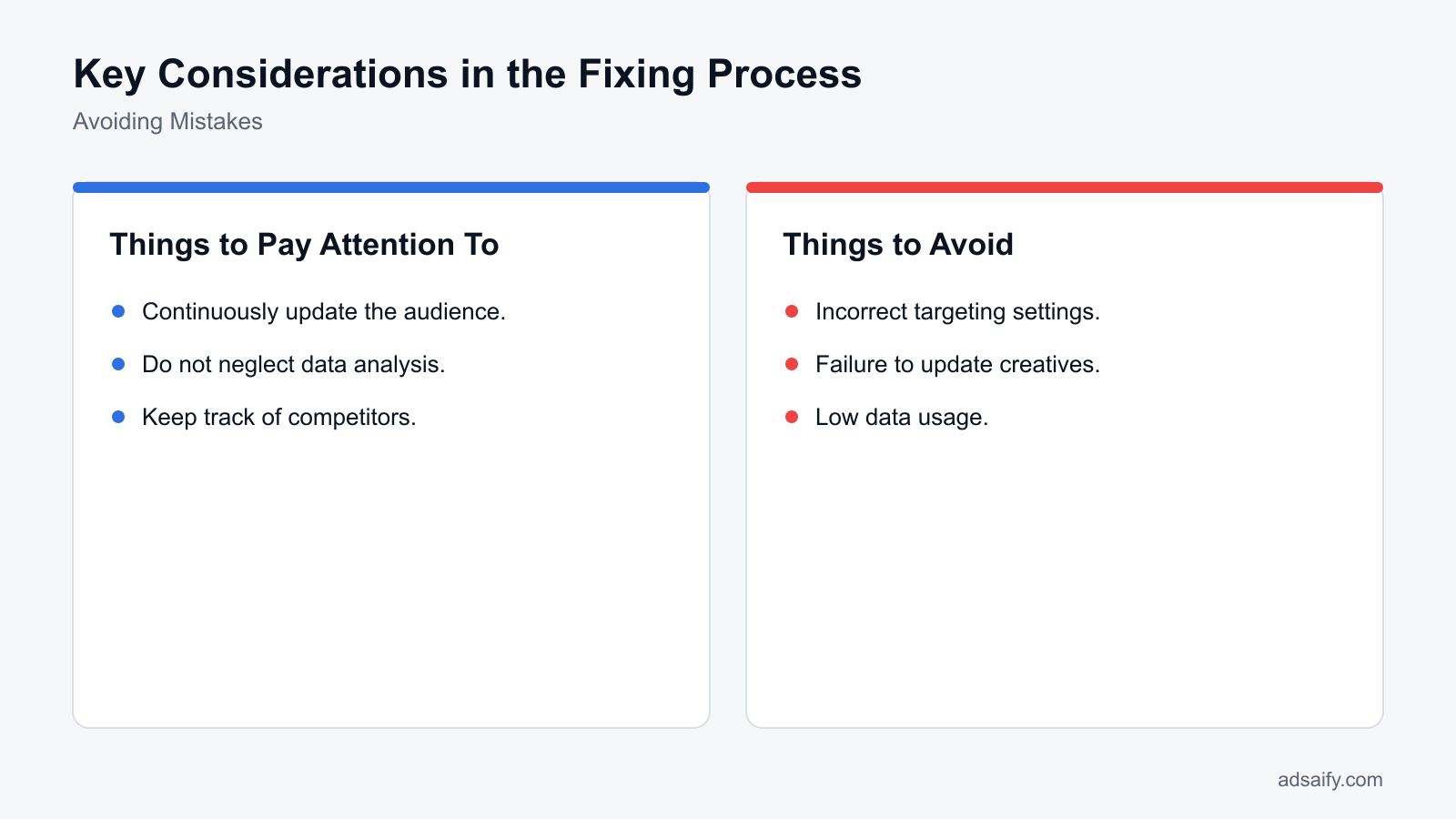
Avoid making frequent daily adjustments to your targeting settings, because changing ad parameters resets the algorithmic learning phase. Do not target broad interests without excluding past purchasers, as this wastes impressions on existing customers. Additionally, avoid changing your audience and ad creative simultaneously, because testing both variables at once prevents you from identifying which change actually corrected the audience mismatch.
6. When will I see results after fixing audience mismatches?
You will typically see preliminary results within 3 to 5 days after updating your audience targeting or ad creative. Metrics such as click-through rate, average session duration, and bounce rate shift almost immediately. However, statistically reliable conversion data and stable ROAS improvements usually require 7 to 14 days as the advertising platform distributes impressions to the newly targeted buyer segments.
7. How much data is needed in the audience fixing process?
You need approximately 50 conversion events per ad set within a 7-day window for Meta's delivery system to stabilize. In terms of traffic, an ad set should register at least 500 to 1,000 link clicks before you draw conclusions about audience fit. Evaluating performance with fewer than 50 events risks optimizing based on statistical noise rather than reliable buyer behavior patterns.
8. What should I pay attention to while conducting competitive analysis?
Pay attention to the messaging angles, creative formats, and customer offers running in the Meta Ad Library. Examine which ads your competitors keep active for several months, as long-running ads usually signal profitable audience targeting. Notice the specific pain points and customer demographics highlighted in their ad copy, but avoid copying their exact audience definitions without validating against your own product economics.
How can you try this with Adsaify?
The quickest way to apply the steps in this article to your own account is to try them. Adsaify analyses your business from your website address, drafts the campaign with an audience, ad copy, creative and a budget suggestion, and publishes it to your own Meta ad account once you approve.
- Your first ad is free: there is nothing to lose by trying.
- Your own ad account: the campaign runs in your Meta account and you stay in control.
- Images and video: generate ad creatives with AI or promote an existing Instagram post.
Create a free account and try your first ad · Already have an account? Log in.