

Short answer: The cold start problem in AI ad management tools happens when autonomous systems launch without sufficient historical pixel and conversion data. You solve it by relaxing automation rule triggers for the first 14 days, verifying URL-ingested ad assets manually, and gradually handing budget control to automated rules.
You connect an automated AI tool to a Meta ad account, launch a fresh campaign, and watch delivery unravel within forty-eight hours. The tool spends through half the daily budget by midday without generating a purchase, panics, and prematurely pauses your best ad sets because aggressive automated rules trigger too early. CPA (cost per acquisition is the total ad spend divided by the number of attributed conversions) spikes unpredictably, while delivery swings wildly between rapid budget exhaustion and complete delivery stalls.
This instability happens because predictive machine learning models require a dense baseline of conversion events to optimize ad delivery properly. When an AI ad management tool operates inside a fresh ad account or on a zero-history pixel, algorithmic bidding systems make decisions based on statistical noise rather than genuine consumer patterns. Leaving this instability unaddressed burns testing capital on untargeted impressions, traps campaigns in perpetual learning phases, and leads media buyers to discard viable creative concepts before the platform ever calibrates.
This guide explains how to stabilize campaigns during their initial deployment window without abandoning automation entirely. You will learn how to verify data sources before launch, adjust automated pausing rules to give ad sets adequate statistical runway, and systematically transition budget control to machine learning tools once your pixel gathers sufficient conversion volume.
Key Takeaways
- AI ad management tools cannot predict performance without conversion baselines, leading to early budget bleed.
- Creative and copy drafts ingested from website URLs must be validated before going live in ad accounts.
- Automation rule evaluation windows should look back at least 72 hours during the initial two-week launch period.
- Micro-conversion signals must feed the algorithmic engine on new accounts to compress the learning curve.
What Is the AI Ad Tool Cold Start Problem and How Do You Spot It?
The AI ad tool cold start problem occurs when machine learning models lack sufficient historical performance data to make reliable optimization decisions. Marketers spot this issue when automated systems either exhaust budgets within 48 hours at an unsustainable CPA (cost per acquisition) or freeze spending entirely due to overly strict protective thresholds.
Erratic Spending Velocity and Algorithmic Freezes
CPA (cost per acquisition) is the total ad spend divided by the number of tracked conversions. When an artificial intelligence tool launches without performance baselines, its bidding models cannot accurately calculate impression values in the Meta ad auction. In Meta Ads Manager, this failure reveals itself in two opposite delivery extremes. Either the tool sets aggressive bids that consume daily budgets in hours with negligible conversions, or its automated guardrails set bid caps below current market clearing prices, causing zero impressions. Predictive budgeting engines require previous conversion density to calibrate bid multipliers across placements, devices, and demographics.
Creative Hallucinations and Over-Enforced Rules
During onboarding, AI tools ingest business data to generate copy and select target audiences. When website content is thin, generative engines default to generic marketing copy that fails to articulate unique selling propositions. CTR (click-through rate) is the percentage of impressions that lead to clicks. Generic ads produce low CTR values, which trigger automated optimization rules too early. For instance, automation rules designed to pause losing ads often evaluate assets after only 200 or 300 impressions. Pausing ads prior to achieving statistical validity prevents creative testing frameworks from discovering scalable audiences. Marketers building campaigns through Adsaify can avoid this scenario by reviewing drafts before publishing and setting rule delays.
Diagnosing Cold Start in a New Campaign Setup
Consider a practical scenario. For example, with a 500 TL daily budget allocated to a newly launched ceramic studio, an uncalibrated tool might distribute budget across ten distinct ad sets simultaneously. Within 36 hours, each ad set spends 50 TL, gathers 15 clicks, registers zero purchases, and gets paused by an automated rule for failing to hit a target ROAS (return on ad spend is the revenue generated divided by ad spend). To diagnose this issue in Meta Ads Manager, review the Delivery column for ad sets stuck in "Learning Limited" alongside low impression counts per ad. If ads are halted before spending at least two to three times your target CPA, the automation layer is suffering from cold start instability.
Can this problem still happen if my ad account already has historical spend?
Yes, the cold start problem frequently re-emerges in established Meta ad accounts. When an AI tool introduces fundamentally new campaign structures, shifts conversion objectives from leads to purchases, or targets unproven markets, previous pixel data cannot reliably guide predictive models. Meta's internal auction models and external automation algorithms both isolate machine learning data at the ad-set level, meaning existing account history does not protect entirely new campaigns from cold start volatility.
Why Do AI Ad Management Tools Fail in Low-Data Environments?
AI ad management tools fail in low-data environments because predictive machine learning algorithms require statistical volume to separate meaningful trends from random variance. Without adequate conversion signals and complete website context, automated rule engines misinterpret temporary performance drops and optimize against misleading attribution data, destabilizing campaign delivery.
The 50-Event Threshold and Attribution Lag
Meta Graph API (application programming interface) is the data pipeline connecting external advertising software to Meta's campaign infrastructure. Third-party optimization software parses these logs alongside scraped site metadata to direct ad spend. When an ad set records fewer than 50 conversion events in a seven-day cycle, machine learning models experience severe signal degradation. Natural fluctuations appear as persistent trends to automated rules. Compounding this challenge, Meta's attribution window incorporates a 24 to 48-hour reporting delay for conversion tracking due to privacy frameworks. If an automated rule pauses an ad based on same-day zero-conversion reports, it frequently kills ads that actually yielded profitable delayed purchases.
Scraping Inaccuracies and Erroneous Personas
Generative ad engines rely on web scrapers to ingest brand value propositions, pricing tiers, and audience profiles directly from target URLs. When an e-commerce website uses dynamic JavaScript rendering, complex checkout popups, or minimal text descriptions, the scraper receives fragmented context. Large language models then hallucinate benefits or address incorrect customer personas. Marketing teams testing draft campaigns on Adsaify should verify that extracted landing page metadata accurately reflects target consumer intent before activating automated bidding protocols.
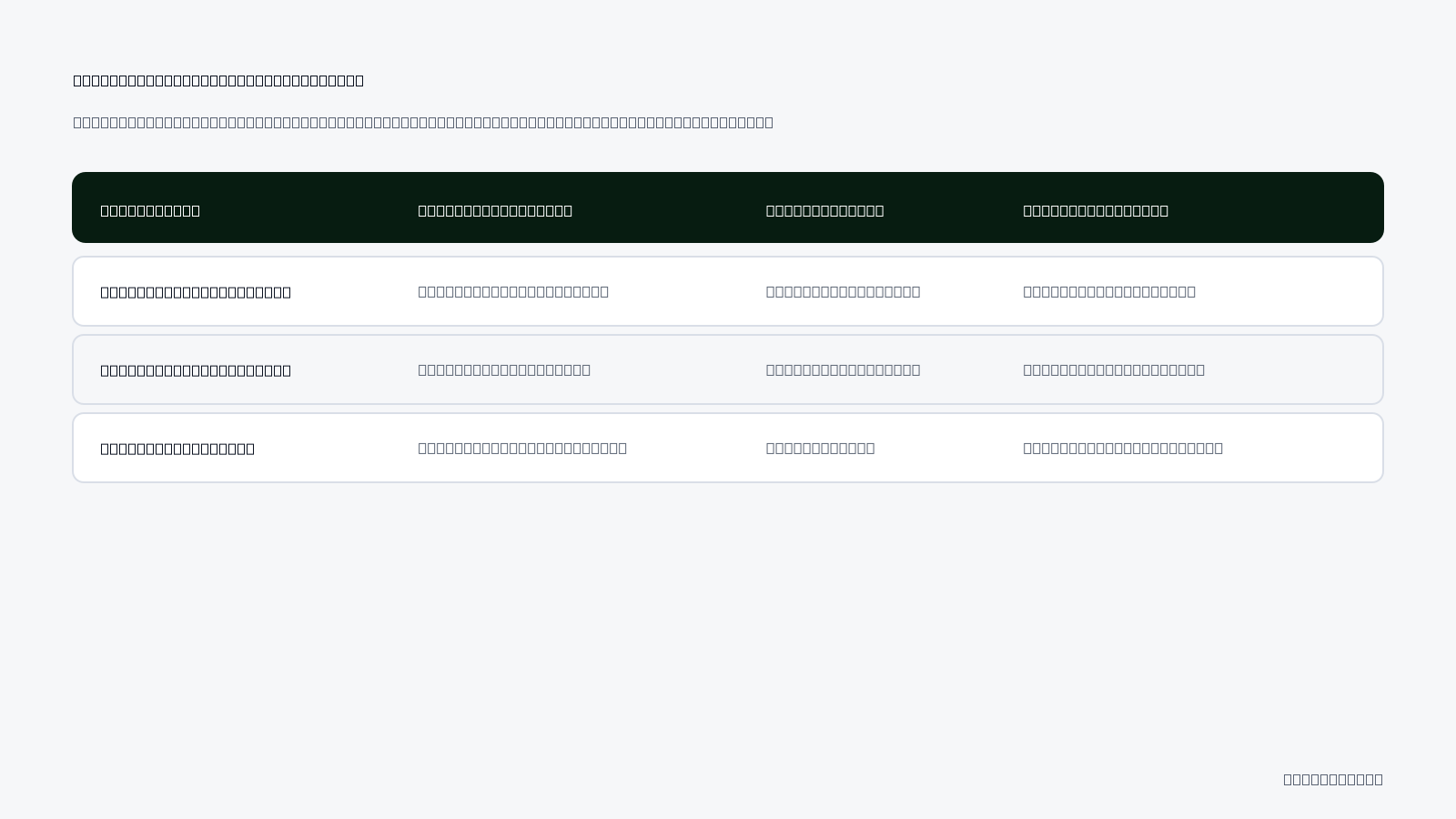
| Operating Condition | System Behavior in Low Data | Impact on Meta Ads Manager | Recommended Corrective Setting |
|---|---|---|---|
| Conversion Volume | Under 50 events per week | Ad sets trigger "Learning Limited" status | Consolidate ad sets or optimize for Add to Cart |
| Attribution Sync | Real-time evaluation against Meta API | Profitable ads paused prematurely | Add 48-hour data latency buffer to rules |
| Audience Testing | Excessive micro-segmentation | Ad delivery fragmenting budget across sets | Combine audiences into broad targeting groups |
| Creative Generation | Incomplete website scraping input | Off-brand messaging and low user engagement | Manually verify product hooks in draft stages |
Why do third-party AI tools need more data when Meta already has internal machine learning?
Meta's internal machine learning operates using trillions of real-time behavioral signals across its entire ecosystem to match ads with receptive users. Third-party AI tools, by contrast, only observe the narrow performance data returned through the Meta Graph API for your specific account. Because these external tools lack direct visibility into cross-platform user intent, their decision models depend heavily on your account's own conversion volume to identify reliable optimization patterns.
What Are the True Costs of Ignoring Early Algorithmic Instability?
Ignoring early algorithmic instability causes wasted ad spend, damaged pixel optimization, and premature campaign termination. When teams overlook early erratic delivery, machine learning models latch onto low-intent engagement signals, trapping ad sets in delivery plateaus and driving up customer acquisition costs before the system can properly calibrate.
The Compounding Costs of Premature Optimization and Algorithmic Drift
During the initial launch days of an automated campaign, machine learning models allocate exploratory budget to sample different audience segments across Meta ad placements. When marketers fail to monitor this exploratory phase, the delivery algorithm may spend disproportionate shares of the daily budget on low-converting audiences. Teams watching uncalibrated spending often panic and manually shut down campaigns within 48 to 72 hours, absorbing the financial loss without obtaining statistically significant audience data.
Constantly stopping and restarting campaigns creates a deeper structural problem inside Meta Ads Manager. The Meta learning phase is the period where the delivery system gathers user data to stabilize performance for an ad set. Interrupting an ad set resets this evaluation process, frequently pushing the delivery status into "Learning Limited." The "Learning Limited" status occurs when an ad set fails to generate approximately 50 conversion events within a 7-day attribution window. Once trapped in this state, delivery efficiency deteriorates, raising the cost per mille (CPM), which is the cost an advertiser pays for every one thousand impressions delivered.
Miscalibrated targeting models also deliver impressions to low-intent users who click out of curiosity rather than purchase intent. This misdirection artificially inflates cost per click (CPC)—the price an advertiser pays each time someone clicks an ad—over prolonged periods. Facing rising costs and erratic returns, marketing departments often conclude that automated advertising tools are ineffective. Consequently, teams revert to manual, highly repetitive campaign builds, forfeiting the scaling efficiencies offered by automated workflows.
- Audit daily campaign budgets to confirm each ad set can afford at least 50 target conversion events every seven days.
- Review the Delivery column in Meta Ads Manager daily to identify early "Learning Limited" indicators.
- Track cost per click (CPC) fluctuations against landing page bounce rates to identify low-intent traffic patterns.
- Set automated safety rules to pause runaway ad spend without resetting broader campaign learning.
- Verify attribution windows within Meta Events Manager to account for delayed purchase data before modifying bids.
- Document baseline performance metrics manually before deploying algorithmic budget adjustments.
Does feeding the pixel low-quality conversion data cause permanent performance damage?
Feeding low-quality conversion data to the Meta pixel does not cause permanent performance damage, but it prolongs optimization recovery times. The Meta delivery algorithm weights recent signals more heavily, relying primarily on the trailing 7 to 28 days of conversion activity to model user intent. Marketers can correct algorithmic drift by pausing compromised campaigns, verifying standard event parameters in Meta Events Manager, and sending fresh, high-intent conversion signals to retrain the machine learning model.
How Do You Diagnose Which Component of the AI System Is Failing?
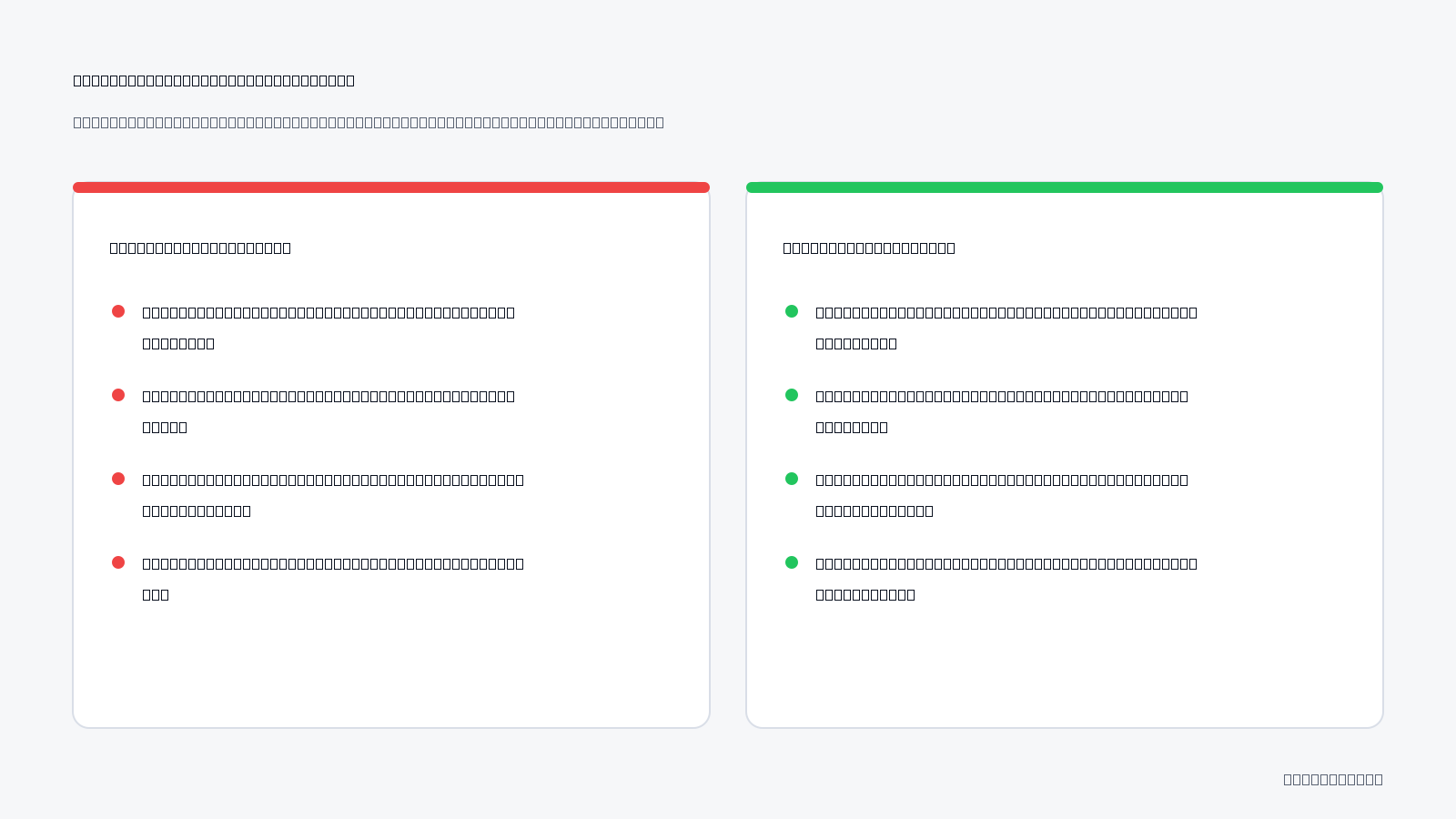
Diagnosing a failing AI ad management system requires isolating performance data across four distinct layers: creative alignment, automated execution rules, data pipelines, and spend allocation. Marketers must systematically verify whether errors originate from mismatched creative messaging, over-aggressive rule triggers, delayed Conversion API signals, or skewed budget delivery across ad variations.
Systematic Auditing Across Creative, Data, and Budget Layers
A structured diagnostic process pinpoints whether poor campaign performance stems from technical delivery errors or strategic setup issues. The audit begins with creative calibration. Marketers must inspect the copy and visual assets generated by their AI platform against the destination URL. If the ad creative highlights a steep promotional discount but the landing page displays standard pricing, the resulting drop in conversion rates reflects messaging disconnect rather than an algorithmic breakdown.
Next, performance marketers must audit automation rule sensitivity. Platforms like Adsaify allow users to configure automation rules that automatically pause underperforming ads based on specific thresholds. However, if a rule evaluates performance over an excessively narrow window, such as the last three hours, it may pause high-value ads before Meta attributes delayed conversions. Evaluating execution logs prevents automated rules from cutting viable creative assets prematurely.
Data pipeline integrity represents the third audit layer. Marketers must inspect Meta Events Manager and verify the Conversions API (CAPI), which is a Meta tool that shares customer actions directly from a business server to Meta Ads Manager. Delayed server events or missing event parameters degrade the machine learning model's ability to locate matching customers.
Finally, check budget distribution across the campaign. Review the Breakdown menu by Dynamic Creative Element or Asset in Meta Ads Manager. If an ad set allocates 90 percent of its budget to a single creative asset that generates no purchases, manual budget caps or asset restructuring must be implemented to force broader delivery testing.
| Failing Component | Observed Symptom | Underlying Root Cause | Corrective Action |
|---|---|---|---|
| Creative Alignment | High CTR, zero conversions | Ad copy promises an offer absent on the landing page | Align ad headline and promotional text with page content |
| Automation Rules | Top-performing ads paused | Rule evaluates a 6-hour window instead of a 3-day window | Extend rule evaluation lookback window to accommodate attribution lag |
| Data Pipeline | Zero purchase events recorded | Conversions API token expired or pixel snippet dropped | Re-authenticate API connection and test events in Events Manager |
| Spend Allocation | One ad consumes entire budget | Algorithm favors early engagement over purchase conversion | Separate untested creatives into independent testing ad sets |
Which metric should take priority during initial diagnosis: CTR or CPA?
Click-through rate (CTR), which measures the percentage of impressions that result in clicks, must take priority during initial cold start diagnosis over cost per acquisition (CPA). Early in a campaign, conversion counts are statistically insufficient to evaluate CPA accurately. A low CTR indicates creative misalignment or poor algorithmic targeting before users reach the landing page, whereas attempting to optimize for CPA without adequate click volume leads to premature optimization decisions based on statistical noise.
If you would rather not set up each of these steps by hand, try it in Adsaify: your first ad is free, so there is nothing to lose. Create a free account.
What Must You Prepare and Verify Before Launching an AI Ad Tool?
To prepare before launching an AI ad management tool, you must verify website metadata, tracking infrastructure, conversion event volume, and platform permissions. An AI system requires structured product schema on landing pages, high Meta Conversions API event match quality, secondary micro-conversion events, and full administrative access to your Meta ad account to prevent algorithmic misdirection.
Optimizing Tracking and Metadata Prior to AI Activation
Product landing pages must contain clean Open Graph metadata and JSON-LD schema (JavaScript Object Notation for Linked Data, a standardized data format used by web crawlers to categorize page elements). When an AI ad tool crawls your website URL, missing price tags, vague titles, or unformatted variant options cause the AI to generate inaccurate headlines and flawed audience targeting.
In Meta Events Manager, verify that the Meta Pixel (a browser-based tracking code) and Conversions API (CAPI, a direct server-to-server data connection to Meta) achieve high Event Match Quality (EMQ, a diagnostic score from 1 to 10 evaluating how effectively customer parameters match Meta accounts). If your ad account records fewer than 30 purchases weekly, configure micro-conversions like Add to Cart or Initiate Checkout as secondary optimization signals to maintain conversion data density for the machine learning algorithm.
Ad Account Permissions and Launch Readiness
You can complete ad account permissions after registering on Adsaify to allow the AI to draft your baseline campaign structure, target audiences, and initial creative suggestions directly inside your connected Meta ad account.
Verify your infrastructure using this launch checklist:
- Audit product landing page titles, descriptions, and Open Graph tags for automated crawling clarity.
- Verify JSON-LD price and product availability schema using structured data testing tools.
- Inspect Meta Events Manager to ensure Purchase event match quality scores reach acceptable levels.
- Configure Add to Cart micro-conversion events to supplement low-volume purchase data streams.
- Assign administrative advertiser permissions to the AI tool within Meta Business Manager.
- Test catalog data synchronization to prevent out-of-stock items from populating automated ad drafts.
Can the AI engine parse my product catalog accurately if my website lacks schema markup?
An AI engine cannot reliably parse your product catalog without structured schema markup. While scraping algorithms can extract basic text from raw HTML, the absence of standardized tags for price, currency, availability, and SKU numbers leads to hallucinated product attributes and mismatched ad copy. Implementing JSON-LD structured data ensures the AI extracts exact pricing and specifications, preventing the generation of ad variants that mislead shoppers or advertise out-of-stock inventory.
How Do You Fix the Cold Start Issue Step by Step?
You fix the cold start issue in AI ad management tools by seeding algorithms with proven engagement data, widening initial optimization parameters, and pacing budget scaling. By guiding AI copy generation, temporarily raising automated pause thresholds to 2.5 times target acquisition cost, and layering organic posts, you provide the volume Meta algorithms require to exit learning.
A Structured Protocol for Calibrating AI Ad Campaigns
When initiating campaigns, inspect the ad angles and copy drafts generated by the AI tool from your destination URL before publishing. Machine learning generates creative hypotheses, but human verification ensures compliance with Meta advertising policies and brand positioning. Once reviewed, deploy automation rules with relaxed parameters. Set automated stop-loss pause rules at 2.5 times your target CPA (cost per acquisition, the total ad spend divided by total attributed conversions) during the first 14 days to prevent early algorithmic suppression.
Build a hybrid structure combining newly generated AI creative with high-performing organic Instagram posts. Existing social proof accelerates ad delivery while the AI tool stabilizes. As ad sets gather conversions, scale budgets incrementally through the ad management software, capping daily budget adjustments at 15 to 20 percent on top-performing clusters to avoid resetting the learning phase in Meta Ads Manager. Once an ad set reaches 50 conversions in a rolling seven-day window, tighten automated rules back to standard performance benchmarks.
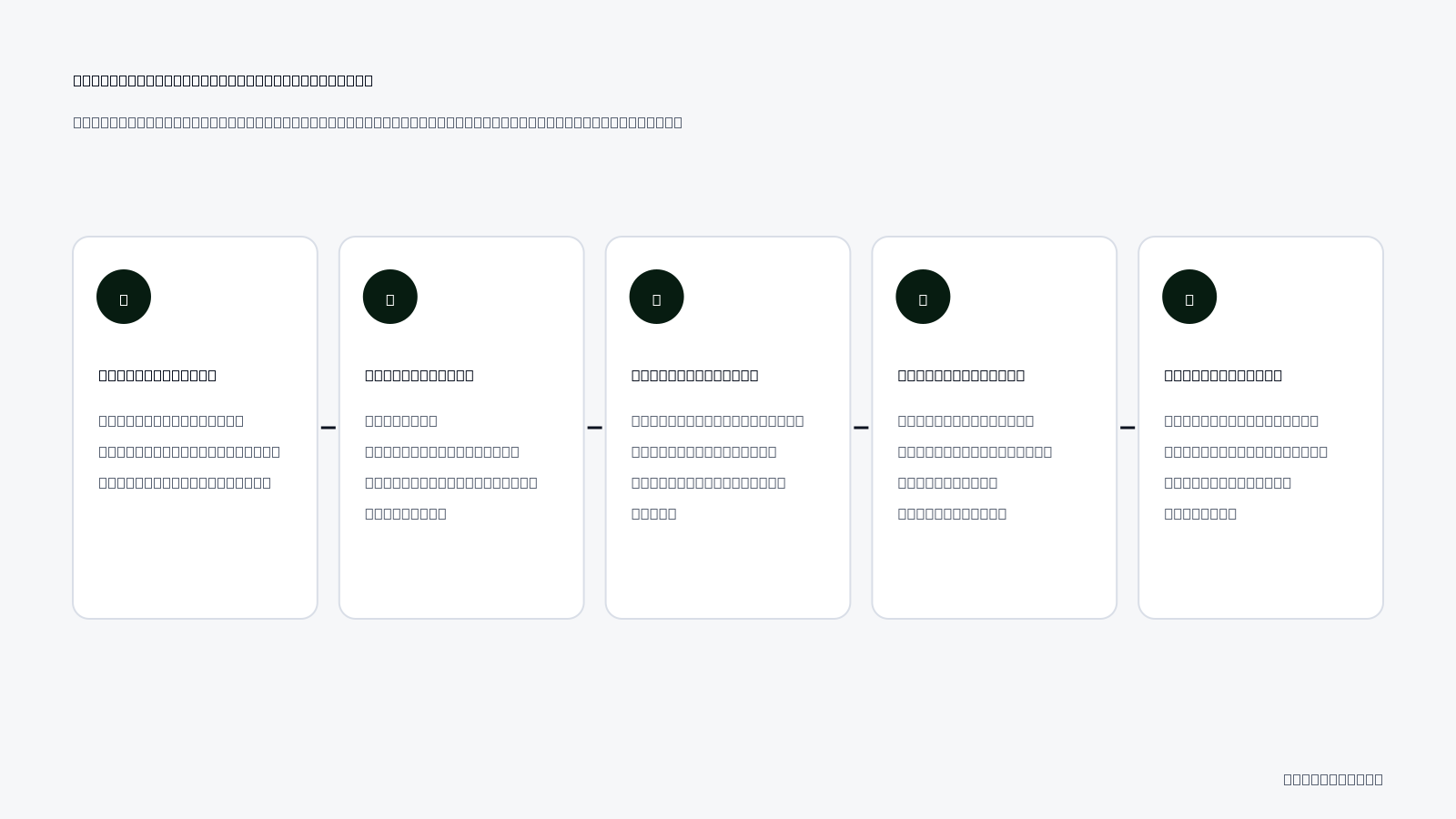
Step-by-Step Cold Start Remediation Flow
- Creative Review — Inspect AI-generated copy and audiences derived from your URL, approving only variations that align with brand guidelines before pushing ads live.
- Threshold Relaxation — Configure automated stop-loss rules at 2.5 times target CPA for 14 days, transitioning to active monitoring once baseline data accumulates.
- Hybrid Deployment — Pair AI creatives with proven high-engagement Instagram posts in the campaign, observing which creative assets trigger initial conversions.
- Controlled Scaling — Increase daily budgets by no more than 15 to 20 percent on winning ad sets, pausing scaling if efficiency drops below acceptable margins.
- Benchmark Calibration — Tighten automated stop-loss and pausing rules to standard target thresholds as soon as the ad set records 50 weekly conversions.
How does incorporating existing Instagram posts into AI campaigns help the algorithm learn?
Incorporating existing Instagram posts into AI campaigns injects immediate social proof, such as historical likes, comments, and shares, directly into the ad auction. Meta algorithms interpret accumulated user engagement as a positive signal for estimated action rates and ad quality. By starting with existing engagement rather than a blank post ID, the auction delivery system quickly determines relevant audience segments, reducing exploratory impressions and accelerating the exit from the initial cold start learning phase.
How Do You Manage Cold Start in a Live E-Commerce Campaign Example?
You manage the cold start problem in live e-commerce by expanding initial stop-loss thresholds, vetting AI-generated assets before launch, and allowing conversion volume to accumulate before triggering automated actions. This calibration protocol prevents automated rules from terminating viable ad variants prematurely while Meta algorithms map target buyer signals.
Setting Up the Baseline and Reviewing Generated Assets
Consider an example where an emerging women's activewear brand deploys an AI ad management system to launch a acquisition campaign. CPA (cost per acquisition) is the total advertising spend divided by the number of purchases generated. The brand targets a CPA of 150 TL with a daily testing budget of 1,000 TL allocated across the campaign structure in Meta Ads Manager.
The marketing team connects their store URL to Adsaify, which extracts product descriptions and imagery to draft three copy angles and four AI-generated lifestyle visuals. During the pre-launch audit, the marketer identifies that one visual depicts outdoor trail running rather than studio pilates gear. The marketer deletes this mismatched creative asset, retaining the three aligned variants and three copy options to establish clean relevance before publishing the ads directly to the Meta ad account.
Applying Stop-Loss Rules and Executing Day-7 Optimization
Premature automation execution represents the primary threat during days 1 through 5. When evaluating an ad with a 150 TL target CPA, normal auction variance can cause an ad to spend 200 TL before logging its first purchase. Setting a rigid pause rule at 150 TL would kill promising ads before Meta gathers delivery data.
To solve this during the cold start phase, the marketer adjusts the automation parameters:
- Temporary Cold-Start Stop Loss: Automation rules are set to pause ads only if spend exceeds 375 TL (2.5 times the target CPA) with zero purchases.
- Minimum Impression Threshold: Rules require at least 1,000 impressions before evaluating conversion performance.
- Frequency Safety Cap: Rules monitor frequency at the ad set level, alerting the team only if frequency exceeds 2.2 within a 3-day window.
By day 7, the campaign records 42 purchases. Because the buffer prevented premature stops, delivery algorithms identified conversion patterns. Adsaify automation rules then safely pause two ads that spent 410 TL and 390 TL with zero sales, shifting the remaining daily budget toward the top two winning ads producing purchases at 128 TL CPA.
Should I lower the daily budget if the campaign gets zero sales during the first 3 days?
No, you should not lower the daily budget during the first 3 days of zero sales because reducing spend resets the algorithmic learning phase and starves the bidding system of auction data. In Meta Ads Manager, delivery systems require steady budget volume to explore audience pockets. Lowering spend stretches the learning timeline, causes the ad set to slip into Learning Limited status, and forces automation rules to act on statistically insignificant performance data.
How Do You Measure Whether the AI Tool Has Calibrated Properly?
You measure AI tool calibration by assessing cost per acquisition stability, automated rule precision, learning phase completion, and new creative click-through rates. Proper calibration occurs when daily conversion costs fluctuate by less than 20 percent, automated rules pause genuinely unproductive spend, and Meta Ads Manager ad sets transition out of the initial learning state.
Evaluating Machine Learning Signals and Rule Precision
CTR (click-through rate) is the percentage of ad impressions that lead to a click. In an uncalibrated campaign, daily CPA swings wildly between 50 TL and 400 TL because the bidding model lacks historical conversion density. A calibrated account demonstrates cost stability, where daily CPA settles within a tight ±20% corridor around your target.
Marketers must audit rule precision rates weekly. Inspect every ad paused by an automated rule inside Meta Ads Manager. If an automated trigger paused an ad that had generated high-intent signals (such as initiating checkouts at an acceptable cost) simply due to delayed attribution, the rule threshold is calibrated too tightly. A properly calibrated rule fires only on ads displaying genuine failure across spend, click engagement, and conversion metrics.
Tracking System States and Creative Lift
The progression of the delivery status in Meta Ads Manager offers definitive proof of calibration. Ad sets must transition from "Learning" to "Active" by collecting roughly 50 conversion events within a seven-day window, rather than stagnating in "Learning Limited". Furthermore, when testing new assets generated through Adsaify, calibrated ad sets quickly route impressions to variants achieving CTRs at or above your verified account benchmark.
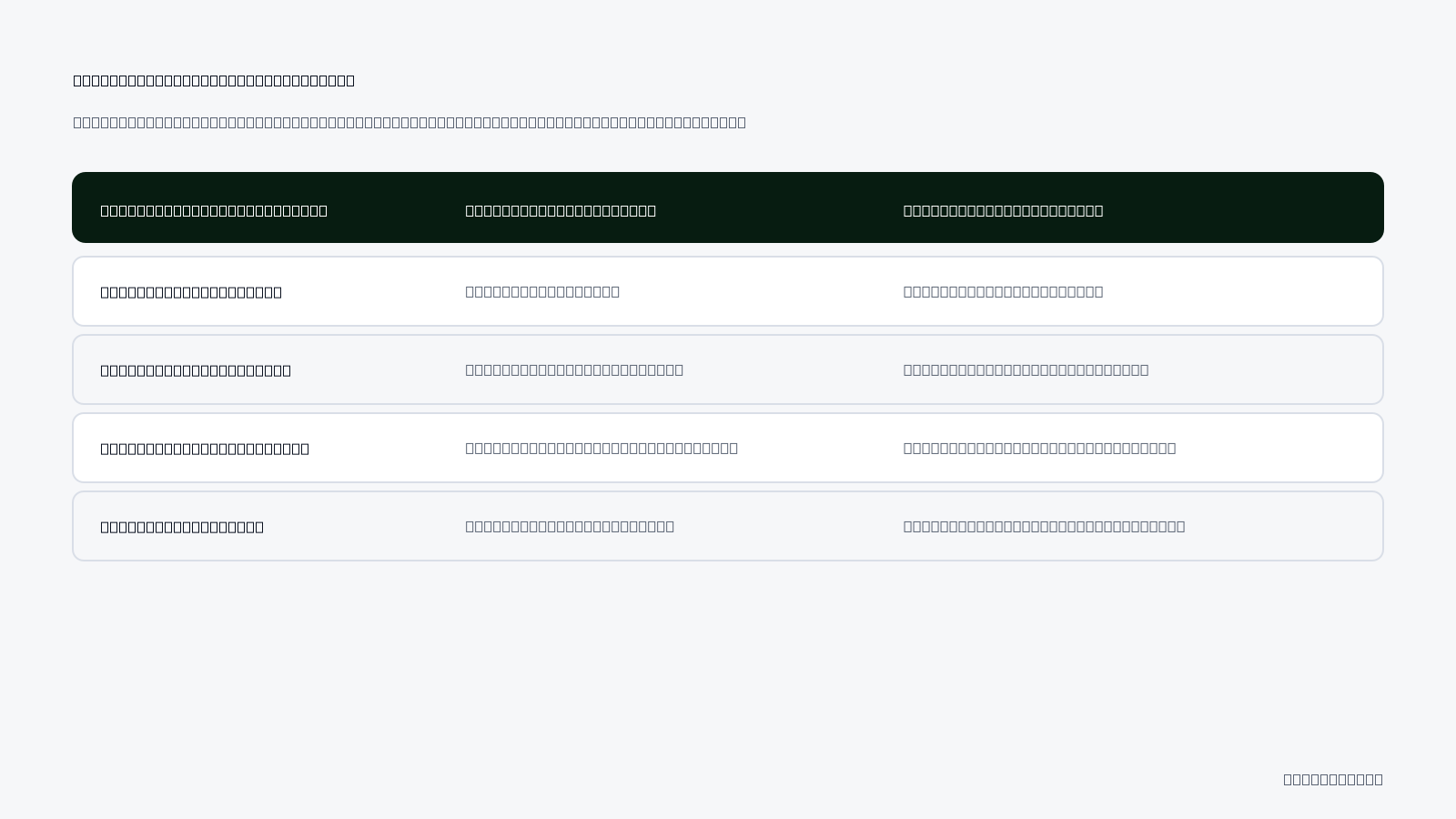
| Monitoring Dimension | Uncalibrated Cold State | Calibrated Operating State |
|---|---|---|
| Daily CPA Variance | Swings exceeding ±50% day-over-day | Predictable fluctuations within ±20% |
| Delivery Learning Status | Stuck in "Learning Limited" status | Transitions to active delivery status |
| Automation Rule Actions | Pauses ads with under 1x CPA spend | Pauses ads exceeding 2x to 3x CPA spend |
| New Creative CTR Lift | CTR falls 40% below account average | CTR matches or exceeds established benchmark |
How many days of performance data are needed to confirm calibration is complete?
Algorithmic calibration typically requires 7 to 14 consecutive days of performance data under stable budget conditions. This duration allows the campaign to record a full seven-day consumer purchasing cycle, smoothing out natural weekend and weekday conversion rate disparities. In Meta Ads Manager, gathering at least 50 conversion events during this window confirms that auction delivery algorithms and third-party automation rules possess sufficient statistical confidence to optimize bids and budgets safely without human intervention.
Want to see this in your own account? Enter your website address and Adsaify drafts the campaign for you. The first ad is free. Try it now or log in.
Which Routine Prevents the Cold Start Issue from Returning?
A structured maintenance routine prevents the AI ad cold start issue from returning by continuously feeding Meta Ads Manager fresh creative assets, auditing automated rule triggers, and refreshing destination URLs. Regular oversight keeps algorithmic learning stable, eliminates auction stagnation, and avoids triggering forced resets caused by creative fatigue or sudden performance drops.
The Algorithmic Maintenance Schedule
Algorithmic ad management systems require steady data inputs and consistent operational parameters to sustain performance. Establishing a recurring checklist ensures that automated rules and Meta optimization systems always operate on accurate information without entering unexpected data droughts.
- Daily: Monitor campaign pacing and delivery status in Meta Ads Manager to verify that impressions are serving evenly across active ad sets without erratic spend spikes.
- Daily: Log in to Adsaify to audit automated rule execution logs, verifying whether any pause or scale triggers executed prematurely against active ads.
- Weekly: Perform an asset inventory review to generate and queue new AI creative and copy variations, building an asset backlog before creative fatigue degrades frequency metrics.
- Weekly: Conduct catalog and URL hygiene audits by checking product feeds for out-of-stock items, broken destination links, or 301 redirects that disrupt user navigation.
- Bi-weekly: Recalibrate rule thresholds by loosening CPA (cost per acquisition, which is total spend divided by attributed conversions) limits ahead of high-CPM holiday periods when auction costs naturally rise.
- Monthly: Audit Meta Pixel and Conversions API event match quality inside Meta Events Manager to verify that tracking signals remain intact after site software updates.
Adjusting System Tolerances for Seasonality
CPM (cost per mille, the cost to deliver one thousand ad impressions) increases dramatically during peak shopping quarters like Black Friday. When CPM rises, automated rules built on rigid CPA ceilings will prematurely pause viable ads. Updating rule tolerances two weeks prior to known retail surges allows the system to bid effectively amid heightened competition.
Do I have to restart this entire calibration routine when launching a completely new product category?
Yes, you must treat a completely new product category as an independent calibration cycle. Different product categories attract distinct audience demographics, feature disparate conversion cycle lengths, and command varied average order values. While account-level pixel history provides general baseline guidance, the AI tool requires a dedicated exploratory phase with relaxed automation thresholds to establish accurate bidding baselines and identify receptive buyer profiles for that specific catalog vertical.
What Are the Most Common AI Tool Setup Mistakes and Their Fixes?
The most common AI ad tool setup mistakes stem from premature autonomy, restrictive bid constraints, and unverified creative deployment. Advertisers frequently suffocate machine learning by enforcing unrealistic cost caps, making erratic manual budget adjustments, and neglecting creative quality checks, which collectively destabilize ad set delivery and prevent Meta Ads Manager from finding profitable audiences.
Handing Full Autonomy to the AI Tool on Day One
Relinquishing manual control immediately allows automated optimization rules to make aggressive scaling or pausing decisions before baseline conversion variance stabilizes. Fix: Operate in hybrid oversight mode for the first 14 days, verifying automated rule recommendations manually before enabling fully autonomous execution.
Setting Rigid Stop-Loss CPA Limits That Throttle Delivery
Imposing narrow CPA (cost per acquisition, measuring total ad spend per completed sale) ceilings during the exploratory phase starves ad sets of auction entries. Fix: Relax automated evaluation triggers by 25 percent during initial delivery to allow the platform sufficient auction exposure.
Publishing AI-Generated Creatives Without Brand Review
Deploying raw visual drafts without human inspection can expose audiences to awkward text placements, unnatural product renders, or misaligned brand colors. Fix: Review and approve generated visual concepts against brand identity guidelines before pushing drafts into active campaigns from Adsaify.
Adjusting Daily Budgets Manually Every Morning
Frequent manual spending changes force the Meta delivery system back into the learning phase, causing performance instability. Fix: Rely on scheduled automated scaling rules that adjust budgets incrementally, limiting shifts to no more than 20 percent every 48 hours.
Optimizing for Shallow Events on Low-Traffic Stores
Selecting secondary conversion actions like "Add to Cart" or "View Content" trains the algorithmic model on users who browse but rarely buy. Fix: Set the campaign optimization goal directly to "Purchase" and combine smaller ad sets to accumulate sufficient transaction volume.
Fragmenting Budgets Across Too Many Ad Sets
Dividing a modest daily ad spend among multiple audiences prevents each ad set from reaching the necessary weekly conversion threshold. Fix: Consolidate broad audiences into a unified ad set structure to concentrate data signals and accelerate algorithmic calibration.
What should I do if the AI copy generator hallucinates product features not on my site?
Immediately discard the drafted ad copy and refine the source URL or text prompt inside your tool settings. AI copy tools extract contextual data directly from your product page markup; thin landing pages or vague descriptions force the engine to infer missing details. Expand your product page with explicit technical specifications, materials, and concrete customer benefits, then regenerate your copy drafts to ensure every published claim strictly matches actual product features.
When Do AI Ad Management Tools Fail and What Are Their Limitations?
AI ad management tools fail when underlying business fundamentals are broken, such as non-converting landing pages, unviable unit economics, or non-existent market demand. While machine learning optimizes audience targeting and automated budget distribution, algorithms cannot correct uncompetitive pricing, poor website user experience, or structural product defects that prevent ad traffic from converting.
Landing Page Conversion Deficits and Margin Thresholds
AI advertising tools cannot compensate for broken landing pages with baseline conversion rates falling below 0.5%. Conversion rate is the percentage of website visitors who complete a desired purchase action. When a website registers a conversion rate below 0.5%, Meta Ads Manager receives too few purchase events to train its predictive algorithms, stranding the campaign in an indefinite learning state. Furthermore, businesses operating with razor-thin gross margins that cannot absorb exploratory acquisition costs will hit structural limits. Gross margin is the net sales revenue minus the cost of goods sold. During the initial cold start exploration phase, cost per acquisition fluctuates unpredictably; if profit margins cannot tolerate elevated acquisition testing expenses, the account exhausts capital before optimization begins.
Creative Refresh Constraints and Market Demand Limits
Adsaify and similar platforms do not automatically swap live creative assets inside ad sets; marketers must generate and launch new variants manually. Adsaify drafts campaign audiences, ad copy, and visuals from a website URL, and publishes them to the user's Meta ad account. However, when ad performance dips due to audience saturation, the platform does not unilaterally replace active visual files in running campaigns. Media buyers must produce fresh assets through Adsaify and attach them to the campaign structure. In addition, automated rules efficiently cut wasted spend by pausing underperforming ad variations, but algorithms cannot create market demand for a product nobody wants.
Account Readiness Checklist
- Audit mobile landing page loading speeds to ensure checkout friction does not artificially suppress conversion rates.
- Calculate gross product margins to confirm your unit economics can absorb exploratory cost-per-acquisition swings.
- Verify that the Meta Pixel and Conversions API transmit complete purchase event data without tracking drops.
- Schedule routine creative refreshes rather than expecting automated tools to autonomously swap decaying ad media.
- Confirm organic product-market demand before allocating paid advertising budgets to automated ad management systems.
- Establish baseline conversion benchmarks on existing website traffic prior to enabling automated budget allocation rules.
Is it worth paying for ad management software if my landing page needs redesign?
No, investing in ad management software before fixing your landing page generates negative returns. Automation accelerates traffic delivery, meaning poor checkout experiences or slow loading speeds simply burn exploratory ad spend faster. If your baseline website conversion rate sits below 0.5%, resolve layout friction, clarify product value propositions, and test checkout functionality manually first. Only introduce automation tools once your landing page reliably converts existing visitors into paying customers.
What Are the Key Terms in AI Ad Management and Cold Start?
The key terms in AI ad management and cold start describe the technical processes, latency factors, and programmatic rules governing algorithmic campaign optimization. Mastering this vocabulary enables media buyers to diagnose machine learning delivery bottlenecks, properly structure tracking integrations, and establish reliable automation rules across Meta Ads Manager and external management software.
- Cold Start: The initial phase where machine learning algorithms struggle to make predictions due to a lack of historical baseline data.
- Automated Rule: A programmatic condition that executes actions like pausing ads or increasing budgets based on predefined metrics.
- Attribution Lag: The delay between a user clicking an ad and the conversion event being reported through ad APIs.
- Asset Ingestion: The automated process by which an AI tool extracts product copy, imagery, and metadata from a web page to generate ads.
- Learning Phase: The operational period where Meta delivery systems calibrate ad distribution by collecting approximately 50 conversion events per ad set.
- Cost Per Acquisition (CPA): An advertising efficiency metric calculated by dividing total advertising spend by the total number of conversions generated.
- Return on Ad Spend (ROAS): A marketing revenue metric determined by dividing the gross revenue generated from advertising by total advertising expenditure.
- Conversions API (CAPI): A server-side Meta connection tool that transfers customer behavioral events directly from a business server to ad optimization systems.
- Creative Fatigue: The gradual decline in ad responsiveness that occurs when target audience members see identical visual assets repeatedly.
- Conversion Rate (CR): The percentage of website sessions that result in a successfully completed transaction or specific objective.
- Event Match Quality (EMQ): A Meta diagnostic rating indicating how effectively customer server data aligns with active Meta platform user profiles.
How does understanding these technical terms help me configure my ad tool better?
Understanding these technical terms prevents media buyers from misinterpreting normal algorithmic behavior as campaign failure. For instance, recognizing attribution lag stops you from prematurely pausing profitable ad sets with automated rules before Meta reports delayed conversions. Clear comprehension of baseline metrics like conversion rates and learning phase thresholds ensures you configure realistic automation parameters, allocate appropriate budgets, and properly diagnose delivery bottlenecks within tools like Adsaify.
How to Turn AI Ad Tools into Profitable Engines Past the Cold Start
To resolve the cold start problem in AI ad management tools, begin by seeding the platform with detailed business context from your website URL and product descriptions. Next, build baseline conversion signals by utilizing proven organic creative assets or broader interest categories rather than hyper-restricted audience segments. Once traffic flows into your Meta ad account, apply automated rules with conservative evaluation windows to pause low-performing ads without starving the learning phase.
Review your recent organic Instagram posts today to identify your top creative with verified engagement and comments. You can then sign up on Adsaify, import that existing post into a fresh campaign draft, and publish your structured Meta ad test to begin gathering accurate optimization data immediately.
Want to see this in your own account? Enter your website address and Adsaify drafts the campaign for you. The first ad is free. Try it now or log in.
Frequently Asked Questions (FAQ)
1. Can an AI ad management tool spend my ad budget entirely out of control?
No, an AI ad management tool cannot spend beyond the daily or lifetime budget limits configured inside your Meta ad account. Platforms like Adsaify submit your defined budget caps directly to Meta, ensuring spend never exceeds your specified parameters. Furthermore, automated rules monitor campaign performance to pause underperforming ads before unnecessary ad spend accumulates.
2. What is the minimum recommended budget to start using an AI tool on a brand-new ad account?
A practical starting budget provides enough spend to generate at least two to three conversion events daily based on your target cost per acquisition. For example, if your expected cost per purchase is 100 TL, setting a daily budget around 200 TL to 300 TL allows Meta to collect sufficient data without stalling the initial learning phase.
3. Can I edit AI-generated ad copy and headlines before publishing them to Meta?
Yes, you have full control to review and modify all AI-generated elements prior to campaign publication. AI ad management tools draft recommended headlines, primary copy, targeting parameters, and creative suggestions based on your website URL. You can adjust the messaging, correct brand terminology, or replace suggested visual assets before pushing the final campaign directly to your Meta account.
4. Will automated rules pause profitable ads at night due to Meta reporting delays?
Automated rules can pause profitable ads prematurely if evaluation windows are too narrow, because Meta often delays conversion attribution by several hours. To prevent false pauses during overnight reporting lulls, configure your automation rules with multi-day attribution windows or lower threshold constraints, ensuring the tool evaluates consistent performance trends rather than momentary gaps in real-time purchase reporting.
5. Can I connect my existing winning Instagram posts to an AI ad management tool?
Yes, platforms like Adsaify allow you to select and promote existing Instagram posts directly within your new advertising campaigns. Using an established post enables you to retain accumulated social proof, such as existing likes and comments, which reduces creative risk and helps AI tools gather baseline conversion signals faster on new ad accounts.
6. What data sources should I feed the ad tool during cold start if Meta Pixel lacks volume?
When your Meta Pixel lacks event history, provide the AI tool with your website URL, product catalog details, and clear brand descriptions. Additionally, optimize early campaigns for higher-funnel actions like landing page views or add-to-cart events, and utilize top-performing organic Instagram content to supply Meta with initial behavioral signals while Pixel purchase volume develops.
7. Do I still need to access Meta Ads Manager when using an AI ad management platform?
You do not need to access Meta Ads Manager for routine campaign creation, budget setting, or automated rule monitoring when using dedicated AI tools. However, maintaining access to Meta Ads Manager remains helpful for checking account-level billing settings, managing native page permissions, and reviewing technical setup details such as Meta Pixel integration and domain verification.
8. Do I need to pay to create my first test ad campaign on Adsaify?
No, your first ad campaign on Adsaify is free to try. You can register an account, allow the tool to analyze your business website, draft targeting parameters and creatives, and publish the campaign directly to your Meta ad account without paying a platform subscription fee. You only pay Meta directly for your chosen advertising spend.
How can you try this with Adsaify?
The quickest way to apply the steps in this article to your own account is to try them. Adsaify analyses your business from your website address, drafts the campaign with an audience, ad copy, creative and a budget suggestion, and publishes it to your own Meta ad account once you approve.
- Your first ad is free: there is nothing to lose by trying.
- Your own ad account: the campaign runs in your Meta account and you stay in control.
- Images and video: generate ad creatives with AI or promote an existing Instagram post.
Create a free account and try your first ad · Already have an account? Log in.