

Short answer: Audience mismatches in Meta ads can negatively impact ad performance. This issue results in failing to reach potential customers due to incorrect targeting. The solution is to accurately define and optimize your target audience.
Many marketers running Meta ads find themselves frustrated when their campaigns fail to deliver expected results. This often manifests as low engagement rates, high costs per click, or minimal conversions, leaving advertisers scratching their heads. The culprit behind these disappointing outcomes may be audience mismatches—targeting the wrong demographics or interests that do not align with the brand's ideal customer profile. Audience mismatches can occur for several reasons, such as inadequate audience research, reliance on outdated data, or misinterpretation of the target market. When left unaddressed, these mismatches can lead to wasted ad spend, poor return on ad spend (ROAS), and ultimately, a failure to achieve marketing objectives. The longer these mismatches persist, the greater the financial drain on your advertising budget and the harder it becomes to recoup those losses. In this comprehensive guide, you will learn how to identify and resolve audience mismatches effectively. The article will cover recognizing mismatches, understanding their causes, diagnosing issues, and preparing for fixes. You will also find a step-by-step solution, a detailed example, and methods for measuring success. Finally, we will explore preventative measures and common pitfalls, ensuring you have the tools to optimize your Meta ad campaigns for maximum impact.Key Takeaways
- Audience mismatches lower conversion rates.
- Proper targeting boosts ad performance.
- Regularly analyze your target audience.
- Incorrect targeting leads to budget waste.
What are audience mismatches and how to recognize them?
Audience mismatches occur when the ad campaigns target an audience that does not align with the business's actual customer base. This misalignment can lead to poor ad performance, wasted budget, and missed opportunities for conversions. Recognizing audience mismatches is crucial for optimizing campaigns and achieving better results.Symptoms and how to identify them
Identifying audience mismatches involves monitoring key performance indicators (KPIs) in Meta Ads Manager. Common symptoms include low click-through rates (CTR), high cost-per-click (CPC), low engagement on ads, and poor conversion rates. For example, if a local bakery spends 500 TL daily on ads targeting a broad audience but only sees a CTR of 0.5% instead of the expected 2%, this discrepancy indicates a potential audience mismatch.Effects on ad performance
The effects of audience mismatches on ad performance can be significant. When the wrong audience is targeted, businesses may experience low return on ad spend (ROAS), resulting in ineffective campaigns. For instance, if the bakery mentioned above adjusts its targeting to focus on local residents aged 18-35 who enjoy baked goods, the campaign may see an increase in engagement and conversions. After changing the audience, the bakery could measure performance by monitoring metrics such as CTR and conversion rates over a week. If the CTR improves from 0.5% to 1.5% and conversions increase, the mismatch has been identified and corrected.How should I define my target audience?
To define a target audience, businesses should analyze their existing customer data, consider demographics, interests, and behaviors relevant to their products. Utilizing audience insights tools within Meta Ads Manager can help refine targeting. Additionally, conducting surveys or interviews with current customers can provide valuable information for building an accurate audience profile.Why do audience mismatches occur?
Audience mismatches can occur due to several factors, including incorrect data entry, lack of targeting strategies, and errors in audience research. Understanding these causes is essential for preventing mismatches and ensuring effective ad campaigns.Incorrect data entry
Incorrect data entry happens when advertisers input wrong information while setting up campaigns. For example, mislabeling interests or demographics can lead to targeting the wrong audience. It is vital to double-check all entries in the audience settings and ensure that they align with the intended target market.Lack of targeting strategies
A lack of targeting strategies can result in a broad and ineffective audience approach. Without clear strategies, campaigns may default to broad targeting settings, leading to mismatches. Advertisers should utilize the detailed targeting options in Meta Ads Manager, such as interests, behaviors, and custom audiences, to create more precise audience profiles.Errors in audience research
Errors in audience research can stem from relying on outdated or inaccurate data. Businesses may misinterpret their target audience's preferences and behaviors, leading to ineffective targeting. Conducting regular audience research and utilizing tools like Facebook Audience Insights can help ensure accurate targeting.| Cause of Mismatch | Example Issue | Targeting Setting | Corrective Action |
|---|---|---|---|
| Incorrect data entry | Wrong age range selected | 18-65 instead of 25-35 | Review and adjust age settings |
| Lack of targeting strategies | Broad audience targeting | All genders and interests | Define specific interests and demographics |
| Errors in audience research | Outdated customer preferences | Targeting interests from 5 years ago | Conduct new market research |
| Misinterpretation of data | Assuming all users like the product | Targeting general audience | Segment audience based on behavior |
Did I misidentify my target audience?
To determine if you misidentified your target audience, analyze your ad performance data. Look for low engagement rates, high CPC, and low conversion rates. If these metrics are not meeting expectations, it may indicate that your audience targeting is not aligned with your ideal customer profile. Regularly revisiting audience insights can help ensure accurate targeting.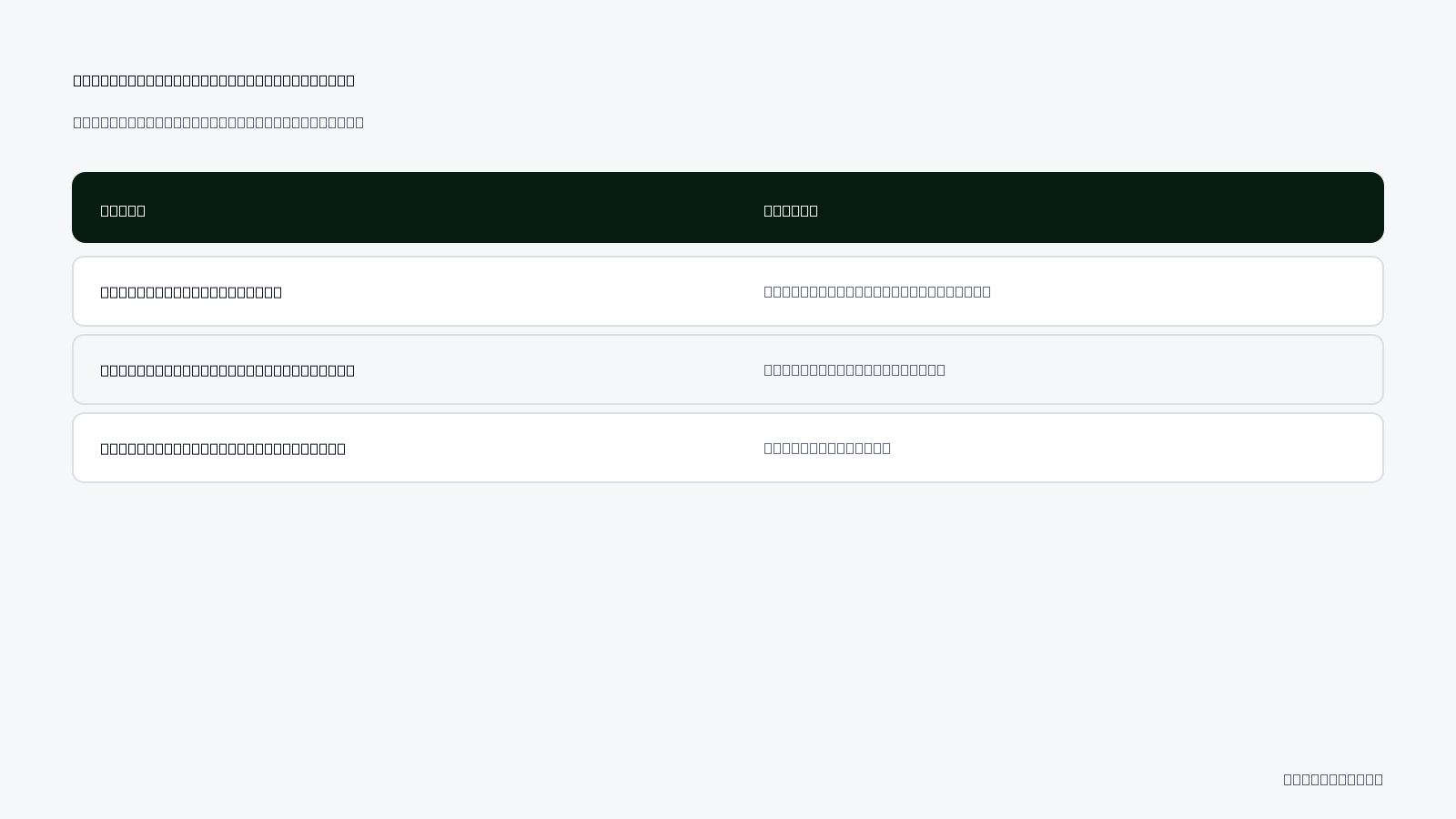
What are the costs of audience mismatches?
Audience mismatches can lead to significant costs for businesses running Meta ads. These costs include the loss of competitive advantage, poor conversion rates, and budget wastage. When the target audience does not align with the ad content, campaigns fail to generate the expected engagement and sales, ultimately impacting the overall return on investment (ROI).Loss of competitive advantage
When your ads reach the wrong audience, your brand may struggle to differentiate itself from competitors. A misaligned audience means that your unique selling propositions (USPs) are not resonating with the people who see your ads, allowing competitors to capture your potential market share. This can result in a stagnant or declining market position, as your brand fails to attract and retain customers effectively.Poor conversion rates
Audience mismatches often lead to lower conversion rates. If the audience targeted by your ads is not genuinely interested in your products or services, they are less likely to take desired actions, such as making a purchase or signing up for a newsletter. The lower the conversion rate, the more resources are wasted on ads that do not yield results. For instance, if your campaign has a 1% conversion rate instead of the expected 3%, you are missing out on potential sales.Budget wastage
When advertising budgets are spent on audiences that do not convert, businesses experience budget wastage. Money allocated for ad spend may be better used on more targeted campaigns. For example, if you have a daily budget of 500 TL and your ads are shown to users outside your intended demographic, you might only see minimal returns, leading to an inefficient use of funds.- Identify mismatched audience segments.
- Analyze conversion data for low-performing ads.
- Adjust targeting settings in Meta Ads Manager.
- Monitor click-through rates (CTR) closely.
- Evaluate the relevance score of your ads.
- Reassess your unique selling propositions (USPs).
- Implement A/B testing for audience variations.
- Review historical campaign performance metrics.
How did I lose my competitive advantage?
You may have lost your competitive advantage due to targeting an audience that does not align with your brand values or product offerings. This misalignment can occur from insufficient audience research or failure to adapt to market changes. Consequently, your ads fail to engage potential customers, allowing competitors to dominate the market space you once occupied.How to diagnose the causes of audience mismatches?
Diagnosing the causes of audience mismatches involves a systematic approach that includes evaluating your audience through data analysis, comparing your findings with competitor analysis, and reviewing performance metrics. Understanding these elements is crucial for identifying where your targeting strategies may have gone wrong.Evaluate your audience through data analysis
Start by analyzing your audience data using Meta Ads Manager. Look for insights such as demographic information, interests, and behaviors. Utilize the Audience Insights tool to gather data on who is engaging with your ads. This analysis can reveal discrepancies between your target audience and the actual audience interacting with your campaigns.Compare with competitor analysis
Conduct a competitor analysis to understand how similar brands target their audiences. Tools like SEMrush or SimilarWeb can help you identify competitor strategies and audience demographics. By comparing your audience data with competitors, you can find potential gaps or opportunities that your campaigns may be missing.Review performance metrics
Regularly review key performance metrics such as click-through rate (CTR), conversion rate, and return on ad spend (ROAS). These metrics provide insights into how well your ads are performing and whether they are reaching the right audience. Look for patterns that indicate audience mismatches, such as low engagement rates despite high impressions.| Analysis Type | What to Look For | Tools to Use | Expected Outcome |
|---|---|---|---|
| Audience Data | Demographics and Interests | Meta Ads Manager, Audience Insights | Identify mismatches |
| Competitor Analysis | Targeting Strategies | SEMrush, SimilarWeb | Discover gaps |
| Performance Metrics | CTR and Conversion Rates | Meta Ads Manager | Assess ad effectiveness |
| Historical Data | Past Campaign Performance | Meta Ads Manager | Identify trends |
What tools should I use for data analysis?
For effective data analysis, use tools such as Meta Ads Manager for performance metrics, Audience Insights for demographic data, and Google Analytics for website traffic insights. These tools provide comprehensive data that can reveal audience behaviors, engagement levels, and conversion patterns, helping you diagnose mismatches accurately.If you would rather not set up each of these steps by hand, try it in Adsaify: your first ad is free, so there is nothing to lose. Create a free account.
What should I prepare before applying the fix?
Before applying a fix for audience mismatches in Meta ads, marketers must thoroughly prepare by gathering relevant audience data, updating competitor analysis, and reviewing performance metrics. This preparation ensures a well-informed approach to rectifying mismatches and optimizing ad performance.Gather your audience data.
Collecting audience data is crucial for understanding who engages with your ads and how they align with your intended target. Use Meta Ads Manager to access insights on demographics, interests, and behaviors of your audience. Navigate to the "Audience" section under the "Insights" tab to see key metrics like age, gender, location, and interests. This data will help you identify gaps in your current targeting.Update your competitor analysis.
Conducting a competitor analysis allows you to benchmark your audience against similar brands. Examine competitors' ads and their audience engagement strategies. Tools like Facebook Ad Library can help you view competitors’ active ads and targeting. Look for trends in their messaging, offers, and the demographics they are targeting. This analysis can provide insights into potential audience segments you may have overlooked.Review your performance metrics.
Analyzing your current performance metrics is essential to understand the effectiveness of your campaigns. In Meta Ads Manager, focus on key performance indicators (KPIs) such as click-through rate (CTR), conversion rate, and return on ad spend (ROAS). Identify which ads are underperforming and consider how your audience targeting might be contributing to these results. Reviewing historical performance data will guide your adjustments.- Gather audience insights from Meta Ads Manager.
- Analyze competitor ads using Facebook Ad Library.
- Review key performance metrics in Ads Manager.
- Identify underperforming ad sets and campaigns.
- Document your findings to inform targeting adjustments.
Where can I find my audience data?
You can find your audience data in Meta Ads Manager by navigating to the "Insights" tab, where you can explore detailed demographic information, interests, and behaviors of your audience. Look for the "Audience" section to assess engagement metrics and gather insights essential for refining your targeting strategies.What is the step-by-step solution for fixing audience mismatches?
To effectively fix audience mismatches in Meta ads, marketers should follow a clear, structured process that involves defining the target audience, creating appropriate targeting strategies, and optimizing the audience using insights from competitor analysis.Clearly define your target audience.
Start by specifying the characteristics of your ideal customer. Use data from your audience insights to create detailed audience personas, including demographics, interests, and purchasing behaviors. This definition will serve as the foundation for your targeting efforts.Create proper targeting strategies.
Once your target audience is defined, set up targeting strategies in Meta Ads Manager. Navigate to the "Ad Set" level and select the "Audience" section. Use options like "Detailed Targeting" to include interests and behaviors that align with your audience personas. Additionally, consider using Custom Audiences to retarget previous website visitors or lookalike audiences to reach new users similar to your best customers.Optimize your audience using competitor analysis.
Utilize insights from your competitor analysis to refine your audience targeting. Look for audience segments that competitors are successfully engaging with and consider incorporating similar traits into your targeting strategy. You can also adjust your ad copy and creatives to resonate more with these segments.- Define Target Audience — Use audience insights to create detailed personas that represent your ideal customers.
- Set Up Audience in Ads Manager — Navigate to the "Ad Set" section and select "Audience" to input targeting criteria.
- Create Custom Audiences — Use website visitor data to retarget users who have shown interest in your brand.
- Analyze Competitor Strategies — Review competitors’ audience engagement and adjust your targeting accordingly.
- Test and Iterate — Launch ads with the new targeting and monitor performance, adjusting as needed.
How can I create my targeting strategies?
To create effective targeting strategies, start by defining your audience using insights from Meta Ads Manager. Then, utilize the "Detailed Targeting" options within the Ad Set section to select interests, demographics, and behaviors that align with your target audience. Consider creating Custom Audiences to retarget interested users or Lookalike Audiences to reach new, similar potential customers.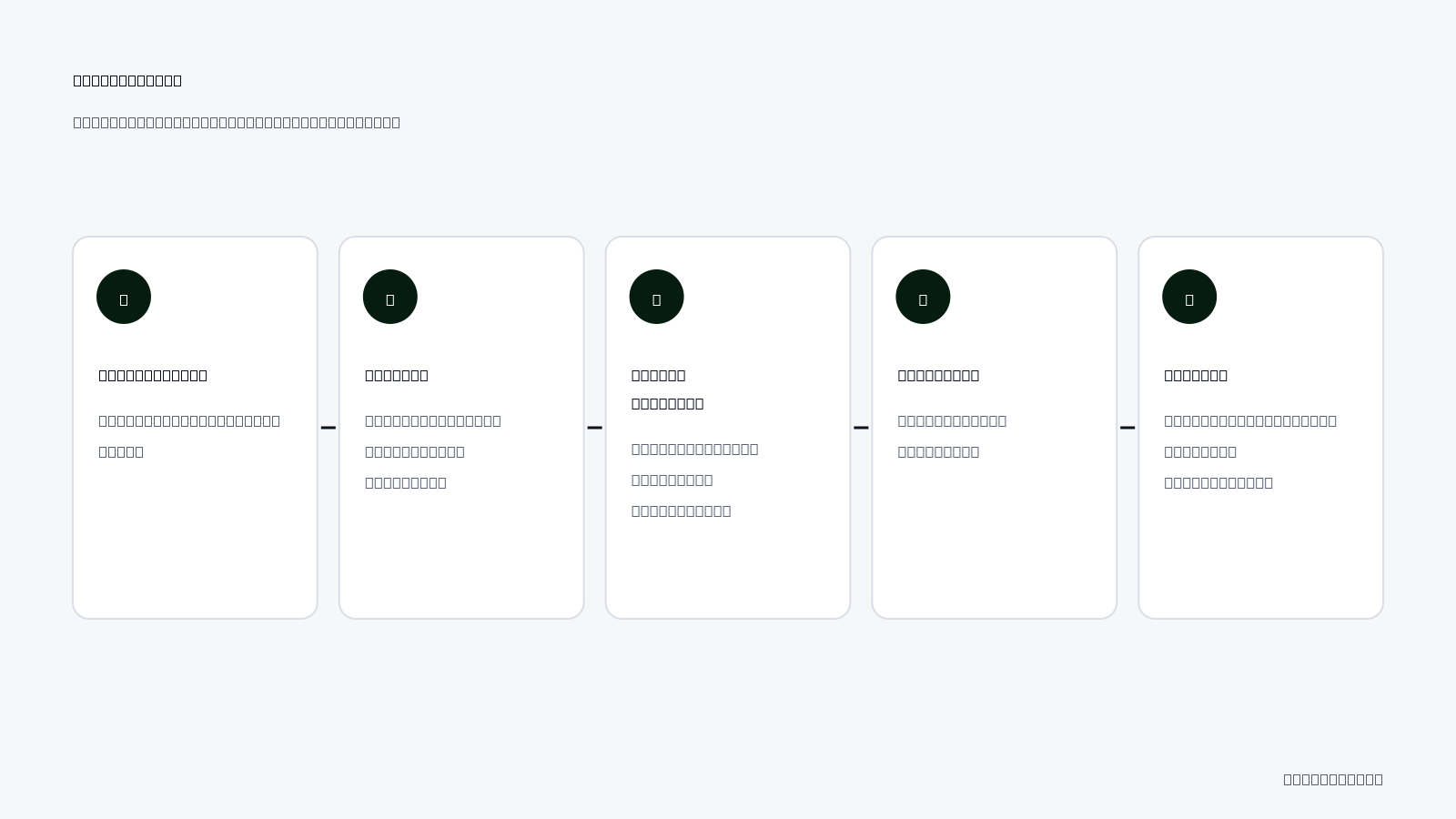
What is a detailed worked example for fixing audience mismatches?
Creating a sample campaign is crucial for understanding and resolving audience mismatches in Meta ads. For this example, let’s consider a local coffee shop named "Brewed Awakening" with a daily ad budget of 200 TL. The initial campaign targets a broad audience of coffee drinkers aged 18-65 within a 20 km radius. However, the campaign underperforms, indicating an audience mismatch.Audience analysis and strategy
To address the mismatch, Brewed Awakening's marketing team analyzes the existing audience data in Meta Ads Manager. They notice that most interactions come from users aged 25-34 who live within a 10 km radius. Based on this data, they decide to refine the audience targeting. The new audience strategy includes: - **Target Age Group**: 25-34 years old. - **Location**: 10 km radius around the shop. - **Interests**: Coffee enthusiasts, local events, and sustainable living. This focused targeting aims to reach individuals more likely to visit the shop, thereby improving engagement and conversion rates.Implementation and evaluation of results
After updating the audience settings, the marketing team launches the revised campaign. They allocate the 200 TL daily budget towards a mix of carousel ads showcasing different coffee drinks, seasonal promotions, and customer testimonials. After one week, the team evaluates the results: - **Impressions**: 15,000 (up from 8,000). - **Clicks**: 600 (up from 200). - **Conversions**: 50 new customers (up from 10). - **ROAS (Return on Ad Spend)**: 5.0 (up from 1.0). The significant increase in clicks and conversions indicates a successful audience targeting strategy. The team continues to monitor the campaign, adjusting creatives and messages based on audience engagement and feedback.What data should I use for the sample campaign?
For the sample campaign, use audience insights from Meta Ads Manager to identify demographics, interests, and behaviors. Additionally, track performance metrics like impressions, clicks, conversions, and ROAS to evaluate the effectiveness of the audience targeting adjustments.How to measure whether the fix worked?
Measuring the success of the adjustments made to the audience targeting is essential for understanding if the fix worked. This involves monitoring performance metrics, evaluating conversion rates, and collecting audience feedback to gauge engagement and effectiveness.Monitor performance metrics
Begin by tracking key performance metrics in Meta Ads Manager. Focus on metrics such as: - **Impressions**: The number of times the ad is displayed. - **Clicks**: Total clicks on the ad. - **Click-Through Rate (CTR)**: The percentage of impressions that resulted in clicks. - **Conversion Rate**: The percentage of clicks that resulted in a desired action, such as a purchase or sign-up. These metrics help assess the immediate impact of changes made to the audience targeting.Evaluate conversion rates
Conversion rates are critical for understanding the effectiveness of the campaign. Compare the conversion rates before and after implementing the audience fix. For example, if the conversion rate increased from 1% to 5%, this indicates a more effective audience targeting strategy. Use the following table to help visualize the changes:| Metric | Before Fix | After Fix |
|---|---|---|
| Impressions | 8,000 | 15,000 |
| Clicks | 200 | 600 |
| Conversion Rate | 1% | 5% |
| ROAS | 1.0 | 5.0 |
Collect audience feedback
Gathering feedback from the audience can provide qualitative insights into the effectiveness of the campaign. Utilize surveys, social media interactions, and customer reviews to understand perceptions of the ads. This feedback can help refine future campaigns and audience strategies.Which metrics should I track to measure success?
Track metrics such as impressions, clicks, click-through rates (CTR), conversion rates, and return on ad spend (ROAS) to measure the success of your campaign. Monitoring these metrics over time will help you assess the effectiveness of audience targeting adjustments and inform future marketing strategies.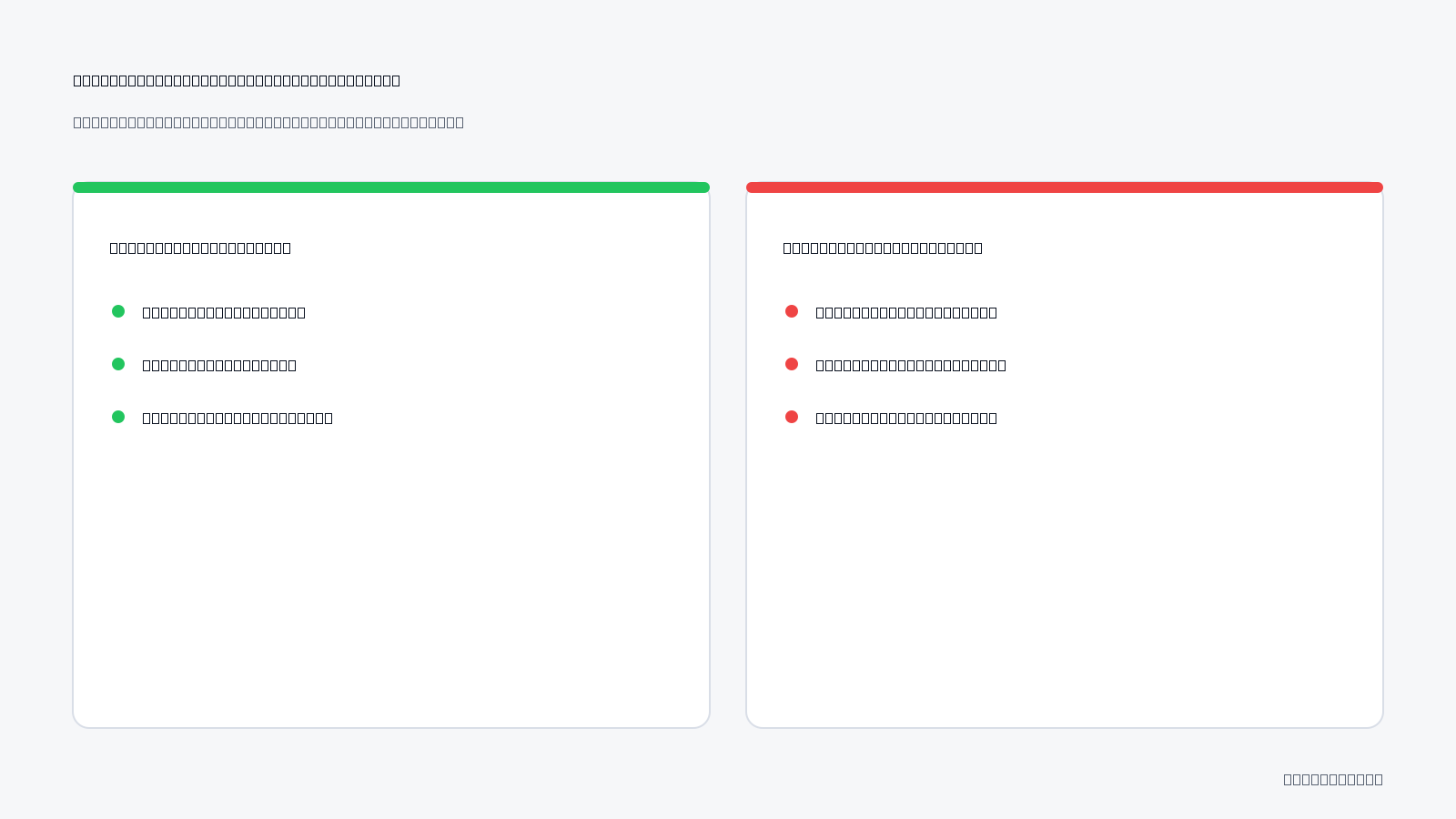
Want to see this in your own account? Enter your website address and Adsaify drafts the campaign for you. The first ad is free. Try it now or log in.
What routine should I follow to prevent the issue from returning?
Regular routines are essential for maintaining effective audience targeting and ensuring that audience mismatches do not recur. Establishing a systematic approach to analyze, update, and monitor your ad campaigns can help you stay ahead of potential mismatches.- Daily: Review ad performance metrics in Meta Ads Manager. Focus on CTR (click-through rate) and CPC (cost per click) to identify any immediate issues. This allows for quick adjustments to avoid prolonged mismatches.
- Daily: Check audience engagement on your social media platforms. Monitor comments and messages to gauge audience sentiment and adjust your targeting accordingly.
- Weekly: Analyze audience insights in Meta Ads Manager. Look for shifts in demographics or interests and update your audience settings to reflect these changes.
- Weekly: Audit your ad creatives and copy. Ensure that they resonate with your target audience’s preferences and adjust as necessary to improve relevance.
- Monthly: Assess campaign objectives and key performance indicators (KPIs). Evaluate if your current audience aligns with your business goals and adjust targeting or messaging to better match.
- Monthly: Conduct a competitive analysis of similar brands. Understand how they target their audiences and implement any successful strategies you may have overlooked.
- Quarterly: Review and refresh your audience segments. Create new segments based on evolving customer behavior and preferences to keep your targeting relevant.
- Quarterly: Schedule a comprehensive performance review meeting with your team. Discuss findings, share insights, and strategize on adjustments to avoid mismatches.
How often should I collect data for routine analysis?
Data collection should be an ongoing process, with daily checks for immediate performance metrics and audience engagement, weekly reviews of audience insights and ad creatives, and monthly evaluations of campaign objectives and competitive analysis. This structured approach ensures that you stay proactive in addressing potential audience mismatches.What are the most common mistakes and how to fix them?
Understanding common mistakes in audience targeting can significantly improve your ad campaign performance. By recognizing these pitfalls, you can implement corrective measures to enhance your results.Incorrect data usage
Using outdated or incorrect data can lead to ineffective targeting and wasted ad spend. Ensure you regularly update your audience data by analyzing recent trends and insights available in Meta Ads Manager. Fix this by setting a schedule for data reviews, ensuring your audience segments reflect current market conditions.Audience shortcomings
Failing to define your audience accurately can result in mismatched campaigns. Many advertisers use overly broad or vague audience settings, diluting their messaging. To fix this, leverage Meta's audience segmentation tools. Create specific audience segments based on interests, behaviors, and demographics to enhance targeting precision.Ignoring conversion metrics
Neglecting to track conversion metrics leads to a lack of insight into how well your campaigns are performing. If you focus solely on engagement metrics, you may miss opportunities to refine your audience. Implement conversion tracking by setting up the Facebook Pixel on your website to monitor actions taken after an ad click. This data will guide your audience targeting.Overlooking ad frequency
Allowing ad frequency to become too high can result in audience fatigue, leading to decreased engagement and higher costs. Monitor frequency metrics in Meta Ads Manager and set a threshold. If frequency exceeds this limit, refresh your creatives or adjust your audience to prevent saturation.Not testing audience variations
Failing to experiment with different audience segments can limit your campaign’s potential. A/B testing different audience settings allows you to discover which segments yield the best results. Regularly create variations of your audience targeting to identify the most responsive segments.Inconsistent messaging
Inconsistent messaging between ads and landing pages can confuse potential customers. Ensure that the messaging aligns across all platforms. Fix this by reviewing your ad copy and landing page content for consistency, ensuring that your audience has a seamless experience.Neglecting customer feedback
Ignoring customer feedback can lead to a misalignment between your audience's needs and your offerings. Regularly review feedback from comments and messages on social media. Use this feedback to adjust your targeting and messaging to better meet audience expectations.How can I prevent these mistakes?
To prevent these mistakes, establish a routine for regular audits of audience data, conduct A/B testing for targeting variations, and actively seek customer feedback. Additionally, ensure consistent messaging across all platforms and monitor key metrics to adjust strategies proactively. This approach will enhance your audience targeting and minimize mismatches.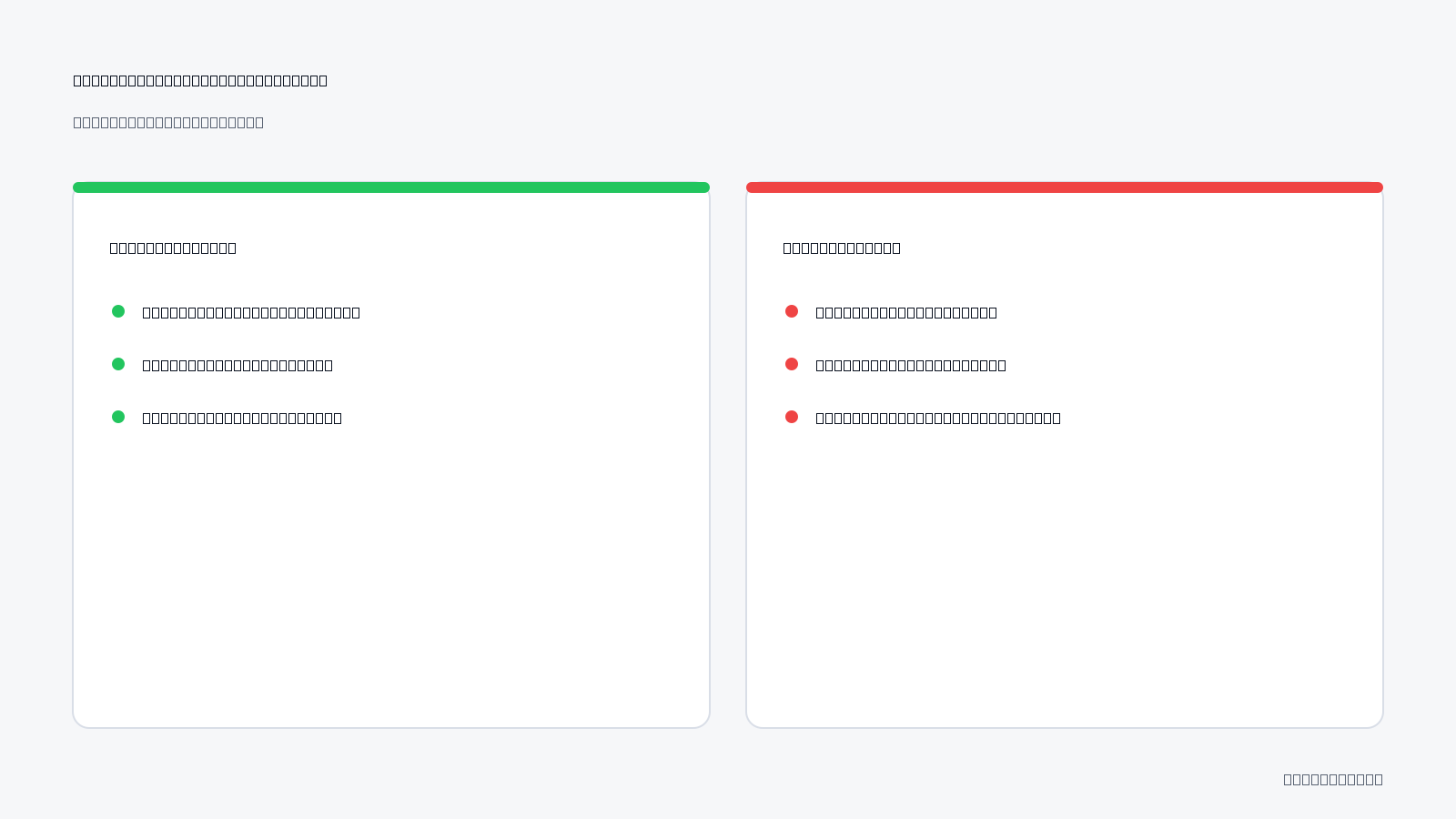
What should I do if the fix doesn't help?
If the initial fix for audience mismatches in Meta Ads does not yield the desired results, consider using additional data sources, trying different targeting methods, or consulting experts. This approach helps refine your strategy and identify underlying issues that may not have been addressed.Use additional data sources
To better understand your audience, integrate additional data sources beyond Meta's insights. Look into Google Analytics for website behavior, customer surveys for direct feedback, and social media analytics for engagement metrics. Cross-referencing these data points can reveal discrepancies in audience targeting. For instance, if your Meta Ads show high impressions but low engagement, analyze website traffic sources in Google Analytics. If a significant portion of traffic comes from a demographic not targeted in your ads, adjust your audience settings accordingly.Try different targeting methods
Experimenting with various targeting methods can uncover more effective ways to reach your audience. In Meta Ads Manager, test options like Custom Audiences, Lookalike Audiences, and detailed targeting based on interests or behaviors. - **Custom Audiences**: Create a Custom Audience from your customer list, website visitors, or app users to retarget users who already know your brand. - **Lookalike Audiences**: Use Lookalike Audiences to find new potential customers who share similar characteristics with your existing customers. - **Detailed Targeting**: Adjust demographic, interest, and behavior settings in the targeting tab to refine your audience further. By analyzing the performance of these different methods, you can identify which combination yields the best results.Consult experts
If you are still facing challenges, seeking guidance from experts can provide valuable insights. Look for professionals who specialize in Meta advertising or digital marketing. They can offer tailored advice based on their experience and knowledge of the platform.- Review your campaign data for insights.
- Integrate Google Analytics for additional metrics.
- Experiment with Custom and Lookalike Audiences.
- Adjust targeting based on engagement metrics.
- Consult with a digital marketing expert for personalized advice.
- Monitor competitors’ strategies for inspiration.
- Test different ad formats and creative elements.
- Gather feedback from your audience or customers.
How can I reach out to experts?
You can reach out to experts in digital marketing through professional networks such as LinkedIn, marketing forums, or local business events. Consider joining relevant groups or communities where marketing professionals share their experiences and insights. Additionally, platforms like Upwork or Fiverr allow you to find freelance consultants who specialize in Meta advertising.What are the key terms?
Key terms are essential concepts used in advertising, particularly in the context of Meta Ads. Understanding these terms can enhance your ability to strategize and implement effective campaigns.- Target Audience: A specific group of users targeted for advertising based on shared characteristics.
- Conversion Rate: The rate at which users complete a desired action, such as making a purchase or clicking a link.
- Competitor Analysis: Evaluating competitors’ performance to identify strengths, weaknesses, and market opportunities.
- Custom Audience: A tailored audience created from your existing customer data for retargeting purposes.
- Lookalike Audience: An audience that shares similar traits with an existing audience, helping to reach potential new customers.
- Impressions: The number of times an ad is displayed to users, regardless of whether they interact with it.
- Engagement: The interaction users have with ads, including likes, shares, comments, and clicks.
- Ad Spend: The total amount of money allocated to advertising campaigns within a specific period.
- Ad Set: A group of ads within a campaign that share the same targeting and budget settings.
- Analytics: The systematic computational analysis of data to understand and optimize ad performance.
- Automation Rules: Predefined settings in ad management that automatically adjust campaigns based on performance metrics.
- CTR (Click-Through Rate): The percentage of users who click on an ad after seeing it, indicating its effectiveness.
Where are these terms used?
These terms are commonly used in various aspects of digital marketing, particularly when managing campaigns on platforms like Meta. Understanding them is crucial for analyzing performance, optimizing ads, and developing effective marketing strategies. They are often discussed in marketing courses, industry blogs, and during consultations with marketing professionals.Take action to fix audience mismatches.
To address audience mismatches in Meta ads, first analyze your current targeting settings, then update your audience based on insights from your campaign data. Utilize tools like Adsaify for audience analysis and optimization. As a concrete next step, log in to your Adsaify account today to evaluate your current audience and make necessary adjustments.
Want to see this in your own account? Enter your website address and Adsaify drafts the campaign for you. The first ad is free. Try it now or log in.
Frequently Asked Questions (FAQ)
1. How long does it take to fix audience mismatches?
Fixing audience mismatches generally takes a few hours to a couple of days, depending on the complexity of the adjustments needed. After identifying the mismatch, updating the targeting settings in your Meta ad account can be done quickly, but monitoring the results may require additional time.
2. How can I update my target audience?
To update your target audience, access your Meta Ads Manager and navigate to the Audience section. Here, you can refine demographics, interests, and behaviors. Additionally, using Adsaify can help identify new audience segments based on data analysis from your website or existing campaigns.
3. What tools should I use for incorrect targeting?
For correcting incorrect targeting, use Meta Ads Manager to adjust settings and analyze performance data. Additionally, Adsaify can provide insights into audience optimization, helping you create more effective ad campaigns by suggesting tailored audience segments based on your business profile.
4. How does audience mismatch affect my budget?
Audience mismatch can lead to wasted ad spend, as ads may be shown to users unlikely to convert. This inefficiency can inflate your cost per acquisition (CPA) and reduce your return on ad spend (ROAS), ultimately impacting your overall advertising budget and effectiveness.
5. How do audience mismatches affect sales?
Audience mismatches can significantly decrease sales by ensuring your ads reach individuals who are not interested in your products or services. This misalignment can result in lower engagement rates, fewer conversions, and ultimately reduced revenue from your advertising efforts.
6. How can I test my target audience?
To test your target audience, create separate ad sets within your Meta campaign, each targeting different audience segments. Monitor performance metrics such as click-through rates (CTR) and conversion rates to determine which audience responds best, allowing for informed adjustments in future campaigns.
7. What metrics should I track for incorrect targeting?
Track metrics such as click-through rate (CTR), conversion rate, cost per acquisition (CPA), and return on ad spend (ROAS) to identify incorrect targeting. Low CTR and high CPA often indicate that your audience mismatches your product, necessitating adjustments to your targeting strategy.
8. What should I do to prevent audience mismatches?
To prevent audience mismatches, conduct thorough market research to understand your ideal customer profile. Regularly review and update your targeting settings in Meta Ads Manager, and utilize tools like Adsaify to analyze audience insights, ensuring your campaigns align with your target demographic.
How can you try this with Adsaify?
The quickest way to apply the steps in this article to your own account is to try them. Adsaify analyses your business from your website address, drafts the campaign with an audience, ad copy, creative and a budget suggestion, and publishes it to your own Meta ad account once you approve.
- Your first ad is free: there is nothing to lose by trying.
- Your own ad account: the campaign runs in your Meta account and you stay in control.
- Images and video: generate ad creatives with AI or promote an existing Instagram post.
Create a free account and try your first ad · Already have an account? Log in.