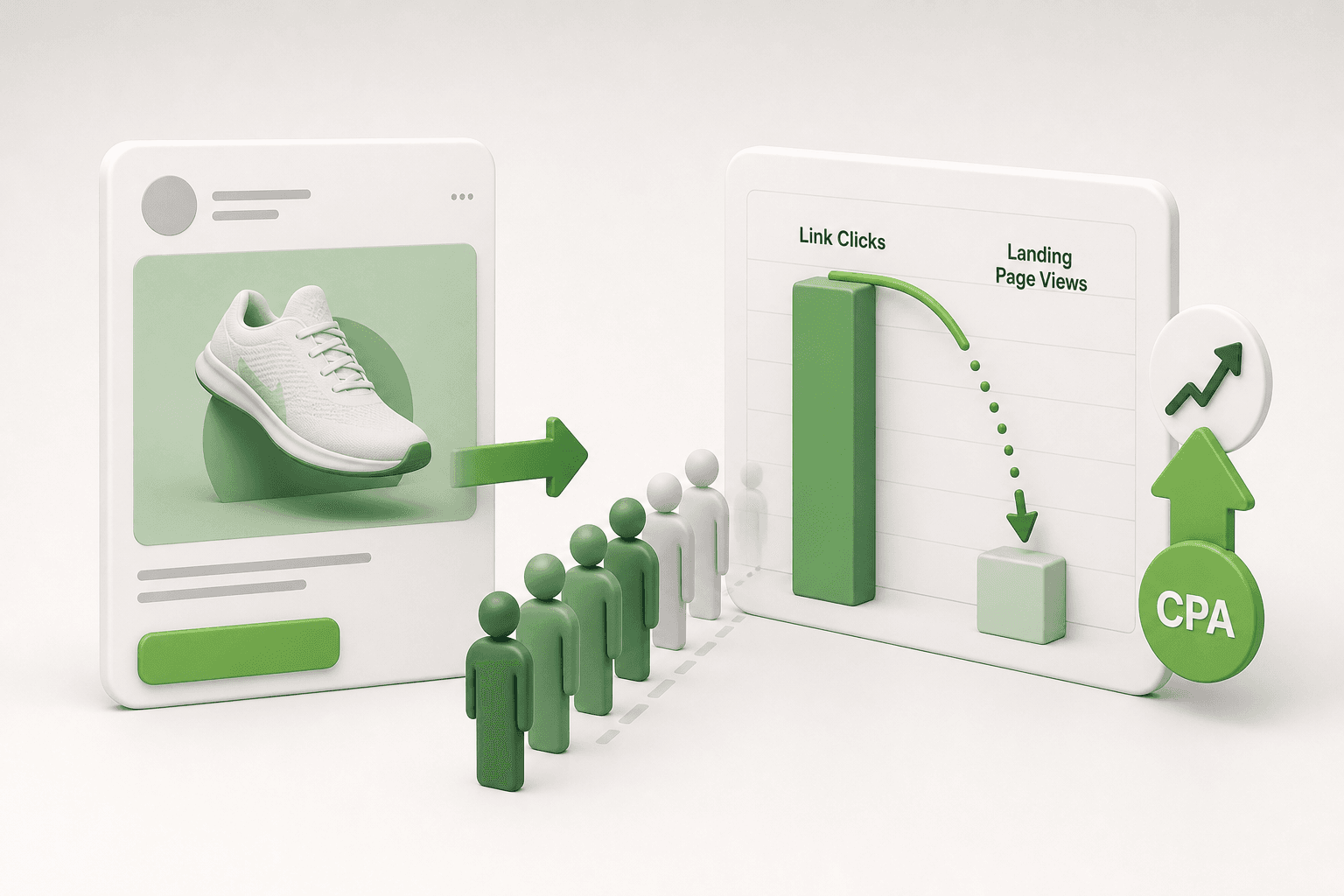

Short answer: Insufficient targeting in Meta ads means failing to reach specific audiences and not using your budget effectively. This issue lowers your ad performance and negatively impacts your ROI.
You open Meta Ads Manager in the morning to see your daily budget half-spent, yet your sales dashboard remains flat. Clicks are trickling in, but visitors bounce within seconds, lead forms fill up with unreachable phone numbers, and post comments come from users who clearly do not match your customer profile. The ad delivery system is actively spending, but the traffic yields no commercial intent.
This disconnect occurs when ad sets lack precise segmentation, rely on diluted interest stacks, or feed ambiguous conversion signals back to Meta's machine-learning algorithm. If you leave these audience gaps unresolved, the financial damage compounds: your customer acquisition costs inflate, your ad account builds historical optimization data around low-value users, and your marketing capital drains without generating measurable return.
After reading this guide, you will be able to systematically identify targeting deficiencies, prepare your account with necessary data checkpoints, rebuild your audience architecture, and monitor clear performance thresholds to verify that your corrections halted the losses. We break down the exact diagnostic steps, common configuration traps, and testing methods needed to protect your ad spend.
Key Takeaways
- Targeting deficiencies waste your ad budget.
- Advanced targeting strategies yield better results.
- Audience segmentation improves ad performance.
- Insufficient targeting leads to missed potential customers.
What is insufficient targeting and how to identify it?
Insufficient targeting occurs when Meta ad delivery parameters are configured too vaguely or inaccurately, causing ad spend to reach users who have no buying intent. Advertisers identify insufficient targeting by observing high impressions alongside declining click-through rates, volatile cost per acquisition figures, and low quality engagement across campaigns.
Conducting competitive analysis to define your target audience
Insufficient targeting means failing to reach a specific customer group with genuine purchase motivation. Before setting parameters in your campaign, you must establish who your actual customer is through competitive research. Open the Meta Ad Library and search for your direct competitors to inspect their active campaigns. Analyze their messaging angles, visual hooks, and specific offers. If competing brands in your vertical consistently address young homeowners rather than general renters, targeting all adults over eighteen will dilute your message. Identifying the specific demographic attributes, vocabulary, and pain points that competitors address provides the exact parameters you need to replicate in your own targeting framework.
Checking targeting settings in Meta Ads Manager
To audit whether your targeting is sufficient, open Meta Ads Manager, select the campaign, and navigate to the Ad Set level. Review the Audience section, specifically checking Detailed Targeting, Locations, and Demographics. A common error is leaving location settings on broad defaults rather than selecting specific geographic territories. CTR (click-through rate) is the percentage of people who click an ad after seeing it. If your CTR is below 1.00% while impressions are high, the audience seeing your ad finds the offer irrelevant. CPA (cost per acquisition) is the advertising cost incurred to generate a single conversion. Check your CPA alongside your frequency metric; if your CPA fluctuates widely while frequency stays low, your audience pool may be broad, unfocused, and populated with non-converting users.
Auditing audience parameters: A worked example
For example, consider an online specialty coffee roaster spending a 1,500 USD monthly budget (50 USD daily budget) using broad targeting with no interest filters. The campaign generated 80,000 impressions with an outbound CTR of 0.45% and an unstable CPA averaging 65 USD per sale. The advertiser adjusted targeting settings in Meta Ads Manager by restricting the age bracket from 18–65+ down to 25–54, setting the location strictly to urban delivery zones, and applying Detailed Targeting to include interests like "Single-origin coffee" and "Manual espresso." ROAS (return on ad spend) is total revenue generated divided by total ad spend. Following these adjustments, outbound CTR increased to 1.85%, CPA decreased to 28 USD, and ROAS improved from 1.20 to 2.90 over the subsequent 14-day evaluation window.
How can I recognize a lack of targeting?
You recognize a lack of targeting by examining conversion divergence in Meta Ads Manager. When impressions and link clicks remain steady or grow while on-site conversion rates drop significantly below your baseline, your ads are reaching passive browsers rather than qualified buyers. Secondary symptoms include an unstable cost per purchase, high bounce rates in web analytics, and irrelevant comments under ad creatives. If top-of-funnel reach expands without generating sales pipeline, your targeting configuration is failing to filter unqualified users.
What causes insufficient targeting?
Insufficient targeting is caused by broad demographic selections, misplaced detailed interest inputs, reliance on unconstrained automated expansion, and neglecting competitor market positioning. These configuration errors deliver Meta ads to consumers whose demographics, interests, and immediate intent do not align with the product being advertised, resulting in wasted ad spend and low conversions.
Configuring incorrect audience settings in the ad set
Incorrect audience settings occur when advertisers fail to establish deliberate boundaries at the ad set level. Meta defaults often encourage expansive delivery, such as setting demographic age ranges to 18–65+ regardless of whether teenagers or retirees purchase the product. Furthermore, keeping the default location setting set to people living in or recently in a chosen territory wastes ad spend on commuters or tourists who cannot purchase your local service. Failing to define exclusions, such as excluding recent 30-day purchasers from top-of-funnel conversion campaigns, also causes ads to be delivered repeatedly to users who have already converted, inflating acquisition costs.
Ineffective keyword usage and interest selection
Ineffective keyword usage happens when advertisers choose high-level, generic interests inside the Detailed Targeting search field. CPC (cost per click) is the amount an advertiser pays for each click on an ad. Targeting massive categories like "Shopping" or "Technology" groups millions of casual users together, raising your CPC without filtering for commercial intent. Effective targeting relies on precise affinity markers, such as industry-specific publications, niche tool brands, or professional trade associations. Stacking unrelated broad interests into a single ad set creates an audience with conflicting intent signals, preventing the delivery algorithm from learning which segment produces profitable buyers.
| Targeting Setting | Ineffective Approach | Correct Alternative | Observed Symptom |
|---|---|---|---|
| Location Targeting | People living in or recently in this location | People living in this location | Spend wasted on non-resident travelers |
| Age Selection | Default 18 to 65+ years | Constrained bracket based on customer history | Impressions served to unqualified demographics |
| Detailed Targeting | Single broad interest like "Apparel" | Layered niche interests using "Narrow Audience" | High click volume with near-zero conversions |
| Audience Exclusions | Zero exclusions applied | Excluding past 30-day website purchasers | Budget drained by serving ads to past buyers |
Failing to conduct competitive audience analysis
Targeting errors frequently stem from launching ad campaigns without prior market analysis. When advertisers guess their audience parameters instead of studying how established competitors position their offers, they misjudge buyer demographics and price sensitivity. To streamline this research and campaign setup, advertisers can create structured campaigns with Adsaify, which analyzes a business website URL or description to draft targeted campaign audiences, ad copy, and budget suggestions automatically for Meta Ads Manager.
Why am I unable to reach the right audience?
You are unable to reach the right audience because Meta's delivery algorithm optimizes purely for the lowest-cost available impressions or link clicks when provided with ambiguous parameters. When interest criteria are overly broad, demographics are unconstrained, or custom audience exclusions are missing, the machine learning system routes budget toward passive users who consume ad impressions but never purchase. Without deliberate interest layering, accurate demographic constraints, and verified pixel events, Meta prioritizes delivery volume over commercial relevance.

What is the cost of insufficient targeting?
The cost of insufficient targeting in Meta ads is capital waste, suppressed conversion rates, and declining competitive advantage. When an advertiser delivers ads to broad, uninterested demographics, CPM costs yield non-buying clicks. This dilutes budget efficiency, lowers ad relevance scores in Meta Ads Manager, and elevates overall acquisition expenses.
Waste of ad spend and budget inefficiency
Delivering impressions to an unsegmented audience drains financial resources without generating tangible business value. CPM (cost per mille is the price an advertiser pays for one thousand ad impressions) represents a fixed auction expense regardless of whether the recipient has buying intent. When Meta Ads Manager shows ads to demographics outside your viable market, each dollar spent on impressions produces zero downstream commercial activity, accelerating budget burn while producing no pipeline value.
Suppressed conversion metrics
Imprecise audience definition directly inflates acquisition metrics across your account dashboard. CVR (conversion rate is the percentage of ad clicks or visits that result in a completed desired action) drops precipitously when unqualified users land on product pages. In parallel, ROAS (return on ad spend is the total revenue generated divided by the total advertising spend) contracts because high click volumes fail to yield checkouts or leads, signaling to Meta that the post-click experience is misaligned.
Loss of auction competitiveness
Meta uses auction diagnostics to determine delivery priority, favoring ads with high engagement and post-click satisfaction. CTR (click-through rate is the ratio of users who click on an ad to the total users who view it) plunges when creative reaches indifferent users. When CTR drops, Meta raises your required bid to win ad placements. Competitors with precise audience parameters secure cheaper impressions, capturing prospective buyers before your brand can achieve visibility.
A practical example of targeting misallocation
Consider an example of a direct-to-consumer specialty footwear retailer allocating a 2,000 USD monthly budget in Meta Ads Manager. Initially, the business targets all adults aged 18 to 65 across an entire country with no exclusions. The campaign generates clicks, but the CVR remains at 0.4%, producing an unsustainable cost per purchase of 125 USD against a 60 USD average order value.
The marketing team restructures targeting by creating a Custom Audience from past purchasers, generating a 1% Lookalike Audience, and excluding users who bought within the previous 30 days. Following this change, the advertiser monitors the cost per purchase, frequency, and ROAS in the Meta Ads Manager reporting dashboard. The revised ad set achieves a 2.1% CVR, dropping acquisition costs to 32 USD and restoring campaign profitability.
What happens if we ignore this?
If advertisers ignore insufficient targeting, Meta's delivery algorithm optimizes toward low-intent impressions that show initial engagement but never convert. Over time, acquisition costs escalate, the pixel's machine learning data becomes contaminated with poor buyer profiles, and cash flow turns negative. Ultimately, advertising channels become unsustainable, forcing businesses to shut down campaigns while competitors capture market share and secure lower auction bids across Facebook and Instagram placements.
How can I solve insufficient targeting?
Advertisers can solve insufficient targeting by combining first-party data segmentation, structured Meta Advantage+ audience refinement, and continuous cohort analysis. Instead of relying on broad, unqualified demographic buckets, performance marketers must feed qualified customer lists into Meta Ads Manager, test tiered lookalike audiences, and apply strict exclusion parameters to eliminate non-converting ad impressions.
Implement audience targeting tools and Custom Audiences
To eliminate wasted impressions, marketers must transition from generic interest groups to verified data sources. Custom Audiences allow advertisers to upload customer relationship management data, newsletter subscribers, and website visitors tracked via the Meta Pixel. Performance marketers can also explore platforms such as Adsaify, which analyzes a business website URL to draft targeted campaigns, audience proposals, and creative assets, with a first ad available to try at registration.
Develop innovative segmentation strategies
Effective audience management requires clear division between cold prospects and warm leads. CPA (cost per acquisition is the total ad spend divided by the total number of conversions) declines when advertisers isolate stages of buyer intent:
- Lookalike tiers: Create 1%, 2%, and 3% Lookalike Audiences from high-value purchasers rather than all page visitors.
- Exclusion rules: Exclude 30-day converters from top-of-funnel campaigns to avoid paying duplicate acquisition costs.
- Advantage+ Audience controls: Set minimum age thresholds and geographic boundaries within Meta Ads Manager Advantage+ settings to keep artificial intelligence targeting grounded.
Step-by-step audience refinement workflow
- Audience audit — Review historical conversion data in Meta Ads Manager and identify which audience segments generate unprofitable clicks to determine necessary exclusions.
- First-party list upload — Export clean customer transaction data and upload it into Custom Audiences to establish high-value seed lists.
- Segmentation test setup — Build separate ad sets comparing a 1% Lookalike Audience against an Advantage+ audience to determine which drives higher conversion volume.
- Threshold evaluation — Monitor the cost per acquisition after reaching fifty conversion events per ad set to decide which targeting configuration merits budget scaling.
- Exclusion refinement — Apply updated purchaser lists and low-engagement exclusions to the winning ad sets to prevent overlapping auction bids and ad fatigue.
Continuously analyze target audience performance
Audience setup is never static; ad fatigue occurs when audience frequency climbs and CTR decays. Performance marketers must regularly inspect the "Breakdown" menu in Meta Ads Manager, assessing performance by Age, Gender, Region, and Placement. If a demographic subgroup consumes more than 25% of the ad set budget without generating conversions, explicitly exclude that bracket within ad set settings to redirect capital toward profitable segments.
Which tools should I use?
Advertisers should utilize Meta Ads Manager for core campaign delivery and breakdown analytics, paired with server-side Meta Conversions API to capture accurate attribution. For campaign creation and automation, Adsaify provides AI-driven audience and ad drafting from your website URL, alongside rule-based automation to pause underperforming ads. These combined tools eliminate guesswork, streamline targeting parameters, and ensure that your daily budget only reaches audiences demonstrating measurable intent.
If you would rather not set up each of these steps by hand, try it in Adsaify: your first ad is free, so there is nothing to lose. Create a free account.
What should I prepare and check before applying?
Before adjusting targeting in Meta Ads Manager, advertisers should prepare verified first-party audience data, analyze current competitor creative angles, and write persona-specific copy variations. Advertisers must also verify that tracking mechanisms like the Meta Pixel and Conversions API function properly. These preparations ensure that budget reallocations deliver reliable performance improvements without technical interruptions.
How should you gather target audience data?
A Meta Pixel is a snippet of tracking code placed on a website that records visitor actions and measures campaign efficacy. Conversions API (CAPI) is a server-side tool that sends web events directly from a company server to Meta's servers to preserve tracking accuracy. Before modifying campaign targeting, open Meta Events Manager to verify that standard events such as "ViewContent", "AddToCart", and "Purchase" trigger without server-reporting errors or deduplication warnings.
A Custom Audience is a targeting option in Meta Ads Manager that matches existing customer contacts or web visitors with Meta user profiles. Export recent customer transaction records from your e-commerce platform or CRM (customer relationship management) database. Segment customer lists into distinct tiers, such as repeat purchasers and high-lifetime-value buyers, before importing customer lists into the Meta Audiences dashboard.
How do you conduct competitive analysis for ad targeting?
Open the Meta Ad Library to review active ad creatives, formats, and value propositions deployed by direct competitors. Note the specific pain points competitor advertisements address, whether competitors promote video demonstrations or static images, and what offers competitor ad copies highlight. Identifying gaps in competitor positioning enables advertisers to craft targeted messaging that resonates with unaddressed customer segments.
How should you optimize ad copy before launching?
Write multiple ad copy angles tailored to specific buyer motivations rather than relying on generic descriptions. Platforms like Adsaify can analyze a business from its website URL to generate audience suggestions and draft ad copy variations, which provides a structured baseline for creative testing. Prepare at least three headline variations, three primary text versions addressing specific product objections, and test multiple creative assets before launching updated ad sets.
- Verify that the Meta Pixel and Conversions API fire correctly in Meta Events Manager.
- Export segmented customer lists from your store database to build Custom Audiences.
- Review active competitor advertisements within the public Meta Ad Library.
- Draft three distinct primary text options addressing unique customer objections.
- Audit landing page load speeds and mobile usability for target destination URLs.
- Define target performance thresholds for acquisition costs before deploying budget.
What data should I collect for my target audience?
Advertisers should collect demographic parameters, transactional history, and behavioral engagement data from their store or CRM platform. This includes customer geographic locations, purchase frequency, average order values, and specific product categories viewed. Additionally, digital marketers should export email lists for Custom Audience matching and examine on-site engagement metrics, such as add-to-cart actions and page dwell time. Combining transactional records with on-site behavioral signals allows Meta's delivery algorithm to locate buyers who share traits with existing profitable customers.
How to apply it with a detailed example?
To fix insufficient targeting in Meta Ads Manager, define a specific product, isolate customer segments through explicit interest or custom audience layers, and monitor conversion metrics. Advertisers must replace vague, broad parameters with structured ad sets, review performance across metrics like cost per acquisition, and prune ineffective targeting segments based on verified conversion data.
Which product scenario demonstrates the targeting fix?
Consider an example of an e-commerce business selling ergonomic desk chairs priced at $300. The store previously used a single campaign with completely broad targeting (all users aged 25 to 65 across the United States without interest filters). The campaign spent budget inefficiently because the ads were delivered to audiences with no interest in home office furniture, driving up acquisition costs.
How do you structure the new targeting setup?
A Lookalike Audience is a targeting group created by Meta to reach new people whose demographic and behavioral traits resemble an existing customer list. In Meta Ads Manager, the advertiser restructures the account into a single Sales campaign. For example, with a $100 daily budget, the advertiser divides delivery into two targeted ad sets using Ad Set Budget Optimization:
- Ad Set A ($50 daily budget): Targets a 1% Lookalike Audience built from customers who completed a purchase in the past 180 days, restricted to ages 25 to 55.
- Ad Set B ($50 daily budget): Uses Detailed Targeting to reach users interested in "Ergonomics" and "Home Office", layered using the "Narrow Audience" option with "Remote Work".
Each ad set receives three ad creatives: one product demonstration video focusing on posture support, one customer review carousel, and one static image highlighting warranty terms.
How do you analyze campaign results and optimize delivery?
CPA (cost per acquisition) is the average advertising cost required to secure a single conversion. CTR (click-through rate) is the percentage of ad impressions that result in a click. ROAS (return on ad spend) is a marketing metric calculated by dividing total revenue generated from ads by total ad spend.
After letting the campaign run until each ad set exits the initial learning phase, inspect performance inside Meta Ads Manager. For example, if Ad Set A generates sales at a $45 CPA with a 3.5 ROAS, while Ad Set B generates sales at an $85 CPA with a 1.2 ROAS, the advertiser reallocates $25 of daily budget from Ad Set B to Ad Set A. Advertisers can also use automation rules inside tools like Adsaify or Meta Ads Manager to automatically pause individual ads if CPA exceeds an acceptable threshold, protecting marketing capital.
What should a sample campaign look like?
A sample campaign should feature a single conversion objective, structured into two or three distinct ad sets to isolate audience performance. For example, one ad set targets a 1% Lookalike Audience of past buyers, while a second ad set tests stacked interests like remote work and ergonomics. Each ad set contains three to four ad creatives tailored to the specific pain points of those segments, with automated rules set to pause ads that exceed acceptable acquisition thresholds.

What are the most common mistakes and how to avoid them?
The most common mistakes in Meta advertising targeting include hyper-narrowing audience sizes, selecting misaligned interest keywords, and ignoring competitor positioning. Marketers avoid these mistakes by maintaining broader audience pools of at least several hundred thousand people, validating interest keywords against search intent, and auditing competitor creatives in the Meta Ad Library before setting parameters.
Narrowing down the target audience too much
Advertisers frequently restrict audience delivery by stacking multiple interest constraints using the "Define Further" feature inside Meta Ads Manager. When an ad set combines several narrow criteria with restrictive AND logic, the total estimated audience size often collapses below 50,000 people. Meta's delivery algorithm requires broad liquidity to find cost-efficient impressions. Restricted audience pools cause CPM (cost per mille, which is the cost an advertiser pays for one thousand ad impressions) to surge rapidly. Furthermore, small audiences trigger ad fatigue quickly, causing Frequency (the average number of times an individual sees an ad) to spike within days, ultimately pushing the ad set into the status labeled Learning Limited.
Choosing incorrect keywords and interests
Selecting interest targeting keywords based on guesswork rather than buyer intent is another frequent error. Advertisers often target top-level generic interests such as "Shopping" or "Fashion," which encompass millions of users with no immediate intent to purchase. Conversely, some advertisers pick hyper-obscure keywords that Meta cannot accurately map to user profiles. In the Detailed Targeting section of the ad set configuration, selecting adjacent, loosely related interests dilutes ad delivery. When targeting keywords do not match the specific value proposition of the ad creative, CTR (click-through rate, which is the percentage of impressions that lead to a click) drops while acquisition costs climb.
Not conducting competitive analysis
Launching Meta campaigns without auditing competitors leads to misaligned offers, redundant positioning, and wasted spend. The Meta Ad Library is a public, searchable database of active ads across Facebook and Instagram that provides real-time visibility into active market angles. Neglecting this research leads advertisers to select audience angles that market leaders have already exhausted or to use messaging that fails to differentiate their brand. Understanding competitor hooks, visual styles, and offer structures enables advertisers to position their targeting parameters around underserved buyer segments.
| Targeting Mistake | Symptom in Ads Manager | Corrected Ad Set Setting |
|---|---|---|
| Layering too many interests | CPM spikes and status switches to Learning Limited | Consolidate interests into one group or use Advantage+ audience |
| Selecting overly generic interests | Low link click-through rate with elevated bounce rates | Target brand-affinity pages and category-specific terms |
| Omitting conversion exclusions | Frequency increases rapidly among past purchasers | Exclude a Custom Audience containing 30-day website buyers |
| Neglecting competitive creative audit | Initial 3-second video hook rate drops below 15% | Model creative angles based on active Meta Ad Library trends |
How can I avoid these mistakes?
Advertisers avoid these mistakes by establishing structured validation routines before launching campaigns. Maintain estimated audience sizes of at least 500,000 users for domestic campaigns to allow Meta's machine learning sufficient room to optimize. Verify every interest keyword against demonstrated consumer behaviors, and audit competitors in the Meta Ad Library weekly. Automated tools like Adsaify help avoid structural errors by analyzing your website URL to generate balanced targeting recommendations, ad copy, and ready-to-publish campaign structures directly within your connected Meta account.
How to measure if the fix worked?
Advertisers measure whether a targeting fix worked by comparing key efficiency metrics in Meta Ads Manager before and after the change. A successful targeting adjustment stabilizes cost per acquisition, lifts conversion rates, lowers CPM (cost per mille), and improves ROAS (return on ad spend), indicating that the delivery algorithm reaches high-intent prospects.
Track conversion rates across the purchase funnel
The primary validation of any targeting repair appears in CVR (conversion rate, which is the proportion of visitors who execute a tracked goal relative to total visitors). After adjusting an underperforming audience, evaluate conversion rates at each stage of your conversion funnel. In Meta Ads Manager, customize your reporting columns to inspect the ratio of Link Clicks to Content Views, Adds to Cart, and Purchases. If the targeting fix addressed audience relevance, the conversion rate from click to purchase will rise, and CPA (cost per acquisition, which is the aggregate cost required to secure one paying customer) will decline relative to previous benchmarks.
Re-evaluate competitive analyses and market positioning
Targeting performance does not exist in isolation from market conditions. Once a targeting fix is deployed, cross-reference your performance trends against competitive activity. Check the Meta Ad Library to see whether competitors have updated their discounts, bundles, or creative formats during the same period. If your CPA remains elevated despite expanding an audience, aggressive competitor campaigns may be saturating shared audience pools. Re-evaluating competitor creative assets ensures your targeting refinements match shifting promotional standards.
Monitor ad performance and operational metrics
Effective measurement requires monitoring secondary metrics alongside direct revenue indicators. ROAS (return on ad spend, which is the revenue generated for every monetary unit spent on advertising) provides top-line evaluation, but operational metrics explain delivery health. Track CPM to verify that Meta is no longer penalizing the ad set for overly narrow targeting. Watch Outbound CTR to ensure the audience actively engages with the ad creative, and track Frequency to confirm impressions remain distributed across fresh users. Advertisers managing multiple ad sets can use the automated rules in Adsaify to monitor performance trends continuously, automatically pausing underperforming ads when CPA exceeds desired thresholds.
- Compare 7-day post-fix CPA figures against pre-fix historical averages in Meta Ads Manager.
- Inspect the Delivery column to verify that the ad set successfully completed the learning phase.
- Track CPM changes to confirm lower delivery costs following audience expansion.
- Audit standard event signals in Events Manager to confirm attribution accuracy.
- Monitor Frequency metrics to ensure the ad set is not oversaturating the audience pool.
- Evaluate ROAS improvements by reconciling Ads Manager reports with payment processor totals.
When should I check the results?
Advertisers should check early delivery indicators between 48 and 72 hours after applying a fix to verify technical health, such as active event firing and normal CPM levels. However, formal performance evaluation should take place only after seven full days or once the ad set generates at least 50 optimization events. Checking metrics too early creates misleading conclusions from temporary delivery volatility, while waiting longer than two weeks risks unnecessary ad spend if acquisition costs remain unprofitable.
Conclusion: Ways to Overcome Insufficient Targeting
To resolve insufficient targeting in Meta ads, first audit historical campaign data inside Meta Ads Manager to identify low-converting demographic and placement segments. Next, redefine core audience parameters by testing structured custom audiences alongside broad Advantage+ targeting to let the delivery algorithm find receptive buyers. Finally, implement automated performance rules that monitor cost per acquisition thresholds and pause underperforming ad sets before wasteful spending accumulates.
Review active ad sets today and exclude converted customers or irrelevant geographic locations to immediately stop budget leakage. If audience structuring feels overwhelming, you can analyze your website on Adsaify to generate baseline target audiences and configure rules that halt non-performing ads automatically. Taking control of audience boundaries today safeguards ad spend and improves overall conversion rates.
Want to see this in your own account? Enter your website address and Adsaify drafts the campaign for you. The first ad is free. Try it now or log in.
Frequently Asked Questions (FAQ)
1. What tools should I use for insufficient targeting?
To resolve insufficient targeting, use Meta Ads Manager audience insights and breakdown reports to examine delivery metrics across age, gender, and placements. Complement these with Meta Pixel and Conversions API data to build verified Custom Audiences. Advertisers can also use campaign builders like Adsaify to analyze a business website URL, generate relevant audience structures automatically, and apply automated rules that pause poorly performing ads.
2. How does it affect my budget?
Insufficient targeting depletes advertising budgets by serving impressions to uninterested individuals who will not convert. This misallocation drives up CPM (cost per mille, which is cost per thousand impressions) and CPA (cost per acquisition), while driving down ROAS (return on ad spend). Advertisers end up spending substantial capital without generating sufficient revenue or receiving the conversion volume needed to exit Meta's learning phase efficiently.
3. How broad should my target audience be?
Audience size depends on campaign objectives and conversion event volume. For conversion-focused campaigns using Meta's algorithmic optimization, an estimated audience size between two million and ten million users provides enough data signals for delivery optimization without excessive waste. For hyper-local businesses, smaller geo-fenced audiences are required, but excessively narrow targeting under 100,000 users often triggers high delivery costs and rapid audience saturation.
4. How often should I update my targeting strategies?
Advertisers should review targeting parameters every two to four weeks. Frequency depends on audience saturation, frequency metrics, and performance shifts. If ad frequency exceeds three or four impressions per user while cost per acquisition rises, update targeting by introducing lookalike audiences, refreshing exclusions, or testing broader demographics. Making structural targeting changes daily is discouraged because it resets Meta's campaign learning phase.
5. What are the consequences of insufficient targeting?
Insufficient targeting results in high cost per acquisition, wasted ad budget, and diminished return on ad spend. Furthermore, irrelevant impressions lower click-through rates and user engagement, which degrades Meta's estimated action rate and ad quality ranking. Over time, poor engagement signals increase baseline bidding costs, making all future campaigns inside that ad account more expensive to deliver to target consumers.
6. What is the best segmentation strategy for my target audience?
The best segmentation strategy organizes audiences by customer journey stages: cold, warm, and hot prospects. Cold audiences leverage broad interest or Lookalike targeting; warm audiences target users who engaged with social profiles or viewed videos; hot audiences re-engage past website visitors and cart abandoners. Always exclude existing buyers from top-of-funnel sets to prevent audience overlap and ensure ad budget targets genuinely new prospects.
7. When do targeting issues arise?
Targeting issues typically arise when campaigns launch without clear customer profiles, when audiences are defined too narrowly, or when demographic criteria are left entirely unchecked. Targeting problems also emerge after significant product updates, seasonal consumer shifts, or when privacy tracking restrictions limit pixel data accuracy. Without ongoing optimization, previously successful target audiences eventually experience creative fatigue and diminishing conversion performance.
8. How can I detect insufficient targeting?
Insufficient targeting is detected by analyzing Meta Ads Manager breakdown reports alongside standard performance indicators. Warning signs include a declining click-through rate alongside an escalating cost per click, high bounce rates on landing pages, and rising cost per acquisition. If ad frequency remains low while conversion rates drop, the ad creative is likely reaching individuals who have no intent or interest in purchasing.
How can you try this with Adsaify?
The quickest way to apply the steps in this article to your own account is to try them. Adsaify analyses your business from your website address, drafts the campaign with an audience, ad copy, creative and a budget suggestion, and publishes it to your own Meta ad account once you approve.
- Your first ad is free: there is nothing to lose by trying.
- Your own ad account: the campaign runs in your Meta account and you stay in control.
- Images and video: generate ad creatives with AI or promote an existing Instagram post.
Create a free account and try your first ad · Already have an account? Log in.