Short answer: The Meta Ads Library (officially the Meta Ad Library, also called the Facebook Ads Library) is a free, public, searchable database of the ads currently running on Facebook, Instagram, Messenger, Threads and Meta's Audience Network. Anyone can open it at facebook.com/ads/library, with or without an account, pick a country, type a brand name or keyword, and see that advertiser's live ads.
Key Takeaways
- One tool, several names: ads library, ad library, Meta Ads Library, Facebook Ads Library and FB Ads Library all refer to the same Meta tool.
- What you see: the creative, the copy, the start date, the platforms and the versions of every active ad.
- What you do not see: spend, clicks, sales or targeting for ordinary commercial ads.
- Extra data in two cases: ads delivered in the European Union, and ads about social issues, elections or politics.
- Best use: studying which messages and formats competitors keep running, then testing your own version.
Every advertiser on Facebook and Instagram is running ads in public. Meta built the Ad Library as a transparency measure, originally for political advertising, and extended it to every ad on its platforms. For a marketer it is the largest free collection of real, live advertising in the world, and most people use a fraction of it. This guide covers what the library is, how to search it properly, what each piece of information means, where its limits are, and how to turn what you find into better ads of your own.
What is the Meta Ads Library?
The Meta Ad Library is a public archive operated by Meta. It lists the ads that are currently active across Meta's technologies, for every advertiser, in every country where Meta sells advertising. It is free, it has no usage limit for normal browsing, and you do not need a Facebook account to search it.
Is the "Facebook Ads Library" a different tool?
No. The tool launched as the Facebook Ad Library and was renamed when the company became Meta. People search for it as "ads library", "ad library", "fb ads library", "meta ads library" and "meta ad library"; all of them lead to the same page.
Why did Meta make every ad public?
The library began as a response to concerns about political advertising, so that anyone could check who was paying for which message. Meta then applied the same principle to all ads. European regulation, the Digital Services Act, later required large platforms to keep a searchable repository of ads with additional information, which is why ads delivered in the EU show more detail than ads elsewhere.
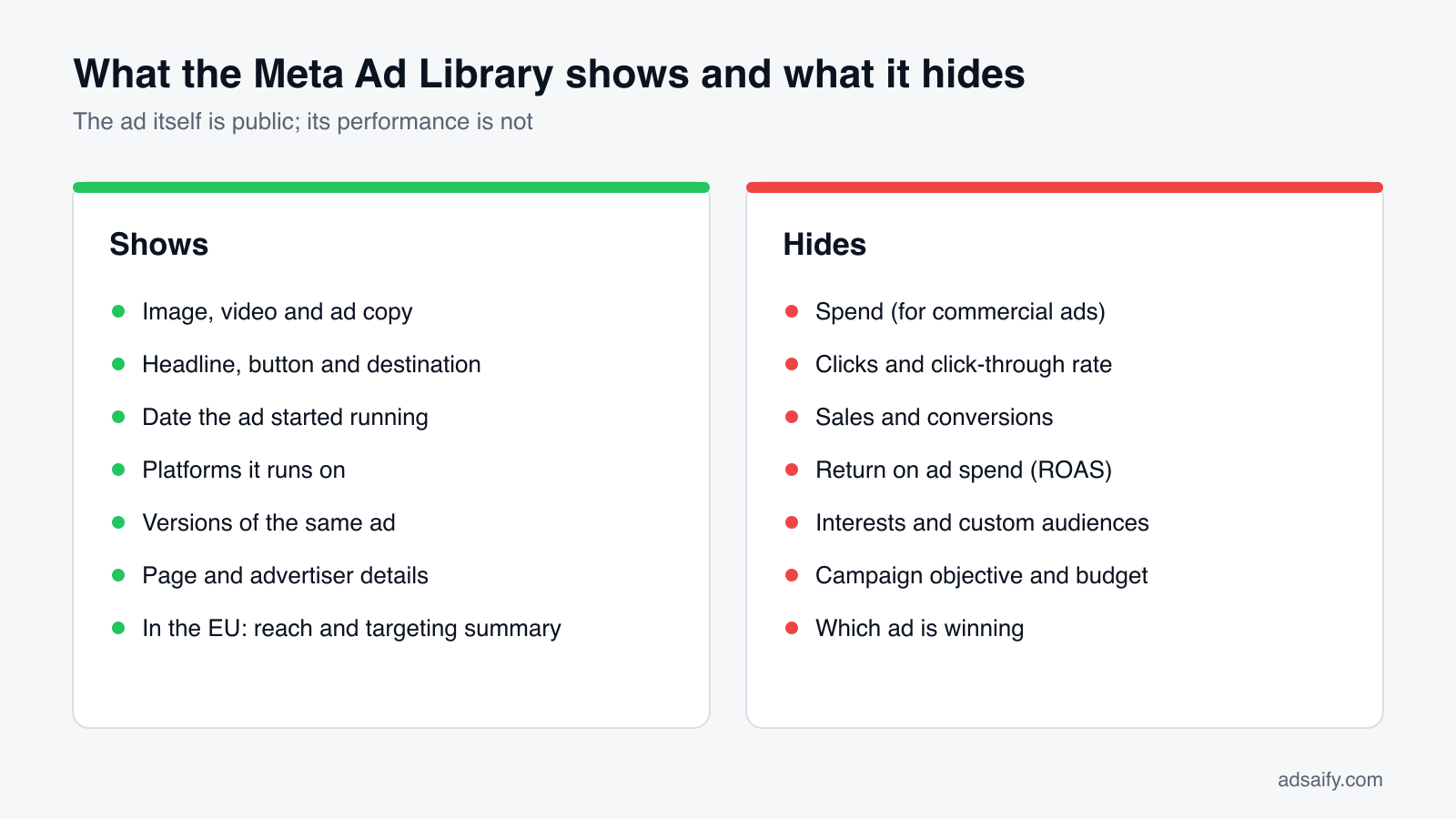
What can you see in the Meta Ads Library, and what stays hidden?
| You can see | You cannot see |
|---|---|
| The image, video or carousel exactly as it is shown | How much is being spent (commercial ads) |
| Primary text, headline, description and button | Impressions, clicks or click-through rate |
| The date the ad started running | Purchases, leads or return on ad spend |
| Which platforms it runs on | Interests, lookalike or custom audiences |
| How many versions of the ad exist | Campaign objective, bid strategy or budget |
| The Page behind the ad and its transparency details | Which version performs best |
The distinction matters. The library tells you what a competitor chose to run, never how well it worked. Any conclusion about performance is an inference, and the most reliable inference is duration: an advertiser who keeps paying for the same ad for months is probably getting something back for it.
How do you use the Meta Ads Library step by step?
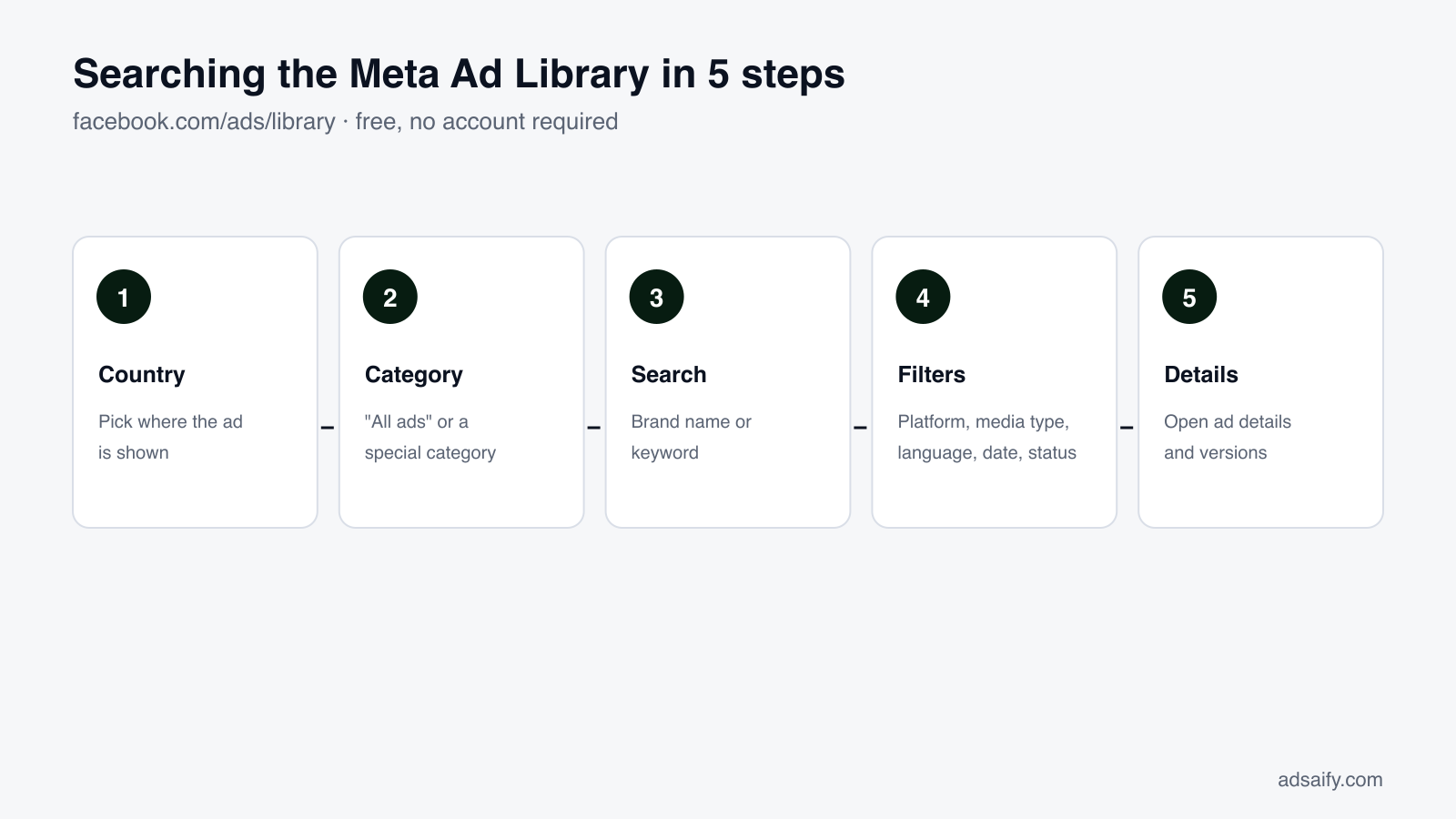
- Open the library — go to facebook.com/ads/library in any browser. Logging in is optional; it is needed only for features such as saving searches.
- Choose a country — the library shows ads delivered in the country you select. Choose "All" to see an advertiser's ads everywhere.
- Choose an ad category — "All ads" for commercial research. The other option covers issues, elections or politics; in some countries additional special categories appear.
- Search — type an advertiser name and pick the Page from the suggestions, or type a keyword to find ads from any advertiser that contain it.
- Filter — narrow the results by language, platform, media type, active status and the dates the ads were shown.
- Open ad details — click "See ad details" for the destination, the versions and, where available, the transparency data.
Advertiser search or keyword search?
| Advertiser search | Keyword search | |
|---|---|---|
| You type | A brand or Page name | A word or phrase from the ad |
| You get | Every active ad from that one Page | Ads from many advertisers containing the phrase |
| Use it for | Studying a known competitor in depth | Discovering who advertises in a category, and how |
| Tip | Pick the Page from the dropdown rather than pressing Enter | Put an exact phrase in quotation marks |
What do the filters do?
| Filter | Options | When it helps |
|---|---|---|
| Language | The languages used in the ads found | Separating a brand's markets |
| Advertiser | Pages that appear in a keyword search | Narrowing a broad keyword to a few brands |
| Platform | Facebook, Instagram, Audience Network, Messenger, Threads | Seeing what a brand runs on Instagram only |
| Media type | Images, videos, memes, ads with or without media | Collecting only video examples |
| Active status | Active or inactive | Inactive ads appear only where the library retains them |
| Impressions by date | A date range | Looking at what ran during a sale period |
The available filters change from time to time and can differ by country, so the list on your screen may not match this table exactly.
If you would rather not build each ad by hand after your research, try it in Adsaify: your first ad is free, so there is nothing to lose. Create a free account.
What does the information on each ad mean?
- Active / Inactive. Active means the ad is being delivered now.
- Started running on. The date this version first ran. It is the single most useful field in the library.
- Platforms. Icons for where the ad is placed.
- Library ID. A unique number for the ad. Paste it into the search box to find the same ad again, or share the link.
- "This ad has multiple versions". The advertiser supplied several images, videos or texts and lets Meta combine them. Open the details to see each version.
- "N ads use this creative and text". The same ad is running in several ad sets, usually to different audiences. A high number suggests the advertiser is scaling it.
How long do ads stay in the library?
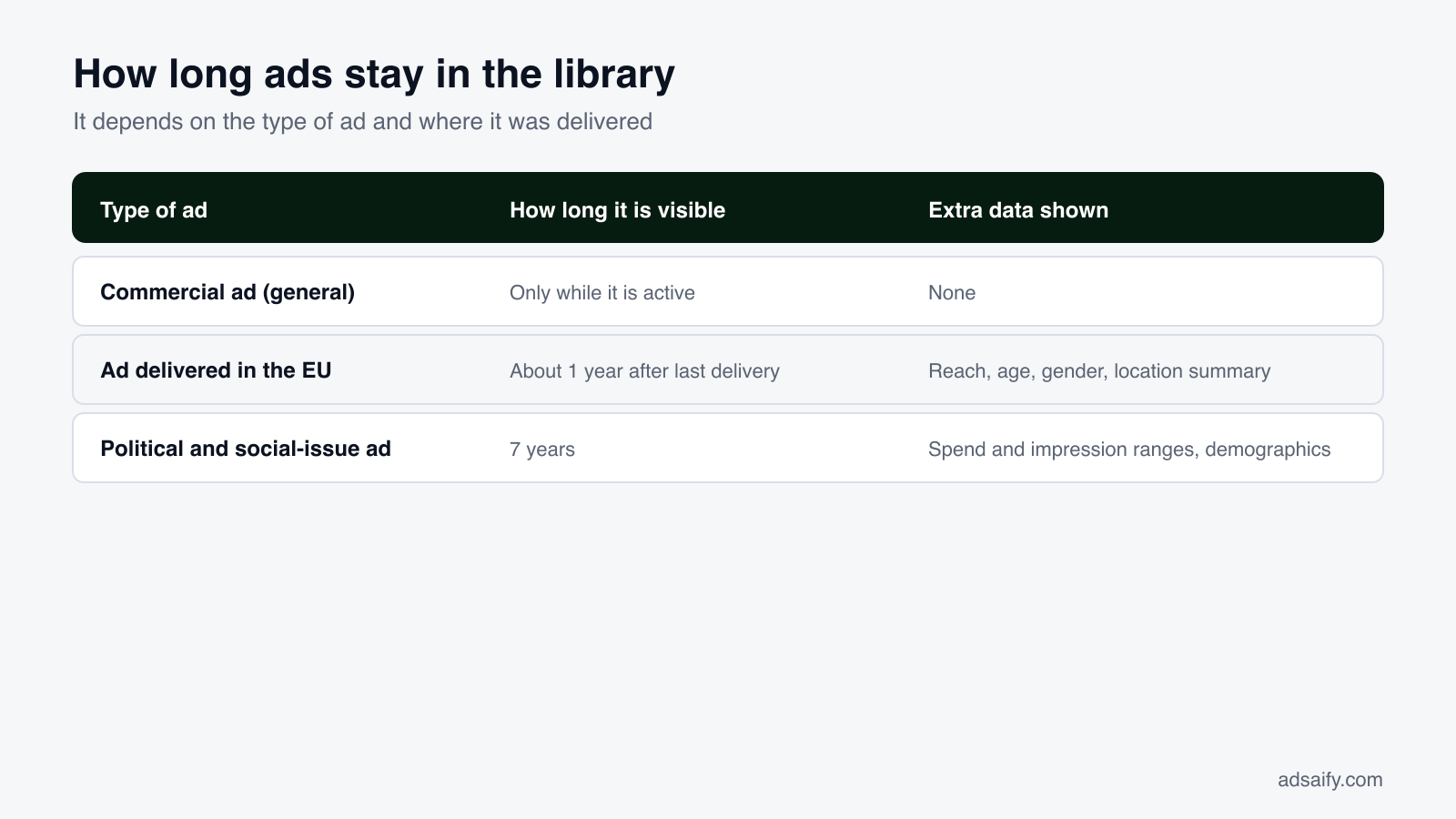
| Type of ad | Visible for | Additional data |
|---|---|---|
| Ordinary commercial ad | As long as it is active | None |
| Ad delivered in the European Union | About one year after it last ran | Reach, and a summary of the age, gender and location targeting |
| Ad about social issues, elections or politics | Seven years | Ranges for spend and impressions, demographics, and who paid |
This is why a competitor's old ads often seem to vanish. Outside the EU, a commercial ad leaves the library when it stops running. If you want a record, save it at the time.
What extra data do you get for ads shown in the EU?
For any ad delivered to people in the European Union, the ad details include a transparency section. It shows the total reach in the EU, a breakdown of reach by country, age group and gender, the targeting parameters the advertiser selected for age, gender and location, and who paid for and benefits from the ad.
Two practical points. First, this is the only place in the library where a commercial advertiser's audience choices are visible, so if a competitor also advertises in an EU country, set the country filter to that country to see them. Second, reach is not performance: it tells you how many accounts saw the ad, not whether they clicked or bought.
What is the Ad Library API?
Meta also offers programmatic access through the Ad Library API, an endpoint named ads_archive in the Graph API. It is designed for researchers and journalists and is narrower than the website.
- Coverage: ads about social issues, elections or politics, and all ads delivered in the EU. For other regions, commercial ads are generally not returned.
- Access: requires a Meta developer account and identity confirmation.
- Fields: creative text, dates, Page, and for eligible ads the reach and targeting summaries shown on the website.
- Limits: rate limits apply, and no performance metrics are available.
For most marketers the website is enough. The API becomes relevant when you want to monitor many advertisers over time.
How do marketers actually use the Ads Library?
Find what competitors keep paying for
Open a competitor's Page in the library and scroll to the oldest active ads. An ad that has run for three months or more has survived many budget reviews. Note its opening line, its offer and its format.
Collect creative references before a campaign
Search your category keyword, filter by media type, and save twenty examples. Patterns appear quickly: the same offer structure, the same first three seconds, the same call to action.
Check the offer and the landing page
Click through from the ad to the destination. The landing page shows the price, the guarantee, and how the promise in the ad is continued on the site.
Read seasonal timing
Use the date filter to see when brands in your category started their sale campaigns last year.
Verify an advertiser
Before buying from an unfamiliar shop that reached you through an ad, look it up. A Page created last week with a single ad and a changed name is a warning sign.
A worked example
Consider a small skincare brand preparing its first campaign. It searches three larger competitors and finds 14, 22 and 9 active ads. Sorting by start date, it sees that each competitor's oldest ads are short videos opening with a before-and-after and ending with a bundle offer, while static product shots are all recent and few. The brand cannot know the competitors' results, but the pattern is consistent across three advertisers and many months. It decides to test two short before-and-after videos against one product image, and to offer a bundle. The figures are illustrative; the method is the point.
Which ad formats will you see, and what do they suggest?
| Format in the library | How to recognise it | What it usually indicates |
|---|---|---|
| Single image | One static picture | Simple offers, retargeting, quick tests |
| Video | A play button; often vertical | Prospecting on Reels and Stories; the brand invests in production |
| Carousel | Several cards with arrows | Product ranges, step-by-step stories, feature lists |
| Catalogue (dynamic) ad | Placeholder text in braces such as a product name template | Automated retargeting of products people viewed |
| Multiple versions | "This ad has multiple versions" | Meta is combining texts and creatives; the brand is testing |
| Partnership ad | Two names in the header | The brand pays to promote a creator's post |
| Message ad | Button reads "Send message" or "WhatsApp" | Sales happen in conversation, common for services and local businesses |
| Lead form ad | Button reads "Sign up" or "Get quote" with no website | The brand collects contact details inside Facebook or Instagram |
How does the library help different kinds of business?
| Business | What to look for | What to take away |
|---|---|---|
| Online shop | Offers, bundles, delivery promises, seasonal start dates | The offer structure that competitors sustain for months |
| Mobile app | First three seconds of video ads, store screenshots, calls to action | Which feature is shown first |
| Local service | Message and call ads, radius of the audience, proof used | Whether competitors sell by message, form or phone |
| Software and B2B | Free trials, demos, comparison claims, lead forms | The conversion step asked of a cold visitor |
| Agency or freelancer | A prospect's current ads before a pitch | Specific, evidence-based suggestions |
| Consumer | Who is behind an ad, and how new the Page is | Whether a shop looks legitimate |
What can you learn in a 30-minute session?
- Minutes 0–5: search three competitors and write down how many active ads each has.
- Minutes 5–15: for each, open the three oldest active ads. Note hook, format and offer.
- Minutes 15–20: run one keyword search for your main product word and scan for advertisers you did not know.
- Minutes 20–25: click through to two landing pages and note price, guarantee and call to action.
- Minutes 25–30: write three test ideas, each in one sentence: "Test a 15-second before-and-after video with a bundle offer against our current product image."
Half an hour once a month is enough to keep your picture of the market current.
Key terms in the Ads Library
| Term | Meaning |
|---|---|
| Library ID | The unique number of an ad in the library |
| Page transparency | Information about a Page: creation date, name changes, manager locations, ads |
| Special ad category | Regulated topics such as social issues, elections or politics, and in some countries housing, employment and financial products |
| Disclaimer ("Paid for by") | The entity that funded a political or issue ad |
| Beneficiary and payer | For EU ads, who benefits from and who pays for the ad |
| Reach | The number of accounts that saw an ad at least once |
| Impressions | The number of times an ad was shown, including repeats |
| Ad Library Report | Meta's downloadable summary of spending on political and issue ads by advertiser |
What are the limits of the Ads Library?
- No performance data. A long-running ad is a hint, not proof.
- No audience data outside the EU. You see the ad, not who it is shown to.
- No history for commercial ads. Paused ads disappear.
- Search is literal. A brand that advertises from several Pages, or under a different legal name, has to be searched Page by Page.
- Dynamic ads look generic. Catalogue ads are shown as a template, not as the personalised version each person sees.
- Context is missing. You do not know whether an ad is a test, a retargeting ad, or the main campaign.
What should you avoid doing with what you find?
The library is for understanding, not for copying. Reusing another brand's images, video or text infringes its rights and breaks Meta's advertising policies; it also rarely works, because what suits one brand's audience and price does not transfer. Take the structure, the offer logic and the format, and write the ad for your own product.
From research to a campaign of your own
Research only pays off when it becomes a test. Pick the two or three approaches that recur among long-running ads in your category, write your own versions, and run them against each other with a small budget and a clear conversion goal.
If you want to shorten the building part, Adsaify reads your website, drafts the campaign with copy, creatives and an audience, and publishes it to your own Meta ad account. Adsaify also has its own ad library inside the app: a collection of ready-made ad examples by sector that you can open as a draft and adapt. It is a different thing from Meta's Ad Library, which remains the place to see what other advertisers are running.
Related reading: how to find any brand's ads in the Facebook Ads Library and ad libraries on every platform.
Frequently Asked Questions (FAQ)
1. Is the Meta Ads Library free?
Yes. It is free to use, with no limit on ordinary searching.
2. Do I need a Facebook account to use the Ads Library?
No. You can search and view ads without logging in. An account is needed only for extras such as saved searches.
3. Are "ads library", "ad library" and "Meta Ads Library" the same thing?
When people mean Meta's tool, yes. It was first called the Facebook Ad Library and is now the Meta Ad Library. Other platforms have their own libraries under different names.
4. Can I see how much a competitor spends on ads?
Not for ordinary commercial ads. Spend ranges are published only for ads about social issues, elections or politics.
5. Can I see a competitor's targeting?
Only for ads delivered in the European Union, where a summary of age, gender and location targeting is shown. Interests and custom audiences are never shown.
6. Does the library include Instagram ads?
Yes. Use the platform filter and select Instagram to see only those.
7. Why can't I find an ad I saw yesterday?
The advertiser may have paused it, it may be delivered in a different country from the one selected, or it may run from a Page with a different name.
8. Can advertisers see who viewed their ads in the library?
No. Browsing the library is not reported to advertisers.
9. Can I download ads from the library?
The library has no download button. You can save the link or the Library ID. Remember that the creative belongs to the advertiser.
10. Is there a mobile app for the Ads Library?
There is no separate app. The website works in a mobile browser.
How can you try this with Adsaify?
Adsaify analyses your business from your website address, drafts the campaign with an audience, ad copy, creative and a budget suggestion, and publishes it to your own Meta ad account once you approve.
- Your first ad is free: there is nothing to lose by trying.
- Your own ad account: the campaign runs in your Meta account and you stay in control.
- Ready-made examples: open an ad example from your sector as a draft and adapt it.
Create a free account and try your first ad · Already have an account? Log in.