Short answer: E-commerce brands must address issues like audience mismatches, message inconsistencies, and visual inadequacies to prevent conversion losses in Meta ads. This article explores the causes of conversion losses and their solutions.
E-commerce businesses often face frustrating challenges when their Meta ads fail to convert effectively. You might have experienced the disappointment of seeing high traffic on your website, yet very few customers completing purchases. This disparity between clicks and conversions can lead to wasted ad spend and stalled growth, leaving you wondering what went wrong with your campaigns. Conversion losses can stem from various factors, including mismatched target audiences, unclear messaging, or unappealing visuals. If left unaddressed, these issues can lead to significant financial losses, as every dollar spent on ads that do not convert is essentially a dollar down the drain. Over time, this can erode your return on ad spend (ROAS) and hinder your ability to scale your business effectively. In this article, you will learn how to identify and diagnose conversion losses in your Meta ads, understand their underlying causes, and implement effective solutions. We will walk through essential diagnostic steps, preparation for fixes, and how to measure the success of your interventions. By following these guidelines, you will be better equipped to optimize your campaigns and enhance your overall advertising performance.Key Takeaways
- Identify audience mismatches.
- Eliminate message inconsistencies.
- Enhance visual content.
- Establish metrics to measure conversion losses.
What are conversion losses and how to recognize them?
Conversion losses refer to the gap between the number of users who engage with an ad and those who complete a desired action, such as making a purchase. Recognizing conversion losses is crucial for e-commerce businesses, as it directly impacts revenue. Identifying the signs of conversion loss can help marketers make necessary adjustments to improve performance and maximize return on ad spend (ROAS). Signs of conversion loss include a high click-through rate (CTR) combined with a low conversion rate. For example, if an online clothing store's ad receives 1,000 clicks but only generates 10 sales, it indicates a conversion loss. Other signs include increased bounce rates on landing pages, cart abandonment, and negative feedback on ads. Factors affecting e-commerce performance can range from website usability to ad targeting accuracy. **Example:** Consider a fictional online store, "Trendy Tees," that spends 1,000 TL daily on Meta ads. Initially, the store sees a CTR of 5% with 50 purchases per day. After changing the ad copy to focus on a limited-time offer, the CTR rises to 7%, but purchases drop to 30. The conversion loss becomes evident when analyzing the data. The store should investigate the landing page experience and the relevance of the offer to ensure it aligns with user expectations.How can I detect conversion loss?
To detect conversion loss, analyze metrics in the Meta Ads Manager. Monitor the conversion rate, CTR, and bounce rate on your landing page. Use the "Breakdown" feature to compare performance across different audience segments, placements, and ad creatives. Look for discrepancies between ad engagement and actual conversions to pinpoint areas needing improvement.What causes conversion loss?
Conversion loss can stem from several factors, including audience mismatches, message inconsistencies, and weak visual content. Understanding these causes enables marketers to make strategic adjustments that enhance ad performance and drive conversions. **Audience mismatches** occur when the ad targets the wrong demographic or interests. For instance, if a luxury skincare brand advertises to a young audience primarily interested in budget-friendly products, the result will be low engagement and conversions. **Message inconsistencies** arise when the ad's promise does not align with the landing page content. If an ad claims a 50% discount but the landing page shows a different offer, users may lose trust and abandon the purchase process. **Weak visual content** can negatively impact engagement rates. Ads that lack high-quality images or compelling designs may fail to capture attention, leading to lower conversions.| Factor | Symptoms | Solution | Example |
|---|---|---|---|
| Audience Mismatch | Low engagement rates | Refine targeting settings | Target luxury buyers |
| Message Inconsistency | High bounce rates | Align ad copy with landing page | Ensure promo matches |
| Weak Visual Content | Low CTR | Use high-quality images | Employ professional photography |
| Inadequate Call to Action | Poor conversion rates | Strengthen CTAs | Use "Shop Now" instead of "Learn More" |
What are the underlying causes of these losses?
The underlying causes of conversion losses often relate to misalignment between user expectations and ad content. Audience mismatches can be traced back to poor targeting strategies. Message inconsistencies stem from a lack of coherence between ads and landing pages. Weak visual content often arises from insufficient investment in creative assets, which can diminish user interest and trust in the brand.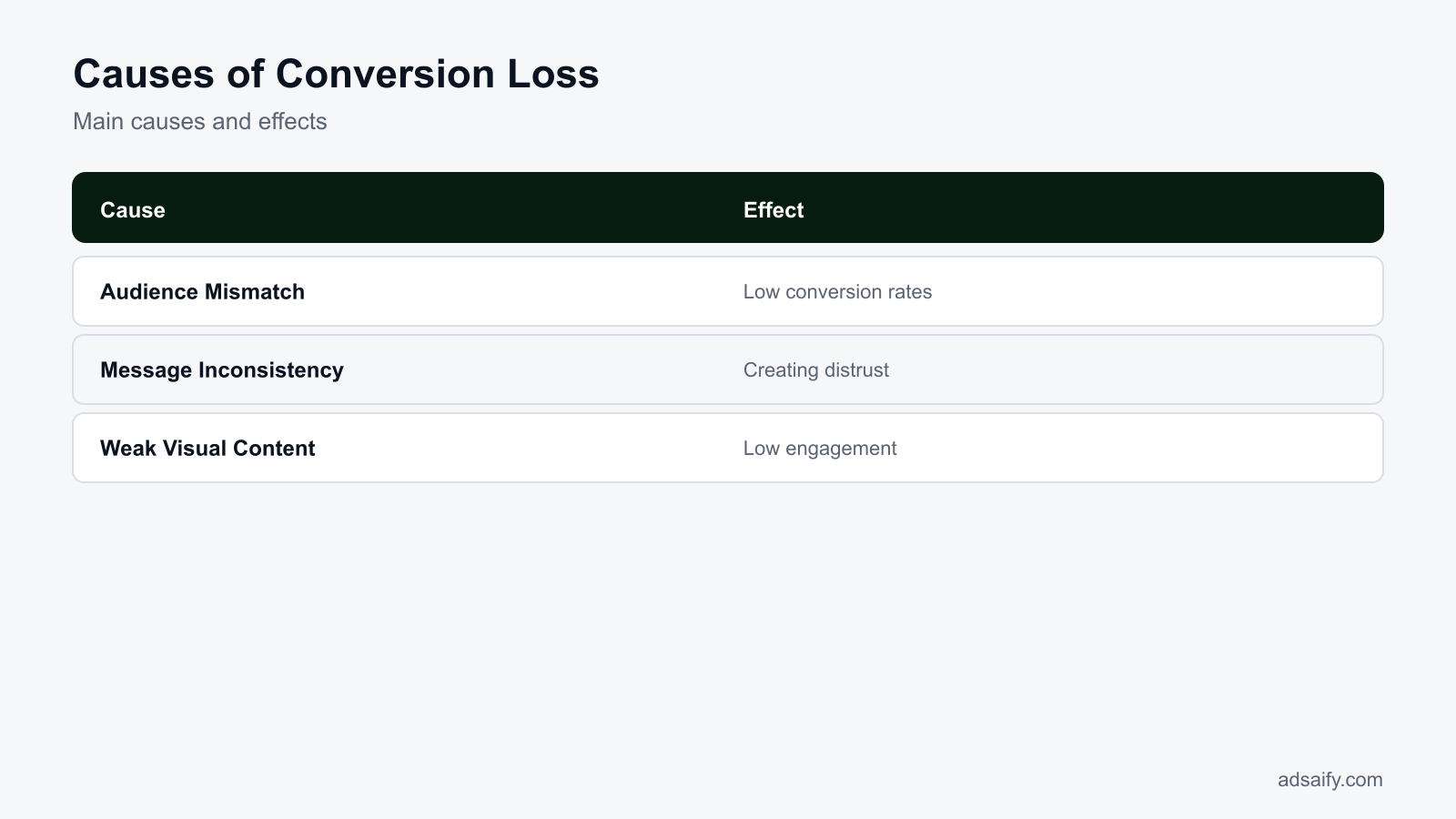
What is the cost of conversion loss?
Conversion loss can lead to significant costs for e-commerce businesses, primarily manifesting as lost revenue, damage to brand reputation, and a decline in long-term customer relationships. Each of these factors can severely impact a business's bottom line and growth potential.Lost Revenue
Lost revenue is the most immediate and quantifiable cost associated with conversion loss. If your Meta ads are not converting effectively, potential customers who click on your ads are not completing purchases. For example, if your average order value is 200 TL and your ads generate 100 clicks per day but only 2% convert, that results in 4 sales daily, equating to 800 TL in revenue. If conversion rates drop to 1%, that revenue drops to 400 TL, resulting in a loss of 400 TL daily. Over time, this loss can accumulate into a substantial financial burden.Damage to Brand Reputation
Damage to brand reputation occurs when customers have negative experiences with your ads or website. Factors such as slow-loading landing pages, misleading ad copy, or poor customer service can contribute to this. A negative experience can lead to customers sharing their dissatisfaction on social media or review platforms. This word-of-mouth can deter new customers, leading to a further decline in revenue. Brands that fail to address conversion losses can find themselves struggling to maintain a positive public image.Loss of Long-Term Customer Relationships
Long-term customer relationships are built on trust and satisfaction. If potential customers feel frustrated by a poor conversion experience, they are less likely to return. This loss of repeat customers can significantly impact lifetime value (LTV), which is the total revenue a customer is expected to generate over their lifetime. If your business typically sees 30% of customers returning for additional purchases, a drop in conversions could result in fewer repeat sales, impacting overall profitability.- Calculate lost revenue from decreased conversions.
- Monitor brand mentions and sentiment online.
- Assess customer feedback and complaints.
- Evaluate customer retention rates.
- Analyze changes in average order values.
- Review sales trends over time.
- Identify the impact on customer lifetime value.
- Track ad performance metrics for anomalies.
What happens if we ignore the effects?
Ignoring the effects of conversion loss can lead to a downward spiral for an e-commerce business. The accumulation of lost revenue, tarnished brand reputation, and weakened customer loyalty can result in decreased market share and ultimately threaten the business's sustainability. If these issues remain unaddressed, recovery can become increasingly challenging, leading to a long-term decline in profitability.How can I diagnose the cause of conversion loss?
Diagnosing the cause of conversion loss requires a systematic approach involving data collection, audience analysis, and competitive benchmarking. Each of these steps provides valuable insights that can help identify the underlying issues affecting your conversion rates.Collect Data Using Analytics Tools
Collecting data is crucial for diagnosing conversion loss. Utilize tools like Google Analytics and Meta Pixel to gather insights on user behavior. Look for metrics such as bounce rates, average session duration, and exit pages. High bounce rates on landing pages may indicate that your ads are attracting the wrong audience or that the landing page does not meet user expectations. Set up conversion tracking within your Meta Ads Manager to monitor how many users complete desired actions after clicking on your ads.Conduct Audience Analysis
Conducting audience analysis helps in understanding who your customers are and how they interact with your ads. Use Meta's Audience Insights tool to analyze demographics, interests, and behaviors of your audience. Compare this data against your existing customer base to identify discrepancies. For example, if your ads target a younger demographic but your existing customers are primarily older, you may need to realign your target audience to improve conversions.Compare with Competitive Analysis
Comparative analysis allows you to benchmark your performance against competitors. Analyze competitors’ ad strategies, messaging, and customer engagement. Tools like SEMrush or SpyFu can provide insights into your competitors' ad performance and keywords. By identifying what works for others in your industry, you can adapt your strategies and identify potential gaps in your own approach.| Analysis Type | Focus Area | Tools | What to Look For |
|---|---|---|---|
| Data Collection | User Behavior | Google Analytics, Meta Pixel | Bounce Rate, Exit Pages |
| Audience Analysis | Demographics | Meta Audience Insights | Age, Interests |
| Competitive Analysis | Ad Strategies | SEMrush, SpyFu | Ad Performance, Keywords |
| Ad Performance | Click-Through Rate | Meta Ads Manager | CTR, Conversion Rate |
What data should I review?
To diagnose conversion loss effectively, review data related to user behavior, audience demographics, and ad performance metrics. Focus on bounce rates, exit pages, click-through rates, and conversion rates from your analytics tools. This information will help you pinpoint issues and understand how to optimize your campaigns for better results.If you would rather not set up each of these steps by hand, try it in Adsaify: your first ad is free, so there is nothing to lose. Create a free account.
What should I prepare and check before applying the fix?
To effectively address conversion losses in your Meta ads, you should prepare and check several key elements. These include clearly defining your target audience, conducting a competitive analysis, and reviewing your ad contents. Each of these steps is essential to pinpoint issues and implement effective solutions.Define target audience
Start by precisely identifying your target audience using Meta's Audience Insights tool. This tool allows you to analyze demographic data, interests, and behaviors of users who interact with your brand. Set parameters based on age, gender, interests, and location. For example, if your product caters to fitness enthusiasts aged 25-35 in urban areas, ensure these criteria are reflected in your audience settings.Conduct competitive analysis
Next, perform a competitive analysis to understand how your competitors are positioning their products. Use tools like Facebook Ad Library to see the ads that are running in your niche. Analyze their messaging, visuals, and engagement levels. Identify what resonates with their audience and consider how you can differentiate your ads. This insight will help you refine your approach to capture attention more effectively.Review ad contents
Finally, review your ad contents for clarity and engagement. Ensure that your messaging aligns with your target audience's needs and preferences. Check that the visuals are high-quality and relevant. Use Meta Ads Manager to assess your ad performance metrics, such as CTR (click-through rate) and engagement rates. A/B testing different ad copies and images can provide insights into what works best.- Define your target audience demographics and interests.
- Analyze competitors' ads using the Facebook Ad Library.
- Review your current ad copies for clarity and relevance.
- Examine visual content for quality and alignment with brand identity.
- Check ad performance metrics in Meta Ads Manager.
- Consider feedback from previous campaigns to identify pain points.
- Set specific goals for your upcoming ads.
- Document your findings for reference during the fix implementation.
What should be my first step?
Your first step should be to define your target audience using Meta's Audience Insights tool. By understanding who your ideal customers are, you can tailor your ads to resonate with them, ultimately improving conversion rates. This foundational step will set the stage for all subsequent actions.What is the solution to prevent conversion loss?
To prevent conversion loss in your Meta ads, focus on three critical solutions: correctly defining your target audience, ensuring message consistency, and strengthening visual content. Each of these elements plays a vital role in engaging users and driving conversions.Correctly define the target audience
Accurate audience targeting is crucial for conversion success. Use Meta Ads Manager to create custom audiences based on website visitors, past purchasers, or lookalike audiences. This ensures that your ads reach users who are more likely to convert. For instance, if you have a list of email subscribers, uploading this list can help create a lookalike audience that mirrors their characteristics, enhancing your chances of engagement.Ensure message consistency
Message consistency across your ads and landing pages is essential for user trust. Ensure that the tone and information in your ad copy match what users find on your website. If your ad promotes a sale, make sure the landing page prominently features the same offer. This alignment reduces bounce rates and increases the likelihood of conversions.Strengthen visual content
High-quality visuals can significantly enhance ad performance. Use eye-catching images or videos that reflect your brand identity and resonate with your target audience. Consider testing different formats, such as carousel ads or video ads, to see which garners more engagement. Utilize Meta's Creative Hub to brainstorm and preview ad creatives before launching.- Define Target Audience — Identify demographics and interests to ensure ads reach the right users.
- Craft Consistent Messaging — Ensure the ad copy aligns with landing page content for a cohesive user experience.
- Enhance Visuals — Use high-quality images or videos that attract attention and reflect your brand.
- Test Ad Variations — Run A/B tests to determine which ad elements perform best.
- Analyze Performance Metrics — Continuously monitor key metrics like CTR and conversion rates for ongoing optimization.
What steps should I follow to implement?
To implement the solution effectively, start by defining your target audience in Meta Ads Manager. Next, ensure that your ad messaging is consistent with your landing pages. Then, enhance your visuals by creating high-quality graphics or videos. Finally, conduct A/B tests to find the most effective combinations and continuously analyze performance metrics to refine your strategy.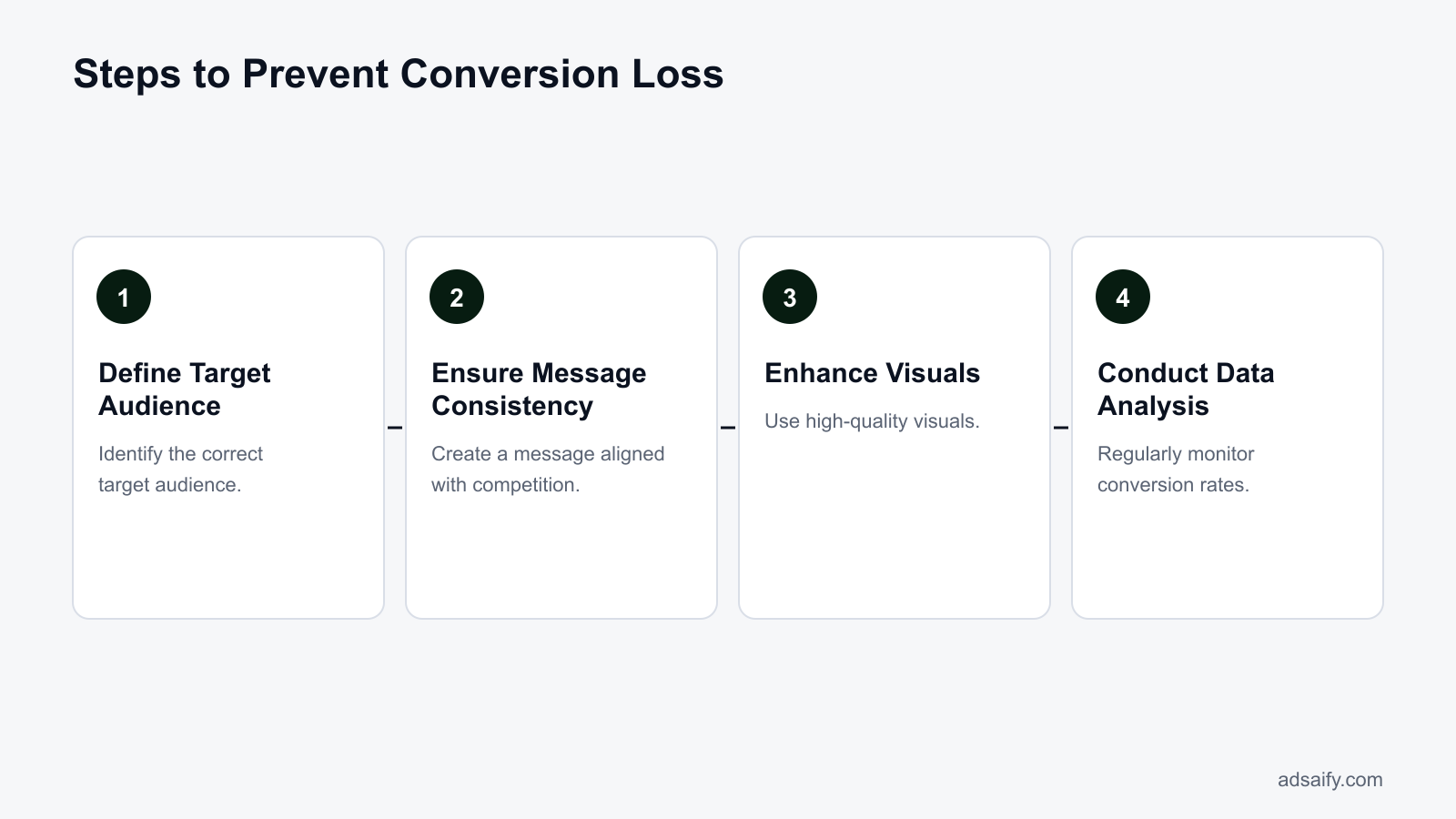
How can I prevent conversion loss with a worked example?
To prevent conversion loss, you can create a sample Meta ad campaign focused on a specific business. For instance, let's consider an online clothing store with a daily budget of 500 TL. The campaign will target women aged 18-35 interested in fashion. The initial message could emphasize a seasonal sale. After running the campaign for a week, evaluate the results based on key performance indicators (KPIs) such as click-through rate (CTR) and conversion rate.Create a sample campaign
To create a sample campaign in Meta Ads Manager, follow these steps: 1. **Navigate to Ads Manager**: Log in to your Meta account and go to Ads Manager. 2. **Click on 'Create'**: Choose the ‘Create’ button to start a new campaign. 3. **Select Campaign Objective**: For this example, choose ‘Conversions’ as the campaign objective. 4. **Set Budget and Schedule**: Enter a daily budget of 500 TL and set the start and end dates for one week. 5. **Define Audience**: Under the ‘Audience’ section, specify women aged 18-35, located in Turkey, with interests in fashion and online shopping. 6. **Create Ad Set**: Name the ad set and proceed to create the ad. This structured approach ensures that you target the right audience with a clear message.Define target audience and message
The target audience for the online clothing store should be refined to maximize conversions. You can use the ‘Detailed Targeting’ section in Ads Manager to include interests like "Fashion," "Online Shopping," and "Sustainable Fashion." The ad message could highlight a limited-time discount, such as “Get 20% off on all summer wear! Limited time offer.” This creates urgency and encourages potential customers to take action.Evaluate results
Once the campaign runs for a week, evaluate its performance using metrics in Ads Manager. Track the following: - **Click-Through Rate (CTR)**: This shows the percentage of people who clicked on the ad after seeing it. A higher CTR indicates effective messaging. - **Conversion Rate**: This measures the percentage of users who completed a purchase after clicking the ad. Compare this against your previous campaigns to assess improvement. - **Cost Per Conversion**: Calculate how much you spent for each conversion. If you spent 2,500 TL for 50 conversions, your cost per conversion is 50 TL. Review these metrics to identify which elements of the campaign were successful and which need adjustment.How can I progress based on the example?
Based on the example, if the conversion rate is lower than expected, consider A/B testing different ad creatives or adjusting the audience targeting. If the CTR is high but conversions are low, the landing page may need optimization. Continuous evaluation and adaptation will help refine the campaign for better performance.How can I measure whether the fix worked?
To measure whether the fix worked, define specific metrics that indicate success. Key performance indicators (KPIs) include conversion rate, return on ad spend (ROAS), and cost per acquisition (CPA). Analyzing these metrics will provide insights into the effectiveness of your adjustments.Define measurement metrics
When measuring the effectiveness of your campaign, focus on the following metrics: 1. **Conversion Rate**: The percentage of users who complete a desired action after clicking on the ad. 2. **Return on Ad Spend (ROAS)**: The revenue generated for every unit spent on advertising. For example, if you earned 5,000 TL from a 1,000 TL ad spend, your ROAS is 5. 3. **Cost Per Acquisition (CPA)**: The total cost incurred to acquire a customer, calculated by dividing total ad spend by the number of conversions.Conduct data analysis
After implementing changes, conduct a thorough data analysis in Ads Manager. Compare the metrics from the previous campaign with the current one. Look for trends in the data that indicate improvements or declines in performance. For example, if your conversion rate increased from 2% to 4%, this suggests that your fixes were effective.Monitor conversion rates
Create a table to compare the metrics before and after implementing fixes:| Metric | Before Fix | After Fix |
|---|---|---|
| Conversion Rate | 2% | 4% |
| ROAS | 3 | 5 |
| CPA | 100 TL | 50 TL |
| CTR | 1.5% | 2.5% |
When can I expect to see results?
You can typically expect to see results within 1 to 2 weeks after implementing fixes in your campaign. This timeframe allows for enough data collection to analyze changes in conversion rates and other key metrics. Regular monitoring during this period will help you make timely adjustments as needed.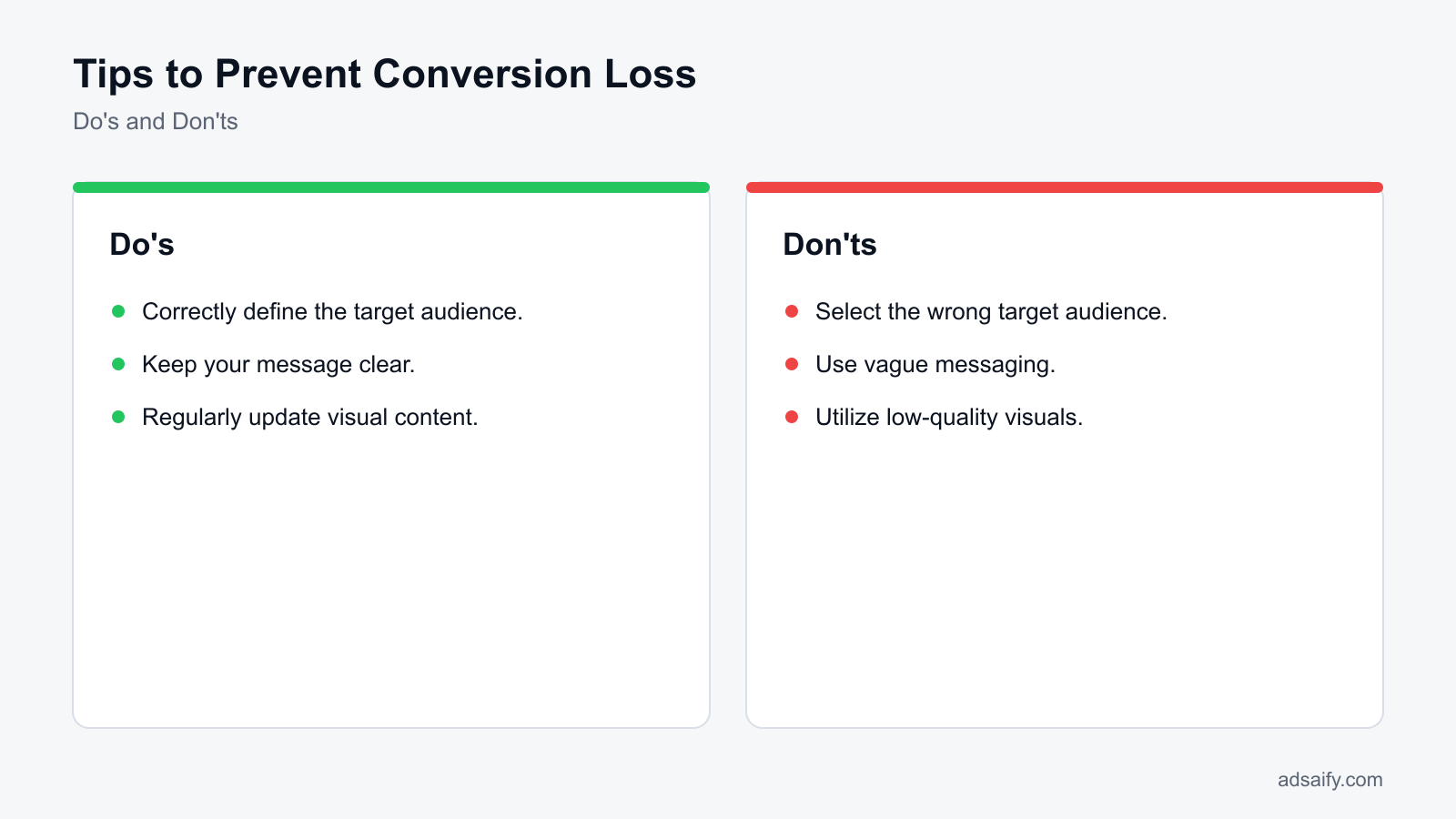
Want to see this in your own account? Enter your website address and Adsaify drafts the campaign for you. The first ad is free. Try it now or log in.
What routine should I follow to prevent the problem from recurring?
Regularly implementing a structured routine is crucial to prevent conversion losses in e-commerce Meta ads. Consistent monitoring and adjustment help maintain optimal performance and adapt to changing market dynamics. The following tasks should be integrated into your routine to ensure ongoing success.- Daily: Check ad performance metrics such as click-through rates (CTR), conversion rates, and cost per acquisition (CPA) in the Meta Ads Manager. This helps identify immediate issues and areas for improvement.
- Daily: Review audience engagement metrics, including comments, shares, and likes on your ads. High engagement rates indicate a relevant audience and can guide future targeting decisions.
- Weekly: Analyze the overall ROAS (return on ad spend) for each campaign. Understanding which campaigns yield the best returns allows you to allocate your budget more effectively.
- Weekly: Update audience segments based on recent customer data. Adjusting your target audience based on purchasing behavior or demographics can significantly enhance conversion rates.
- Monthly: Conduct a competitive analysis to review competitors’ ad strategies. This helps you identify trends and tactics that may work well for your audience.
- Monthly: Audit your ad creatives and copy for relevance and freshness. Ensure that your messaging aligns with the latest offers or seasonal trends to maintain audience interest.
- Monthly: Test new ad formats or placements in Meta Ads Manager to explore different engagement strategies. Regular experimentation can uncover effective methods that lead to improved conversions.
How can I sustain this process?
To sustain this routine, set reminders or schedule dedicated time each week to perform these tasks. Utilize project management tools to track your progress and ensure accountability. Consistency is key, so make these activities a non-negotiable part of your marketing strategy.What are the most common mistakes in these fixes?
Identifying and correcting mistakes in your Meta ad strategy is essential for maximizing conversions. Common pitfalls can hinder ad effectiveness, leading to conversion losses. Here are the most frequent mistakes and how to address them.Incorrectly defining the target audience
Failing to accurately define the target audience can lead to wasted ad spend and low engagement. If your ads are shown to users who are not interested in your product, conversion rates will naturally drop. To fix this, use Meta’s audience insights feature to refine your targeting based on demographics, interests, and behaviors.Ignoring message inconsistencies
Inconsistencies between your ad messaging and landing page can confuse potential customers, resulting in high bounce rates. Ensure that the messaging in your ads aligns with what users encounter on your website. This can be corrected by reviewing both the ad copy and the landing page to ensure they deliver a cohesive experience.Lack of visual content
Ads that lack engaging visual content can fail to capture attention. High-quality images or videos are crucial for driving engagement. To fix this mistake, invest time in creating visually appealing ad creatives that stand out in users’ feeds, utilizing Meta’s ad creative tools to optimize your visuals.Overlooking A/B testing
Not conducting A/B tests can lead to missed opportunities for optimization. Without testing different ad variations, you might be spending money on underperforming ads. Implement A/B testing for different creatives, headlines, and audiences to identify which combinations yield the best results.Neglecting mobile optimization
With a significant portion of users accessing Meta on mobile devices, neglecting mobile optimization can hurt conversions. Ensure that your ads and landing pages are mobile-friendly. This can be fixed by testing how your ads appear on mobile devices and making necessary adjustments for better user experience.Failing to track conversions accurately
Inaccurate conversion tracking can lead to misguided decisions based on faulty data. Use the Meta Pixel to track user actions effectively. Ensure that the Pixel is correctly installed and configured to measure all relevant conversions accurately.Not setting clear objectives
Without clear objectives, it’s challenging to measure success or adjust strategies effectively. Define specific goals for each campaign, such as increasing sales by a certain percentage or generating a specific number of leads. This clarity will help guide your ad strategies and adjustments.How can I fix these mistakes?
To fix these mistakes, conduct a thorough review of your current ad campaigns and metrics. Implement regular A/B testing, refine your audience targeting, and ensure consistency in messaging. Use tools like Meta Ads Manager to track performance and adjust your strategies accordingly, focusing on continuous improvement.When will the fixes not help and what are their limits?
Conversion fixes in Meta ads may not yield results under certain conditions, including significant market changes, increased competition, and external factors. If the market shifts dramatically, such as changes in consumer behavior or economic downturns, even the best ad strategies may falter. Similarly, if competitors significantly ramp up their advertising efforts, your campaigns may struggle to compete for attention and conversions.Impact of market changes
Market changes can drastically influence the effectiveness of your Meta ads. For instance, if consumer preferences shift towards a new product category or trend, your existing campaigns may no longer resonate with your target audience. Regularly monitor market trends and consumer behavior through tools like Google Trends and industry reports. This vigilance will help you stay ahead of shifts that could lead to conversion losses.Excessive increase in competition
An uptick in competition can also undermine your ad performance. If new competitors enter the market or existing ones enhance their advertising strategies, your cost per click (CPC) may rise, impacting your return on ad spend (ROAS). Use Meta Ads Manager to analyze competition through the “Ads Library” feature, which allows you to see what ads competitors are running. If their messaging or offers are more compelling, it may be time to rethink your strategy.External factors
External factors such as economic downturns, regulatory changes, or global events can also affect ad performance. For example, a recession may lead to reduced consumer spending, making it harder to achieve conversions. Stay informed about external influences by following relevant news and market analysis. Additionally, consider diversifying your marketing channels to reduce dependency on Meta ads during challenging times.- Monitor market trends regularly.
- Analyze competitor ads in the Ads Library.
- Assess your ad performance metrics in Ads Manager.
- Evaluate economic indicators and consumer behavior.
- Consider diversifying your marketing channels.
- Review audience targeting for relevance.
- Adjust your ad budget based on performance.
- Stay updated on industry regulations and changes.
When should I try a different strategy?
Consider trying a different strategy when you notice a consistent decline in conversions despite implementing fixes. If your key performance indicators (KPIs) such as click-through rates (CTR) and ROAS are stagnant or declining over a sustained period, it may signal the need for a comprehensive reevaluation of your approach, including audience targeting, messaging, and creative assets.What are the key terms used?
Understanding key terms is essential for navigating the landscape of Meta ads and managing conversion losses effectively. Familiarity with these terms helps marketers make informed decisions and communicate strategies clearly.- Conversion loss: The decline in the number of desired actions taken by users after clicking on an ad.
- Target audience: The specific group of consumers a business aims to reach with its advertising efforts.
- Message consistency: The alignment of messaging across advertising channels to reinforce brand identity and value propositions.
- Cost per click (CPC): The amount spent on advertising for each click on an ad.
- Return on ad spend (ROAS): A metric that measures the revenue generated for every dollar spent on advertising.
- Click-through rate (CTR): The percentage of users who click on an ad after seeing it.
- Ads Library: A feature in Meta that allows users to view active ads from competitors and learn about their strategies.
- Audience targeting: The process of selecting specific demographics, interests, and behaviors to reach a desired audience.
- Ad creative: The visual elements and copy used in an advertisement to capture audience attention.
- Ad performance metrics: Measurements used to evaluate the effectiveness of an advertising campaign.
- Campaign budget: The total amount allocated for running an advertising campaign over a specified period.
- Automation rules: Predefined settings that allow for automatic adjustments to ad campaigns based on performance metrics.
What do these terms mean?
These terms are foundational to understanding e-commerce marketing on Meta platforms. A firm grasp of concepts like conversion loss, target audience, and message consistency enables marketers to craft more effective campaigns and respond adeptly to challenges in performance.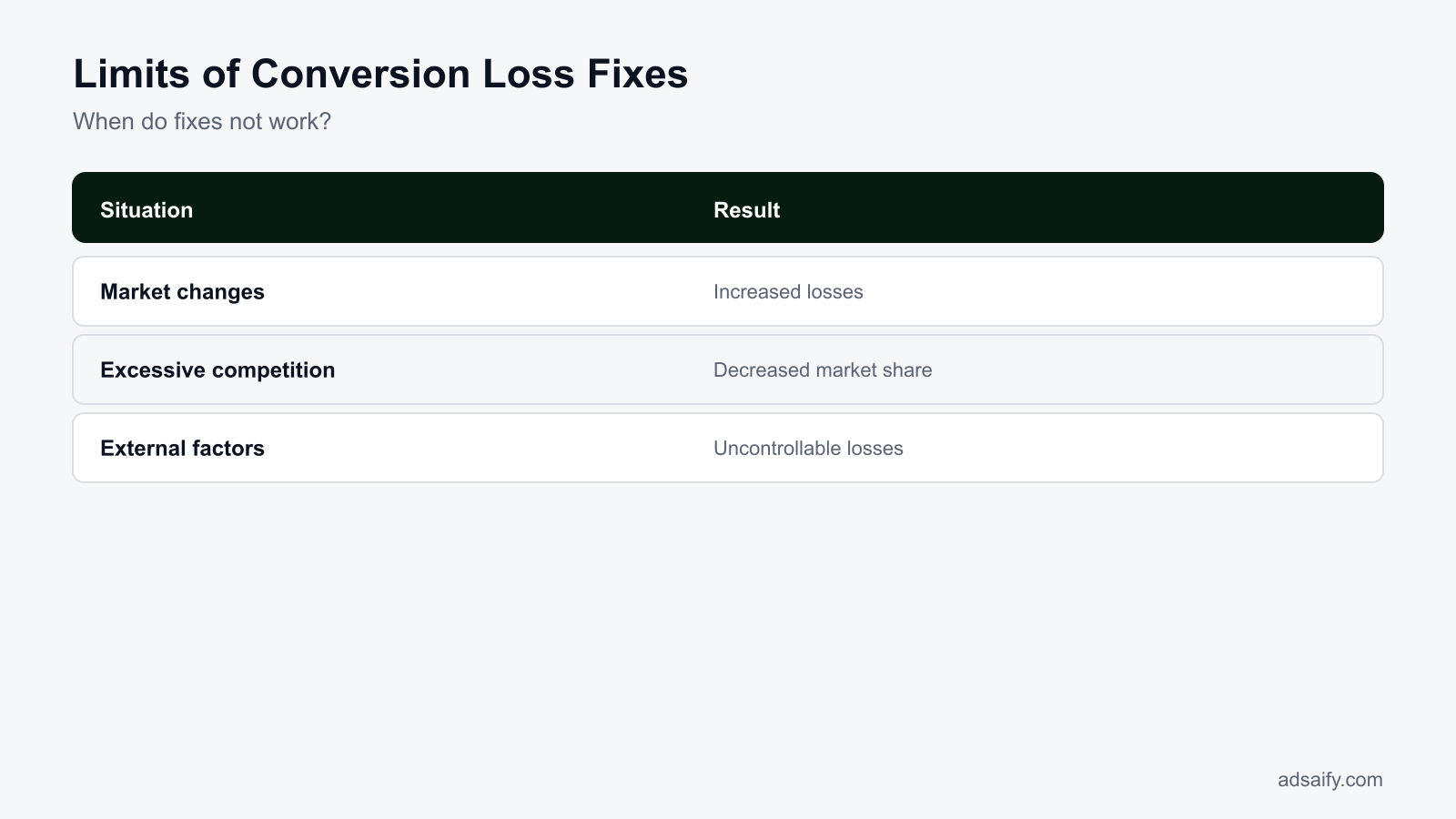
Conclusion
To prevent conversion losses in e-commerce Meta ads, ensure you clearly define your target audience, conduct competitive analysis, and optimize your ad content. Regularly monitor key performance metrics to adjust your strategies. A concrete next step is to analyze your current ad campaigns and identify areas for improvement using Adsaify's insights.
Want to see this in your own account? Enter your website address and Adsaify drafts the campaign for you. The first ad is free. Try it now or log in.
Frequently Asked Questions (FAQ)
1. What is conversion loss?
Conversion loss refers to the decrease in the percentage of users who complete a desired action, such as making a purchase, after engaging with an ad. This metric indicates potential inefficiencies in the advertising strategy or user experience, highlighting areas that need improvement to boost sales.
2. How is conversion loss measured?
Conversion loss is measured by analyzing the conversion rate, which is the percentage of users who complete a desired action after interacting with an ad. For example, if 100 users click on an ad and only 2 make a purchase, the conversion rate is 2%, indicating a potential loss in conversions.
3. How do I define my target audience?
Defining your target audience involves identifying specific demographics, interests, and behaviors of potential customers who are most likely to convert. Use tools like audience insights from Meta to refine your audience segments based on age, location, gender, and purchasing habits.
4. Why is competitive analysis important?
Competitive analysis is important because it helps you understand your competitors' strategies, strengths, and weaknesses. By analyzing their ads, audience engagement, and conversion tactics, you can identify gaps in your own strategy and adapt your approach to improve your ad performance.
5. How can I increase my conversion rate?
To increase your conversion rate, focus on optimizing your ad copy, improving landing page experience, and ensuring a clear call-to-action. A/B testing different ad creatives and targeting strategies can also help identify what resonates best with your audience, leading to higher conversions.
6. Which metrics should I monitor?
Key metrics to monitor include conversion rate, click-through rate (CTR), return on ad spend (ROAS), and cost per acquisition (CPA). These metrics provide insights into the effectiveness of your ads and help you make informed decisions to optimize your campaigns.
7. Why is conversion loss important?
Conversion loss is important because it directly impacts revenue and profitability. Understanding and addressing conversion loss allows businesses to optimize their marketing strategies, improve user experience, and ultimately drive more sales, ensuring a better return on investment.
8. How can I prevent conversion loss?
To prevent conversion loss, ensure your ads are targeting the right audience, maintain a seamless user experience on your website, and regularly analyze ad performance. Implementing automation rules in tools like Adsaify can help manage underperforming ads and maintain campaign efficiency.
How can you try this with Adsaify?
The quickest way to apply the steps in this article to your own account is to try them. Adsaify analyses your business from your website address, drafts the campaign with an audience, ad copy, creative and a budget suggestion, and publishes it to your own Meta ad account once you approve.
- Your first ad is free: there is nothing to lose by trying.
- Your own ad account: the campaign runs in your Meta account and you stay in control.
- Images and video: generate ad creatives with AI or promote an existing Instagram post.
Create a free account and try your first ad · Already have an account? Log in.