Short answer: Identifying target audiences using product links in Meta ads often faces challenges due to insufficient data and incorrect targeting strategies. This can reduce ad effectiveness and lower conversion rates.
Every performance marketer knows the frustration of launching an ad set dedicated to a specific product URL, only to watch Meta deliver visitors who immediately bounce. You paste a direct product link into your creative, choose an interest or broad audience, and receive cheap clicks that never convert into sales. Instead of matching your specific SKU (stock keeping unit) with high-intent buyers, Meta treats the link as an isolated landing page, directing traffic to casual scrollers who have zero intention of buying that particular item.
This issue arises because Meta's optimization algorithm prioritizes the broad conversion event recorded by the Meta Pixel rather than the specific behavioral traits of shoppers who want that single item. Without granular catalog events, targeted URL parameters, and clear post-click data signals, the delivery engine chases the cheapest available clicks. Ignoring this pattern inflates your CPA (cost per acquisition), burns daily ad spend on unqualified visits, and contaminates your custom audiences with low-intent traffic.
After reading this guide, you will be able to pinpoint why your product-link campaigns fail to find buyers and execute an exact technical remedy. We cover how to diagnose tracking flaws, configure structured audience signals, verify performance against key conversion metrics, and maintain routine checks so your product-specific Meta ads reach profitable shoppers consistently.
Key Takeaways
- Target audience identification issues with product links are common.
- Incorrect targeting strategies lead to low conversion rates.
- Addressing data deficiencies in audience analysis is crucial.
- Adsaify offers solutions for audience identification.
What are the issues with identifying target audiences using product links?
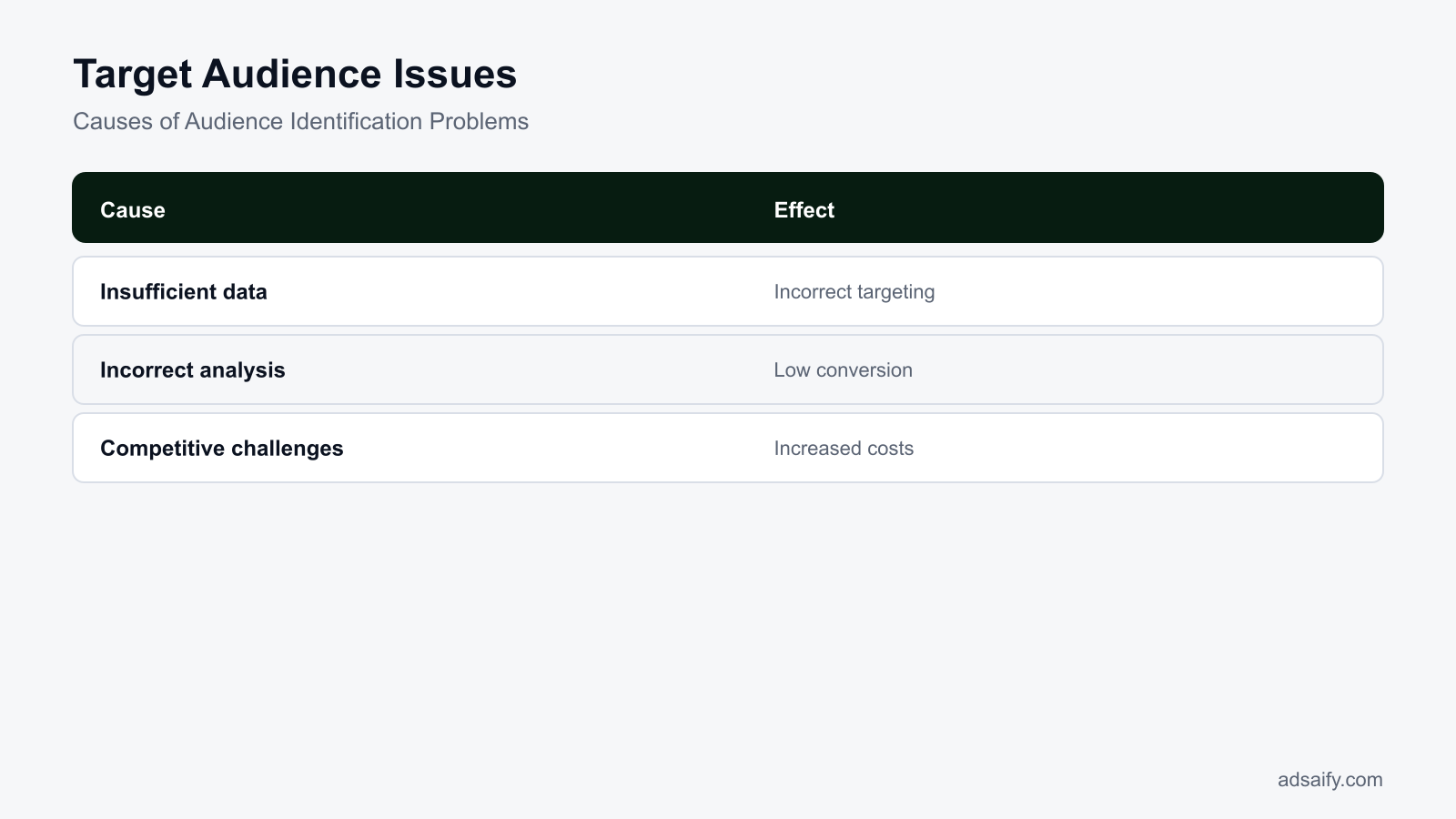
Identifying target audiences solely through product links creates issues because direct URL traffic provides shallow behavioral signals, leading to distorted pixel data, restricted demographic insights, lower conversion rates, and buyer mismatch. Without broad event tracking or contextual business analysis, Meta Ads Manager cannot reliably match the product with users showing active purchase intent.
How do product links cause data shortages and limited insights?
A Meta Pixel is a tracking script placed on a website that records user interactions for Meta ad optimization. When an advertiser builds custom audiences based strictly on specific product URL visits, the data volume is often too small to exit the learning phase. The learning phase is the initial delivery period where Meta gathers roughly 50 optimization events to stabilize ad delivery. Relying only on a single product link starves the algorithm of broader engagement signals, such as homepage dwell time, category browsing, and cart additions across the entire catalog.
CTR (click-through rate) is the percentage of ad impressions that result in a click. While an ad pointing to an isolated product link might produce an acceptable CTR, audience insights inside Meta Ads Manager remain severely restricted. The advertiser only sees aggregated demographics of people who clicked that single link, masking whether those users had high intent or simply misclicked, which prevents effective lookalike audience modeling.
Why do conversion rates drop and audience mismatches occur?
CPA (cost per acquisition) is the total ad spend divided by the number of completed conversions. Targeting users through isolated product links frequently inflates CPA and reduces conversion rates. When the algorithm optimizes against narrow link clicks rather than comprehensive user intent, ads are served to price-sensitive browsers or accidental visitors rather than qualified buyers.
For example, with an e-commerce leather footwear store spending a 500 TL daily budget, running an ad set targeted exclusively to visitors of one specific boot link generated an audience of fewer than 400 people over 30 days. The campaign failed to exit the learning phase, yielding a CPA of 310 TL. By shifting targeting to broad website engagement and using an AI tool like Adsaify to analyze the full domain and generate audience segments, the advertiser expanded the optimization pool, and the CPA dropped to 145 TL within two weeks.
What steps should I take in the audience identification process?
First, verify that your Meta Pixel and Conversions API fire standard events across your entire domain rather than tracking URL visits in isolation. Second, navigate to Meta Ads Manager, select Audiences, and build tiered Custom Audiences combining catalog viewers, cart abandoners, and past purchasers. Third, establish broader Lookalike Audiences with a 1% to 2% reach based on high-value purchase events, ensuring your ad sets gather at least 50 optimization events per week for stable delivery.
Why do these issues arise?
These targeting issues arise because isolated product URLs supply fragmented behavioral data, bypass full-funnel tracking architecture, and fail to feed Meta’s machine-learning auction models sufficient contextual signals. In high-competition ad auctions, algorithmic delivery requires rich domain-level event streams rather than single-page visitor pools to correctly categorize user intent and outbid competitors.
How do tracking gaps and algorithmic limitations degrade performance?
Inadequate data collection occurs when advertisers track basic PageView triggers on specific URLs instead of integrating standard e-commerce events through the Meta Conversions API. The Conversions API is a server-side data pipeline that sends web events directly to Meta without relying on browser-based cookies. Without server-to-server data, browser privacy blocks strip away critical customer parameters, leaving the algorithm with incomplete attribution signals.
CPM (cost per mille) is the price an advertiser pays for one thousand ad impressions. In competitive verticals, targeting through isolated product links forces the algorithm into narrow ad auctions with insufficient audience elasticity. When the machine-learning system cannot find predictable conversion patterns inside a tiny URL-based audience, it bids aggressively on uncertain impressions, driving CPMs higher and degrading ROAS. ROAS (return on ad spend) is total revenue divided by ad expenditure.
| Evaluation Metric | Product Link Targeting | Full-Funnel Domain Targeting |
|---|---|---|
| Tracking Architecture | Browser-dependent URL triggers | Server-side Conversions API with standard events |
| Audience Pool Size | Constrained to single-page visitors | Aggregated across entire store catalog |
| Learning Phase Status | Frequently stuck in Learning Limited | Exits learning phase within 7 days |
| CPM Volatility | High due to narrow auction pools | Stable due to broader algorithmic liquidity |
| Optimization Primary Goal | Link Clicks or Landing Page Views | Value-based Purchases and Conversions |
How can inadequate data collection be prevented?
Prevent inadequate data collection by configuring the Meta Conversions API alongside your browser Pixel to achieve an Event Quality Match score above 8.0 in Events Manager. Map standard events, including ViewContent, AddToCart, InitiateCheckout, and Purchase, across your store. Pass customer parameters such as hashed emails, city, and phone numbers with each event. Finally, verify domain ownership and configure Aggregated Event Measurement to prioritize conversion tracking accurately across all operating systems.
What happens if these issues are ignored?
When advertisers ignore product link audience identification issues in Meta ads, the ad delivery algorithm optimizes toward unqualified traffic, driving up acquisition costs and eroding profitability. Over time, ad delivery efficiency degrades, customer acquisition costs increase sharply, and competitor brands capture high-intent buyers through more precise audience segmentation and better-aligned catalog signals.
Loss of Competitive Advantage in Meta Auctions
Meta distributes ad inventory through an automated auction where estimated action rates heavily influence final ad placement. CPM (cost per mille, which is the cost per one thousand ad impressions) rises when product links deliver low conversion rates, because the algorithm penalizes ads providing poor post-click user experiences. Competitors who align targeted dynamic product ads with intent-based audiences earn higher relevance rankings, securing premium inventory in Facebook and Instagram feeds at lower costs.
Increased Advertising Costs Across Campaigns
Mismatched product destinations cause CPA (cost per acquisition, representing the average advertising expense required to generate a single purchase) to escalate quickly. When an ad directs users to an irrelevant product detail page, visitors bounce immediately instead of completing the checkout flow. For example, in an account with a 300 USD daily budget, sending traffic to disconnected product links can double the average cost per purchase within days as the system repeatedly bids on low-intent clickers.
Low Return on Investment and Narrow Profit Margins
ROAS (return on ad spend, defined as gross revenue generated divided by total advertising spend) drops below sustainable thresholds when audiences fail to convert on linked products. Sustained audience misidentification forces performance marketers to absorb negative cash flow on customer acquisition. Utilizing automated systems to control spending—such as those found when advertisers register to set threshold-based ad rules—prevents prolonged budget bleed on underperforming ad sets.
- Audit Meta Pixel and Conversions API event parameters for every product landing page.
- Track daily conversion rate shifts across individual product ad sets in Meta Ads Manager.
- Compare landing page bounce rates between catalog sales ads and standard link ads.
- Establish minimum target ROAS thresholds to quickly detect audience degradation.
- Create automated rules to pause ad sets when CPA exceeds target caps.
- Reallocate budget away from broad link ads toward verified catalog product sets.
How can I maintain my competitive advantage?
To maintain a competitive advantage, align specific product landing pages with granular custom audiences and verified catalog product sets rather than sending broad traffic to generic product links. Regularly audit Meta Pixel tracking parameters, test dynamic creative variations against defined intent groups, and deploy automated rules to halt underperforming ad sets before budget is exhausted. Continuous refinement ensures Meta's delivery system bids efficiently against competing advertisers for high-intent shoppers.
How can I diagnose which causes apply to the issue?
Diagnosing product link audience issues in Meta ads requires cross-referencing landing page bounce rates in analytics tools with campaign breakdown metrics and event match rates in Meta Ads Manager. Comparing ad-level engagement, link click-to-view ratios, and competitor ad messaging identifies whether the root failure stems from tracking misconfigurations, creative mismatches, or broad targeting errors.
Analyze Target Audience Data in Ads Manager
Open Meta Ads Manager, select the campaign, and navigate to the Breakdown menu to segment data by age, gender, region, and placement. Examine the drop-off between Link Clicks and Landing Page Views. If Landing Page Views fall below 75 percent of total Link Clicks, site speed friction or broken redirection scripts are losing audience members before the product page loads. Check Events Manager to verify that the ViewContent event fires reliably on the destination URL.
Conduct Competitive Analysis with Meta Ad Library
Inspect the Meta Ad Library to review active campaigns from direct competitors in your niche. Observe whether competing brands route traffic directly to a PDP (product detail page, which is a dedicated ecommerce web page showcasing a single product) or to curated category collections. Evaluating competitor creative hooks and landing page layouts reveals whether your product link strategy fails due to mismatched pricing, weak social proof, or poor offer presentation.
Evaluate Ad Performance and Delivery Metrics
Evaluate CTR (click-through rate, representing the percentage of impressions that result in a click) alongside CVR (conversion rate, which is the percentage of website visitors who complete a purchase). A high CTR paired with a low CVR indicates that the ad creative sets expectations that the linked product page does not fulfill. Diagnostic tools can help audit structural account health; advertisers can login to manage automated rules that flag these performance anomalies immediately.
| Observed Performance Symptom | Primary Diagnostic Metric | Probable Root Cause | Immediate Verification Action |
|---|---|---|---|
| High clicks, minimal page views | Landing Page Views to Link Clicks ratio below 70% | Slow loading speed or broken product URL redirect | Test product URL mobile load time via Google PageSpeed |
| Healthy traffic, zero Add to Cart | AddToCart rate below 3% of Landing Page Views | Creative-to-product mismatch or uncompetitive price point | Verify product variant shown in ad matches landing page |
| Elevated CPM across ad sets | CPM 50% above historical account average | High auction overlap or restrictive audience constraints | Inspect audience overlap percentage in Meta Audiences tool |
| High Add to Cart, zero purchases | Initiate Checkout to Purchase drop-off over 80% | Missing Purchase event tracking or checkout friction | Test purchase event firing with Meta Pixel Helper extension |
| Decreasing ROAS on broad sets | ROAS falling below target break-even threshold | Delivery algorithm chasing non-purchasing clickers | Verify Conversions API event match quality in Events Manager |
How can I analyze target audience data?
To analyze target audience data, navigate to Meta Ads Manager, select the campaign, and click the Breakdown menu to review performance by demographics, placement, and time. Compare Link Clicks against Landing Page Views to identify traffic drop-offs, then evaluate purchase conversion rates across demographic segments. Cross-reference these findings with Meta Events Manager to verify that the Meta Pixel accurately attributes product page visits, AddToCart triggers, and purchases to the corresponding audience segments.
If you would rather not set up each of these steps by hand, try it in Adsaify: your first ad is free, so there is nothing to lose. Create a free account.
What should I prepare and check before applying the fix?
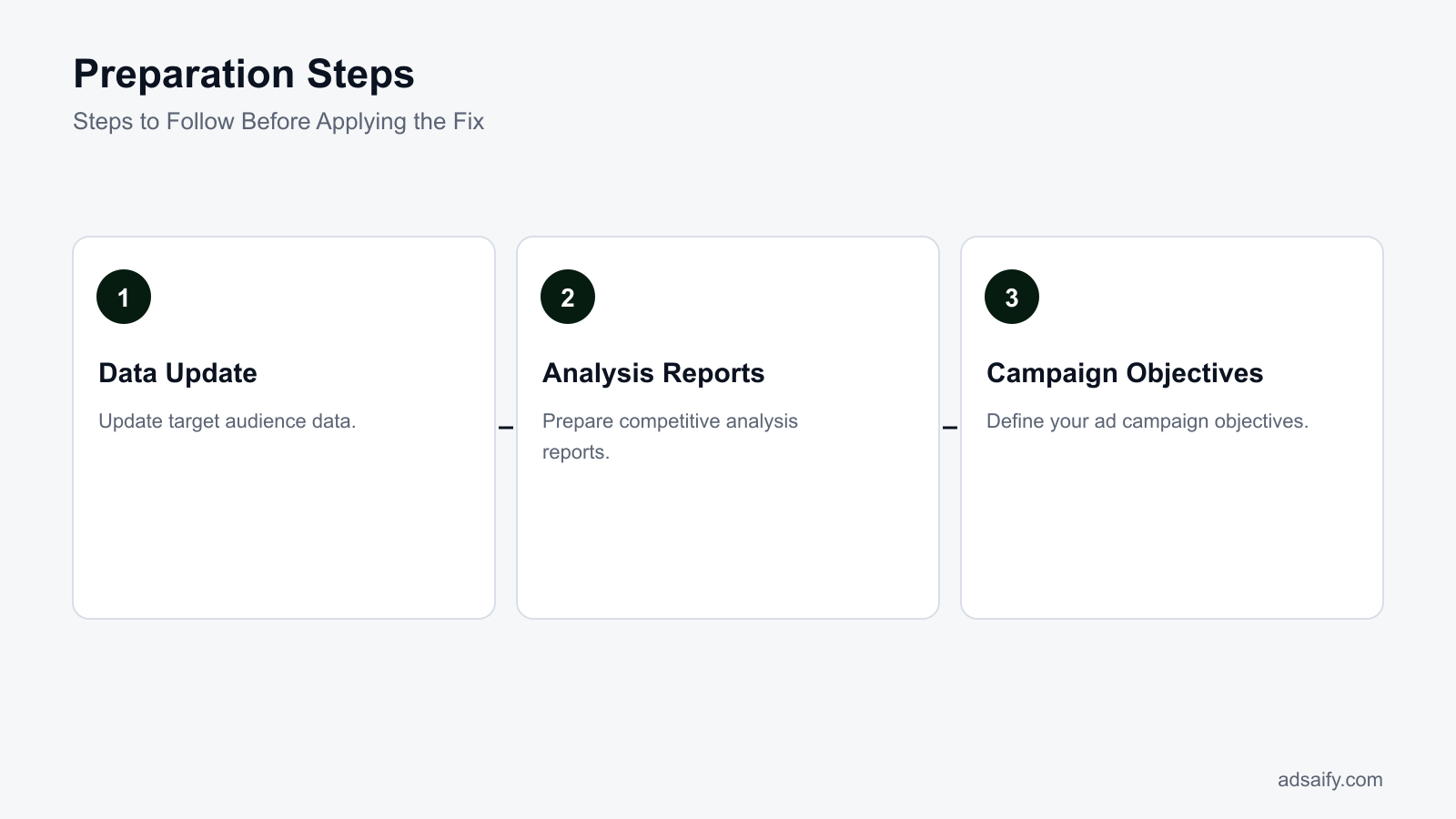
Before correcting product link audience identification issues in Meta Ads Manager, advertisers must audit tracking infrastructure, refresh customer segments, and review competitor creatives. Advertisers need clean first-party data, clear campaign objectives in Meta Ads Manager, and functional URL parameters to ensure Meta pixel and conversion APIs feed accurate signals back to the delivery algorithm.
Auditing Audience Data and Competitive Benchmarks
Begin by verifying your customer records. A Custom Audience is an ad targeting option that matches existing customer contact records with Meta user profiles. Export your latest transaction logs to refresh these lists so that the algorithm receives current buyer attributes. Next, inspect your niche in the Meta Ad Library. Review the messaging, landing page structures, and featured products used by direct competitors to determine how competing stores position individual items versus catalog broad sets.
Checking Tracking Readiness and Campaign Objectives
Navigate to Events Manager in Meta Business Suite to confirm your tracking health. The Meta Pixel is a tracking code snippet placed on a website that logs visitor behavior, while Conversions API (CAPI) is a server-side tool that transmits web events directly from a server to Meta. Both systems must fire standard events, such as ViewContent and Purchase, with correct value and currency parameters. Set your campaign objective explicitly to Sales rather than Traffic. Traffic campaigns instruct Meta to seek users prone to clicking links rather than buyers who convert on product pages.
- Audit Meta Events Manager to verify that ViewContent, AddToCart, and Purchase events report active status without deduplication warnings.
- Export customer lists containing email addresses and phone numbers to refresh existing Custom Audiences in Audiences Manager.
- Review active competitor promotions in the Meta Ad Library to evaluate their landing page destinations and angle variations.
- Verify domain ownership and check event configuration rankings inside Meta Business Settings.
- Check product links for functioning UTM (Urchin Tracking Module) parameters, which are text strings appended to URLs to track marketing source data in analytics platforms.
- Select the Sales campaign objective in Meta Ads Manager with the 7-day click or 1-day view attribution setting configured.
What resources can I use to update target audience data?
Advertisers can update target audience data using first-party e-commerce records, Meta Events Manager, and Google Analytics 4. E-commerce platforms like Shopify or WooCommerce provide recent customer transaction lists containing email addresses and phone numbers for Custom Audience uploads. Meta Events Manager displays current Pixel event match quality scores and identifies parameter drop-offs. Additionally, web analytics reports reveal specific demographic segments, top-performing product categories, and organic search queries that reflect current customer intent.
What should I do step by step to resolve the issue?
To resolve audience identification issues with product links, advertisers must analyze catalog data, align link metadata with user intent, and rebuild ad sets using clean conversion tracking. Restructuring ad sets around high-intent signals prevents Meta delivery algorithms from serving niche product links to unqualified audiences, stabilizing performance and lowering overall acquisition costs.
Conducting Analysis and Link Optimization
Start by auditing the product page metadata. Ensure Open Graph title, image, and description tags on the destination page match the creative shown in the ad. If your store sells items with varying price points, you can use Adsaify to analyze your business from its website URL, which helps draft aligned audience parameters, ad copy, and budget recommendations for Meta campaigns. Configure clean URL parameters on the product link to prevent duplicate parameter tags from breaking pixel tracking upon redirect.
Reconstructing the Campaign in Meta Ads Manager
Create a new Sales campaign in Meta Ads Manager. Avoid mixing generic collection links with specific single-product SKUs inside the same ad set. For example, with a 500 TL daily budget on a single ad set, allocate spending directly to an Advantage+ shopping campaign or an ad set optimized for the Purchase event. Ensure each ad creative points directly to the exact product URL rather than a broader category landing page, ensuring that post-click behavior matches the conversion signal expected by Meta's delivery system.
- Audit destination URL — Verify that product page Open Graph tags, pricing, and variant selectors load correctly, deciding whether the page is ready for ad traffic.
- Run store analysis — Input the store URL into Adsaify to generate baseline audience recommendations and copy drafts, deciding your core targeting structure.
- Establish tracking parameters — Attach standardized UTM tags to the product URL, deciding whether custom parameters are needed for tracking tools.
- Rebuild the campaign — Create a Sales objective campaign inside Meta Ads Manager, deciding between manual targeting and Advantage+ audience setups.
- Assign conversion events — Set the conversion location to Website and designate Purchase as the optimization goal, deciding ad set bid strategy.
- Publish and verify — Publish the ad set to your connected Meta ad account and trigger a test click to confirm the ViewContent event fires properly.
How can I conduct audience analysis using Adsaify?
To conduct audience analysis using Adsaify, enter your product or store website URL into the platform after creating an account. Adsaify crawls the target page, interprets product features, and drafts recommended target audience segments alongside suggested ad copy and budget allocations based on your catalog structure. You can review these proposed audience suggestions, refine the demographic targeting parameters if necessary, and export the campaign draft directly to your connected Meta Ads Manager account.
How can I measure whether the fix worked?
Advertisers can measure whether the target audience fix worked by tracking conversion rates in Meta Ads Manager, reviewing ad delivery metrics across breakdown reports, and verifying that audience interactions match commercial intent. Success appears as lower customer acquisition costs, higher purchase rates from product links, and improved landing page engagement within seven to fourteen days.
Evaluating ad performance reports and audience interactions
To confirm that Meta delivers product links to relevant shoppers, marketers must inspect specific diagnostic columns inside Meta Ads Manager. Evaluating ad performance reports begins with adding metrics for ROAS (return on ad spend, calculated as purchase revenue divided by ad expenditure), Cost per Purchase, and Outbound CTR. Outbound CTR (click-through rate) is the percentage of ad impressions that led users to click an external link off Meta platforms.
Marketers should next analyze audience interactions by navigating to the "Breakdown" dropdown menu in Meta Ads Manager and selecting "By Delivery" (Age, Gender, and Region) followed by "By Action" (Destination URL). If the audience alignment succeeded, the product link will show a reduced bounce rate in Google Analytics and a higher ViewContent-to-Purchase ratio on the Meta pixel. Advertisers using Adsaify can review consolidated campaign metrics and use automated rules to pause ads that fail to meet baseline engagement thresholds during this observation window.
Consider, for example, a boutique athletic apparel retailer allocating a 600 TL daily budget to promote running tights. Prior to fixing its audience configuration, the retailer drove traffic using broad interest keywords that matched non-buying fitness enthusiasts, yielding a 160 TL Cost per Purchase and a 1.2 ROAS. The retailer corrected this by configuring catalog-based product sets and pairing them with high-intent Custom Audiences built from thirty-day Add to Cart events. Over the subsequent ten days, the retailer evaluated the results: outbound CTR improved from 0.75% to 2.40%, Cost per Purchase decreased from 160 TL to 58 TL, and overall ROAS rose to 3.80 at the same 600 TL daily spend.
How can I monitor my conversion rates?
To monitor conversion rates, open Meta Ads Manager, select the "Columns: Performance" dropdown, and choose "Customize Columns." Add "Purchases," "Cost per Purchase," and "Purchases Conversion Rate," then set the attribution window to your account standard, such as 7-day click and 1-day view. Compare these figures weekly against Google Analytics e-commerce conversion rates. A steady increase in purchase rate combined with declining cost per action indicates that product link targeting reaches qualified buyers.
What routine should I follow to prevent the issue from recurring?
To prevent target audience identification issues from recurring, advertisers must execute a structured maintenance routine that refreshes audience sources, evaluates competitive positioning, and audits ad performance monthly. Consistent governance ensures that Meta Ads machine learning models receive clean pixel signals, accurately interpret product catalog data, and reach high-intent shoppers without audience decay.
Maintaining audience data and auditing campaigns
Advertisers should regularly update target audience data to avoid serving outdated product links to cold prospects. Customer lists uploaded to Meta Ads Manager must be refreshed bi-weekly, while dynamic retargeting windows should be segmented between 7, 30, and 90 days. Furthermore, review ad performance monthly by checking frequency metrics; a frequency above 3.5 on cold prospecting sets signals ad fatigue, requiring fresh creatives or broader targeting parameters. If campaign creation requires restructuring, marketers can register on Adsaify to generate refreshed ad copy and campaign structures from their product website.
| Maintenance Task | Recommended Cadence | Meta Ads Tool or Setting | Target Diagnostic Symptom |
|---|---|---|---|
| Pixel and Catalog Diagnostics | Weekly | Meta Commerce Manager | Missing microdata tags or broken product IDs |
| Custom Audience Refresh | Bi-weekly | Audiences Menu (Customer Lists) | Audience decay and stale buyer profiles |
| Frequency and Fatigue Audit | Bi-weekly | Meta Ads Manager Delivery Columns | Frequency exceeding 3.5 in prospecting ad sets |
| Placement and Delivery Breakdown | Monthly | Breakdown Menu (Age, Region, Placement) | Budget wasted on low-converting demographics |
| Ad Creative and Message Review | Monthly | Ads Level Quality Ranking Reports | Below-average engagement and conversion rankings |
How can I continuously conduct competitive analyses?
To continuously conduct competitive analyses, visit the public Meta Ad Library weekly and search for direct competitors in your product niche. Filter results by active ads, platform, and media type to examine current messaging, pricing structures, and landing page product selections. Document whether competitors promote single product URLs or collection bundles, and identify promotional incentives such as free shipping thresholds. Use these observations to refine your ad angles, positioning, and offer architecture without copying creative assets directly.
Want to see this in your own account? Enter your website address and Adsaify drafts the campaign for you. The first ad is free. Try it now or log in.
What are the most common mistakes and how can I fix them?
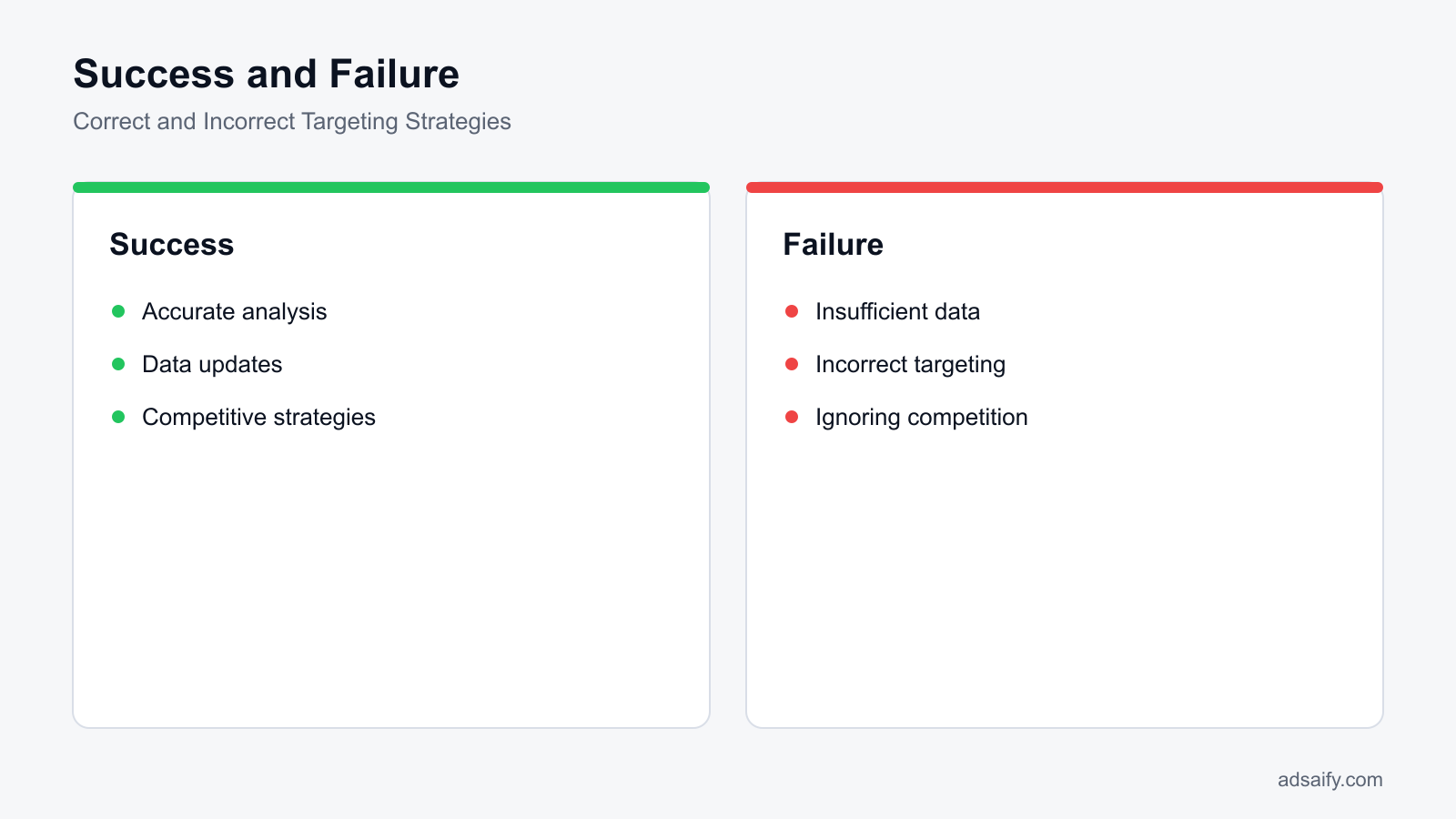
The most common mistakes when targeting audiences using product links in Meta ads are inadequate data analysis, incorrect audience segmentation, and failing to monitor competitor activity. Advertisers fix these errors by auditing custom audience retention windows, expanding broad targeting parameters, implementing proper conversion tracking, and applying automated rules to prevent ad budget waste.
Inadequate data analysis
Inadequate data analysis occurs when media buyers rely solely on surface-level metrics such as CTR (click-through rate) rather than evaluating downstream conversion events in Meta Ads Manager. CTR (click-through rate) is the percentage of people who saw an ad and clicked on the link. When advertisers only review link clicks instead of View Content, Add to Cart, or Purchase events, they misjudge traffic quality. Misinterpreting short-term attribution windows also causes errors; evaluating a campaign on a 1-day click model when your buyer consideration cycle takes 7 days leads to prematurely killing high-performing product link campaigns. Advertisers must inspect the Breakdown menu by placement, device, and age in Meta Ads Manager to evaluate true performance.
Incorrect targeting strategies
Incorrect targeting strategies happen when advertisers build product link Custom Audiences with tiny retention windows, such as 3 days on low-traffic stores, starving Meta's delivery algorithm of optimization signals. Another frequent misstep is layering too many detailed targeting interests on top of specific URL visitors, causing severe audience overlap and auction self-competition. Instead, media buyers should consolidate audiences or use broad targeting paired with Advantage+ audience features, letting dynamic URL parameters guide delivery. Platforms like Adsaify help draft balanced audience segments and set automated rules to pause underperforming ads when custom URL segments fail to deliver profitable results.
Ignoring competition
Ignoring competition leads to saturated product messaging and unexpected cost spikes in CPM (cost per mille). CPM (cost per mille) is the cost an advertiser pays for one thousand impressions on Meta platforms. When competitors bid on identical product categories with superior offers or creative formats, your click-through rates decline and ad frequency climbs rapidly. Advertisers must regularly audit the Meta Ad Library to assess competitors' creative angles, landing page offers, and pricing structures rather than assuming tracking configurations alone will win auctions.
- Daily: Check CPM (cost per mille) and frequency metrics in Meta Ads Manager to detect creative fatigue or sudden auction competition before budgets deplete.
- Daily: Inspect automated rules to ensure underperforming ad sets are paused automatically based on your minimum acceptable ROAS (return on ad spend) threshold.
- Weekly: Review the Breakdown tab by placement to exclude placements that deliver accidental clicks without generating View Content or Add to Cart events.
- Weekly: Check the Meta Ad Library to review active creative angles and promotional offers run by direct product competitors.
- Weekly: Audit product link Custom Audience sizes to confirm website traffic volumes remain large enough for stable ad delivery without audience exhaustion.
- Monthly: Audit the Meta Events Manager Diagnostics tab to verify that the Meta Pixel and Conversions API fire correct event parameters without dropped deduplication keys.
- Monthly: Review attribution settings (for example, comparing 7-day click versus 1-day view) to ensure reported ROAS aligns with actual e-commerce store revenue.
How can I rectify my mistakes?
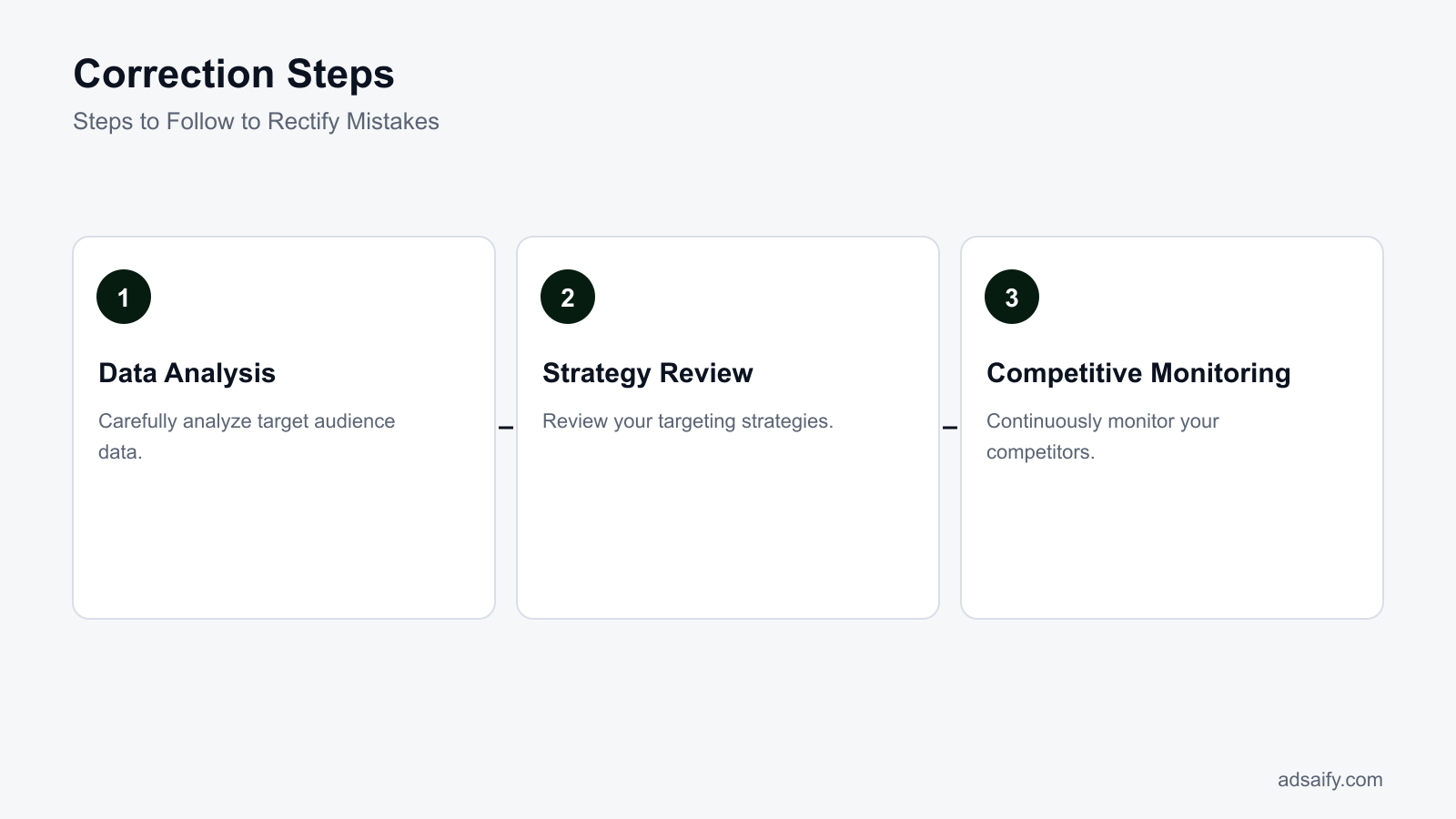
To rectify your mistakes, pause ad sets with high frequency and low conversion volume in Meta Ads Manager. Audit your Pixel and Conversions API tracking in Events Manager to ensure product URL events match correctly. Consolidate narrow interest groups into broad or lookalike audiences, refresh ad creatives with distinct angles, and use the Meta Ad Library to adjust your landing page offer against active competitors.
When will the fix not help and what are its limits?
Fixing product link targeting will not help when audience purchasing behavior shifts rapidly, data collection methods suffer from severe tracking signal loss, or marketplace competition drives acquisition costs beyond product margins. Technical link fixes cannot correct fundamentally weak unit economics, broken on-site user experiences, or product catalog offers that consumers actively reject in competitive auctions.
When target audience changes rapidly
When consumer demand shifts rapidly due to seasonality, viral trends, or sudden economic changes, historical URL data becomes obsolete. For example, visitors who viewed thermal winter jackets in December have zero purchase intent in March. Attempting to retarget these product page visitors using 60-day or 90-day URL retention windows results in low conversion rates and wasted ad spend. The fix is to reduce Custom Audience retention windows to 7 or 14 days during transitional periods and test fresh creative angles using broad demographic targeting instead of historical link visits.
When data collection methods are inadequate
When data collection suffers from missing browser cookies, unconfigured DNS domains, or absent server-side tracking, technical Meta Ads optimizations cannot recover the missing signals. Browser privacy frameworks like iOS App Tracking Transparency block client-side Pixel cookies, causing Meta to underreport URL visits significantly. If your e-commerce platform lacks Conversions API integration with complete event deduplication, the delivery algorithm cannot match URL visits to active user profiles. The fix is implementing server-side Conversions API via Meta Gateway or direct platform integrations with complete user parameter passing.
In cases of excessive competition
In cases of excessive market competition, dozens of well-funded competitors bid on the exact same customer demographic with aggressive discounts and massive ad spend. Even if your product link tracking, pixel parameters, and ad set structures are technically flawless, high bidder density inflates auction CPMs beyond your product's gross profit margin. Technical campaign adjustments cannot compensate for uncompetitive retail prices or weak value propositions. In these environments, advertisers must differentiate using unique creative hooks or start testing campaigns through Adsaify to rapidly generate alternative creative variations for their Meta ad account.
Relying solely on narrow URL-based Custom Audiences
Restricting ad delivery to people who visited a single product link limits volume and causes rapid ad fatigue. Meta's auction requires sufficient data density to exit the learning phase. Fix this by expanding the audience pool using lookalike audiences or Advantage+ targeting based on aggregated category URLs.
Retargeting past purchasers with the identical product link
Serving ads featuring the exact product a user already bought damages user experience and wastes budget. This happens when advertisers forget to add purchase exclusions. Fix this by explicitly excluding the "Purchasers (180 days)" custom audience in your Meta ad set settings.
Using single-image ads exclusively for complex product catalogs
Running only one static ad creative to a broad product category link fails to match individual user intent across diverse catalog items. Fix this by implementing dynamic product ads (Advantage+ catalog ads) that automatically showcase the specific items a shopper viewed on your site.
Ignoring page load speed on product landing pages
Optimizing in-app link parameters does nothing if your mobile landing page takes four seconds to load, causing users to bounce before the Pixel fires. Fix this by compressing product imagery, removing unused JavaScript, and verifying server response times using Google PageSpeed Insights.
Optimizing for link clicks instead of bottom-funnel purchases
Selecting "Traffic" with link click optimization tells Meta to seek users prone to clicking ads indiscriminately rather than buying products. Fix this by setting the campaign objective to "Sales" and optimizing for "Purchase" conversion events in the ad set configuration.
Failing to refresh creative formats regularly
Running the exact same visual asset for months causes audience ad blindness and spikes frequency metrics past profitable levels. Fix this by generating fresh video and image variations monthly to test alternative visual hooks and product benefits.
What should I do if competition is too high?
When market competition is too high, shift your strategy away from direct bidding wars on generic product keywords. Package complementary items into bundles to increase average order value, allowing you to sustain higher acquisition costs. Introduce stronger guarantees or promotional offers to improve landing page conversion rates. Simultaneously, test native user-generated video content and fresh visual hooks that stand out against competitors' repetitive commercial ads in user feeds.
What are the key terms used in this article?
The key terms used in this article describe the foundational mechanics of performance marketing and Meta advertising campaigns. A target audience is a group of users interested in a specific product or service. Conversion rate measures the rate of clicks to purchases from ads, and competitive analysis constitutes the process of examining competitors' strategies across digital channels.
How do target audiences, conversion rates, and competitive analysis function?
A target audience represents the specific group of users interested in a specific product or service. In Meta Ads Manager, target audiences are configured within the ad set settings using custom audiences built from website visitors, lookalike audiences derived from previous buyers, or Advantage+ detailed targeting based on user demographics and behaviors. When an ad routes to a product link, accurate pixel tracking determines whether Meta can find similar prospective buyers.
Conversion rate is the rate of clicks to purchases from ads, serving as the primary efficiency metric for direct-response e-commerce campaigns. In Meta Ads reporting columns, marketers evaluate conversion rate by comparing unique link clicks against completed purchase events captured by the Meta Pixel and Conversions API. When product links direct users to poorly matched catalog pages, conversion rates decline rapidly because traffic bounces before reaching the checkout stage.
Competitive analysis is the process of examining competitors' strategies to uncover market benchmarks, creative angles, and promotional funnels. In Meta advertising, competitive analysis involves reviewing active ad variations through the public Meta Ad Library, observing landing page destination URLs, and examining discount structures to determine how competing brands position similar product links.
Which verification steps ensure correct terminology application?
Performance marketers should complete this diagnostic checklist before configuring product link campaigns in Meta Ads Manager:
- Audit product link URLs to confirm tracking parameters align with Ads Manager reporting standards.
- Verify Meta Pixel and Conversions API purchase events fire reliably on the order confirmation screen.
- Calculate baseline conversion rates by dividing completed purchases by link clicks inside reporting tables.
- Inspect competitor ad creatives, offers, and destination links using the Meta Ad Library.
- Define custom audience retention windows based on verified average customer buying cycles.
- Configure automated rules to pause underperforming ad sets before daily budgets deplete on unqualified clicks.
Where can I learn about key terms?
Marketers can study digital advertising terminology through official Meta Blueprint documentation, Meta Business Help Centre guides, and hands-on campaign testing inside Meta Ads Manager. Reviewing reporting metric tooltips clarifies how algorithmic attribution computes conversion rates, audience frequency, and link interactions. Performance advertisers seeking an automated workflow can test these concepts on Adsaify, which analyzes a business website URL to draft tailored audiences, copy, and budget recommendations. New accounts can launch their first campaign at Adsaify registration.
Conclusion: Improving the Target Audience Identification Process
To resolve target audience identification issues caused by product links, start by verifying that the Meta Pixel and Conversions API accurately capture catalog events such as ViewContent and AddToCart. Next, segment campaigns using individual product landing pages instead of broad category links to gather distinct intent signals. Create custom retargeting audiences based on specific URL visits, and deploy lookalike audiences once you accumulate sufficient conversion data. Finally, apply performance rules to monitor costs and pause struggling ad sets.
For your immediate next step, inspect the destination URLs of your active Meta ad sets today to confirm that tracking parameters match your product catalog IDs. Then, register an account on Adsaify to analyze your product page URL, draft an aligned target audience, and set up automated rules that safeguard your advertising budget.
Want to see this in your own account? Enter your website address and Adsaify drafts the campaign for you. The first ad is free. Try it now or log in.
Frequently Asked Questions (FAQ)
1. What are the best practices for audience identification?
Best practices for audience identification include installing the Meta Pixel alongside the Conversions API to track real user actions, defining specific customer personas, and segmenting prospects by purchase intent. Advertisers should create custom audiences from landing page visitors and add-to-cart events, then build lookalike audiences from existing buyers. Testing broad interest categories against granular product-specific interests helps determine which segment delivers the lowest cost per acquisition.
2. What are the advantages of using product links?
Product links direct shoppers immediately to the specific item featured in an ad, reducing navigation friction and bounce rates. Using direct product links allows tracking tools like the Meta Pixel to register distinct ViewContent events for specific stock keeping units (SKUs). This granular tracking enables advertisers to build precise retargeting audiences, calculate product-level return on ad spend, and serve dynamic ads tailored to customer interest.
3. What are the best tools for audience analysis?
The best tools for audience analysis include Meta Ads Manager for demographic and placement insights, Google Analytics 4 for on-site behavior, and Meta Pixel Helper for tracking verification. Platforms like Adsaify can analyze a business website URL to identify audience segments and draft campaign structures. For competitor research, the Meta Ad Library provides transparent access to the creatives, copy, and active positioning of competing brands.
4. How can I increase my conversion rates?
You can increase conversion rates by ensuring direct message match between your ad creative and the product landing page. Optimize page load speed, display clear pricing, and place a visible call-to-action button above the fold. In Meta Ads Manager, exclude past purchasers from acquisition campaigns to avoid wasted spend, and implement custom retargeting audiences for users who initiated checkout within the last seven days.
5. How can I update target audience data?
Target audience data is updated by refreshing custom audiences in Meta Ads Manager with recent customer lists, website visitors, and engagement data. Dynamic custom audiences update automatically as visitors trigger pixel events on your site. For manual customer lists, upload fresh email or phone records at least once a month. Rebuilding lookalike audiences periodically ensures they reflect recent high-value customer traits rather than outdated buyer behaviors.
6. How is competitive analysis conducted?
Competitive analysis is conducted by examining competitor campaigns in the public Meta Ad Library to observe active ad formats, creative angles, and messaging. Marketers visit competitor product pages to inspect landing page structure, value propositions, and checkout flows. Reviewing competitor customer reviews on independent platforms helps identify user pain points, which can be directly addressed in your own ad copy and audience targeting parameters.
7. How can I overcome inadequate data collection issues?
To overcome inadequate data collection issues, implement Meta Conversions API alongside the browser-based Meta Pixel to bypass ad blockers and browser tracking restrictions. Verify that standard e-commerce events—such as ViewContent, AddToCart, and Purchase—fire correctly with proper parameter values. When catalog data is sparse, run traffic or engagement campaigns to high-intent product pages to build sufficient pixel event volume for machine learning optimization.
8. How can I be more effective in the audience identification process?
You can improve audience identification by aligning targeting criteria with specific product use cases rather than targeting broad demographics. Use tools like Adsaify to analyze your product page URL and generate structured audience suggestions based on your catalog. Consistently separate cold prospecting audiences from warm retargeting pools, and run structured A/B tests to discover which interest groups generate qualified product clicks.
How can you try this with Adsaify?
The quickest way to apply the steps in this article to your own account is to try them. Adsaify analyses your business from your website address, drafts the campaign with an audience, ad copy, creative and a budget suggestion, and publishes it to your own Meta ad account once you approve.
- Your first ad is free: there is nothing to lose by trying.
- Your own ad account: the campaign runs in your Meta account and you stay in control.
- Images and video: generate ad creatives with AI or promote an existing Instagram post.
Create a free account and try your first ad · Already have an account? Log in.